Freedom251 › Screenshot Annotation Software
macshot
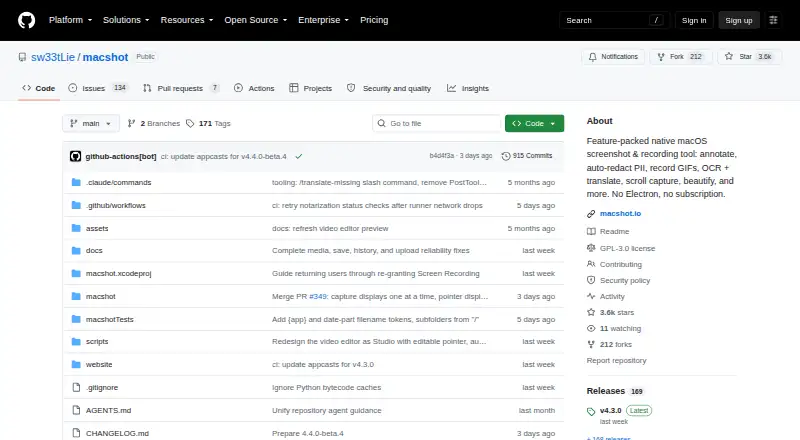
What macshot is
macshot is a free, open-source screenshot and screen-recording tool for macOS. It captures regions, windows, full screens, multiple monitors, and scrolling content, with annotation tools and undo/redo. Recordings can be MP4 video at up to 120 fps or GIF, with system audio, microphone input, mouse highlights, and a built-in trim editor. A censor tool can pixelate, blur, fill, or erase selected areas, and can automatically redact certain personal information and detect faces and people. Apple Vision extracts text for copying or translation to more than 30 languages, and Google AI search is available. Uploads support Google Drive, imgbb, and S3-compatible services. The maker says macshot runs on-device, collects no telemetry or personal information, and stores screenshots, recordings, and settings locally. It requires macOS 12.3 or later plus Screen Recording permission. Installation is available through Homebrew or a downloadable DMG, under the GPLv3 license.
Who it suits
macshot suits Mac users who need capture, recording, annotation, redaction, OCR, and uploads in one free tool. It is also suited to users who prefer local storage and open-source software.
What it does well
- Captures scrolling and multi-monitor content
- Records MP4 up to 120 fps or GIF
- Automatic PII redaction and face detection
- OCR with translation to 30+ languages
- On-device operation with local storage
What to know first
- macOS 12.3 or later required
- Screen Recording permission is required
- Available only for macOS
- Uploads depend on listed external services
Plans
| Plan | Billed and limits | Price |
|---|---|---|
| Free | All features · macOS 12.3+ · GPLv3 | Free |
As github.com lists them, read 5 Oct 2026. The maker's own page has the final word.
Verdict
macshot combines extensive capture, recording, editing, redaction, and text tools in a free GPLv3 macOS app. Its on-device approach and local storage may appeal to users who want control over their media.
Facts from macshot's own pages
- Capture and annotation
- It supports region, window, full-screen, multi-monitor and scroll capture, plus annotation tools and undo/redo. · macshot.io, 5 Oct 2026
- Distribution
- The maker offers installation through Homebrew or a downloadable DMG for macOS. · macshot.io, 5 Oct 2026
- Free plan
- Yes · github.com, 24 Sept 2026
- Integrations
- Uploads are available to Google Drive, imgbb and S3-compatible services; Google Drive uploads use the drive.file scope, according to the privacy policy. · github.com, 5 Oct 2026
- License and price
- The site describes macshot as free forever and open source under GPLv3. · macshot.io, 5 Oct 2026
- OCR and translation
- It extracts text with Apple Vision, can copy it or translate it to 30+ languages, and offers Google AI search. · macshot.io, 5 Oct 2026
- Privacy
- The maker says the app runs on-device, collects no telemetry or personal information, and stores screenshots, recordings and settings locally. · github.com, 5 Oct 2026
- Product
- macshot is a free, open-source screenshot and screen recording tool for macOS. · github.com, 5 Oct 2026
- Redaction
- Its censor tool can pixelate, blur, fill or erase, and can automatically redact certain PII and detect faces and people. · macshot.io, 5 Oct 2026
- Requirements
- macshot requires macOS 12.3 or later and Screen Recording permission to capture or record the screen. · github.com, 5 Oct 2026
- Screen recording
- It records MP4 video at up to 120 fps or GIF, with system audio, microphone recording, mouse highlights and a built-in trim editor. · macshot.io, 5 Oct 2026
- Security disclosure
- The security policy recommends GitHub Private Vulnerability Reporting and says the maker aims to respond within 48 hours. · github.com, 5 Oct 2026
- Support
- The maker directs users to report bugs or ask policy questions through GitHub issues. · github.com, 5 Oct 2026
Where macshot stands on Freedom251
- Screenshot Annotation Software#63 of 76