Freedom251 › Screen Capture Software
Shotpad
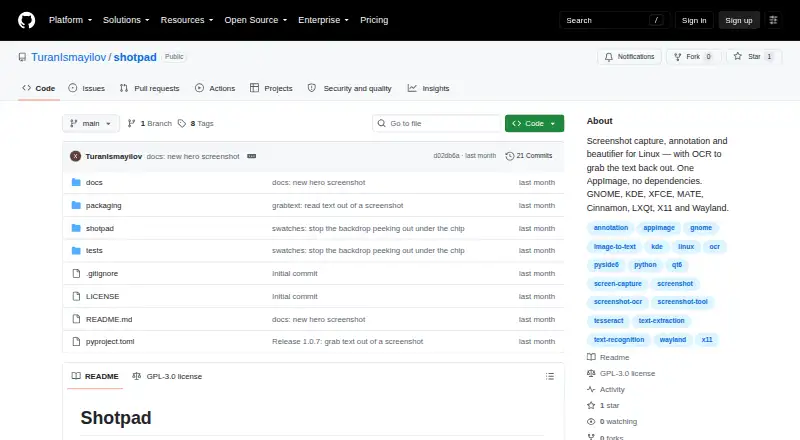
What Shotpad is
Shotpad is a free Linux application for capturing, annotating, beautifying, and reading text from screenshots. It captures areas, screens, or windows, then supports cropping, rotation, flipping, unlimited undo and redo, and exports at 1×, 1.5×, 2×, or 3×. Screenshots can use gradient, solid, image, or transparent backgrounds with padding, rounded corners, borders, shadows, tilt, grain, and aspect ratios. Annotation tools include a pen, highlighter, arrows, lines, shapes, text, numbered badges, and blur, pixelate, or solid-block redactions. Grab text copies OCR results from a selected region, recognizing English, Turkish, Azerbaijani, and Russian. The recognizer runs locally, works without a network connection, and uploads nothing; redactions are included in the pixels OCR reads. Shotpad supports X11 and Wayland capture, clipboard exchange, and several Linux desktop environments. It is distributed through pipx or a self-contained AppImage and licensed under GPL-3.0-or-later.
Who it suits
Shotpad suits Linux users who need screenshot capture, annotation, visual styling, OCR, and pixel-based redaction. It is also useful for people preferring local processing and free, open-source distribution.
What it does well
- Free Linux screenshot and annotation app
- Local OCR works offline
- Multiple redaction and annotation tools
- Exports up to 3×
- Available through pipx or AppImage
What to know first
- Linux only
- Some desktop environments are untested
- GNOME 46 and earlier have a shortcut issue
- GPL-3.0-or-later license includes no warranty
Verdict
Shotpad combines screenshot editing, presentation styling, OCR, and redaction without network processing. Check desktop-environment compatibility, especially the documented GNOME shortcut limitation, before installing.
Facts from Shotpad's own pages
- Annotations
- Annotation tools include pen, highlighter, arrows, lines, shapes, text, numbered badges, redaction, and eraser. · github.com, 12 Oct 2026
- Beautification
- It supports gradient, solid, image, or transparent backgrounds, plus padding, shadows, borders, grain, aspect ratios, and tilt. · github.com, 12 Oct 2026
- Capture and editing
- It captures areas, screens, or windows and supports cropping, rotating, flipping, undo and redo, and export at up to 3×. · github.com, 12 Oct 2026
- Desktop support
- The project lists GNOME, KDE Plasma, XFCE, MATE, Cinnamon, and LXQt support on X11 and Wayland; several other desktop environments are recognized but marked untested. · github.com, 12 Oct 2026
- Distribution
- It can be installed with pipx or downloaded as a self-contained AppImage. · github.com, 12 Oct 2026
- Editing
- Shotpad supports cropping, rotating, flipping, unlimited undo and redo, and export at 1×, 1.5×, 2×, or 3×. · github.com, 11 Oct 2026
- Free plan
- Yes · github.com, 20 Sept 2026
- Installation
- Shotpad can be installed through pipx or downloaded as an AppImage, which includes its own Python and Qt. · github.com, 11 Oct 2026
- Integration
- Shotpad supports copying finished images to the clipboard and opening or pasting images from other applications. · github.com, 12 Oct 2026
- Known limitation
- The README describes a capture shortcut issue on GNOME 46 and earlier when no other window is open; GNOME 47 and 48 are marked untested. · github.com, 12 Oct 2026
- Latest release
- The GitHub releases page lists Shotpad 1.0.7 as the latest release and dates it August 8. · github.com, 11 Oct 2026
- License
- Shotpad is licensed under GPL-3.0-or-later, and the README says the product name and icon remain the maker’s property. · github.com, 12 Oct 2026
- Maker
- The README identifies Turan Ismayilov as the copyright holder and says copyright is © 2026. · github.com, 12 Oct 2026
- No telemetry
- The README says Shotpad never checks for updates on its own and never phones home. · github.com, 11 Oct 2026
- OCR
- Its bundled OCR recognizes English, Turkish, Azerbaijani, and Russian, and accepts additional Tesseract traineddata files. · github.com, 12 Oct 2026
- Offline and privacy
- The OCR runs on the user’s machine, uploads nothing, and works without a network connection; Shotpad also states that it never phones home. · github.com, 12 Oct 2026
- Offline processing
- The OCR recognizer is bundled, runs on the user's machine, and works without a network connection; the page says nothing is uploaded. · github.com, 11 Oct 2026
- Purpose
- Shotpad is a Linux screenshot capture, annotation, and beautification app with OCR. · github.com, 12 Oct 2026
- Redaction tools
- Yes · github.com, 20 Sept 2026
- Redaction behavior
- Redactions are baked into screenshot pixels, and OCR reads the redacted image as it will be exported. · github.com, 11 Oct 2026
- Requirements
- The pipx installation requires Python 3.10 or later, while the AppImage includes Python and Qt and has no host dependencies. · github.com, 12 Oct 2026
- Screenshot styling
- It supports gradient, solid, image, or transparent backgrounds, padding, rounded corners, shadows, tilt, and grain. · github.com, 11 Oct 2026
- Wayland permissions
- On Wayland, screen capture uses the XDG desktop portal, and GNOME and KDE request permission on first use. · github.com, 12 Oct 2026
Where Shotpad stands on Freedom251
- Screen Capture Software#45 of 61
- Screenshot Annotation Software#61 of 76