Freedom251 › Screen Capture Software

Screencap
What Screencap is
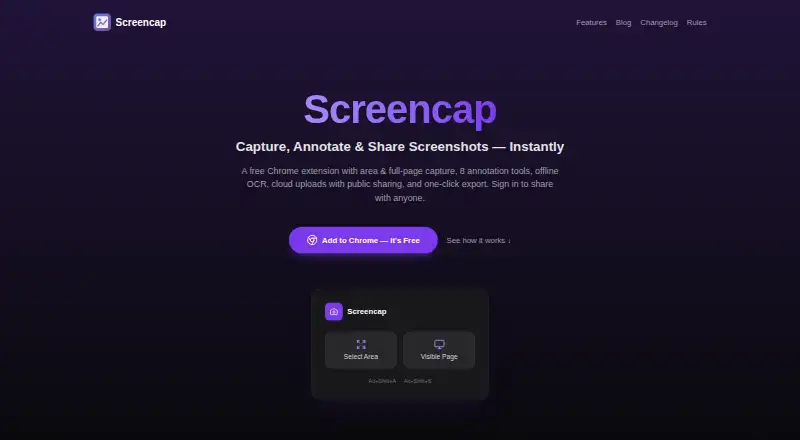
Screencap is a free Chrome extension for capturing, marking up, styling, and sharing screenshots. You can capture a selected area or the visible page from the extension or keyboard shortcuts. Eight tools cover rectangles, arrows, lines, freehand marks, text, blur, selection, and cropping, with undo and redo. Eleven background presets, adjustable padding and corner radius, and three shadow intensities help format the image. English OCR runs locally in the browser, so screenshots and extracted text are not uploaded for recognition. Results can be copied, downloaded as PNG files, or dragged into Slack, Notion, and Figma. Optional Google sign-in enables cloud uploads and public unlisted links; a standard account includes 1 GB of storage. Anyone obtaining such a link can view, download, copy, and reshare the image. Local capture and editing require no account.
Who it suits
It suits power users and anyone needing browser-based screenshot capture and annotation. Local editing without an account is useful when you do not want to sign in.
What it does well
- Free plan with local capture and editing
- Eight annotation tools with undo and redo
- Local English OCR without uploads
- PNG, clipboard, and drag-and-drop export
- Supports six named languages
What to know first
- Cloud storage is limited to 1 GB
- Public links can be reshared by anyone
- Chrome extension rather than listed desktop apps
Plans
| Plan | Billed and limits | Price |
|---|---|---|
| Free | 1 GB cloud storage · local capture and editing without an account | Free |
As screencap.app lists them, read 10 Oct 2026. The maker's own page has the final word.
Verdict
Screencap combines capture, annotation, visual styling, local OCR, and several export routes in a free Chrome extension. Consider the 1 GB cloud limit and the open nature of unlisted share links before uploading images.
Facts from Screencap's own pages
- Annotations
- Its eight annotation tools are rectangle, arrow, line, freehand, text, blur, select, and crop, with undo and redo. · screencap.app, 10 Oct 2026
- Backgrounds
- It offers 11 background presets, adjustable padding and corner radius, and three shadow intensities. · screencap.app, 10 Oct 2026
- Capture
- It captures a selected area or the currently visible page, using the extension or keyboard shortcuts. · screencap.app, 10 Oct 2026
- Cloud sharing
- Optional Google sign-in enables cloud uploads and public share links that anyone with the link can view. · screencap.app, 10 Oct 2026
- Cloud storage limit
- A standard account currently includes 1 GB of cloud storage. · chromewebstore.google.com, 10 Oct 2026
- Export
- Screenshots can be copied to the clipboard, downloaded as PNGs, or dragged into Slack, Notion, and Figma. · screencap.app, 10 Oct 2026
- Headquarters
- Sarajevo, Bosnia and Herzegovina · screencap.app, 28 Sept 2026
- Integrations
- The site names Slack, Notion, and Figma for drag-and-drop export; it does not describe separate integrations. · screencap.app, 10 Oct 2026
- Languages
- The extension supports English, Hindi, Simplified Chinese, French, German, and Spanish. · chromewebstore.google.com, 10 Oct 2026
- OCR
- English OCR runs locally in the browser, without uploading screenshots or extracted text. · screencap.app, 10 Oct 2026
- Privacy
- The extension says it does not collect browsing history or use extension analytics, telemetry, or advertising tracking. · screencap.app, 10 Oct 2026
- Public links
- Uploaded images can be viewed, downloaded, copied, and reshared by anyone who obtains the unlisted link. · screencap.app, 10 Oct 2026
- Purpose
- Screencap is a Chrome extension for capturing, annotating, beautifying, and sharing screenshots. · screencap.app, 10 Oct 2026
- Support
- The site directs users to [email protected] for help. · screencap.app, 10 Oct 2026
- Who it is for
- The maker describes it as a screenshot tool for power users and everyone, with local capture and editing available without an account. · screencap.app, 10 Oct 2026
Where Screencap stands on Freedom251
- Screen Capture Software#28 of 61
- Screenshot Annotation Software#64 of 76