Freedom251 › Screen Capture Software

Pixtel
What Pixtel is
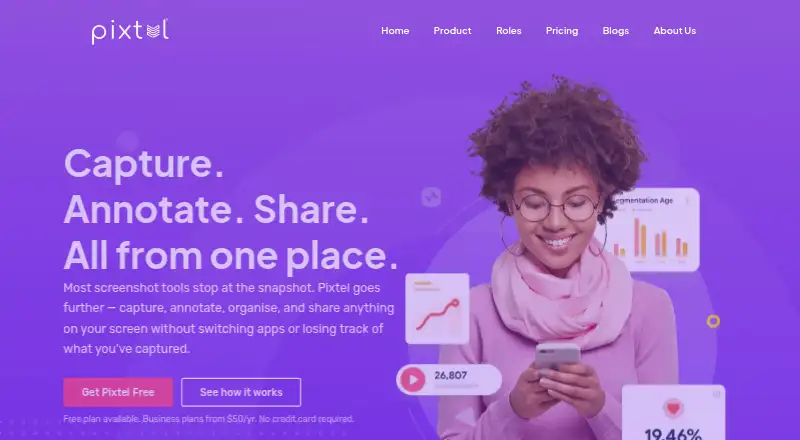
Pixtel is Windows software that combines screen capture, annotation, organization, and sharing in one workspace. It supports more than 12 capture modes, including scrolling page capture, screen recording with audio, OCR, and webcam capture. Its virtual canvas lets users place editable annotations beyond an image’s original boundary. Captures are organized in a searchable media library with tags and filters, and can be shared or exported in bulk. Listed sharing destinations include Google Drive, OneDrive, Dropbox, Box, OneNote, Evernote, Microsoft Office, Jira, FTP, email, YouTube, and Vimeo. Export formats are PNG, JPEG, BMP, GIF, TIFF, WebP, and PI. Pixtel is compatible with Windows 10/11 and Windows Server 2012 and 2016; macOS is not supported. The free edition is for personal and business use, includes upgrades and email support, and adds a Pixtel watermark to images and videos. It requires a valid email address. Personal/Non-profit costs $25 a year and Business costs $50 a year. Both paid plans cover two machines per subscription and remove watermarks; support is 12/5 for Personal/Non-profit and 24/7 for Business. Pixtel says its engineers developed it for internal use before releasing it commercially after seven years.
Who it suits
Pixtel suits Windows users who need screen capture, annotation, a searchable media library, and sharing destinations in one workspace. The free edition is described for personal and business use, while paid plans distinguish personal or nonprofit use from business use.
What it does well
- Supports more than 12 capture modes.
- Includes scrolling capture, audio recording, OCR, and webcam capture.
- Virtual canvas supports editable annotations beyond image boundaries.
- Searchable library includes tags and filters.
- Exports to seven listed formats.
- Lists multiple cloud, productivity, and sharing destinations.
What to know first
- Runs on Windows; macOS is not supported.
- Free edition watermarks images and videos.
- Paid subscriptions cover two machines each.
Limits
The free edition adds a Pixtel watermark to images and videos. Personal/Non-profit costs $25 a year and Business costs $50 a year; each paid subscription covers two machines.
Plans
| Plan | Billed and limits | Price |
|---|---|---|
| Personal/Non-profit | Annually · Two machines/subscription · No watermarks · 12/5 email support | $25 a year |
| Business | Annually · Two machines/subscription · No watermarks · 24/7 email support · Volume discount | $50 a year |
| Free | Annually · Two machines/subscription · Watermarks images/videos · Email support | On request |
As pixtel.us lists them, read 7 Oct 2026. The maker's own page has the final word.
Getting started
- Visit the Pixtel website and choose an edition.
- For the free edition, provide a valid email address.
- Use a compatible Windows 10/11 or Windows Server 2012 or 2016 system.
- Choose Personal/Non-profit for personal or nonprofit use, or Business for business use.
Verdict
Choose Pixtel if you use Windows and want capture, annotation, organization, and sharing tools together. The free edition includes upgrades but places watermarks on images and videos; the paid plans remove them. Look elsewhere if you need macOS support.
Questions
Is Pixtel free?
Yes. The free edition is for personal and business use, includes upgrades and email support, and watermarks images and videos. A valid email address is required.
How much do the paid plans cost?
Personal/Non-profit costs $25 a year. Business costs $50 a year.
Is there a free trial?
The listed free trial availability is no.
Which operating systems does Pixtel support?
It is compatible with Windows 10/11 and Windows Server 2012 and 2016. macOS is not supported.
What export formats are available?
PNG, JPEG, BMP, GIF, TIFF, WebP, and PI.
Which sharing destinations are listed?
Google Drive, OneDrive, Dropbox, Box, OneNote, Evernote, Microsoft Office, Jira, FTP, email, YouTube, and Vimeo.
Facts from Pixtel's own pages
- Annotation
- Its virtual canvas lets users add editable annotations beyond the original image boundary. · pixtel.us, 7 Oct 2026
- Capture
- It supports scrolling page capture, screen recording with audio, OCR, webcam capture, and more than 12 capture modes. · pixtel.us, 7 Oct 2026
- Cloud security
- The product page says cloud connections support two-factor authentication. · pixtel.us, 7 Oct 2026
- Company background
- Pixtel says engineers developed the product for internal use and released it commercially after seven years. · pixtel.us, 7 Oct 2026
- Data security
- The privacy policy says customer data is encrypted at rest with AES-256 and in transit via TLS. · pixtel.us, 7 Oct 2026
- Export formats
- PNG, JPEG, BMP, GIF, TIFF, WebP, PI · pixtel.us, 19 Sept 2026
- Free edition
- The free edition requires a valid email address and applies a Pixtel watermark to images and videos. · pixtel.us, 7 Oct 2026
- Free plan
- Yes · pixtel.us, 19 Sept 2026
- Integrations
- The maker lists Google Drive, OneDrive, Dropbox, Box, OneNote, Evernote, Microsoft Office, Jira, FTP, email, YouTube, and Vimeo as sharing destinations. · pixtel.us, 7 Oct 2026
- Intended users
- The maker describes the free plan as suitable for personal and business use, the Personal/Non-profit plan for personal or nonprofit use, and Business for business use. · pixtel.us, 7 Oct 2026
- Management
- Pixtel organizes captures in a searchable media library with tags, filters, and bulk export or sharing. · pixtel.us, 7 Oct 2026
- Operating systems
- Pixtel is compatible with Windows 10/11 and Windows Server 2012 and 2016; the download page says macOS is not supported. · pixtel.us, 7 Oct 2026
- Product
- Pixtel combines screen capture, annotation, organization, and sharing in one workspace. · pixtel.us, 7 Oct 2026
- Support
- The pricing page lists email support for all plans, with 12/5 support for Personal/Non-profit and 24/7 support for Business. · pixtel.us, 7 Oct 2026
Where Pixtel stands on Freedom251
- Screen Capture Software#27 of 61
- Screenshot Annotation Software#41 of 76