Freedom251 › Graphic Design Software
Lunacy
What Lunacy is
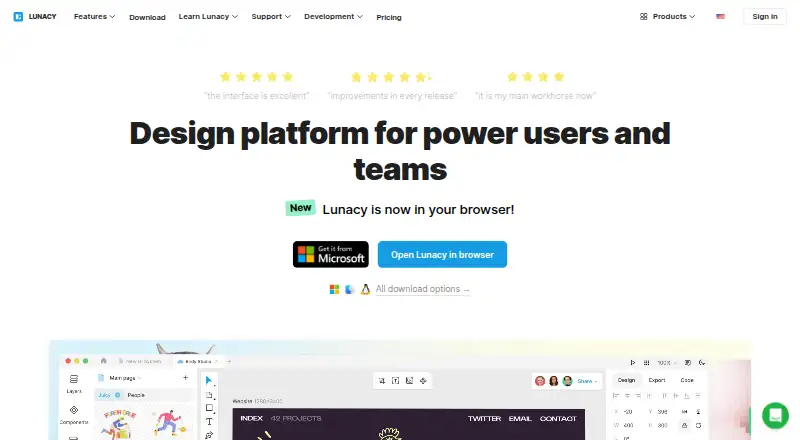
Lunacy is a graphic design app and platform for individual designers and teams. Its tools include auto layouts, components, variables, prototyping, and real-time collaboration, with online and offline modes. Designers can use built-in icons, illustrations, photos, and UI kits, as well as AI tools for image upscaling, background removal, text generation, and avatar creation. Lunacy works natively with .sketch files and can import Figma documents. Users can work with local documents without an internet connection, or deploy its private cloud on-premises or on a VPS. Private-cloud controls include user access management, single sign-on, detailed logs, data recovery, and administrator-approved updates. The free plan allows up to 10 cloud documents, 10 document editors or exporters, and 30 days of version history. Personal cloud and Professional team plans each cost $4.99 a month. The features page says third-party integrations are not currently planned and lists plugins, animation, 3D support, and .fig file support among features unlikely to appear soon.
Who it suits
Lunacy suits designers who want desktop and online design tools, collaboration, and built-in visual assets. Its private-cloud options and access controls may fit large corporate teams with hosting and administration needs.
What it does well
- Includes auto layouts, components, variables, and prototyping.
- Real-time collaboration works alongside offline modes.
- Built-in icons, illustrations, photos, and UI kits.
- Works natively with .sketch files and imports Figma documents.
- Private cloud offers access controls and data recovery.
What to know first
- Free plan caps cloud documents at 10.
- Free plan includes only 30 days of version history.
- Third-party integrations are not currently planned.
- Plugins, animation, and 3D support are unlikely soon.
Limits
The free plan allows up to 10 cloud documents and up to 10 document editors or exporters, with 30 days of version history. The trial team plan allows up to 10 team cloud documents, three editors/exporters, and three team members, also with 30 days of version history.
Plans
| Plan | Billed and limits | Price |
|---|---|---|
| Personal cloud plan | billed monthly · Unlimited cloud documents · Unlimited document editors/exporters · Unlimited viewers · Entire version history · Deleted files stored forever | $4.99 a month |
| Trial team plan | Up to 10 team cloud documents · Up to 3 document editors/exporters · Unlimited viewers · Up to 3 team members · 30 days of version history | On request |
| Trial team plan | Up to 10 team cloud documents · Up to 3 document editors/exporters · Unlimited viewers · Up to 3 team members · 30 days of version history | On request |
| Professional team plan | billed monthly · Unlimited cloud documents · Unlimited document editors/exporters · Unlimited viewers · Additional members at $4.99 per user/month · Deleted files stored forever | $4.99 a month |
| Full graphics subscription | through the Lunacy app · full Icons8 graphics set · SVG and high-resolution PNG access without attribution · AI Image Upscaler up to 7680×7680px | $9.99 a month |
| Free | low-resolution raster icons, illustrations and photos · text and avatar generators · no AI tools · Icons8 attribution required · 10 cloud documents · 30-day version history · deleted documents stored 30 days | Free |
| Pro | per user/month billed yearly · editable vector icons and illustrations · studio-quality photos · AI upscaler and background remover · no attribution · unlimited cloud documents, history and deleted-file storage | $11.99 a month |
| Professional team | per additional user/month · unlimited documents, editors/exporters and viewers · full version history · deleted files stored forever · add members as team grows | $4.99 a month |
The first 8 of 10 plans, as icons8.com lists them, read 20 Sept 2026. The maker's own page has the final word. Every plan
Getting started
- Visit the Lunacy website.
- Choose a platform: Linux, macOS, Windows, or web.
- Start with the free plan, or select a paid plan that fits your use.
- Use local documents for offline work or cloud documents for online collaboration.
Overview
Lunacy is a graphic design app for designers who need interface and visual-design tools alongside shared documents and ready-to-use assets. It is strongest for solo designers and teams that value .sketch compatibility, offline work, or private-cloud hosting; teams that rely on plugins, animation, 3D, or .fig files should look elsewhere.
Its toolkit spans auto layouts, components, variables, prototyping, and real-time collaboration, with local-document and online workflows. Built-in icons, illustrations, photos, and UI kits reduce the need to source every design asset separately, while AI tools cover image upscaling, background removal, text generation, and avatar generation.
Lunacy works natively with .sketch files and can import Figma documents. It does not support .fig files, however, and third-party integrations are not currently planned. That distinction matters for teams expecting a broad plugin ecosystem or direct compatibility with that format.
Explore Vector Graphics Software, UI design tools, Graphic Design Software, Design Collaboration Software, Developer Handoff Software, and Game UI Design Software.
Key features
Design, assets, and AI
Auto layouts, reusable components, variables, and prototyping provide a substantial design toolkit, and real-time collaboration supports shared work. The built-in asset library spans icons, illustrations, photos, and UI kits. AI adds practical image and text tasks, including upscaling, background removal, text generation, and avatar generation; the Full graphics subscription specifically offers image upscaling up to 7680 × 7680 px.
Local work and private cloud
Users can work with local documents and use Lunacy without an internet connection, a useful option where connectivity is unreliable or cloud storage is unsuitable. Enterprise private cloud can be deployed on-premises or on a VPS, with user access control, single sign-on, detailed logs, data recovery, and administrator-approved updates. On-premises customers manage their server and backups; VPS customers can handle backups themselves or delegate them to Icons8 engineers. The VPS setup can also be arranged by Icons8 engineers.
These controls are meaningful for organizations with hosting or access requirements, but they come with operational responsibility. Lunacy is less compelling for teams whose workflow depends on third-party integrations, plugins, animation, 3D support, or .fig files: those capabilities are not planned or are unlikely to appear soon.
Pricing
Lunacy is freemium, with paid plans from $4.99/mo. There is no free trial. The free tier is useful for beginners, but its cloud and history caps make it a limited choice for sustained shared work.
| Plan | Price | What it includes and who it suits |
|---|---|---|
| Free | free | Up to 10 cloud documents, 10 document editors/exporters, and 30 days of version history. A sensible starting point for beginners who can work within those caps. |
| Personal cloud plan | $4.99 a month, billed monthly | Unlimited cloud documents, editors/exporters, and viewers, plus entire version history and deleted files stored forever. Best for an individual who needs room to keep documents and history. |
| Trial team plan | Custom pricing | Up to 10 team cloud documents, 3 editors/exporters, unlimited viewers, up to 3 team members, and 30 days of version history. It gives a small team a bounded way to work together, but keeps the Free plan's history window. |
| Professional team plan | $4.99 a month, billed monthly | Unlimited cloud documents, editors/exporters, and viewers, with deleted files stored forever. Additional members cost $4.99 per user/month. A fit for teams needing more than the Trial team's three members or document limits. |
| Full graphics subscription | $9.99 a month | Includes image upscaling up to 7680 × 7680 px. The stated price is valid when subscribed through the Lunacy app. |
| Pro | $11.99 a year, billed per user/month, billed yearly | Editable vector icons and illustrations, studio quality photos, AI upscaler and background remover, no attribution or backlink, and unlimited cloud docs, version history, and deleted-doc storage. Suits designers who want those assets and AI tools with expanded document storage. |
| Enterprise | Custom pricing | A tailored plan with granular access control, priority feature development, a dedicated customer success manager, 24/7 priority support, private cloud (self-hosted or VPS), and Bunker mode, for large corporate teams. |
The plan labels and inclusions address different needs: Personal cloud expands an individual's document capacity, while Professional team charges $4.99 per additional member per month. Compare the Pro and Full graphics subscriptions against the features actually needed; the former includes editable assets and unlimited document storage, while the latter states a specific upscaling ceiling. The Enterprise option is the one for private-cloud deployment and priority support.
Platforms
Lunacy is available on Linux, macOS, Windows, and the web, and supports self-hosted deployment. A desktop app is available. The combination of desktop platforms, web access, and offline modes gives users options across connected and disconnected workflows.
Who it's for
Beginners can start on Free, provided 10 cloud documents, 10 editors/exporters, and 30 days of history are enough. Solo designers can move to Personal cloud for uncapped documents and full version history, while teams can use real-time collaboration and the Professional team plan's unlimited document and viewer allowances. Large organizations with hosting controls, granular access, and support requirements are the clearest Enterprise fit.
Lunacy is a weaker choice for designers who need integrations, plugins, animation, 3D, or .fig support. It also asks on-premises Enterprise customers to own server and backup operations, so private hosting is not a hands-off option by default.
Pros and cons
- Pros: Local documents and offline use support work without an internet connection.
- Pros: Native .sketch support and Figma document import can help preserve continuity across design formats.
- Pros: Built-in assets and AI tools cover several common visual-design tasks within the app.
- Pros: Private-cloud hosting offers access controls, SSO, logs, recovery, and update approval for Enterprise customers.
- Cons: Free cloud documents, editors/exporters, and version history are capped, which may constrain ongoing team work.
- Cons: Third-party integrations are not currently planned, and plugins, animation, 3D, and .fig support are unlikely soon.
- Cons: On-premises hosting leaves server and backup management to the customer.
Alternatives
Choose Vector Ink if its iOS, macOS, or web availability better matches your platform needs; it has a free plan and paid access through in-app purchases. Affinity is a free option for macOS and Windows that combines vector design, pixel photo editing, page layout, export tools, and Canva integration, making it a better fit when those capabilities matter more than Lunacy's collaboration and hosting options.
Amadine is worth considering for iPad and iPhone use: its free version is fully operational there, though exporting, printing, and image tracing require purchase. Concepts is an alternative on Windows, iOS, and Android; its Basic plan is limited to five layers, while Pro monthly subscription costs $4.99 a month.
Drawtify is a browser-accessible option on web, Windows, and macOS, with a free plan that includes a vector editor, limited templates and elements, 40 MB image uploads, SD image exports, PDF exports, and folders. Graphite is a free alternative for web, Windows, macOS, and Linux.
Inkscape is a free, open-source vector graphics editor for Linux, macOS, and Windows, a straightforward choice when open-source vector editing is the priority. Linearity Curve is another freemium option on iOS and macOS.
Verdict
Lunacy is a strong choice for designers and teams who want a broad design toolkit, built-in assets, offline work, and a path to private-cloud deployment. Its .sketch support and Figma import add useful format flexibility. Choose it if those strengths match your workflow and its plan limits fit your team; look elsewhere if plugins, integrations, animation, 3D, or .fig support are essential.
Verdict
Lunacy combines design tools, built-in assets, and AI features with local-document and private-cloud options. Check the free plan's document and history limits, and note that several integrations and design capabilities are not planned or expected soon.
Questions
Is Lunacy free?
Yes. Its Free plan costs nothing and includes up to 10 cloud documents, up to 10 document editors or exporters, and 30 days of version history.
How much do paid plans cost?
The listed options include Personal cloud and Professional team plans at $4.99 a month, Full graphics subscription at $9.99 a month, and Pro at $11.99 a year. Enterprise is custom-priced.
Which platforms does Lunacy support?
Lunacy is available for Linux, macOS, Windows, and the web. It also has a desktop app.
Can Lunacy work offline?
Yes. Users can work with local documents without an internet connection, and the app supports online and offline modes.
What file formats does Lunacy work with?
Lunacy works natively with .sketch files and can import Figma documents.
Does Lunacy offer private cloud hosting?
Yes. The Enterprise plan includes private cloud hosting, self-hosted or on a VPS. On-premises customers manage their server and backups; VPS backup arrangements can be managed by customers or Icons8 engineers.
Facts from Lunacy's own pages
- AI features
- Its AI tools include an image upscaler, background remover, text generator, and avatar generator. · icons8.com, 2 Oct 2026
- AI tools
- Built-in AI functions include background removal, image upscaling, avatar generation and text generation. · getapp.com, 15 Oct 2026
- Audience
- The pricing page describes the free plan as for beginners, Pro as for solo designers and teams, and Enterprise as for large corporate teams. · icons8.com, 2 Oct 2026
- Built-in assets
- The app includes Icons8 icons, illustrations, photos and UI kits inside the design workflow. · icons8.com, 15 Oct 2026
- Collaboration
- Cloud documents support real-time multi-user editing, comments, observer mode and version history. · icons8.com, 15 Oct 2026
- Company founded and size
- LinkedIn lists Icons8 as privately held, founded in 2012, headquartered in New York and employing 51–200 people. · linkedin.com, 15 Oct 2026
- Company legal name
- The software EULA identifies the provider as Icons8 LLC. · lunacy.docs.icons8.com, 15 Oct 2026
- Design tools
- The app includes auto layouts, real-time collaboration, components, variables, prototyping, and online and offline modes. · icons8.com, 2 Oct 2026
- Desktop app
- Yes · lunacy.docs.icons8.com, 20 Sept 2026
- Developer documentation
- Official documentation covers interface, editing, components, shared libraries, auto layout, prototyping, teams, localization, troubleshooting and release history. · lunacy.docs.icons8.com, 15 Oct 2026
- Enterprise hosting
- On-premises deployment keeps data within a company's corporate network, while the VPS option can be set up by Icons8 engineers. · icons8.com, 2 Oct 2026
- Export and handoff
- The app supports CSS, XAML, JSON and SVG code previews and exports common raster, vector and document formats. · github.com, 15 Oct 2026
- Figma support
- The product documentation says Lunacy can open Figma .fig files and import Sketch files into Figma or XD. · lunacy.docs.icons8.com, 15 Oct 2026
- File compatibility
- Lunacy works natively with .sketch files and can import documents from Figma. · icons8.com, 2 Oct 2026
- Free plan
- Yes · lunacy.docs.icons8.com, 20 Sept 2026
- Hardware requirements
- Minimum requirements are 2 GB RAM, 512 MB graphics memory, a two-core CPU and 500 MB storage; recommended levels are higher. · lunacy.docs.icons8.com, 15 Oct 2026
- Illustration tools
- Yes · lunacy.docs.icons8.com, 20 Sept 2026
- Integrations
- Documented workflow integrations include Avocode, Zeplin, Abstract and Simpli through Sketch-format compatibility. · lunacy.docs.icons8.com, 15 Oct 2026
- Integrations and exclusions
- The features page says third-party integrations are not currently planned, and lists plugins, animation, 3D support, and .fig file support among features unlikely to appear soon. · icons8.com, 2 Oct 2026
- Limit: advanced capabilities
- G2 reviewers report weaker animation, prototyping depth, integrations, documentation detail and occasional instability on complex files. · g2.com, 15 Oct 2026
- Limit: crashes and interface bugs
- A Capterra reviewer reports performance problems and crashes in large files plus sidebar or window-maximizing bugs. · capterra.com, 15 Oct 2026
- Limit: free-plan restrictions
- A Software Advice reviewer says the free plan has substantial feature restrictions and less depth than Figma. · softwareadvice.com, 15 Oct 2026
- Limit: macOS stability
- Apple reviewers report frequent macOS crashes, spinning waits and force quits; one reviewer also requested an iPad version, which the developer said was not planned. · apps.apple.com, 15 Oct 2026
- Limit: prototyping education
- A GetApp review says prototyping is difficult and would benefit from more tutorials. · getapp.com, 15 Oct 2026
Where Lunacy stands on Freedom251
- Graphic Design Software#17 of 150
- Design tools#17 of 146
- Game UI Design Software#5 of 32
- UI design tools#6 of 37
- Design Collaboration Software#5 of 28
- Vector Graphics Software#10 of 51
- Developer Handoff Software#5 of 25