Freedom251 › Cover Letter Software
Canva Video
by Canva Video
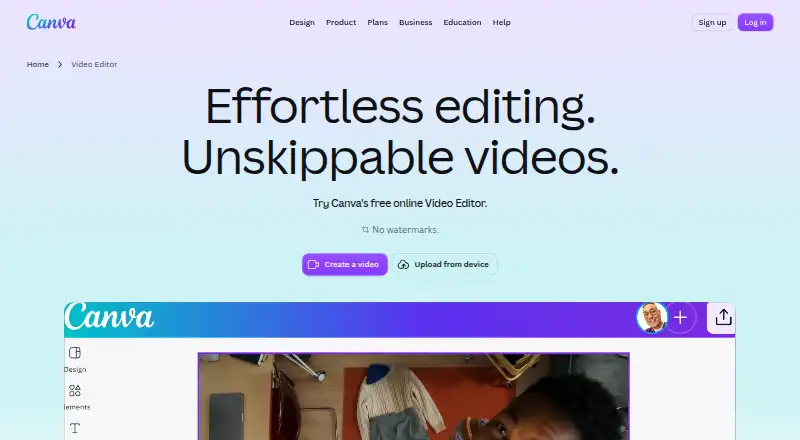
What Canva Video is
Canva Video combines video editing with design tools for templates, presentations, illustrations, and brand assets. Its listed features include a template library, presentation design, illustration tools, Brand Kits, and real-time collaboration. Desktop and mobile apps are available, so users can work from either type of device. The product uses a freemium model, with a Free plan and three other named plans. Free costs nothing and includes 5GB of cloud storage, 1.6M+ templates, and up to 20 Standard or Premium AI uses. Pro Lite includes 50GB of storage, 3 Brand Kits, and 3.6M+ templates. Pro is billed for one person and includes 100GB of storage, 5 Brand Kits, and 3.6M+ templates. Business includes 500GB of storage, 100 Brand Kits, and 3.6M+ templates. The plan details distinguish the options by storage, Brand Kits, and template totals. Canva Video is made by Canva Video, whose founding year is 2013.
Who it suits
Canva Video suits people who want video editing alongside presentation, illustration, and brand design tools. Its desktop and mobile apps and real-time collaboration can fit individuals as well as people working with others.
What it does well
- Includes presentation design and illustration tools.
- Real-time collaboration is available.
- Desktop and mobile apps are available.
- Free includes 1.6M+ templates and up to 20 AI uses.
- Business includes 100 Brand Kits and 500GB storage.
What to know first
- Free includes 5GB of cloud storage.
- Free includes up to 20 Standard or Premium AI uses.
- Pro is billed for one person.
Limits
The Free plan includes 5GB of cloud storage, 1.6M+ templates, and up to 20 Standard or Premium AI uses. Pro Lite includes 50GB of storage and 3 Brand Kits; the listed Pro and Business allowances are 100GB and 500GB of storage, respectively.
Plans
| Plan | Billed and limits | Price |
|---|---|---|
| Pro Lite | 50GB cloud storage · 3 Brand Kits · 3.6M+ templates | On request |
| Pro Lite | for one person · 50GB cloud storage · 3 Brand Kits · 3.6M+ templates | On request |
| Free | US$0 /year for one person · 5GB cloud storage · 1 Brand Kit (3 colors only) · up to 20 Standard or Premium AI uses | Free |
| Pro | US$144 /year for one person · 100GB cloud storage · 5 Brand Kits · AI usage subject to fair use limits | $144 a year |
| Business | US$250 /year per person · 500GB cloud storage · 100 Brand Kits and approvals · pay-as-you-grow billing | $250 a year |
| Enterprise | Let’s talk · 1TB cloud storage · SSO and SCIM provisioning · priority support; dedicated customer success manager for enterprise customers with 150+ contracted seats | On request |
As canva.com lists them, read 20 Sept 2026. The maker's own page has the final word.
Getting started
- Open the Canva Video website.
- Choose the desktop or mobile app.
- Select Free, Pro Lite, Pro, or Business.
- Start with the features and allowances included in the selected plan.
Overview
Canva Video is an online editor that combines clip editing with templates and Canva’s broader design tools. It suits creators and teams making social videos alongside presentations or other branded materials. Its free plan makes it possible to start without a subscription, but paid elements can add watermarks unless you move to Pro.
Key features
A multi-layer timeline supports trimming, splitting, splicing, and layering clips, giving creators room to assemble footage rather than just apply a template. Highlights can surface moments in footage, while Magic Video can style and sequence uploaded clips into social-ready edits. Automatically generated captions, animation effects, and transitions add polish, though the editor’s strongest case is its mix of video and general-purpose design rather than a specialized video-only workflow.
Exports are available as MP4 or GIF. Free-account exports avoid watermarks only when they use free elements, images, footage, and music; a Pro or other paid element triggers a watermark on Free, while Pro removes watermarks even when paid elements are used. Canva also says videos can be published directly to Facebook, Instagram, X, TikTok, Pinterest, LinkedIn, and Tumblr.
Templates, presentation design, illustration tools, and Brand Kits put video in the same design environment as other creative work. Canva’s Apps Marketplace includes tools for audio and voiceover, file and data management, marketing, and video and animation, including YouTube Embed. That breadth is useful for people already building several kinds of content in Canva, but may be unnecessary if video editing is all they need.
Canva says designs are protected in transit with TLS/SSL and encrypted at rest with AES256, and names ISO 27001, SOC 2, SOC 3, and PCI DSS certifications. It says it does not claim ownership of user content or train, sell, or repurpose it without explicit permission; users can opt out of AI training use.
Pricing
Canva Video uses a freemium model, and a free trial is offered. The Free plan costs nothing and includes 5GB of cloud storage, 1.6M+ templates, and up to 20 Standard or Premium AI uses. That is a practical starting point, but the AI-use cap and paid-element watermarks matter if you expect to produce videos regularly or rely on premium assets.
Pro Lite has custom pricing and is billed for one person. It provides 50GB of cloud storage, 3 Brand Kits, and 3.6M+ templates. Pro also has custom pricing, is billed for one person, and raises storage to 100GB and Brand Kits to 5, with the same 3.6M+ templates. Pro is the clearer fit when watermark-free exports using paid elements matter; Pro Lite offers less storage and fewer Brand Kits.
Business has custom pricing and includes 500GB of cloud storage, 100 Brand Kits, and 3.6M+ templates. Its larger Brand Kit allowance suits organizations managing many identities, while the plan details do not state a seat count. Enterprise uses custom pricing (“Let’s talk”) and includes 1TB of storage, SSO and SCIM provisioning, and priority support. A dedicated customer success manager is available to enterprise customers with 150+ contracted seats, making that benefit contingent on a substantial commitment.
The pricing page lists support tickets for plans and limited live chat support for Free. Enterprise adds priority support, with the dedicated manager reserved for eligible customers. No renewal terms are stated.
Platforms
Canva Video is available on web, macOS, and Windows, as well as Android and iOS. Desktop and mobile apps extend access beyond the browser, which suits creators switching between devices.
Who it's for
Canva Video is a sensible choice for creators making TikTok, Instagram Reels, YouTube Shorts, travel, or business videos who also want templates, illustrations, presentations, and collaboration in one design environment. Teams with many brands may value Business’s 100 Brand Kits. It is less compelling for someone whose main requirement is consistent use of paid assets on a free account, or who does not need Canva’s broader design tools.
Pros and cons
- Pro: A multi-layer timeline, AI-assisted editing, captions, animation, and transitions cover a useful range of social-video needs.
- Pro: MP4 and GIF exports, plus direct publishing to seven named social platforms, shorten the path from edit to posting.
- Pro: Templates, presentations, illustrations, Brand Kits, and collaboration make it useful beyond video work.
- Con: Free exports using Pro or other paid elements carry watermarks; avoiding them requires staying with free assets or moving to Pro.
- Con: Free includes only 5GB of storage and up to 20 Standard or Premium AI uses, which can constrain ongoing production.
- Con: Prices for Pro Lite, Pro, Business, and Enterprise are custom, so the plan allowances alone do not reveal the cost of upgrading.
Alternatives
Canva Video is focused on making video and broader visual content; the alternatives below serve resume and cover-letter work instead. Choose Kickresume for a freemium resume tool with free resume and cover-letter templates, or MyPerfectResume for a resume builder with Basic Access and a 14-Day Premium Access plan. Resume Genius has a free tier with TXT resume downloads and cover-letter downloads in PDF, Word, or TXT. ApplyKit is a free, self-hosted option that uses your own hosted AI provider or local Ollama. Huntr offers a free plan for tracking jobs and creating tailored resumes and application packets. MyPerfectCoverLetter is for cover letters, with a free plain-text download and a 14-day low-cost trial that auto-renews at full price. Resume.com offers free resume and cover-letter creation, professional templates, and PDF or plain-text downloads without a premium membership. Rezi offers a free resume plan with one resume and three PDF downloads, or a Pro plan for $29 a month.
For readers comparing design categories, browse Social Media Design Software, Graphic Design Software, Video Collage Maker Software, Poster Maker Software, Infographic Software, or Cover Letter Software.
Verdict
Choose Canva Video if you want social-video editing in the same workspace as templates, presentations, illustrations, and collaboration, and the free plan’s storage and AI-use limits suit your needs. Look elsewhere if paid assets are central to your free workflow, or if you need a known upgrade price before committing.
Verdict
Choose Canva Video if you want video editing alongside templates, presentations, illustrations, and collaboration. The Free plan provides a way to start, while higher plans offer more storage, Brand Kits, and templates; consider another option if the listed plan allowances do not fit your needs.
Questions
Is there a free plan?
Yes. Free costs nothing.
What does the Free plan include?
It includes 5GB of cloud storage, 1.6M+ templates, and up to 20 Standard or Premium AI uses.
Which platforms are available?
Canva Video has desktop and mobile apps.
What do the paid plans include?
Pro Lite includes 50GB storage, 3 Brand Kits, and 3.6M+ templates. Pro includes 100GB storage and 5 Brand Kits; Business includes 500GB storage and 100 Brand Kits. Both list 3.6M+ templates.
Who makes Canva Video?
The maker is Canva Video, founded in 2013.
Facts from Canva Video's own pages
- AI editing
- Its AI tools include Highlights to surface footage moments and Magic Video to style, cut, and sequence uploaded clips into social-ready videos. · canva.com, 11 Oct 2026
- Brand kit
- Yes · canva.com, 20 Sept 2026
- Captions and animation
- The editor supports automatically generated captions with styles and animations, plus animation effects and transitions. · canva.com, 11 Oct 2026
- Content and AI
- Canva says it does not claim ownership of user content and will not train, sell, or repurpose it without explicit permission; users can opt out of AI training use. · canva.com, 11 Oct 2026
- Desktop app
- Yes · canva.com, 20 Sept 2026
- Exports
- Videos can be exported as MP4 or GIF, and free-account exports have no watermark when they use free elements, images, footage, and music. · canva.com, 11 Oct 2026
- Founded
- 2013 · canva.com, 23 Sept 2026
- Free plan
- Yes · canva.com, 20 Sept 2026
- Illustration tools
- Yes · canva.com, 20 Sept 2026
- Integrations
- Canva's Apps Marketplace includes apps for audio and voiceover, file and data management, marketing, and video and animation, including a YouTube Embed app. · canva.com, 11 Oct 2026
- Intended users
- Canva describes its video editor as an all-in-one editing suite for creators and highlights templates for TikTok, Instagram Reels, YouTube Shorts, travel, and business videos. · canva.com, 11 Oct 2026
- Mobile app
- Yes · canva.com, 20 Sept 2026
- Notable limits
- On a Free account, watermarks appear when a video uses Pro or other paid elements; Pro removes watermarks even when paid elements are used. · canva.com, 11 Oct 2026
- Platforms
- Canva offers video editing online, in mobile apps, and in desktop apps for Mac and Windows. · canva.com, 11 Oct 2026
- Presentation design
- Yes · canva.com, 20 Sept 2026
- Real-time collaboration
- Yes · canva.com, 20 Sept 2026
- Security
- Canva says designs are protected in transit with TLS/SSL and encrypted at rest with AES256, and lists ISO 27001, SOC 2, SOC 3, and PCI DSS certifications. · canva.com, 11 Oct 2026
- Social publishing
- Canva says users can publish videos directly to Facebook, Instagram, X, TikTok, Pinterest, LinkedIn, and Tumblr. · canva.com, 11 Oct 2026
- Support
- The pricing page lists support tickets for plans and limited live chat support for Free, with priority support and a dedicated success manager available on Enterprise for eligible customers. · canva.com, 11 Oct 2026
- Template library
- Yes · canva.com, 20 Sept 2026
- Video editing
- Canva Video offers an online video editor with a multi-layer timeline for trimming, splitting, splicing, and layering clips. · canva.com, 11 Oct 2026
Where Canva Video stands on Freedom251
- Cover Letter Software#2 of 62
- Poster Maker Software#2 of 41
- Social Media Design Software#3 of 44
- Video Collage Maker Software#2 of 22
- Infographic Software#4 of 42
- Graphic Design Software#19 of 150
- Design tools#19 of 146