Freedom251 › Vector Graphics Software

Amadine
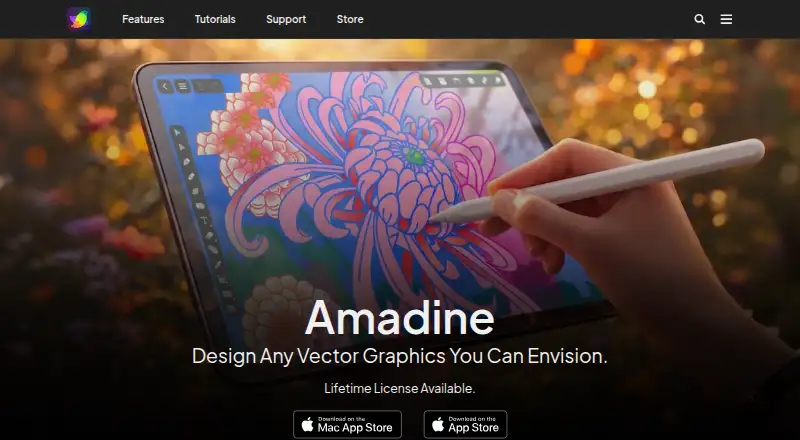
What Amadine is
Amadine is vector graphics software for creating and editing vector artwork, with raster effects available within designs. It runs on Mac, iPad, and iPhone; listed requirements are macOS 11 or later and iPadOS or iOS 15 or later. The app provides more than 30 tools for selecting, drawing, editing, and typing, including Pen, Draw, Width, and Image Trace. Text options include placing text on a path or in a shape, as well as linked boxes that flow text between columns. Effects include shadow, inner shadow, blur, inner glow, and outer glow. Amadine imports SVG, PDF, and AI vector files, plus JPEG, TIFF, PNG, and HEIC images. It exports vector graphics as SVG and PDF, and work as JPEG, TIFF, PNG, or PDF. Images can be imported from Pexels, Pixabay, and Unsplash, requiring an internet connection. The free version is operational, but exporting, printing, and image tracing require purchase. The iPad/iPhone subscription costs $2.99 a month. Mac lifetime licenses are $29.99, paid once for a single user and $49.99, paid once for five seats.
Who it suits
Amadine suits digital artists, illustrators, and web designers who need scalable vector art on Mac, iPad, or iPhone. It may also fit users who want raster effects and image imports within vector designs.
What it does well
- More than 30 drawing, editing, and typing tools
- Imports common vector and raster file formats
- Offers text-on-path and linked text boxes
- Available for Mac, iPad, and iPhone
What to know first
- Free version cannot export or print
- Image tracing requires purchase
- Stock image imports require an internet connection
Limits
The free version on iPad and iPhone does not allow exporting, printing, or image tracing until licensed. The listed iPad/iPhone in-app purchase starts at $2.99 a month; Mac lifetime licenses are listed at $29.99, paid once for one user and $49.99, paid once for five seats.
Plans
| Plan | Billed and limits | Price |
|---|---|---|
| Free version | Fully operational on iPad and iPhone · Exporting, printing and image tracing require purchase | Free |
| iPad/iPhone subscription | billed monthly · In-app purchases are available monthly, yearly or lifetime | $2.99 a month |
| Mac single-user lifetime license | Lifetime license for one Mac user | $29.99 a month |
| Mac family lifetime license | Lifetime license for five seats | $49.99 a month |
| iPad/iPhone in-app purchase | From $2.99/Month · Month, Year, or Lifetime in-app purchases; other prices not stated | $2.99 a month |
| Mac Single user lifetime license | Lifetime license · Single user | $29.99, paid once |
| Mac Family License | Lifetime license · Five seats | $49.99, paid once |
As amadine.com lists them, read 19 Sept 2026. The maker's own page has the final word.
Getting started
- Visit the Amadine website.
- Choose Mac, iPad, or iPhone, subject to the listed system requirements.
- Use the free version on iPad or iPhone, or select a paid option.
- Import existing vector or raster files, or start drawing with the app's tools.
- Connect to the internet if importing images from Pexels, Pixabay, or Unsplash.
Amadine is a vector graphics app for making and editing scalable artwork, with raster effects for added visual treatments. It is best suited to illustrators, digital artists, and web designers working on Apple devices. Its range of drawing and typography tools is useful, but the free version cannot export or print finished work.
Overview
Amadine combines vector editing with raster effects, so a design can stay scalable while incorporating treatments such as blur or shadow. It imports SVG, PDF, and AI files, as well as JPEG, TIFF, PNG, and HEIC images. Finished work can be exported as SVG or PDF, or as JPEG, TIFF, or PNG. That format range helps when moving artwork between common workflows, but the free version’s output restrictions mean it is not a practical free production tool.
Key features
More than 30 tools cover selection, drawing, editing, and typing, including Pen, Draw, Width, and Image Trace. This gives illustrators and designers a broad toolkit for vector work; however, Image Trace is unavailable until the app is licensed, so users evaluating it for that task cannot complete the workflow in the free version.
Typography options include text on a path, text inside a shape, and linked text boxes that flow between columns. Those capabilities are useful for artwork with shaped labels or multi-column layouts, rather than only short standalone captions. Shadow, Inner Shadow, Blur, Inner Glow, and Outer Glow add visual treatments to designs, while direct imports from Pexels, Pixabay, and Unsplash offer a convenient way to bring in imagery when an internet connection is available.
Pricing
Amadine has a free version and paid options for iPad and iPhone or Mac. The free version is fully operational on iPad and iPhone, but exporting, printing, and image tracing require a purchase. That makes it suitable for exploring the tools or developing work that does not yet need to leave the app, but not for delivering finished files.
- Free version: free. It permits use on iPad and iPhone, with exporting, printing, and image tracing locked until purchase.
- iPad/iPhone subscription: $2.99 a month, billed monthly. In-app purchases are also available monthly, yearly, or for a lifetime; the monthly option suits mobile users who prefer a recurring payment over a Mac license.
- Mac single-user lifetime license: $29.99, paid once for one user. This is the straightforward option for an individual Mac user who wants a lifetime license rather than a subscription.
- Mac family license: $49.99, paid once for five seats. It suits households or small groups needing multiple Mac licenses, at a higher total price than the single-user license.
Mac purchases made directly from Amadine’s website come with a 30-day money-back guarantee; App Store purchases follow Apple’s policy.
Platforms
Amadine runs on Mac, iPad, and iPhone. The current requirements are macOS 11 or higher and iPadOS or iOS 15 or higher. Its availability across Apple desktop and mobile devices makes it a coherent option for people who want to work on vector art in that ecosystem, but it is not a cross-platform choice for Windows or Linux users.
Who it's for
Amadine fits digital artists, illustrators, and web designers who need scalable vector artwork and value the combination of drawing, typography, effects, and broad import and export support. The linked text and text-on-path tools help with more structured layouts, while the stock-image connections can speed up sourcing imagery. It is less suitable for someone who needs to export, print, or trace images without paying, or who needs an app outside Apple platforms.
Pros and cons
- Pro: Imports common vector and raster formats and exports to SVG, PDF, JPEG, TIFF, and PNG, making it adaptable to different design handoffs.
- Pro: More than 30 tools and flexible text features support both illustration and layout work.
- Pro: Mac lifetime licenses include a single-user option and a five-seat family option, avoiding an ongoing subscription for those buyers.
- Con: The free version blocks export and printing as well as image tracing, so users must pay to deliver finished work or use that tracing tool.
- Con: It is limited to Mac, iPad, and iPhone, excluding users who need Windows or Linux support.
Alternatives
For a broader choice, compare Vector Graphics Software and Graphic Design Software.
- Lunacy is worth considering if you need Linux, Windows, web, or self-hosted options; its free plan also has cloud-document and editor/exporter caps and 30 days of version history.
- Affinity is a free alternative for individuals who want vector design, pixel photo editing, page layout, export tools, and Canva integration on Mac or Windows.
- Drawtify is a web-capable option if you want a free plan, though that plan limits image uploads to 40 MB and provides SD exports with limited templates and design elements.
- Inkscape is a free, open-source vector editor for Linux, Mac, or Windows if avoiding a paid license matters more than using Amadine on Apple devices.
- Linearity Curve is another option for Mac, iPad, and iPhone users; its free plan includes 250 lifetime credits, one basic brand kit, and 5GB of cloud storage.
- Sketchpad offers an online drawing editor on Mac, web, and Windows.
- Tilda is a web-focused alternative if the goal is building a website rather than creating vector artwork.
- Vecteezy is another option for users looking for image or video downloads.
Verdict
Choose Amadine if you work on Apple devices and want a dedicated vector app with substantial drawing and typography tools, useful effects, and support for common file formats. The Mac lifetime licenses are a clear fit for users who want a one-time purchase. Look elsewhere if you need a usable free export workflow or support for Windows or Linux.
Verdict
Amadine offers vector drawing, typography, effects, and import and export options across Apple platforms. The free version has key output limits, while paid options include a monthly mobile subscription and lifetime Mac licenses.
Questions
Is Amadine free?
Yes. A free version is available on iPad and iPhone. Exporting, printing, and image tracing require a purchase.
What does Amadine cost?
The iPad/iPhone in-app purchase is listed from $2.99 a month. Mac lifetime licenses are listed at $29.99, paid once for one user and $49.99, paid once for five seats.
Which devices does Amadine support?
Amadine is available for Mac, iPad, and iPhone. The listed requirements are macOS 11 or higher and iPadOS or iOS 15 or higher.
Which file types can it import and export?
It imports SVG, PDF, and AI vector files, plus JPEG, TIFF, PNG, and HEIC images. It exports SVG and PDF vector files, and JPEG, TIFF, PNG, or PDF artwork.
Can I try Amadine before buying?
A free version and a free trial are listed.
Facts from Amadine's own pages
- Company headquarters
- BeLight Software lists its headquarters in Odesa, Ukraine. · belightsoft.com, 3 Oct 2026
- Desktop app
- Yes · amadine.com, 19 Sept 2026
- Drawing and editing
- The app has more than 30 tools for selecting, drawing, editing, and typing, including Pen, Draw, Width, and Image Trace tools. · amadine.com, 3 Oct 2026
- Effects
- Available effects include Shadow, Inner Shadow, Blur, Inner Glow, and Outer Glow. · amadine.com, 3 Oct 2026
- Export formats
- It exports vector graphics as SVG and PDF and work as JPEG, TIFF, PNG, or PDF. · amadine.com, 3 Oct 2026
- Free plan
- Yes · amadine.com, 19 Sept 2026
- Free-version limitation
- The unlicensed copy is operational, but exporting, printing, and image tracing are unavailable until licensed. · amadine.com, 3 Oct 2026
- Illustration tools
- Yes · amadine.com, 19 Sept 2026
- Image-stock integrations
- The app can import images directly from Pexels, Pixabay, and Unsplash; an internet connection is required. · amadine.com, 3 Oct 2026
- Import formats
- It supports importing SVG, PDF, and AI vector files, and JPEG, TIFF, PNG, and HEIC raster files. · amadine.com, 3 Oct 2026
- Intended users
- The maker describes Amadine as a tool for digital artists, illustrators, web designers, and people who need scalable vector art. · amadine.com, 3 Oct 2026
- Mobile app
- Yes · amadine.com, 19 Sept 2026
- Platforms and requirements
- Amadine is available for Mac, iPad, and iPhone; the current support page lists macOS 11 or higher and iPadOS or iOS 15 or higher. · amadine.com, 3 Oct 2026
- Purpose
- Amadine is vector graphics software for creating and editing vector graphics, with raster effects available in designs. · amadine.com, 3 Oct 2026
- Refund policy
- The maker offers a 30-day money-back guarantee for Mac purchases made directly from its website; App Store purchases follow Apple’s policy. · amadine.com, 3 Oct 2026
- Security and privacy
- BeLight says its online services use encryption such as TLS in transit and limited-access computer systems with encrypted storage for stored personal data. · amadine.com, 3 Oct 2026
- Support
- The support page offers tutorials, documentation, release notes, and a form for bug reports, feature requests, and questions. · amadine.com, 3 Oct 2026
- Typography
- Text tools include text on path, text in shape, and linked text boxes that let text flow between columns. · amadine.com, 3 Oct 2026
Where Amadine stands on Freedom251
- Vector Graphics Software#7 of 51
- Logo Designing Softwares Software#5 of 23
- Graphic Design Software#58 of 150
- Design tools#58 of 146