Freedom251 › Visitor Management Software

LogBook360
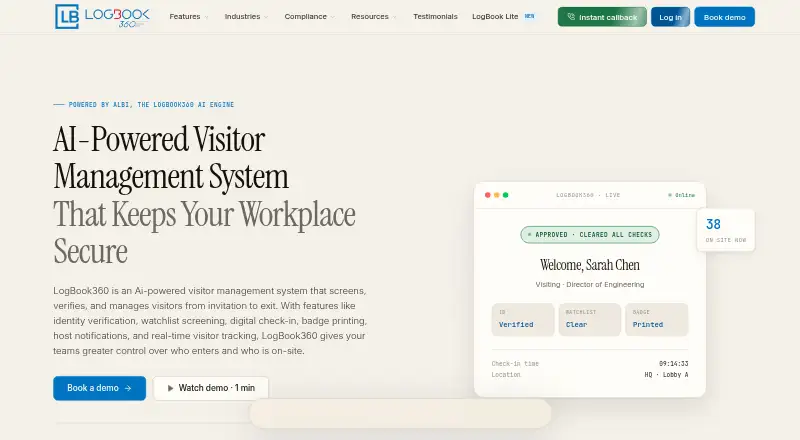
What LogBook360 is
LogBook360 is an AI-powered visitor management system for managing visits from invitation through departure. Its workflow covers pre-registration, QR code check-in, identity verification, badge issuance, host notification, and visit recording. Visitors check in through a kiosk, and the system supports photo capture and ID scanning. Other listed capabilities include watchlist screening, live monitoring, access control, emergency management, automatic number plate recognition, and delivery tracking. Organizations can export visitor audit reports as PDF or CSV for any date range, with filters for location, visitor type, or screening result. LogBook360 connects to more than 50 platforms, including Slack, Microsoft Teams, WhatsApp, Okta, Workday, Genetec, Salesforce, and ServiceNow. Its integration platform also offers REST API access and webhooks for visitor, screening, and emergency events. Listed security controls include encryption at rest and in transit, SSO/SAML, MFA, tamper-evident audit logs, and 10-level role-based access control. The system runs on an organization’s existing tablet or computer. LogBook360 is positioned for corporate offices, healthcare, manufacturing, government, higher education, and residential communities. The free plan allows up to 150 visitor check-ins per month.
Who it suits
LogBook360 suits organizations that need to manage visitor arrivals, screening, badges, and records across settings such as offices, healthcare facilities, manufacturing sites, and campuses. It may also fit teams that need visitor audit exports, emergency tools, or connections to workplace and access-control platforms.
What it does well
- Free plan includes up to 150 visitor check-ins per month.
- Covers pre-registration, kiosk check-in, identity verification, and badge issuance.
- Exports visitor audit reports as PDF or CSV with filters.
- Connects to more than 50 platforms and offers REST API access.
- Lists emergency management, access control, and delivery tracking.
What to know first
- The free plan is capped at 150 check-ins per month.
- Paid plan prices are not provided in the listed plan details.
Limits
The free plan allows up to 150 visitor check-ins per month. The listed paid-plan features include visitor screening, compliance reporting, and multi-site management, but no paid prices are provided.
Plans
| Plan | Billed and limits | Price |
|---|---|---|
| Free | up to 150 visitor check-ins per month | Free |
| Free Plan | 150 visits/month · single location · QR check-in · visitor tracking · basic dashboard · email notifications | Free |
| All-in-one per location | yearly per location · Unlimited visitors and hosts · hardware included · implementation, integrations, support and updates included | $15,000 a year |
| Paid plans | visitor screening · compliance reporting · multi-site management | On request |
| Enterprise Plan | pricing unavailable on listing · Unlimited visits · multi-location management · advanced compliance workflows · AI automation · ERP/HRIS and calendar integrations · watchlist screening · identity verification · emergency evacuation · role-based access | On request |
As logbook360.com lists them, read 30 Sept 2026. The maker's own page has the final word.
Getting started
- Open https://logbook360.com/.
- Run LogBook360 on an organization-owned tablet or computer.
- Start with the free plan, which allows up to 150 visitor check-ins per month.
- Configure the visitor workflow around pre-registration, kiosk check-in, and badge issuance.
LogBook360 is a visitor-management system that handles arrivals from invitation through departure, with screening and site oversight alongside check-in. It best suits organizations that need more than a sign-in kiosk, particularly where audit records or emergency tools matter. Its free plan is useful for small visitor volumes, but the 150-check-in monthly cap sets a clear ceiling.
Overview
The workflow combines pre-registration, QR check-in, identity verification, badge issuance, host notification and visit records. That breadth makes LogBook360 a stronger fit for sites that need to account for visitors throughout a visit, rather than only record who entered. Its stated use cases span corporate offices, healthcare, manufacturing, government, higher education and residential communities.
The system also covers live monitoring, access control, emergency management, ANPR and delivery tracking. That wider scope may benefit sites managing vehicle arrivals or deliveries as well as people, though organizations seeking only a simple visitor log may not need the added capabilities.
Key features
Check-in and screening
Kiosk check-in supports QR codes, ID scanning and visitor photo capture. Pre-registration can prepare a visit before arrival; after check-in, the system can issue a badge and notify the host. Watchlist screening and identity verification add a screening step, while live monitoring and emergency tools help manage visits once guests are on site.
Smart badge printing, ANPR and delivery tracking extend the workflow beyond reception. The advertised average check-in time is below 10 seconds, and the service states a 99.9% uptime SLA; organizations should treat these as advertised figures rather than assume identical performance at every location.
Integrations, security and records
LogBook360 connects to more than 50 platforms, including Slack, Microsoft Teams, WhatsApp, Okta, Workday, Genetec, Salesforce and ServiceNow. REST API access and webhooks cover visitor, screening and emergency events, offering a route to connect those processes with other systems.
Controls include AES-256 encryption at rest, TLS 1.3 in transit, SSO/SAML, MFA, tamper-evident audit logs and 10-level role-based access control. The platform addresses GDPR, ITAR, SOC 2, HIPAA, ISO 27001, NDAA/OFAC, OSHA, FERPA, the Clery Act and DPDP controls. These controls and compliance coverage may be relevant to regulated or security-conscious organizations, but do not by themselves establish that a particular deployment meets an organization's obligations.
Full visitor audit reports can be exported as PDF or CSV for any date range, with filters for location, visitor type and screening result. That flexibility is useful for reviewing visits across sites or narrowing records to a specific category.
Pricing
LogBook360 uses a freemium model. The Free plan costs nothing and allows up to 150 visitor check-ins per month. That cap can work for a low-volume office or a limited deployment, but busy sites may outgrow it quickly.
Paid plans use custom pricing and include visitor screening, compliance reporting and multi-site management. Those options are aimed at organizations needing capabilities beyond the free plan, especially teams managing multiple locations or formal reporting requirements. The free-plan check-in cap is the published volume limit; organizations considering paid features should confirm pricing with the provider.
Platforms
LogBook360 supports Android, iOS, macOS, web and Windows, and provides an API. It runs on a tablet or computer the organization already owns, reducing the need to acquire a dedicated check-in device. Most organizations are reported as operational within 24 hours, though setup needs will vary by deployment.
Who it's for
LogBook360 is most compelling for organizations that need screening, visit records and response tools in one visitor workflow: corporate offices, healthcare facilities, manufacturing sites, government facilities, higher education and residential communities. Its exportable audit reports and broad security controls may matter especially where oversight is part of reception operations.
It is less compelling for a small site that only needs basic sign-in, or a location with visitor volume well above 150 monthly check-ins that is not ready to discuss a paid plan. Those readers should weigh the extra workflow coverage against the free plan's limit and custom-priced expansion.
Pros and cons
- Broad arrival workflow: Pre-registration, QR check-in, identity verification, badges and host alerts keep several visitor steps together.
- Useful oversight tools: Screening, emergency management and filterable PDF or CSV audit exports suit sites that need more than a simple entry record.
- Integration reach: More than 50 connected platforms, plus REST APIs and webhooks for visitor, screening and emergency events, offer options for fitting the workflow into existing systems.
- Low-volume ceiling: The free plan stops at 150 monthly check-ins, which may be too restrictive for busier reception desks.
- Paid-plan uncertainty: Multi-site management and compliance reporting require paid plans with custom pricing, so larger organizations must obtain a quote before budgeting.
Alternatives
Compare visitor management software if you want to consider the broader category before choosing a system.
- Lobbytrack is worth considering for teams that want a free plan capped at 100 visitors per month, unlimited hosts and users, and a free trial; its Starter plan includes all Ultimate features in months with under 20 visits.
- VisitorLog.io may suit organizations that prioritize a larger free allowance: its Free Forever plan supports up to two facilities, up to 300 users and unlimited visitors, with every feature.
- KyberAccess is an option for a single location needing a free plan with 50 visitors per month, basic check-in, badges, QR check-in and email notifications.
- Sine offers a free visitor, contractor, staff and courier check-in app for iPhone and Android.
- Envoy Visitors has a free Basic plan capped at 50 employees and 100 entries per month; consider it if that allowance matches your needs.
- InstaCheckin offers a free plan with unlimited visitors at one location and up to 50 employee contacts.
- JYL Visitor has a 15-day free Basic plan with visitor check-in, badge printing and notifications.
- VisitFlow is another freemium visitor-management option.
Verdict
Choose LogBook360 if your organization needs visitor screening, check-in, badges, notifications and audit exports in a single workflow, particularly when security or emergency oversight matters. The free plan gives smaller sites a way to start, but its 150 monthly check-ins may not stretch far; teams needing compliance reporting or multi-site management should compare the custom-priced paid plan with simpler alternatives before committing.
Verdict
Choose LogBook360 if your organization needs a visitor workflow that includes screening, check-in, badges, notifications, and audit exports. The free plan provides up to 150 monthly check-ins; organizations needing paid-plan features such as compliance reporting or multi-site management should review pricing with the provider.
Questions
Is LogBook360 free?
Yes. Its free plan costs nothing and allows up to 150 visitor check-ins per month.
What platforms does LogBook360 support?
Listed platforms are Android, API, iOS, macOS, web, and Windows.
Can visitors check in at a kiosk?
Yes. Kiosk is the listed check-in mode, and the system supports QR check-in, ID scanning, and visitor photo capture.
What integrations are available?
LogBook360 connects to more than 50 platforms, including Slack, Microsoft Teams, WhatsApp, Okta, Workday, Genetec, Salesforce, and ServiceNow. Its integrations platform includes REST API access and webhooks.
What do the paid plans include?
The listed paid-plan capabilities include visitor screening, compliance reporting, and multi-site management. The plan price is not provided in the listed details.
How can I contact LogBook360?
The listed contact details are [email protected] and +1 609 400 1122.
Facts from LogBook360's own pages
- ALBi assistant
- ALBi is a voice and chat assistant that supports scheduling, check-in, navigation, host alerts and checkout. · logbook360.com, 15 Oct 2026
- API and webhooks
- The integration page says customers can use REST API endpoints and webhooks for visitor, screening and emergency events, with custom integration work available from the vendor. · logbook360.com, 15 Oct 2026
- API capabilities
- The integrations platform provides REST API access and webhooks for visitor, screening, and emergency events. · logbook360.com, 30 Sept 2026
- Apple system requirement
- The iOS app requires iOS 15.5 or later; iPad requires iPadOS 15.5 or later, and Apple-silicon Mac support requires macOS 12.4 or later. · apps.apple.com, 15 Oct 2026
- Audit exports
- Users can export full visitor audit reports for any date range as PDF or CSV and filter them by location, visitor type, or screening result. · logbook360.com, 30 Sept 2026
- Availability commitment
- The homepage advertises a 99.9% uptime SLA. · logbook360.com, 15 Oct 2026
- Badge printing
- Check-in can automatically print visitor badges. · logbook360.com, 15 Oct 2026
- Company identity
- The app store identifies the developer as GlobalVox LLC, with a Herndon, Virginia address. · play.google.com, 15 Oct 2026
- Compliance
- LogBook360 addresses GDPR, ITAR, SOC 2, HIPAA, ISO 27001, NDAA/OFAC, OSHA, FERPA, Clery Act, and DPDP controls. · logbook360.com, 30 Sept 2026
- Compliance controls
- Official compliance material lists GDPR, ITAR, SOC 2, HIPAA, ISO 27001, OSHA, FERPA, Clery Act, NDAA/OFAC and DPDP coverage claims. · logbook360.com, 15 Oct 2026
- Core workflow
- The workflow includes invitation, pre-registration, QR check-in, identity verification, badge issuance, host notification, and visit recording. · logbook360.com, 30 Sept 2026
- Delivery and contractor management
- Delivery, courier and contractor visits can be recorded alongside ordinary visitor entries. · getapp.com, 15 Oct 2026
- Deployment model
- An official GlobalVox solution page describes both cloud-based and on-premise-hosted deployment options. · globalvoxsolutions.com, 15 Oct 2026
- Digital check-in
- Visitors can pre-register and use QR codes for contactless arrival and checkout. · logbook360.com, 15 Oct 2026
- Emergency management
- The system provides live occupancy views, emergency alerts and digital muster reports. · logbook360.com, 15 Oct 2026
- Feature coverage
- The platform provides AI visitor check-in, watchlist screening, smart badge printing, pre-registration, live monitoring, emergency management, access control, ANPR, and delivery tracking. · logbook360.com, 30 Sept 2026
- G2 dashboard score
- The single G2 listing reports a 10.0/10 dashboard score. · g2.com, 15 Oct 2026
- Google Play data safety
- Google Play shows the developer declaring no data shared with third parties and no data collected. · play.google.com, 15 Oct 2026
- Headquarters
- 13401 Calm View Way, Herndon, VA 20171, United States · logbook360.com, 23 Sept 2026
- Host notifications
- Hosts receive automatic arrival, delay and other visit notifications through configured channels. · logbook360.com, 15 Oct 2026
- Identity verification
- The product verifies visitor identities during the entry workflow. · logbook360.com, 15 Oct 2026
- Independent platform coverage
- GetApp lists web, Android and iPhone/iPad support, plus email/help-desk, phone, FAQ/forum and chat support. · getapp.com, 15 Oct 2026
- Integrations
- The maker advertises more than 50 integrations, including Slack, Teams, WhatsApp, Zoom, Microsoft 365, Google Workspace, Okta, Workday, Salesforce and ServiceNow. · logbook360.com, 15 Oct 2026
- Limit: enterprise price opacity
- GetApp lists the Enterprise plan without a price or quote amount. · getapp.com, 15 Oct 2026
Where LogBook360 stands on Freedom251
- Visitor Management Software#3 of 32