Freedom251 › Game Boy Advance Emulators
LinguaCafe
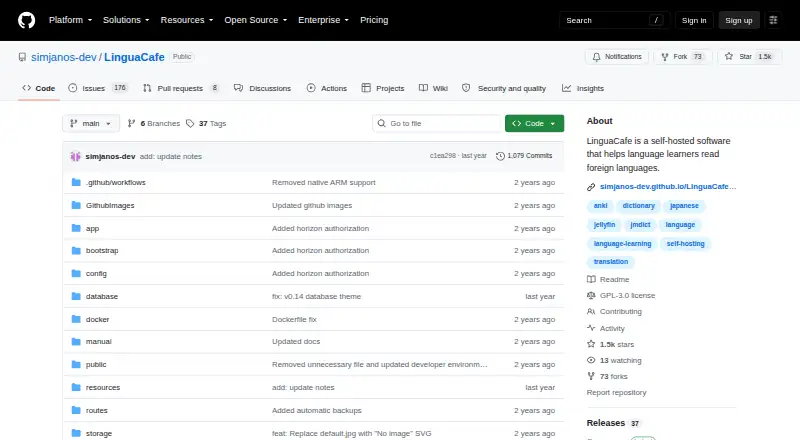
What LinguaCafe is
LinguaCafe is a self-hosted web app for learning foreign languages through reading and vocabulary review. You can import plain text, text files, ebooks, webpages, YouTube subtitles, subtitle files, and Jellyfin external subtitles. While reading, look up words and phrases, save translations, mark vocabulary as known or ignored, and track it by learning level. Spaced-repetition reviews are similar to the Leitner system, and highlighted cards can be exported to Anki or other SRS software. DeepL translations can appear in vocabulary lookups when enabled. Text-to-speech uses the browser SpeechSynthesis API, with support depending on the browser and available voices. The project lists support for languages including English, French, Japanese, Spanish, and Welsh. It works in browsers on screens at least 340 pixels wide and can be installed as a Progressive Web App on a mobile device home screen. Setup uses Docker Compose, with a Windows installation script and Mac instructions. The maker says self-hosting lets users control their data. LinguaCafe is free and open source, but currently supports one user per server.
Who it suits
LinguaCafe suits individual language learners who want to study with their own reading materials and manage vocabulary on a self-hosted server. It also fits learners who want spaced-repetition reviews or exports to other SRS software.
What it does well
- Accepts books, webpages, and subtitle materials
- Tracks vocabulary by learning level
- Exports highlighted cards to Anki or other SRS software
- Can be installed as a mobile Progressive Web App
What to know first
- Supports only one user per server
- Other Armv8 devices, including Raspberry Pi 3 and newer, do not currently work
- Apple silicon needs an additional setup step
- The project warns that active development may bring bugs
Limits
The free plan supports one user per server. The project supports x64; Apple silicon needs an extra setup step, and other Armv8 devices such as Raspberry Pi 3 and newer do not currently work.
Plans
| Plan | Billed and limits | Price |
|---|---|---|
| Free | self-hosted · one user/server supported | Free |
As github.com lists them, read 9 Oct 2026. The maker's own page has the final word.
Getting started
- Open the LinguaCafe GitHub project.
- Use its Docker Compose setup guide to install the app.
- On Windows, use the provided installation script; on Mac, follow the Mac instructions and the additional Apple silicon step when applicable.
- Open the web app in a supported browser, or install it as a Progressive Web App on a mobile home screen.
- Import reading material and look up vocabulary as you read.
Overview
LinguaCafe is a self-hosted web app for learning languages through reading, vocabulary building, and spaced-repetition review. It suits independent learners who want to bring their own reading material and keep their data on a machine or server they control. Its broad import options and free price are appealing, but setup and the one-user-per-server limit rule it out for some households and groups.
Key features
Readers can import plain text, text files, e-books, webpages, YouTube subtitles, subtitle files, and Jellyfin external subtitles. That range makes it possible to study with material from several sources rather than relying on a built-in library. Vocabulary lookups let learners save translations, mark words as known or ignored, and track them by learning level.
Spaced-repetition reviews follow a system similar to Leitner, and highlighted cards can be exported to Anki or other SRS software. This gives learners a review routine while leaving room to use a separate tool. DeepL translations can appear in vocabulary lookups when enabled. Text-to-speech uses the browser’s SpeechSynthesis API, so its availability and voice quality depend on the browser and voices installed.
The project lists support for Chinese, Croatian, Czech, Danish, Dutch, English, Finnish, French, German, Greek, Italian, Japanese, Korean, Latin, Macedonian, Norwegian, Polish, Portuguese, Romanian, Russian, Slovenian, Spanish, Swedish, Thai, Turkish, Ukrainian, and Welsh. LinguaCafe can be installed as a Progressive Web App on a mobile home screen and is designed to work in browsers at least 340 pixels wide, though the app remains a self-hosted web service rather than a native mobile app.
Pricing
LinguaCafe is open source and has one plan: Free at free. It is self-hosted, supports one user per server, and has no free trial because there is no paid plan. The trade-off is that users provide and maintain the server themselves; this is not a multi-user option for a family or classroom.
Platforms
LinguaCafe runs as a web app and supports Linux, macOS, Windows, and self-hosted use. Installation follows a Docker Compose guide, with a Windows installation script and additional setup instructions for Mac users. The README lists x64 support; Apple silicon requires an extra step, and other Armv8 devices, including Raspberry Pi 3 and newer, are not currently supported. Mobile access is through a browser or PWA installation.
Who it's for
LinguaCafe is a strong fit for a technically comfortable solo learner who already has reading material, wants to track vocabulary in context, and values self-hosting for data control. It is less suitable for anyone who needs a shared server, wants a managed service without setup, or depends on unsupported Arm hardware. The maker also cautions that the project is in active development and may contain bugs.
Pros and cons
- Pro: Imports span books, webpages, subtitles, and Jellyfin subtitles, so learners can work with varied material they already use.
- Pro: Vocabulary tracking, spaced repetition, and card export connect reading with ongoing review.
- Pro: Self-hosting gives users control over their data, and the app is free and open source.
- Con: Only one user per server is supported, which excludes shared use.
- Con: Docker Compose and platform-specific setup steps make installation a commitment, especially on Apple silicon.
- Con: Raspberry Pi 3 and newer Armv8 devices are unsupported, while speech voices depend on the browser.
- Con: Active development may mean bugs, so it is a less conservative choice for learners seeking a polished, managed product.
Alternatives
Lute is another free, locally installed option; choose it if Android access or its no-limits free plan matters more than LinguaCafe’s stated workflow. Learning with Texts is also free and self-hosted, but requires a modern browser plus a local web and database server with PHP, so it fits users comfortable with that stack.
LingQ is a freemium web and mobile service for readers who prefer a hosted option; its free plan caps saved words and phrases at 20, imported lessons at 5, and audio playlists at 1. OpenKoto is a free, open-source alternative for users who want an app listed for iOS as well as desktop and web platforms.
Readlang is another freemium reading option. Beelinguapp may suit readers who prefer Android or iOS stories and news, with glossary and flashcards; its free users can switch languages only during the first 30 minutes. E-clair is a mobile alternative for users interested in collections and audio transcription, subject to free-plan limits. jidoujisho is a free, open-source alternative for Android 7.0 and later.
Browse more options in Language Immersion Apps or, for an unrelated category, Game Boy Advance Emulators.
Verdict
Choose LinguaCafe if you are a solo learner willing to self-host and want a free way to turn your own reading into tracked vocabulary and review cards. Its strongest case is the combination of flexible imports, vocabulary tools, and control over your data. Look elsewhere if you need multiple users, unsupported Arm hardware, or a managed product with less setup and development risk.
Verdict
LinguaCafe combines reading, vocabulary tracking, and spaced-repetition review in a self-hosted app. Its one-user-per-server limit and hardware requirements are important considerations for setup.
Questions
How much does LinguaCafe cost?
The Free plan costs nothing and is self-hosted. There is no free trial.
Is LinguaCafe open source?
Yes. The project is open source.
Which platforms does it support?
It lists Linux, macOS, self-hosted, web, and Windows. The app can also be installed as a Progressive Web App on a mobile device home screen.
What languages does LinguaCafe support?
The project lists Chinese, Croatian, Czech, Danish, Dutch, English, Finnish, French, German, Greek, Italian, Japanese, Korean, Latin, Macedonian, Norwegian, Polish, Portuguese, Romanian, Russian, Slovenian, Spanish, Swedish, Thai, Turkish, Ukrainian, and Welsh.
Can I use translations or export vocabulary?
DeepL translations can appear in vocabulary lookups when enabled. Highlighted review cards can be exported to Anki or other SRS software.
How many people can use one server?
The project currently supports one user per server.
Facts from LinguaCafe's own pages
- Capacity
- The project says only one user per server is supported at this time. · github.com, 9 Oct 2026
- Development status
- The maker warns that LinguaCafe is in active development and may contain bugs. · github.com, 9 Oct 2026
- Hardware limits
- The README lists x64 support, says Apple silicon users need an additional step, and says other Armv8 devices such as Raspberry Pi 3 and newer do not currently work. · github.com, 9 Oct 2026
- Installation
- The setup guide uses Docker Compose; it provides a Windows installation script and instructions for Mac users, including an additional Apple silicon setup step. · github.com, 9 Oct 2026
- Integrations
- Vocabulary lookups can show DeepL translations when enabled, and imported reading material can include Jellyfin external subtitles. · github.com, 9 Oct 2026
- Languages
- The project lists support for Chinese, Croatian, Czech, Danish, Dutch, English, Finnish, French, German, Greek, Italian, Japanese, Korean, Latin, Macedonian, Norwegian, Polish, Portuguese, Romanian, Russian, Slovenian, Spanish, Swedish, Thai, Turkish, Ukrainian, and Welsh. · github.com, 9 Oct 2026
- Mobile access
- LinguaCafe supports Progressive Web App installation to a mobile device home screen and says it works in browsers on screens at least 340 pixels wide. · github.com, 9 Oct 2026
- Privacy and data
- The maker says self-hosting lets users run the app on their own machine or private web server and control their data. · github.com, 9 Oct 2026
- Purpose
- LinguaCafe is a self-hosted web app for learning foreign languages by reading and building vocabulary. · github.com, 9 Oct 2026
- Reading materials
- You can import plain text, text files, ebooks, YouTube subtitles, subtitle files, Jellyfin external subtitles, and webpages. · github.com, 9 Oct 2026
- Review
- LinguaCafe includes spaced-repetition reviews similar to the Leitner system and can export highlighted cards to Anki or other SRS software. · github.com, 9 Oct 2026
- Speech
- Text-to-speech uses the browser SpeechSynthesis API, and support depends on the browser and available voices. · github.com, 9 Oct 2026
- Support
- The project lists GitHub, Discord, Reddit, and email as contact channels, and says the maker will try to help with update problems reported on GitHub or Discord. · github.com, 9 Oct 2026
- Vocabulary
- Readers can look up words and phrases, save translations, mark words as known or ignored, and track vocabulary by learning level. · github.com, 9 Oct 2026
Where LinguaCafe stands on Freedom251
- Game Boy Advance Emulators#8 of 29
- Language Immersion Apps#11 of 25