Freedom251 › Container Management Software
Lens K8S IDE
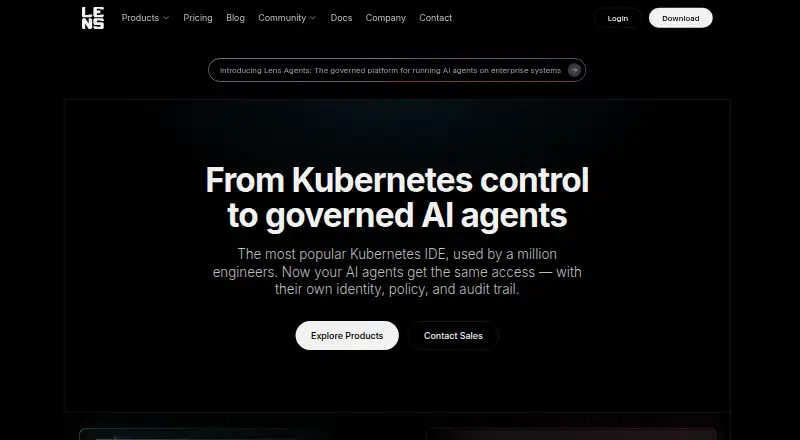
What Lens K8S IDE is
Lens K8S IDE is a desktop workspace for understanding, debugging, and operating Kubernetes clusters on Linux, macOS, and Windows. It brings workloads, logs, metrics, and events into a combined view across clusters, alongside a cluster-aware Smart Terminal. Ask AI connects Claude Code, Codex, Copilot, or Gemini to live cluster context inside Lens. The IDE can display Flux and Argo CD reconciliation with the Kubernetes resources they affect, and supports AWS EKS discovery and Azure AKS sign-in and discovery. Lens offers an MCP server for connections from outside the IDE. The maker says Lens uses standard kubeconfigs with RBAC enforcement and runs on the user's desktop without privileged agents. The free Personal plan includes multi-cluster management, logs and metrics, resource visualization, Helm management, and community support. It is for students, hobbyists, and engineers at small organizations; organizations above $10 million in annual revenue or funding need a paid subscription, with evaluation permitted for up to 30 days. Plus and Pro are each $25 a month with annual billing; Enterprise is $50 a month with annual billing.
Who it suits
Lens suits developers, DevOps engineers, and SREs who work with Kubernetes. The free Personal plan is intended for students, hobbyists, and engineers at small organizations.
What it does well
- Unified view of workloads, logs, metrics, and events
- AI assistants can use live cluster context
- Shows Flux and Argo CD reconciliation
- Uses kubeconfigs with RBAC enforcement
What to know first
- Organizations over $10 million in revenue or funding need paid subscriptions
- Plus and Pro annual plans bill upfront
- Personal plan includes community support
Limits
Personal is free for students, hobbyists, and engineers at small organizations. Organizations with more than $10 million in annual revenue or funding require a paid subscription, though evaluation is allowed for up to 30 days. Personal includes community support; commercial support begins with Plus.
Plans
| Plan | Billed and limits | Price |
|---|---|---|
| Personal | Multi-cluster management · metrics and real-time logs · Kubernetes resource visualization · Smart Terminal · Helm management · port forwarding · resource editor · community support | Free |
| Plus | billed annually ($300 upfront) · Personal features · Ask AI · Flux and Argo CD GitOps · AWS EKS and Azure AKS integration · Security Center CVE reporting · Hotbar · commercial support | $25 a month |
| Pro | $25 / seat / month with annual subscription discount ($300 billed up front). $30 if billed monthly. · Team subscription management · built-in MCP Server · GitOps · EKS and AKS · secure remote access and cluster discovery · priority support | $25 a month |
| Enterprise | $50 / seat / month with annual subscription discount ($600 billed up front). $60 if billed monthly. · Offline activation and air-gapped mode · centrally managed IDE · SSO and SCIM · invoicing · security compliance assistance · enterprise support and technical account manager | $50 a month |
As lenshq.io lists them, read 14 Oct 2026. The maker's own page has the final word.
Getting started
- Visit the Lens website.
- Choose a download for Linux, macOS, or Windows.
- Connect using standard kubeconfigs and Kubernetes RBAC.
- Start with Personal, or select a paid plan for additional features and support.
- Use the 14-day trial to evaluate paid features.
Lens K8S IDE is a desktop environment for developers, DevOps engineers, and SREs who manage Kubernetes. Its strongest appeal is the combination of multi-cluster visibility and operational tools; AI, cloud discovery, and team controls require a paid plan.
Overview
Lens puts workloads, logs, metrics, and events from multiple clusters into a shared view, with tools for acting on that context. That makes it a practical fit for engineers who regularly move between observing resources and debugging them. It is a focused Kubernetes workspace, not a general-purpose web console: Lens runs on macOS, Windows, and Linux.
The maker says Lens uses standard kubeconfigs with RBAC enforcement and runs on the user's desktop without privileged agents. It also states that Lens is SOC 2 Type 1 and ISO 27001 certified. Those security and compliance points may matter to teams assessing operational tools, though Enterprise is the plan that adds centralized management and access options such as SSO and SCIM.
Key features
- Cluster visibility: Workloads, logs, metrics, and events appear together across clusters. Multi-cluster management and resource visualization are included in Personal, making the free tier useful for core operational work.
- Terminal and AI: The cluster-aware Smart Terminal is included in Personal. Ask AI connects Claude Code, Codex, Copilot, or Gemini to live cluster context, but requires Plus or a higher plan.
- GitOps: Lens can display Flux and Argo CD reconciliation alongside the affected Kubernetes resources. Plus includes Flux or Argo CD; Pro lists GitOps, making the paid tiers more relevant to teams that need this context in their daily workflow.
- Cloud discovery: AWS EKS discovery and Azure AKS sign-in and discovery are included in Plus. This is useful for teams working with those services, but less compelling if their clusters are outside those integrations.
- External connection: Pro includes a built-in MCP server for connecting from outside the IDE, alongside secure remote access and cluster discovery.
Pricing
Lens has a free Personal plan, a 14-day trial, and paid subscriptions. Personal is free for students, hobbyists, and engineers at small organizations. Organizations with more than $10 million in annual revenue or funding need a paid subscription, though they can evaluate Lens for up to 30 days.
| Plan | Price and terms | What it includes |
|---|---|---|
| Personal | free | Multi-cluster management, metrics and real-time logs, resource visualization, Smart Terminal, Helm management, and community support. |
| Plus | $25 a month; $25 / month with annual subscription discount ($300 billed up front), or $30 if billed monthly. | Ask AI, Flux or Argo CD, AWS EKS and Azure AKS, Security Center, and commercial support. |
| Pro | $25 a month; $25 / seat / month with annual subscription discount ($300 billed up front), or $30 if billed monthly. | Team subscription management, built-in MCP Server, GitOps, EKS and AKS, secure remote access and cluster discovery, and priority support. |
| Enterprise | $50 a month; $50 / seat / month with annual subscription discount ($600 billed up front), or $60 if billed monthly. | Offline activation and air-gapped mode, centrally managed IDE, SSO and SCIM, invoicing, security compliance assistance, priority enterprise support, and a technical account manager. |
Personal covers substantial individual cluster work, but it does not include Ask AI, the named cloud integrations, or commercial support. Plus suits users who want those capabilities without Pro's team subscription and remote-access features. Pro is the more relevant choice when seat management, MCP, or priority support matters; Enterprise is aimed at organizations needing offline use, centralized controls, and enterprise support. The annual options bill the full year up front, while monthly billing costs more per month. The published Pro and Enterprise prices are per seat; check the applicable subscription terms before choosing a team plan.
Platforms
Lens K8S IDE is offered for Linux, macOS, and Windows. Its desktop-only reach is a limitation for readers who need a browser-based workspace.
Who it's for
Lens is best suited to developers, DevOps engineers, and SREs who work with Kubernetes and want cluster context, terminal access, and resource operations together. Personal is a sensible starting point for eligible individuals and small organizations. Teams that need Ask AI, GitOps views, EKS or AKS discovery, or stronger support should compare the paid tiers against the particular capabilities they need.
Pros and cons
- Pro: Personal includes multi-cluster management, real-time logs and metrics, resource visualization, a Smart Terminal, and Helm management, providing a meaningful core workflow at no charge for eligible users.
- Pro: GitOps views, cloud integrations, AI context, and an MCP server extend the workflow for teams willing to pay for the relevant tier.
- Pro: Standard kubeconfigs, RBAC enforcement, and desktop execution without privileged agents are a defined security approach; the maker also states SOC 2 Type 1 and ISO 27001 certification.
- Con: The Personal eligibility threshold excludes organizations above $10 million in annual revenue or funding from ongoing free use.
- Con: Plus and Pro cost $30 if billed monthly, while annual subscriptions require $300 up front; Enterprise annual billing requires $600 up front per seat.
- Con: Lens is limited to desktop Linux, macOS, and Windows, so it does not suit users who require a browser-based IDE.
Alternatives
Docker Desktop is worth considering for readers who want a broader desktop container toolkit: its free Personal plan includes Docker Desktop, Docker Engine and Kubernetes, Docker Hub, Docker Scout, and Docker Debug, while Pro costs $9 a month.
Headlamp is a free, open-source option available across desktop, web, and self-hosted platforms for readers who prioritize those deployment choices.
Kubermatic Kubernetes Platform offers a free Apache License 2.0 Community Edition; consider it if an open-source platform is the priority.
MicroK8s is a free Kubernetes option, with Ubuntu Pro Personal free for up to 5 machines; it may suit readers evaluating that machine-based allowance.
vCluster Platform has a free tier with unlimited virtual clusters up to 64 CPUs or 32 GPUs and a maximum of one HA vCluster, making it relevant when those virtual-cluster limits fit the use case.
Kubernetes is a free, open-source platform for readers who want the platform itself rather than a desktop IDE.
KubeSphere offers a free Community Edition described as an enterprise-grade open-source Kubernetes container platform.
Podman is a free, open-source alternative for container, pod, and image management.
Browse more options in Container Management Software.
Verdict
Lens is a strong choice for Kubernetes practitioners who want multi-cluster visibility and operational tools in one desktop workspace, with a free Personal tier that covers substantial core work for eligible users. Choose a paid tier when AI, cloud discovery, GitOps, team controls, or enterprise access features are essential. Look elsewhere if a web interface is a requirement or if a free, open-source Kubernetes platform is a closer match than a desktop IDE.
Verdict
Lens brings cluster context, terminal access, and GitOps views into one desktop workspace. Check the Personal plan eligibility and annual billing terms before selecting a subscription.
Questions
Is Lens K8S IDE free?
Yes. Personal is free for students, hobbyists, and engineers at small organizations. Organizations above $10 million in annual revenue or funding need a paid subscription, with evaluation allowed for up to 30 days.
How much do the paid plans cost?
Plus and Pro are each $25 per user or seat per month with annual billing, charged at $300 up front; monthly billing is $30. Enterprise is $50 per seat per month with annual billing, charged at $600 up front; monthly billing is $60.
Which systems does Lens support?
Lens is available for Linux, macOS, and Windows.
Does Lens support Kubernetes and multiple clusters?
Yes. Lens is for Kubernetes and includes multi-cluster management.
What integrations does Lens offer?
Lens can show Flux and Argo CD reconciliation alongside affected resources, and supports AWS EKS discovery and Azure AKS sign-in and discovery. Ask AI connects Claude Code, Codex, Copilot, or Gemini to live cluster context.
Who makes Lens, and what certifications does it state?
Lens says its journey began in 2015, Lens Desktop was released in 2019, and Mirantis acquired Lens in 2020. The maker states that Lens is SOC 2 Type 1 and ISO 27001 certified.
Facts from Lens K8S IDE's own pages
- AI agents
- Ask AI connects Claude Code, Codex, Copilot, or Gemini to live cluster context inside Lens. · lenshq.io, 29 Sept 2026
- Ask AI
- Ask AI connects agents such as Claude Code, Codex, Copilot and Gemini to live cluster context for analysis and troubleshooting. · lenshq.io, 14 Oct 2026
- Audience
- The maker describes Lens as designed for developers, DevOps engineers, and SREs who work with Kubernetes. · lenshq.io, 29 Sept 2026
- Cloud integrations
- Lens can discover AWS EKS and Azure AKS clusters, while local kubeconfig files remain supported on every plan. · docs.lenshq.io, 14 Oct 2026
- Cluster visibility
- The IDE brings workloads, logs, metrics, and events into a unified view across clusters. · lenshq.io, 29 Sept 2026
- Company ownership
- Mirantis acquired Lens in August 2020 from the team behind Kontena. · techcrunch.com, 14 Oct 2026
- Compliance
- The maker states that Lens is SOC 2 Type 1 and ISO 27001 certified. · lenshq.io, 29 Sept 2026
- Documentation
- Official documentation includes installation, cluster connections, cloud integrations, Ask AI, teamwork, Security Center, usage guides, extensions and release notes. · docs.lenshq.io, 14 Oct 2026
- Extension API
- Extensions are npm packages exporting a Feature and can add interface elements, resource actions, tables, metrics access and machine commands. · docs.lenshq.io, 14 Oct 2026
- Extension documentation
- Lens generates a version-matched extension API README in the local extensions directory on each launch. · docs.lenshq.io, 14 Oct 2026
- Extension limits
- Community and vendor extensions are not reviewed or maintained by Lens, and only Enterprise administrators can govern which extensions run. · docs.lenshq.io, 14 Oct 2026
- Free plan limit
- Personal is free for students, hobbyists, and engineers at small organizations; organizations over $10 million in annual revenue or funding need a paid subscription, with evaluation allowed for up to 30 days. · lenshq.io, 29 Sept 2026
- GitOps
- Plus includes integrations that show Flux and Argo CD reconciliation alongside Kubernetes resources. · lenshq.io, 14 Oct 2026
- GitOps integrations
- Lens can show Flux and Argo CD reconciliation alongside the Kubernetes resources they affect. · lenshq.io, 29 Sept 2026
- Helm
- The Personal plan includes Helm chart deployment and management. · lenshq.io, 14 Oct 2026
- Integration limitation
- AWS, Azure and Google cloud connectors require internet access and are unavailable in air-gapped environments. · docs.lenshq.io, 14 Oct 2026
- Licence
- The actively developed Lens Desktop product is proprietary; the retired legacy source in the GitHub repository is released under MIT. · github.com, 14 Oct 2026
- Limit: automation and bulk operations
- An independent guide says Lens has no automation-oriented CLI and is less efficient than kubectl for bulk resource operations. · oghabi.it, 14 Oct 2026
- Limit: desktop-only access
- MakerStack reports that Lens has no web interface for shared team access. · makerstack.co, 14 Oct 2026
- Limit: performance complaints
- Reddit users report that newer Lens versions became laggier, with an overcomplicated interface and crash messages after idle periods. · reddit.com, 14 Oct 2026
- Limit: pricing and licensing
- MakerStack says Pro pricing feels steep and that the move from open source to freemium reduced community trust. · makerstack.co, 14 Oct 2026
- Limit: resource usage
- MakerStack says the Electron application can consume substantial memory when many clusters are open. · makerstack.co, 14 Oct 2026
- Linux packaging
- Linux distribution options include APT, RPM, AppImage and Snap packages for AMD64. · docs.lenshq.io, 14 Oct 2026
- Maker founded
- LinkedIn lists Mirantis as founded in 1999. · linkedin.com, 14 Oct 2026
Where Lens K8S IDE stands on Freedom251
- Container Management Software#13 of 28