Freedom251 › Container Management Software
Headlamp
What Headlamp is
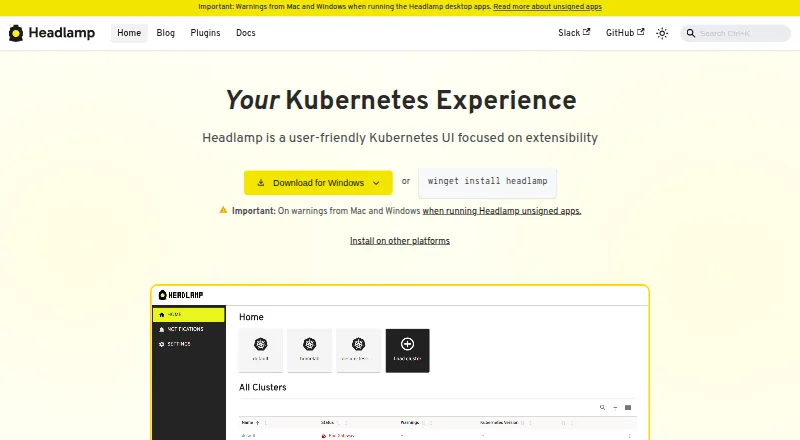
Headlamp is a graphical interface for managing Kubernetes clusters, offered as a browser-based web application and a desktop app. Its controls adapt to Kubernetes RBAC permissions, so users see actions permitted by their role. Users can monitor multiple clusters and switch between them in the interface. A plugin system extends the core functionality for particular workflows, and listed integrations include Backstage, Flux, Inspektor Gadget, Kompose, Kubescape, KubeVirt, OpenCost, Prometheus, and Trivy. Headlamp can be deployed in a Kubernetes cluster using Helm or a YAML configuration. Documented login options include client certificates and bearer tokens; the installation guide also documents OIDC. The project says a user token may be stored in browser local storage, but not in its backend or server. Its plugin guidance warns that plugins share the main application’s JavaScript context and advises installing only trusted plugins. Headlamp is available at no charge under the Apache 2.0 license. The project tests its desktop app on Windows, macOS, and Linux.
Who it suits
Headlamp suits Kubernetes users who want a graphical interface for managing one or more clusters. Its RBAC-aware controls may help teams whose users have different permissions.
What it does well
- Available as web and desktop applications
- Supports monitoring and switching between clusters
- Controls adapt to Kubernetes RBAC permissions
- Free under Apache 2.0
- Desktop app tested on Windows, macOS, and Linux
What to know first
- Plugins run in the main application’s JavaScript context
- Browser local storage may retain a user token
Plans
| Plan | Billed and limits | Price |
|---|---|---|
| Headlamp | 100% open source · Apache 2.0 · available at no charge | Free |
| Open-source Headlamp | No charge · Apache 2.0 licensed · desktop or in-cluster deployment · Kubernetes access governed by RBAC | Free |
As headlamp.dev lists them, read 28 Sept 2026. The maker's own page has the final word.
Getting started
- Open the Headlamp website or choose its desktop app for Windows, macOS, or Linux.
- For an in-cluster deployment, use Helm or a YAML configuration.
- Sign in with a client certificate, bearer token, or OIDC method documented by the project.
- Choose trusted plugins for any additional workflows you need.
Overview
Headlamp is a graphical interface for working with Kubernetes clusters, aimed at operators who want a visual alternative to managing clusters through other workflows. Its combination of multi-cluster access, role-aware controls and a free, open-source license makes it a practical option, provided users are comfortable managing plugin and browser-token risks.
Key features
Headlamp adjusts its controls to Kubernetes RBAC permissions, so users see actions allowed by their assigned role. That makes the interface more relevant to each user without replacing Kubernetes permissions themselves. Its multi-cluster view lets operators monitor clusters and switch between them, which is useful for people responsible for more than one environment.
Users can choose a browser-based application or a desktop app. Documented login methods include client certificates and bearer tokens, and the installation guide also covers OIDC. Headlamp may keep a user token in browser local storage, although it does not store that token in its backend or server. Teams should consider that browser-side handling when choosing how people access the interface.
Plugins can extend the core application for particular workflows. Integrations include Backstage, Flux, Inspektor Gadget, Kompose, Kubescape, KubeVirt, OpenCost, Prometheus and Trivy. That flexibility has a meaningful security trade-off: plugins run in the same JavaScript context as the main application, so Headlamp advises installing only trusted plugins.
For deployment inside Kubernetes, Headlamp supports Helm or a YAML configuration. The project tests its desktop app on Windows, macOS and Linux and aims to release a feature version each month, with bug-fix versions between feature releases when needed. Help is available through documentation, community Slack, GitHub issues and a monthly community meeting.
Pricing
Headlamp — free. The free plan is 100% open source under Apache 2.0 and includes Headlamp at no charge. There is no free trial to evaluate before adopting the free plan; it is the product's no-charge offering. No seat or usage caps are attached to the plan.
This suits teams and individual operators who want a Kubernetes interface without a software fee. The value is clearest when multi-cluster access and plugins matter; organizations that require different support or security arrangements should weigh the documented community help channels and plugin trust guidance before standardizing on it.
Platforms
Headlamp is offered as a web application and a desktop application, with desktop testing on Windows, macOS and Linux. It can also be deployed within Kubernetes using Helm or YAML. The platform listing includes extension, Linux, macOS, self-hosted, web and Windows, giving teams browser, desktop and cluster-deployment options.
Who it's for
Headlamp is a strong fit for Kubernetes operators who manage several clusters and want an interface that reflects their RBAC role. It also suits teams looking to adapt the interface to specific workflows through plugins, especially when the listed ecosystem integrations are relevant. It is less suitable for organizations unwilling to vet plugins or accept browser local storage as a possible location for user tokens.
Pros and cons
- Pros: Multi-cluster monitoring and switching help operators working across environments.
- Pros: RBAC-aware controls keep the interface aligned with the user's permitted actions.
- Pros: No-charge Apache 2.0 licensing and web, desktop and Kubernetes deployment options offer flexibility without a software fee.
- Cons: Plugins share the application's JavaScript context, making plugin trust a security consideration.
- Cons: Browser local storage may hold user tokens, a factor to account for when selecting an access approach.
Alternatives
Docker Desktop is worth considering for readers who want a freemium option with a defined free tier: Docker Personal is free for one user, one Docker Scout-enabled repository, 100 Docker Hub pulls per hour and one private Docker Hub repository. Its free plan has explicit limits, unlike Headlamp's open-source offer.
Kubermatic Kubernetes Platform offers a free, open-source Community Edition under Apache License 2.0, with an Enterprise Edition for consumption-based subscriptions. Consider it instead if its platform editions better match the deployment and commercial model you need.
Lens K8S IDE is another freemium Kubernetes option, with a free Personal plan covering multi-cluster management, metrics and real-time logs, resource visualization, Smart Terminal and Helm management. Choose it if those listed workflow tools are the priority.
MicroK8s is a free Kubernetes option, including a no-license-fee MicroK8s plan and Ubuntu Pro Personal for up to five machines. It is an alternative to consider for readers comparing Kubernetes offerings rather than focusing specifically on Headlamp's graphical interface.
vCluster Platform has a free plan for unlimited virtual clusters up to 64 CPUs or 32 GPUs, with a maximum of one HA vCluster. Consider it when those virtual-cluster allowances fit the requirement.
Kubernetes is a free, open-source platform for readers seeking Kubernetes itself rather than a graphical management interface.
KubeSphere describes its Community Edition as an enterprise-grade open-source Kubernetes container platform; consider it as another open-source platform option.
Podman is a free, open-source choice for container, pod and image management, rather than a Kubernetes-focused graphical interface.
Browse more options in Container Management Software.
Verdict
Headlamp is a sound choice for Kubernetes operators who need a free, role-aware interface for moving among clusters, with plugins available to extend workflows. Its key reason to choose it is that breadth of access without a software charge; look elsewhere if plugin trust requirements or browser-side token handling do not fit your security approach.
Verdict
Headlamp offers a no-charge graphical interface with multi-cluster management and plugin extensibility. Users should account for its plugin security guidance and browser token handling when selecting an installation approach.
Questions
How much does Headlamp cost?
Headlamp is free, with a listed price of $0 plan. It is open source under Apache 2.0.
Which platforms does Headlamp support?
Headlamp is available on the web and as a desktop app. The project says it tests the desktop app on Windows, macOS, and Linux.
Can Headlamp manage multiple clusters?
Yes. Users can monitor multiple clusters and switch between them in the interface.
How can users sign in?
Documented login methods include client certificates and bearer tokens. The installation guide also documents OIDC.
Which integrations are listed?
The project lists Backstage, Flux, Inspektor Gadget, Kompose, Kubescape, KubeVirt, OpenCost, Prometheus, and Trivy.
How does Headlamp handle tokens and plugins?
A user token may be stored in browser local storage, but Headlamp says it does not store that token in its backend or server. Plugins share the main application’s JavaScript context, and the project advises installing trusted plugins.
Facts from Headlamp's own pages
- App-store availability
- The official installation pages provide desktop binaries and package-manager installs, while no official Headlamp Kubernetes listing or rating is shown on the searched Google Play, Apple App Store, Chrome Web Store, or Microsoft Store pages. · headlamp.dev, 15 Oct 2026
- Authentication
- In-cluster deployments support OIDC sign-in with configurable client, issuer, scopes, callback URL, token validation, and access-token options. · headlamp.dev, 15 Oct 2026
- Browser support
- The project reports testing on Edge, Safari, Firefox, and Chrome, while Internet Explorer 11 is unsupported. · headlamp.dev, 15 Oct 2026
- CNCF status
- CNCF lists Headlamp as an extensible open-source multi-cluster Kubernetes user interface with a Fair health score of 54. · cncf.io, 15 Oct 2026
- Credential handling
- The FAQ says Headlamp relies on user credentials and RBAC, may store a token in browser local storage, and does not store that token in its backend server. · headlamp.dev, 15 Oct 2026
- Customization
- Headlamp’s plugin system extends core functionality for specific use cases and workflows. · headlamp.dev, 28 Sept 2026
- Deployment
- Headlamp can be deployed in a Kubernetes cluster using Helm or a YAML configuration. · headlamp.dev, 28 Sept 2026
- Deployment modes
- It runs either inside a Kubernetes cluster for browser access or locally as a desktop application using kubeconfig. · headlamp.dev, 15 Oct 2026
- Desktop packages
- Desktop distributions are provided for Windows, Linux, and macOS; Linux offers Flatpak, AppImage, and tarballs. · headlamp.dev, 15 Oct 2026
- Desktop platforms
- The project says it tests its desktop app on Windows, macOS, and Linux. · headlamp.dev, 28 Sept 2026
- Documentation depth
- The documentation has separate user, installation, platform, development, architecture, API, plugin, OIDC, testing, release, and learning sections. · headlamp.dev, 15 Oct 2026
- Installation options
- Official deployment paths include Helm, a Kubernetes YAML manifest, Minikube, Docker Desktop extension, and Glasskube. · headlamp.dev, 15 Oct 2026
- Integrations
- Documented CNCF-related integrations include Backstage, Flux, Inspektor Gadget, Kompose, KubeScape, KubeVirt, OpenCost, Prometheus, and Trivy. · headlamp.dev, 15 Oct 2026
- Kubernetes platforms
- The tested-platform list includes EKS, GKE, AKS, OpenShift, Minikube, K3s, Kind, OKE, LKE, Talos, K0s, VKS, NKP, Vultr, DigitalOcean, and Nutanix. · headlamp.dev, 15 Oct 2026
- License
- The source repository states that Headlamp is released under the Apache 2.0 license. · github.com, 15 Oct 2026
- Limit: EKS experience
- A Reddit commenter reported that Headlamp was poor to use with EKS clusters, without providing further technical detail. · reddit.com, 15 Oct 2026
- Limit: performance and web UX
- Reddit comments described Headlamp as needing polish, feeling laggy during navigation, and having occasional web errors; another user found log inspection and terminal access unusable in web UIs generally. · reddit.com, 15 Oct 2026
- Limit: plugin maturity
- A Reddit commenter said the Flux plugin appeared early-stage and warned that users might need to contribute to keep it working with newer clusters. · reddit.com, 15 Oct 2026
- Limit: RBAC setup burden
- A Reddit user noted that Headlamp requires Kubernetes RBAC configuration directly, unlike tools that add their own permission abstraction layer. · reddit.com, 15 Oct 2026
- Logs and terminal
- Core functionality includes container logs, exec sessions, and a resource editor with documentation. · github.com, 15 Oct 2026
- Map view
- Headlamp provides a visual map of relationships among Kubernetes resources. · kubernetes.io, 15 Oct 2026
- MCP extensibility
- The desktop AI Assistant can spawn configured Model Context Protocol servers, discover their tools, and expose them in Kubernetes chat workflows. · headlamp.dev, 15 Oct 2026
- Multi-cluster
- Headlamp can monitor and switch among multiple Kubernetes clusters. · headlamp.dev, 15 Oct 2026
- News: Kueue plugin
- A Headlamp blog post dated October 12, 2026 describes a Kueue plugin that traces pending Jobs through Workload, LocalQueue, ClusterQueue, ResourceFlavor, and Cohort objects. · headlamp.dev, 15 Oct 2026
Where Headlamp stands on Freedom251
- Container Management Software#1 of 28