Freedom251 › Auto Scaling Software
Kubernetes
What Kubernetes is
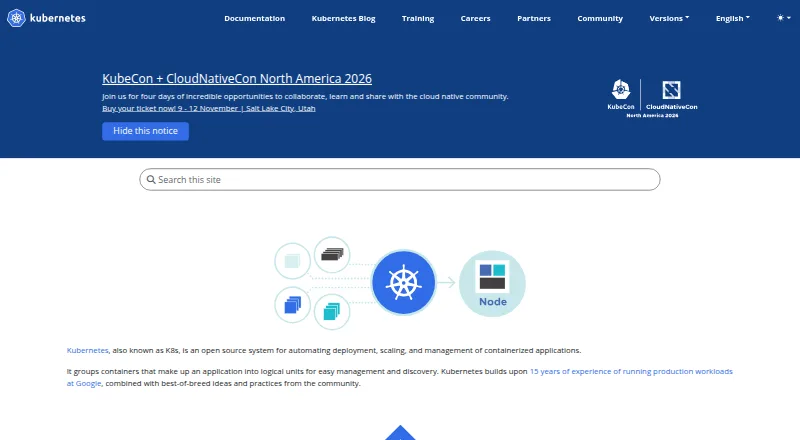
Kubernetes is a free, open-source system for automating deployment, scaling, and management of containerized applications. It supports stateless, stateful, and data-processing workloads. It can roll out changes gradually while monitoring application health, and can reverse a change if problems arise. Kubernetes assigns IP addresses to Pods, provides a shared DNS name for a set of Pods, and can load-balance across them. It can mount storage from local systems, public cloud providers, and network storage such as iSCSI or NFS. Secrets and application configuration can be deployed or updated without rebuilding an image. Scaling can be manual or based on CPU use, and resource requests and limits can be adjusted to usage patterns. Logging, monitoring, and alerting tools can be integrated through optional, pluggable defaults. Deployment can be on a local machine, in the cloud, or in a datacenter; managed services are also an option for users who do not want to operate a cluster. Kubernetes does not include application-level services such as databases, message buses, caches, or cluster storage systems.
Who it suits
Kubernetes suits teams that need to deploy and manage containerized workloads across local machines, cloud, or datacenters. Teams that do not want to operate a cluster can choose a managed service.
What it does well
- Supports stateless, stateful, and data-processing workloads
- Rollouts monitor health and can be rolled back
- Scaling can be manual or based on CPU use
- Works with local, cloud, and network storage
What to know first
- Does not include built-in databases or message buses
- Does not include built-in caches or cluster storage systems
Limits
Kubernetes does not provide application-level services such as databases, message buses, caches, or cluster storage systems as built-in services. The free plan is open source software, and no free trial is offered.
Plans
| Plan | Billed and limits | Price |
|---|---|---|
| Kubernetes | Open source platform; no price stated | Free |
As kubernetes.io lists them, read 29 Sept 2026. The maker's own page has the final word.
Getting started
- Visit the Kubernetes website.
- Choose a local, cloud, or datacenter deployment, or select a managed service.
- For a self-hosted setup, obtain the published component binaries or container images.
- Install kubectl on Linux, macOS, or Windows.
- Deploy containerized workloads and configure scaling, storage, networking, and integrations as needed.
Kubernetes is an open-source control plane for running containerized software across machines and environments. It is best for teams that need repeatable deployment, scaling, and policy controls, and are prepared to operate a cluster or select a managed service. The trade-off is that its infrastructure scope leaves several application services to you.
Overview
Founded in 2014, Kubernetes automates deployment, scaling, and management for container workloads. It supports stateless applications, stateful systems, and data-processing jobs, whether deployed on a local machine, in a datacenter, or with a cloud provider. You can run it yourself or choose a managed Kubernetes service when cluster operations should not be an internal responsibility.
That portability and breadth make Kubernetes a strong foundation for organizations standardizing container operations across environments. It is not a complete application platform: databases, message buses, caches, and cluster storage systems are not included as built-in services, so those requirements need separate products or services.
Key features
Progressive rollouts watch application health as changes are introduced and can roll back a change when something goes wrong. This gives release teams a controlled recovery path instead of requiring an all-at-once replacement, although the usefulness of health-based decisions depends on suitable application checks.
Each Pod receives an IP address, while a group of Pods can share a DNS name and receive load-balanced traffic. Kubernetes can automatically mount storage from local systems, public clouds, or network systems such as iSCSI and NFS. Secrets and application configuration can be deployed or updated without rebuilding an image, keeping operational changes separate from image creation.
Applications can scale manually or automatically according to CPU usage. Resource requests and limits can be adjusted as usage patterns change, giving teams mechanisms to balance capacity and resource isolation. Logging, monitoring, and alerting integrations are pluggable, so Kubernetes can fit an existing observability stack; teams must choose and maintain those integrations themselves.
Security features include TLS expectations for control-plane traffic, encryption at rest for control-plane data, and controls such as Secrets, Pod security standards, RuntimeClasses, network policies, admission controllers, and audit logging. These are substantial building blocks for governed environments, but they still require policy design and administration.
Pricing
Kubernetes is free and open source. The Kubernetes plan costs nothing and has no published seat, usage, or trial charge. That price covers the platform, component binaries, and container images; operating your own infrastructure or paying for a managed service remains a separate cost decision.
The free plan suits teams that can provide cluster operations and surrounding services. It gives up the convenience of a vendor-operated environment, so organizations without that capability should evaluate managed Kubernetes offerings and their separate pricing.
Platforms
Kubernetes supports API, Linux, macOS, self-hosted, and Windows deployments. The kubectl command-line tool is installable on Linux, macOS, and Windows. Deployment can be local, cloud-based, or in a datacenter, with self-hosting or a managed service as the operating model.
Who it's for
Kubernetes fits engineering and platform teams coordinating many containerized workloads, requiring automated or policy-driven scaling, and needing consistent networking, storage, rollout, and security controls across environments. It is also a sensible base for teams that already have logging, monitoring, alerting, and application services to integrate.
It is a weaker fit when the goal is a turnkey application stack, when workloads do not justify cluster operations, or when the organization expects databases, caches, messaging, and storage services to arrive as part of the orchestrator.
Pros and cons
Pros
- Broad workload coverage: stateless, stateful, and data-processing containers use the same orchestration foundation.
- Safer releases: progressive rollouts, health monitoring, and rollback reduce the blast radius of a bad change.
- Deployment flexibility: local, cloud, datacenter, self-hosted, and managed options support varied operating models.
- Extensible operations: pluggable logging, monitoring, and alerting integrations avoid locking teams to one default stack.
- Layered security controls: policy, network, runtime, admission, and audit mechanisms support governed clusters.
Cons
- Application services are external: databases, message buses, caches, and cluster storage systems must be supplied separately.
- Operational responsibility can be substantial: self-hosted users must run the cluster and integrate surrounding tooling, while managed services add provider cost.
- Configuration choices remain yours: pluggable observability and policy mechanisms provide flexibility but require design and maintenance.
Alternatives
Terraform is a better choice when infrastructure provisioning is the primary task; its free plan includes 500 managed resources and one concurrent remote run.
Argo Workflows is the more focused option when you need an open-source workflow engine for Kubernetes rather than a full container orchestrator.
AWS CloudFormation suits teams committed to AWS infrastructure templates; the service itself is free, while underlying AWS resources are billed separately.
Cloudify offers a free Community plan with no time limit for users able to provide Docker or VM setup and cloud-provider access.
Pulumi is preferable for infrastructure as code when a one-user free plan with unlimited projects, stacks, environments, updates, and history is sufficient.
Rundeck is aimed at runbook automation, with a free Community plan for small teams and registration required.
OpenTofu is a free, open-source infrastructure-as-code tool for teams that do not need Kubernetes orchestration.
Apache CloudStack is a free open-source IaaS platform for building and managing cloud infrastructure.
Verdict
Choose Kubernetes when your organization needs a portable, extensible system for deploying and scaling container workloads with controlled rollouts, networking, storage, and security policies. Look elsewhere when you want application services included or cannot justify operating the surrounding platform; Kubernetes supplies orchestration, not a finished application environment.
Verdict
Kubernetes provides a broad system for coordinating container deployment, scaling, networking, and storage. Teams should account for application-level services outside its built-in scope.
Questions
How much does Kubernetes cost?
Kubernetes is listed as free, with a plan price of $0. The plan is described as an open source platform.
Is there a free plan or trial?
Yes, Kubernetes has a free plan. There is no free trial.
Which platforms are supported?
The listed platforms are API, Linux, macOS, self-hosted, and Windows. kubectl can be installed on Linux, macOS, and Windows.
Is Kubernetes open source?
Yes. Kubernetes is an open source platform and a CNCF graduated project.
Can I use Kubernetes without operating a cluster myself?
Yes. Kubernetes can be obtained as a managed service for users who do not want to operate a cluster.
What does Kubernetes include for networking and scaling?
It assigns IP addresses to Pods, provides shared DNS names for groups of Pods, and can load-balance across them. Applications can be scaled manually or automatically based on CPU usage.
Facts from Kubernetes's own pages
- Deployment options
- Kubernetes can be deployed on a local machine, in the cloud, or in a datacenter, and users can choose a managed service if they do not want to operate a cluster themselves. · kubernetes.io, 29 Sept 2026
- Downloads
- Kubernetes publishes component binaries and container images; kubectl is installable on Linux, macOS, and Windows. · kubernetes.io, 29 Sept 2026
- Founded
- 2014 · kubernetes.io, 23 Sept 2026
- Integrations
- Kubernetes lets users integrate logging, monitoring, and alerting solutions, and its defaults are optional and pluggable. · kubernetes.io, 29 Sept 2026
- Limitations
- Kubernetes does not provide application-level services such as databases, message buses, caches, or cluster storage systems as built-in services. · kubernetes.io, 29 Sept 2026
- Networking
- It gives Pods IP addresses and a shared DNS name for a set of Pods, and can load-balance across them. · kubernetes.io, 29 Sept 2026
- Project status
- Kubernetes is a CNCF graduated project. · kubernetes.io, 29 Sept 2026
- Purpose
- Kubernetes is an open source system for automating deployment, scaling, and management of containerized applications. · kubernetes.io, 29 Sept 2026
- Rollouts
- Kubernetes progressively rolls out changes while monitoring application health and can roll back a change if something goes wrong. · kubernetes.io, 29 Sept 2026
- Scaling
- Applications can be scaled manually or automatically based on CPU usage, and resource requests and limits can be adjusted based on usage patterns. · kubernetes.io, 29 Sept 2026
- Secrets
- Secrets and application configuration can be deployed and updated without rebuilding the image. · kubernetes.io, 29 Sept 2026
- Security
- Kubernetes expects TLS for control-plane traffic and supports encryption at rest for data stored in the control plane. · kubernetes.io, 29 Sept 2026
- Security controls
- Security mechanisms include Secrets, Pod security standards, RuntimeClasses, network policies, admission controllers, and audit logging. · kubernetes.io, 29 Sept 2026
- Storage
- Kubernetes can automatically mount storage from local systems, public cloud providers, or network storage systems such as iSCSI or NFS. · kubernetes.io, 29 Sept 2026
- Support
- The Kubernetes project says Kubernetes services, support, and tools are widely available. · kubernetes.io, 29 Sept 2026
- Workloads
- It supports stateless, stateful, and data-processing workloads that can run in containers. · kubernetes.io, 29 Sept 2026
Where Kubernetes stands on Freedom251
- Auto Scaling Software#4 of 24
- Container Orchestration Software#7 of 32
- Cloud Orchestration Software#6 of 27
- Rollback Management#7 of 25
- Cli Tools#11 of 32
- Orchestration / Provisioning Software#10 of 27
- Container Management Software#12 of 28