Freedom251 › Container Orchestration Software

KubeSphere
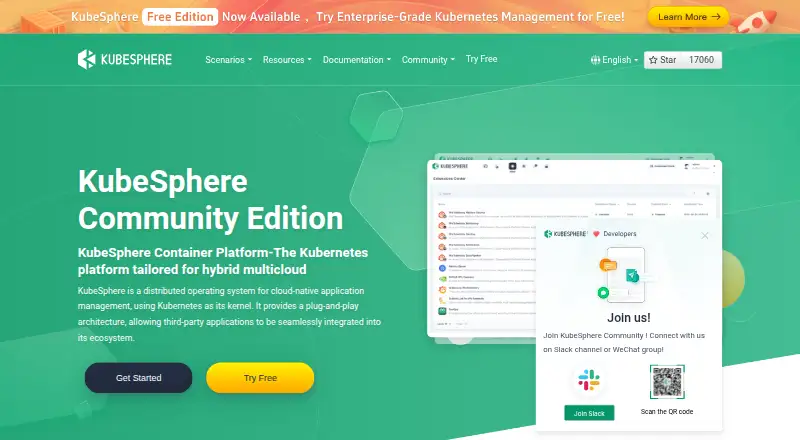
What KubeSphere is
KubeSphere is a Kubernetes-based platform for managing cloud-native applications across infrastructure environments. Its Community Edition is an open-source Kubernetes container platform, and a plug-and-play architecture is intended to connect third-party applications and mainstream open-source tools. The platform supports multi-tenancy and management across clusters, with monitoring, event and audit-log queries, tenant log collection, alerts, and notifications. Delivery workflows include Jenkins-based CI/CD and automated Source-to-Image and Binary-to-Image processes. KubeSphere supports online or offline installation, one-click upgrades, and cluster scaling. Its architecture includes a REST API backend with an API server and controller manager. The free Community Edition is self-managed and listed as free. Enterprise adds image security hardening, two-factor authentication, vulnerability fixes, and permission controls at platform, cluster, and application levels. Enterprise is available through on-demand subscription, private deployment, or an all-in-one container machine delivery model; extensions are available by subscription and pricing requires contacting sales. The Enterprise page says its lightweight architecture can run with 2 CPU cores and 4 GB of memory.
Who it suits
KubeSphere is aimed at infrastructure, development, and operations teams managing Kubernetes applications across clusters. Its Enterprise options may suit organizations seeking additional security, permissions, and professional technical support.
What it does well
- Community Edition is free forever and self-managed
- Supports multi-tenancy and multi-cluster management
- Includes Jenkins-based CI/CD workflows
- Supports online or offline installation
What to know first
- Enterprise pricing requires contacting sales
- Enterprise extensions are available by subscription
- Community Edition is self-managed
Plans
| Plan | Billed and limits | Price |
|---|---|---|
| KubeSphere Backup Free | 2 protected applications · 3-day retention · community support · 10 GB hosted repository · no resource templates · no database consistency protection | Free |
| KubeSphere Community Edition | free forever · multi-cluster management · RBAC and tenant isolation · observability · application lifecycle management · DevOps · 16 extensions | Free |
| KubeSphere Backup Standard | USD 200/month, 564/quarter, and 2,064/year · 500 protected applications · 30-day retention · 8 x 5 support · 500 GB hosted repository · 10 resource templates · database consistency protection | $200 a month |
| KubeSphere Backup Enterprise | USD 340/month, 958/quarter, and 3,508/year · 1,500 protected applications · 90-day retention · 8 x 5 support · 1 TB hosted repository · unlimited resource templates · database consistency protection | $340 a month |
| KubeSphere Backup Basic | USD 65/month, 183/quarter, and 670/year · 100 protected applications · 14-day retention · 8 x 5 support · 100 GB hosted repository · 3 resource templates · no database consistency protection | $65 a month |
| KubeSphere Backup Exclusive | Contact sales · customizable protected applications · customizable retention · 24 x 7 support · customizable repository quota · unlimited resource templates · database consistency protection | On request |
| KubeSphere Enterprise | On-demand subscription or private deployment · extensions available by subscription · contact sales for pricing | On request |
As kubesphere.io lists them, read 15 Oct 2026. The maker's own page has the final word.
Getting started
- Visit the KubeSphere website.
- Choose the free Community Edition or contact sales about Enterprise.
- Prepare a Kubernetes environment for the self-managed Community Edition.
- Install online or offline, depending on your deployment.
- Use the platform's API and plug-in architecture to connect applications and tools.
KubeSphere is a Kubernetes-based platform for managing cloud-native applications and their clusters. It is best suited to infrastructure, development and operations teams that want a self-managed control plane with multi-cluster operations and delivery workflows. The Community Edition provides a broad operational foundation at no charge, while enterprise permissions and professional support sit in the paid Enterprise offering.
Overview
KubeSphere brings application management, cluster operations and delivery workflows together around Kubernetes, with a plug-in architecture designed to accommodate third-party applications and mainstream open-source tools. Multi-tenancy and multi-cluster management make it relevant to organizations serving multiple teams or environments. Hybrid deployment and support for online or offline installation add flexibility, although a self-managed platform still leaves teams responsible for running and maintaining their Kubernetes environment.
One-click upgrades and cluster scaling help with ongoing platform operations. The product spans infrastructure teams, developers, operations teams and application end users, but its value depends on having Kubernetes needs and expertise; it is not a general-purpose application platform for teams outside that ecosystem.
Key features
Operations and observability
Monitoring, alerting and notifications are joined by event and audit-log queries and tenant log collection. That breadth is useful for teams that need operational visibility across tenants and clusters. It does not, however, remove the work of managing the underlying self-hosted infrastructure.
Delivery and integrations
Out-of-the-box CI/CD based on Jenkins and automated Source-to-Image and Binary-to-Image workflows support application delivery within the platform. The pluggable design is intended to integrate other tools, and the ecosystem includes Grafana, Loki and Higress. This suits teams seeking an extensible Kubernetes environment, though organizations with established delivery tooling should assess whether the Jenkins-based workflows complement their existing processes.
Control and architecture
The REST API backend includes an API server and controller manager. Multi-cluster management, autoscaling, rolling updates and policy controls give teams a range of mechanisms for managing Kubernetes workloads and governance. Enterprise adds image security hardening, two-factor authentication and vulnerability fixes, as well as permission controls at platform, cluster and application levels; those controls are important for organizations that need more granular access management.
Pricing
KubeSphere Community Edition
The Community Edition costs nothing and is free forever. It is a self-managed Kubernetes platform, making it the natural starting point for teams prepared to operate it themselves and whose requirements fit the community offering. No seat or usage cap is stated.
KubeSphere Enterprise
Enterprise uses custom pricing through an on-demand subscription or private deployment, with extensions available by subscription. Contact sales for pricing. It adds security features, multi-level tenant permissions and one-stop professional technical support, so it is the option for organizations that need those enterprise controls or assistance. Its lightweight architecture can run with 2 CPU cores and 4 GB of memory, a modest stated baseline that does not by itself define the resources required for a particular workload.
Platforms
KubeSphere supports API, Linux, self-hosted and web environments. It can be deployed on any infrastructure environment, with online and offline installation options; Enterprise also offers an all-in-one container machine delivery model. This flexibility favors teams with varied infrastructure, but does not change the operational responsibility of self-hosting.
Who it's for
Choose KubeSphere if your organization runs Kubernetes and wants a platform for multi-tenant, multi-cluster application operations, monitoring and delivery. The free Community Edition fits teams with the skills and capacity to manage their own platform. Enterprise is better suited to organizations that need stronger security features, fine-grained permissions or professional technical support. It is a weaker fit for teams that do not use Kubernetes or want a managed service rather than a self-managed platform.
Pros and cons
- Pro: The free, forever Community Edition combines multi-cluster and multi-tenant management with monitoring and delivery workflows, giving Kubernetes teams a substantial self-managed starting point.
- Pro: Online or offline installation, hybrid deployment, cluster scaling and one-click upgrades accommodate varied infrastructure and operating conditions.
- Pro: Enterprise permission controls span platform, cluster and application levels, with security features and technical support for organizations that need additional safeguards.
- Con: Community Edition is self-managed, so teams must take responsibility for operating the platform and Kubernetes environment.
- Con: Enterprise pricing is custom, which means teams must contact sales to establish cost before comparing it with alternatives.
Alternatives
Kubermatic Kubernetes Platform is another option with a free, open-source Community Edition and an Enterprise Edition with consumption-based subscription pricing.
Cloudify may suit readers seeking a freemium alternative with a free trial; its no-time-limit Community plan requires Docker or a VM setup and access to a cloud provider to run workloads.
Apache CloudStack is a free, open-source IaaS cloud option for readers whose need is cloud infrastructure software rather than KubeSphere's Kubernetes application management focus.
Qstack offers a free lifetime basic plan and a professional plan priced at 9,999 CNY a year, which may merit consideration for readers comparing a priced alternative.
CloudBolt has a free CMP plan with core capabilities for up to 100 resources, making it relevant to readers whose needs fit that stated limit.
Google Config Sync is included at no charge with Google Kubernetes Engine, but requires a supported GKE cluster version and fleet registration.
Karmada is a free, open-source Kubernetes management system for readers comparing another Kubernetes-focused option.
OpenNebula is another platform to consider when comparing community and enterprise subscription options.
Browse Multi-Cloud Management Software, Container Orchestration Software, Kubernetes Management Platforms, DevOps Platforms, Container Management Software and Platform Engineering Software to compare related categories.
Verdict
KubeSphere is a strong candidate for Kubernetes teams that want a free, self-managed platform combining multi-cluster operations, observability and delivery workflows. Its main advantage is the breadth of capabilities in Community Edition; its main limitation is that teams must run the platform themselves, while enterprise permissions, security additions and support require custom-priced Enterprise. Choose it if those operational capabilities match your Kubernetes environment, and look elsewhere if you need a managed service or cannot evaluate an Enterprise cost before engaging sales.
Verdict
KubeSphere pairs a free self-managed Community Edition with an Enterprise offering that adds security, permissions, and support options. Teams should compare the editions and contact sales for Enterprise pricing.
Questions
Is KubeSphere open source?
KubeSphere describes its Community Edition as an enterprise-grade open-source Kubernetes container platform.
How much does KubeSphere Community Edition cost?
The Community Edition costs nothing and is free forever.
What does KubeSphere Enterprise cost?
Enterprise pricing is available by contacting sales. It is offered through on-demand subscription or private deployment.
Can KubeSphere be installed offline?
Yes. The platform supports online or offline installation.
What does Enterprise add?
Enterprise adds image security hardening, two-factor authentication, vulnerability fixes, permission controls at platform, cluster, and application levels, and professional technical support.
Which tools are named as ecosystem collaborators?
The site names Grafana, Loki, and Higress among its ecosystem collaborators.
Facts from KubeSphere's own pages
- API
- KubeSphere's architecture includes a REST API backend with an API server and controller manager. · kubesphere.io, 3 Oct 2026
- Application lifecycle
- Its application management layer handles Helm and Operator applications through a unified lifecycle abstraction. · kubesphere.io, 15 Oct 2026
- App Store
- The App Store, powered by OpenPitrix, lets tenants add repositories and manage application submission, review, testing, release, upgrade, and removal. · kubesphere.io, 15 Oct 2026
- Cluster management
- The platform provides centralized visual management and operations for multiple Kubernetes clusters across clouds and infrastructure. · kubesphere.io, 15 Oct 2026
- Company headquarters
- QingCloud's KubeSphere about page lists Beijing, China as headquarters, while LinkedIn lists KubeSphere headquarters as Hong Kong. · kubesphere.co, 15 Oct 2026
- Company size
- LinkedIn lists KubeSphere as a privately held IT-services company with 51–200 employees. · linkedin.com, 15 Oct 2026
- Deployment
- The platform supports deployment on any infrastructure environment, online or offline installation, one-click upgrades and cluster scaling. · kubesphere.io, 3 Oct 2026
- Developer extensibility
- The official site links extension-development documentation, and the project maintains extension samples plus the ksbuilder extension CLI in GitHub. · github.com, 15 Oct 2026
- DevOps
- The DevOps extension supplies end-to-end workflows integrating mainstream continuous-integration and continuous-delivery tools. · kubesphere.io, 15 Oct 2026
- Documentation depth
- The documentation includes quick starts, installation and upgrade procedures, air-gapped deployment, high availability, extensions, role management, DevOps pipelines, App Store, service mesh, federation, observability, FAQs, API reference, and release notes. · kubesphere.io, 15 Oct 2026
- Enterprise deployment
- KubeSphere Enterprise is offered through on-demand subscription, private deployment and an all-in-one container machine delivery model. · kubesphere.co, 3 Oct 2026
- Enterprise permissions
- KubeSphere Enterprise provides multi-tenant permission controls at platform, cluster and application levels. · kubesphere.co, 3 Oct 2026
- Extensibility
- KubeSphere 4.x decouples DevOps, service mesh, observability, App Store, edge, networking, and storage functions into independently maintained extensions. · kubesphere.io, 15 Oct 2026
- Founded and ownership
- The company history records QingCloud's establishment in April 2012, while KubeSphere's about page says the platform has been developed since 2018. · qingcloud.com, 15 Oct 2026
- Funding and public status
- Crunchbase lists QingCloud as a Beijing-based public Series-D company with nine investors including Luminous Ventures and CICC, but hides the total funding amount. · crunchbase.com, 15 Oct 2026
- Gateway
- KubeSphere Gateway supports ingress management, layer-7 load balancing, traffic routing, and gateway administration. · kubesphere.io, 15 Oct 2026
- Headquarters
- Beijing, China · kubesphere.io, 28 Sept 2026
- Independent adoption evidence
- A CNCF case study reports more than 15,000 KubeSphere GitHub stars, over 5 million downloads, and use in more than 100 countries. · cncf.io, 15 Oct 2026
- Independent editorial assessment
- FAUN.dev scored KubeSphere 72/100, rating built-in add-ons and ease of use highest and pricing transparency lowest. · faun.dev, 15 Oct 2026
- Integrations
- Official materials identify integrations or ecosystem collaboration with Jenkins, Grafana, Loki, Higress, KubeKey, OpenELB, KubeEye, Fluent Operator, and OpenFunction. · kubesphere.io, 15 Oct 2026
- Intended users
- The product site describes benefits for infrastructure teams, developers, operations teams and end users deploying applications on Kubernetes. · kubesphere.io, 3 Oct 2026
- Kubernetes compatibility
- KubeSphere v4.1.3 is tested with Kubernetes v1.21 through v1.30, while untested versions are not guaranteed compatible. · kubesphere.io, 15 Oct 2026
- License
- KubeSphere 4.x and later use Apache License 2.0 with extra conditions requiring producer permission or a commercial licence for third-party commercial offerings, SaaS, or removing the product identity. · github.com, 15 Oct 2026
- Lifecycle limitation
- The lifecycle policy says end-of-life versions receive no sales, upgrades, hotfixes, or support, and official artifacts may become inaccessible. · kubesphere.io, 15 Oct 2026
Where KubeSphere stands on Freedom251
- Container Orchestration Software#1 of 32
- Platform Engineering Software#1 of 31
- Kubernetes Management Platforms#1 of 29
- DevOps Platforms#1 of 28
- Container Management Software#2 of 28
- Multi-Cloud Management Software#3 of 25