Freedom251 › Container Orchestration Software

Google Kubernetes Engine
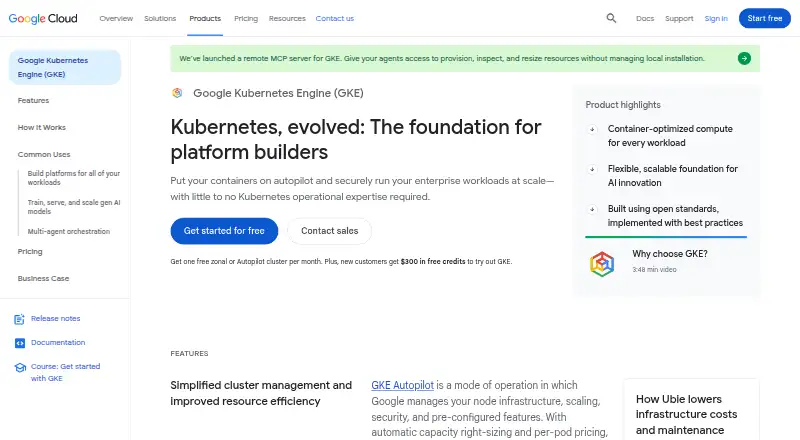
What Google Kubernetes Engine is
Google Kubernetes Engine (GKE) is a managed environment for running containerized applications. It manages each cluster’s Kubernetes control plane from creation through deletion. With Autopilot, Google handles node infrastructure, provisioning, scaling, scheduling, and security features; users can choose to manage nodes themselves instead. Autopilot also provides automatic capacity right-sizing and per-pod pricing. GKE supports GPU and TPU workloads and integrates with AI Hypercomputer for machine learning and high-performance computing. The product page states that clusters can have up to 65,000 nodes. Security tools include a dashboard for misconfigurations and risks, agentless scanning for critical vulnerabilities, workload isolation with GKE Sandbox, and hardware-based encryption for data in use with Confidential GKE Nodes. Fleets and Teams help organize clusters and workloads across teams. GKE also supports conformant attached Kubernetes clusters and says applications can run unmodified on on-premises hardware or in public cloud. A free tier is listed with 74.40 USD in monthly credits per billing account; credits apply to zonal and Autopilot clusters. The cluster management fee is $0.10 a month per cluster per hour. Windows Server node images and containers are unavailable in Autopilot.
Who it suits
GKE suits platform builders and enterprise developer platforms, as well as teams training or serving AI models. Autopilot is an option for teams that want Google to manage nodes; users can also manage nodes themselves.
What it does well
- Autopilot automates node provisioning, scaling, and scheduling.
- Supports GPU and TPU workloads.
- Security dashboard highlights cluster misconfigurations and risks.
- Fleets and Teams organize workloads across teams.
What to know first
- Windows Server node images and containers are unavailable in Autopilot.
- Cluster management fee is $0.10 a month per cluster per hour.
- Console releases are not listed as a deployment option.
Limits
Windows Server node images and containers are unavailable in Autopilot mode. The free tier is listed as $74.40 in monthly credits per billing account; credits apply to zonal and Autopilot clusters.
Plans
| Plan | Billed and limits | Price |
|---|---|---|
| Free tier | monthly credits per billing account · $74.40 credit · applies to one zonal Standard or Autopilot cluster · unused credits do not roll over | Free |
| Cluster management fee | per cluster per hour · Cluster life cycle management, autoscaling, cost visibility, infrastructure cost optimization, and multi-cluster management are included at no extra cost | $0.10 a month |
As cloud.google.com lists them, read 21 Oct 2026. The maker's own page has the final word.
Getting started
- Visit the Google Kubernetes Engine website.
- Start with the free tier or free trial, or review paid plans from $9/mo.
- Choose whether to use Autopilot or manage nodes yourself.
- Create a cluster; GKE manages its Kubernetes control-plane life cycle.
- Organize clusters and workloads with Fleets and Teams if needed.
Overview
Google Kubernetes Engine (GKE) is a managed environment for running containerized applications on Kubernetes. It is best suited to platform teams, enterprise developer platforms, and teams training or serving AI models. Its central advantage is the choice between Google-managed node operations and direct node management, but Autopilot excludes Windows Server workloads.
GKE manages the Kubernetes control plane throughout a cluster’s life cycle. Autopilot extends that management to node provisioning, scaling, and scheduling, with automatic capacity right-sizing and per-pod pricing. Teams that manage nodes themselves retain more direct responsibility for that infrastructure. GKE supports clusters of up to 65,000 nodes, so it can serve very large deployments, though that ceiling is unlikely to matter to smaller teams.
Fleets and Teams organize clusters and workloads and let organizations assign resources across teams. GKE also supports conformant Kubernetes clusters attached to its management environment; Google says applications can run unmodified on existing on-premises hardware or in public cloud. These options make it relevant where workloads span environments, rather than only to teams building entirely on Google-managed infrastructure.
Key features
Operations and scaling
Control-plane life-cycle management is built into GKE, while Autopilot can take over node provisioning, scaling, and scheduling. That reduces infrastructure work for teams willing to accept Google-managed nodes. The alternative—managing nodes directly—suits teams that need that responsibility in their own hands, but does not offer the same Autopilot automation.
Autoscaling and rolling updates support ongoing workload operations. The service also includes policy controls, and its backup capabilities include scheduled backups, custom retention, immutable backups, persistent volume backup, and cross-cluster restore. Application consistency is supported at both application and crash-consistent levels.
Security and workload isolation
The security dashboard gives teams visibility into cluster misconfigurations and risks, and agentless scanning checks for critical vulnerabilities. GKE Sandbox isolates workloads, while Confidential GKE Nodes provide hardware-based encryption for data in use. These tools address different concerns—visibility, vulnerability scanning, isolation, and data protection—rather than making security a single switch.
AI and multi-cluster workloads
GKE supports GPU and TPU workloads and integrates with AI Hypercomputer for machine learning and high-performance computing. That makes it a plausible fit for teams training or serving models that need those accelerators. Config Sync, Cloud Service Mesh, Fleets, and AI Hypercomputer are among its named integrations or related services.
Pricing
GKE is a paid service with a free tier and a free trial. The entry price is 9 /mo. The free tier costs nothing and is billed as $74.40 in monthly credits per billing account; credits apply to zonal and Autopilot clusters. This offers a way to offset eligible cluster costs, but it is a credit allowance, not an unlimited free service.
The Cluster management fee is $0.10 a month, billed per cluster per hour. It includes cluster life-cycle management, autoscaling, cost visibility, infrastructure cost optimization, and multi-cluster management at no extra cost. For organizations running multiple clusters, the per-cluster billing basis matters: the fee scales with the number of clusters and their running time.
Autopilot’s per-pod pricing and automatic capacity right-sizing may suit teams that prefer managed operations and workload-aligned billing. Teams choosing direct node management take on more infrastructure responsibility. The published entry price does not establish what a particular deployment will cost, so fit depends on workload and cluster requirements.
Platforms
GKE is a managed deployment and lists API, Linux, self-hosted, web, and Windows among its platforms. The Windows qualification is important: Windows Server node images and containers are unavailable in Autopilot mode. Teams needing Windows workloads therefore should not assume that the managed Autopilot path will cover them.
Who it's for
GKE is aimed at platform builders and enterprise developer platforms, as well as teams training and serving AI models. It is a strong match when control-plane management, optional node automation, multi-team organization, and GPU or TPU support belong in the same operating environment. It is less compelling for a team that specifically needs Windows containers with Autopilot, or one that does not want cluster-based fees to factor into its operating costs.
Pros and cons
- Pros: Autopilot can provision, scale, schedule, and right-size nodes, reducing node operations for teams that accept Google management.
- Pros: Fleets and Teams support organization and resource assignment across multiple teams.
- Pros: GPU and TPU support, AI Hypercomputer integration, and a 65,000-node cluster limit cover demanding AI and large-scale use cases.
- Pros: Security visibility, agentless vulnerability scanning, workload isolation, and encryption for data in use address several distinct security needs.
- Cons: Autopilot cannot run Windows Server node images or containers, which rules it out for those workloads.
- Cons: The $0.10 a month cluster management fee is billed per cluster per hour, so organizations need to account for cluster count and running time.
- Cons: Teams managing nodes themselves retain more infrastructure work than teams using Autopilot.
Alternatives
For a dedicated Kubernetes backup product, compare Veeam Kasten for Kubernetes, which has a free tier capped at 5 nodes. Stash is another freemium, self-hosted option focused on container backup.
For a small protected-application allowance with a stated retention cap and hosted repository, KubeSphere Backup has a free tier covering 2 protected applications, 3 days of retention, and 10 GB of hosted repository. If you want a free container-orchestration alternative without a stated feature comparison, Bnkr is another option.
For backup beyond Kubernetes, Plakar offers a free plan for up to 500 GB of managed data, with no time limit and deployment of its control plane on infrastructure you own. Storware Backup & Recovery has a free license, though technical support is excluded. Veeam Agent for Mac has a free edition limited to one backup job and without direct backup to object storage. Vinchin Backup & Recovery offers a permanent free edition protecting up to 3 virtual machines.
Browse Kubernetes Backup Software, Container Backup Software, or Container Orchestration Software to compare more options in those categories.
Verdict
Choose GKE if you need managed Kubernetes control-plane operations with the option to automate node management, organize multiple teams, or run AI workloads on GPUs and TPUs. Autopilot’s automation and the breadth of its security and multi-cluster tools are its strongest reasons to choose it. Look elsewhere if Windows containers must run in Autopilot or if per-cluster management charges do not suit your operating model.
Verdict
GKE offers managed cluster operations alongside the choice to manage nodes directly, with features for security, multi-team organization, and AI workloads. Check Autopilot’s Windows limitation and the listed cluster management fee when assessing fit.
Questions
Does Google Kubernetes Engine have a free plan?
Yes. Its Free tier is listed as free, with $74.40 in monthly credits per billing account. The credits apply to zonal and Autopilot clusters.
What does GKE cost?
The listed starting price is $9/mo. A cluster management fee is also listed at $0.10 a month, billed per cluster per hour.
Is there a free trial?
Yes, a free trial is listed.
Which platforms are listed?
The platforms are API, Linux, self-hosted, web, and Windows. The deployment model is managed.
Can Autopilot run Windows Server nodes or containers?
No. Windows Server node images and containers are unavailable in GKE Autopilot mode.
Who makes Google Kubernetes Engine?
Google makes GKE. Google was founded in September 1998 and is headquartered in Mountain View, California.
Facts from Google Kubernetes Engine's own pages
- Agent sandbox
- GKE Agent Sandbox uses gVisor kernel isolation to run untrusted agent code and tool calls in isolated sandboxes. · cloud.google.com, 21 Oct 2026
- AI and accelerators
- GKE supports GPU and TPU workloads and integrates with AI Hypercomputer for machine learning and high-performance computing workloads. · cloud.google.com, 28 Sept 2026
- AI and accelerator support
- GKE supports GPU and TPU workloads and clusters of up to 65,000 nodes for machine-learning and high-performance workloads. · cloud.google.com, 21 Oct 2026
- Authentication
- Programmatic access supports Application Default Credentials, gcloud authentication, service-account impersonation, and REST authentication. · docs.cloud.google.com, 21 Oct 2026
- Autopilot
- Autopilot lets Google manage node infrastructure, scaling, security, and preconfigured features, with automatic capacity right-sizing and per-pod pricing. · cloud.google.com, 28 Sept 2026
- Autopilot mode
- Autopilot has Google manage node infrastructure, scaling, security settings, scheduling, and release management. · docs.cloud.google.com, 21 Oct 2026
- Autoscaling
- GKE can automatically scale Pods and nodes, including node auto-provisioning in Standard mode and automatic node provisioning in Autopilot. · docs.cloud.google.com, 21 Oct 2026
- Availability SLA
- The pricing page lists 99.95% control-plane availability for Autopilot and regional Standard clusters, 99.5% for zonal Standard control planes, and 99.9% for Autopilot Pods across multiple zones. · cloud.google.com, 21 Oct 2026
- CI/CD integrations
- Google documents integrated CI/CD options using Cloud Build, Cloud Deploy, and Artifact Registry. · docs.cloud.google.com, 21 Oct 2026
- Cluster scale
- The product page states that GKE supports clusters with up to 65,000 nodes. · cloud.google.com, 28 Sept 2026
- Company
- Google was founded in September 1998 and is headquartered in Mountain View, California. · abc.xyz, 28 Sept 2026
- Compliance
- Google Cloud states that its HIPAA support requires a Business Associate Agreement and customer configuration responsibility, and aligns covered services with ISO 27001, ISO 27017, ISO 27018, and SOC 2 controls. · cloud.google.com, 21 Oct 2026
- Control plane
- GKE manages each cluster’s Kubernetes control plane life cycle from creation to deletion. · cloud.google.com, 28 Sept 2026
- Documentation depth
- The documentation covers fundamentals, cluster setup, cost optimization, storage, security, workload deployment, administration, observability, troubleshooting, networking, API reference, and release notes. · docs.cloud.google.com, 21 Oct 2026
- Fleet management
- Fleet-based team management, Connect Gateway, Config Sync, Policy Controller, and multi-cluster management are included capabilities. · cloud.google.com, 21 Oct 2026
- Founded
- 1998 · cloud.google.com, 28 Sept 2026
- Headquarters
- Mountain View, California, USA · cloud.google.com, 28 Sept 2026
- Installation requirements
- Cluster access through kubectl requires installing kubectl and the gke-gcloud-auth-plugin through gcloud or external apt/yum package repositories. · docs.cloud.google.com, 21 Oct 2026
- Integrations
- The product page names Config Sync, Cloud Service Mesh, Fleets, and AI Hypercomputer among GKE integrations or related services. · cloud.google.com, 28 Sept 2026
- Intended users
- Google describes GKE as a foundation for platform builders and enterprise developer platforms, as well as for teams training and serving AI models. · cloud.google.com, 28 Sept 2026
- Licence
- GKE is a proprietary managed Google Cloud service, while the Kubernetes technology it manages is open source under the Apache License 2.0. · github.com, 21 Oct 2026
- Limit: G2 reviewers
- Reviewers repeatedly report a steep Kubernetes learning curve, complex troubleshooting and networking, difficult cost prediction, YAML overhead, and upgrade or API compatibility issues. · g2.com, 21 Oct 2026
- Limit: Gartner reviewers
- A Gartner review says visibility, cost predictability, and debugging can become difficult at scale. · gartner.com, 21 Oct 2026
- Limit: TrustRadius reviewers
- TrustRadius reviewers report no true zero scale, hidden networking details, limited container-native load-balancer types, persistent-storage and DNS friction, and hacks needed for some node-level settings. · trustradius.com, 21 Oct 2026