Freedom251 › Kubernetes Management Platforms

Portainer
What Portainer is
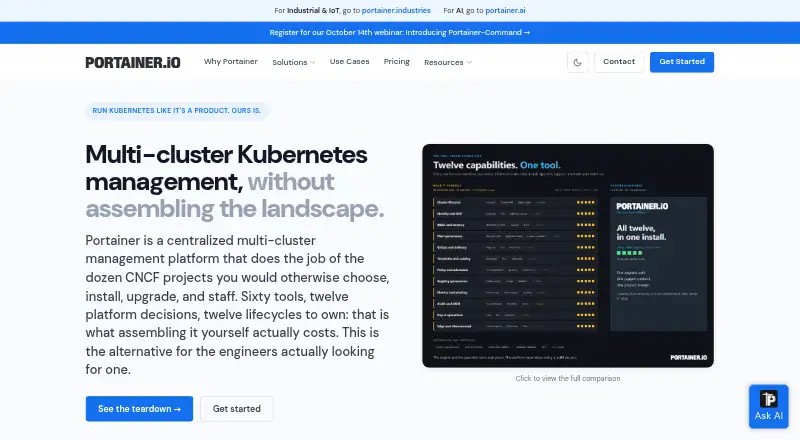
Portainer is a centralized multi-cluster management platform for Kubernetes clusters and container environments. Its graphical interface is intended to simplify container deployment and troubleshooting without requiring users to work directly with the CLI, YAML, or manifests. Supported environments include Kubernetes, Docker, Docker Swarm, Podman, and Azure ACI. It provides centralized governance across Kubernetes clusters on EKS, AKS, GKE, bare metal, or on-premises infrastructure. Git-based deployments support automatic updates and webhooks, promotion between environments, and rollback workflows. Business Edition features include role-based access control, LDAP and OAuth authentication, Active Directory user sync, and SSO provider templates. Other listed controls include authentication and activity logs, Syslog export, fleet governance policies, policy drift remediation, resource quotas, pod security constraints, and change windows. Portainer Server and Agent run as lightweight containers, with installation instructions for Kubernetes and other supported environments. The Business Edition free tier covers up to three nodes with no time limit. Paid plans include Home & Student at $155 a year and Starter at $1,045 a year. A 45-day trial license for 15 nodes is available to enterprises on request.
Who it suits
Portainer suits organizations managing Kubernetes clusters or other supported container environments from a centralized interface. Its free Business Edition tier covers up to three nodes, while Community Edition is described for home users and hobbyists.
What it does well
- Supports Kubernetes, Docker, Docker Swarm, Podman, and Azure ACI.
- Centralizes governance across Kubernetes clusters.
- Git workflows include promotion and rollback.
- Free Business Edition tier covers up to three nodes.
- Business Edition lists RBAC, LDAP, OAuth, and SSO features.
What to know first
- Starter and Scale subscriptions have fixed node counts during their term.
- Home & Student is limited to non-commercial personal use.
- Starter costs $1,045 a year.
Plans
| Plan | Billed and limits | Price |
|---|---|---|
| Business Edition free tier | up to 3 nodes · no credit card · full features · no time limit | Free |
| Starter | billed annually · 5, 10, or 15 nodes · community support · up to 16 vCPUs per node · online purchase only | $1,045 a year |
| Home & Student | per year · up to 15 nodes · non-commercial personal use only · Community Support · not available to companies | $155 a year |
| Scale | billed annually · 5 to 25 nodes · 9x5 next-business-day support · up to 24 vCPUs per node · vendor onboarding · reseller availability | $2,095 a year |
| Enterprise | priced for your organization · 32 to unlimited vCPUs per node · production and non-production nodes · prioritized 9x5 support with 24/7 option · assigned support engineer · security assessment report · TAA compliance certificate | On request |
As portainer.io lists them, read 30 Sept 2026. The maker's own page has the final word.
Portainer is a container and Kubernetes management platform built around a graphical interface. It suits teams responsible for several clusters, as well as home users who need to manage a small setup. Its appeal is the breadth of environments and governance tools in one place; node caps and the separation between support tiers matter when choosing a paid plan.
Overview
Portainer combines control-plane management, cluster provisioning, multi-cluster management, policy enforcement and upgrade management. Its interface aims to make deployment and troubleshooting less dependent on the CLI, YAML and manifests. That can provide a shared operational surface for teams, though it does not remove the need to understand the environments and policies they manage.
Supported environments include Kubernetes, Docker, Docker Swarm, Podman and Azure ACI. Centralized Kubernetes governance covers EKS, AKS, GKE, bare metal and on-premises infrastructure. Portainer Server and Agent run as lightweight containers, with installation instructions for Kubernetes and other supported environments.
Key features
Deployment and governance
Git-based deployments include automatic updates, webhooks, promotion between environments and rollback workflows. That makes Portainer relevant to teams that want a managed path from repository changes to deployment, rather than a dashboard alone. Business Edition adds fleet policies, automatic remediation of policy drift, resource quotas, pod security constraints and change windows aligned with ITSM processes.
Access and audit controls
Business Edition includes role-based access control, LDAP and OAuth authentication, Active Directory user sync and SSO provider templates. Authentication and activity logs, plus Syslog export, support centralized logging. These controls make the paid edition a stronger fit for organizations with identity and audit requirements than for a personal installation.
Provisioning and integrations
Portainer supports deployment from Helm charts and integrates with Talos Omni for Kubernetes cluster provisioning. Its combination of provisioning and ongoing management is useful for teams that want both functions under one interface.
Pricing
Portainer uses a freemium model. The free Business Edition tier costs nothing, covers up to 3 nodes, includes full features, requires no credit card and has no time limit. That is a substantial starting point for small deployments, but the node ceiling rules it out for larger estates.
| Plan | Price | What it includes |
|---|---|---|
| Home & Student | $155 a year, billed per year | Up to 15 nodes, Community Support and non-commercial personal use only; not available to companies. |
| Starter | $1,045 a year, billed annually | 5, 10 or 15 nodes, Community support and up to 16 vCPUs per node; online purchase only. |
| Scale | $2,095 a year, billed annually | 5 to 25 nodes, 9x5 next business day support, up to 24 vCPUs per node and vendor onboarding. |
| Enterprise | Custom pricing | 32 to unlimited vCPUs per node, production and non-production nodes, an assigned support engineer and prioritized 9x5 support, with a 24/7 option. |
Home & Student is the paid route for personal non-commercial use; its terms exclude companies. Starter keeps the price lower than Scale, but offers community support and a 16-vCPU-per-node cap. Scale is better suited to teams that need vendor onboarding and next-business-day support, though its 25-node ceiling and 24-vCPU cap may constrain larger deployments. Enterprise is the fit for organizations needing higher per-node capacity or mid-term node additions: Starter and Scale node counts are fixed for the subscription term and can be adjusted at renewal, while Enterprise permits additions mid-term.
Enterprises can request a free 45-day trial license for 15 nodes. It offers a defined window to assess the platform, but does not replace a longer-term license decision.
Platforms
Portainer supports API, Linux, self-hosted and web platforms. Its lightweight container deployment model is consistent with teams managing container infrastructure directly, rather than seeking a hosted-only service.
Who it's for
Business Edition is aimed at businesses and organizations managing container environments, particularly those that need centralized Kubernetes governance, Git-based workflows and access controls. Community Edition is positioned for home users and hobbyists. The free tier's three-node limit makes it a sensible entry point for smaller setups, but not a substitute for a paid license when the environment grows beyond that cap.
Pros and cons
- Pros: One interface covers several container environments and centralized Kubernetes management across cloud, bare-metal and on-premises clusters.
- Pros: Git deployments, promotion and rollback sit alongside business controls such as access policies, drift remediation and audit logging.
- Pros: The free tier includes full features for up to three nodes without a time limit or credit card.
- Cons: The free tier's three-node cap limits its usefulness for growing environments.
- Cons: Starter and Scale have fixed node counts during the term, and their per-node vCPU limits may not fit larger workloads.
- Cons: Starter provides community support; teams needing stated next-business-day vendor support must move to Scale.
Alternatives
Cluster API is a free, open-source Kubernetes project; consider it when a project-based option is preferable and provider components and infrastructure costs can be handled separately.
Kubermatic Kubernetes Platform offers a free Apache 2.0 Community Edition, making it an alternative for readers seeking an open-source platform.
vCluster Platform has a free tier with unlimited virtual clusters up to 64 CPUs or 32 GPUs and a maximum of one HA vCluster; choose it when those virtual-cluster limits suit the need.
kOps is a free option for readers considering another Kubernetes management tool.
Clusternet is an open-source option for readers seeking a free Kubernetes management project.
Karmada is a free open-source Kubernetes management system.
KubeSphere offers a free Community Edition described as an enterprise-grade open-source Kubernetes container platform.
openCenter has a free Community plan for builders and proofs of concept, with self-support.
Browse Kubernetes Management Platforms, GitOps Tools, Container Management Software or Container Monitoring for more options.
Verdict
Portainer is a strong choice for organizations that want to govern multiple Kubernetes clusters and manage varied container environments through one interface, with Git workflows and business controls close at hand. Its three-node free tier is useful for small setups, but teams should look elsewhere or compare plans carefully if they need more nodes, higher per-node capacity, or stronger support without accepting fixed term limits.
Verdict
Portainer brings container and multi-cluster management into a graphical interface, with Git deployment workflows and governance controls. Its free tier covers up to three nodes, while paid plans have stated node or use limits.
Facts from Portainer's own pages
- Access control
- Business Edition features include role-based access control, LDAP and OAuth authentication, Active Directory user sync, and SSO provider templates. · portainer.io, 30 Sept 2026
- API
- Portainer exposes an HTTP REST API that automates UI operations and can proxy requests to underlying Docker and Kubernetes APIs. · docs.portainer.io, 15 Oct 2026
- API authentication
- API access uses per-user access tokens sent in the X-API-Key header, with permissions matching the user account. · docs.portainer.io, 15 Oct 2026
- API documentation depth
- Separate versioned API references exist for Business Edition and Community Edition, with additional command examples. · docs.portainer.io, 15 Oct 2026
- Audit and logging
- The feature list includes authentication and activity logs and Syslog export for centralized logging. · portainer.io, 30 Sept 2026
- Business licence
- Business Edition is distributed under a proprietary commercial agreement rather than the Community Edition zlib licence. · portainer.io, 15 Oct 2026
- Community licence
- The Portainer Community Edition repository is released under the permissive zlib license. · github.com, 15 Oct 2026
- Company facts
- LinkedIn lists Portainer.io as privately held, founded in 2017, headquartered in Auckland and employing 51-200 people. · linkedin.com, 15 Oct 2026
- Company legal name
- The Business Edition agreement identifies the maker as Portainer.io Limited, an Auckland, New Zealand company. · portainer.io, 15 Oct 2026
- Company location
- The Portainer website says it is proudly made in New Zealand. · portainer.io, 30 Sept 2026
- Container management
- The platform manages container workloads, images, networks, volumes and application stacks from one console. · portainer.io, 15 Oct 2026
- Deployment controls
- Business Edition lists fleet governance policies, automatic policy drift remediation, resource quotas, pod security constraints, and ITSM-aligned change windows. · portainer.io, 30 Sept 2026
- Documentation and support
- Documentation covers installation, configuration, APIs and troubleshooting; community users use forums, Slack, GitHub and an AI bot, while paid customers receive ticket support governed by SLA. · docs.portainer.io, 15 Oct 2026
- Fleet governance
- Business Edition provides fleet governance policies, automatic drift remediation, policy deployment and centralized multi-environment management. · portainer.io, 15 Oct 2026
- GitOps
- Deployments can use Git repositories, automatic GitOps updates, webhooks, stored shared credentials, deployment gates and code-only deployment enforcement. · portainer.io, 15 Oct 2026
- Headquarters
- Auckland, New Zealand · portainer.io, 28 Sept 2026
- Identity and access
- Business Edition includes RBAC, LDAP and OAuth authentication, Active Directory synchronization, SSO templates, authentication logs and activity logs. · portainer.io, 15 Oct 2026
- Integrations
- The product pages identify Talos Omni integration for provisioning Kubernetes clusters and support deployment from Helm charts. · portainer.io, 30 Sept 2026
- Kubernetes features
- Kubernetes tooling includes workload, volume and network management, kubeconfig imports, resource quotas, pod-security constraints, rolling restarts and Talos provisioning through Omni. · portainer.io, 15 Oct 2026
- License limit
- Starter and Scale subscriptions have fixed node counts for their term and can be adjusted at renewal; Enterprise licenses allow mid-term node additions. · portainer.io, 30 Sept 2026
- Limit: Android app
- A Google Play reviewer reported certificate-verification failures when connecting the mobile app to a self-signed Portainer server. · play.google.com, 15 Oct 2026
- Limit: backups and logs
- G2 reviewers cite missing Docker-volume backup support, dated container-log tooling and weak failed-deployment notifications. · g2.com, 15 Oct 2026
- Limit: Kubernetes depth
- G2 reviewers report that advanced Kubernetes manifests and CRDs can exceed the UI's capabilities and require kubectl or another dashboard. · g2.com, 15 Oct 2026
- Limit: TrustRadius themes
- TrustRadius reviewers identify Active Directory setup and Kubernetes support as areas needing improvement. · trustradius.com, 15 Oct 2026
Where Portainer stands on Freedom251
- Kubernetes Management Platforms#2 of 29
- Container Monitoring#5 of 49
- Container Management Software#3 of 28
- GitOps Tools#4 of 35