Freedom251 › Spa and Salon Management Software

Kitomba
by Kitomba
What Kitomba is
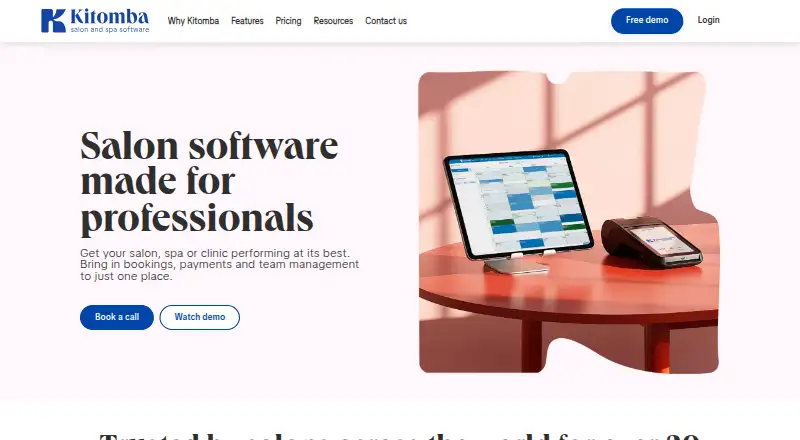
Kitomba is appointment and salon business software for managing bookings, payments, stock and marketing. Customers can book through booking pages, and automated reminders are available. The platform collects payments and syncs calendars one way. It runs on web, Windows, macOS, iOS and Android.
Kitomba has four plans, with pricing available on request and no free plan. Lite lists online booking, stock management, a point of sale with integrated EFTPOS, and marketing tools. Grow adds staff targets, a waitlist, repeat appointments, loyalty and concessions. Pro lists staff time management, Xero integration, Google Analytics and AI marketing. Enterprise includes unlimited staff. Kitomba was founded in 2002 and is headquartered in Wellington, New Zealand.
Who it suits
Kitomba suits salons and appointment-based businesses looking for booking, payment, stock and marketing functions. Its plan options include tools for staff management and loyalty as well as online booking.
What it does well
- Booking pages and automated reminders are available.
- Payment collection is supported.
- Works across web, desktop and mobile platforms.
- Plans list stock, marketing and staff tools.
What to know first
- There is no free plan.
- Pricing is available only on request.
- Calendar sync is one-way.
Limits
There is no free plan, and prices for the listed tiers are available on request.
Plans
| Plan | Billed and limits | Price |
|---|---|---|
| Lite | Online booking · stock management · POS with integrated EFTPOS · marketing tools | On request |
| Grow | Staff targets · waitlist · repeat appointments · loyalty and concessions | On request |
| Pro | Staff time management · Xero integration · Google Analytics · AI marketing | On request |
| Enterprise | Unlimited staff · enterprise marketing across salons · financial view across locations | On request |
As kitomba.com lists them, read 5 Oct 2026. The maker's own page has the final word.
Getting started
- Visit the Kitomba website.
- Choose among Lite, Grow, Pro or Enterprise based on the listed plan features.
- Request pricing from Kitomba.
- Use Kitomba on Android, iOS, macOS, web or Windows.
Overview
Kitomba is booking, payments and team-management software for salons, spas and clinics, from hair and beauty businesses to medispa, wellness and barber services. It is best suited to operators who want those functions under one roof and can work with custom pricing. Its breadth is a strength; the one-way calendar sync and lack of a free plan may rule it out for businesses with tighter budgets or a need for two-way updates.
Key features
Clients can book online 24/7, while staff manage calendars, waitlists and repeat appointments. Automated reminders and targeted SMS and email campaigns support ongoing client communication. One-way calendar sync is the notable constraint: Kitomba may fit businesses that manage their schedule in its system, but is less suited to teams that need changes to sync in both directions.
Point of sale, integrated EFTPOS and Kitomba Pay options for online payments and terminals extend the product beyond scheduling. That combination is useful for businesses that want booking and payment collection together. Kitomba also offers more than 150 reports, including a Business Summary report, giving owners a range of reporting options.
Integrations and partners include Xero, Vish, REACH.ai, Mailchimp, Google Analytics, Salon Pay and Sustainable Salons. Some third-party integrations, including Xero, Mailchimp and REACH.ai, carry extra charges, which can affect the overall cost of a setup that depends on them. Staff access controls, a security log and secure client-document storage cover account access and records. All plans include automatic backups, updates, new features and unlimited phone, email and chat support. Data migration is offered where possible for an additional charge, as is live education.
Pricing
Kitomba is paid software with custom pricing; there is no free plan. Its four plans differ by included features, but no plan prices are given, so businesses will need to request a quote to compare tiers and assess the cost against their needs.
- Lite: Online booking, stock management, POS with integrated EFTPOS and marketing tools make this the core option for businesses focused on bookings, sales and client outreach.
- Grow: Adds staff targets, waitlists, repeat appointments, loyalty and concessions. It is a better fit for businesses that want more tools for managing team performance and recurring client relationships.
- Pro: Adds staff time management, Xero integration, Google Analytics and AI marketing. Consider it if those functions matter to how the business runs, while checking any extra integration charges.
- Enterprise: Includes unlimited staff, making it the tier to consider for businesses whose team size exceeds the needs of the other plans.
All plans include support, backups, updates and new features. Some integrations, data migration and live education can add costs beyond the plan price.
Platforms
Kitomba supports Android, iOS, macOS, web and Windows, giving businesses a choice of mobile and desktop access. Online booking is available to clients, and calendar sync is one-way.
Who it's for
Kitomba is aimed at salons, spas and clinics, including hair, beauty, medispa, wellness and barber businesses. It is a strong fit for operators seeking booking, payments, stock, marketing and staff tools in one product. Businesses that need free software, transparent upfront prices or two-way calendar sync should compare other options.
Pros and cons
- Pros: Booking, POS, integrated EFTPOS and online payment options are brought together, which suits appointment-based businesses that also need to take payments.
- Pros: More than 150 reports, client marketing tools and staff-management features support a broader set of operating needs than booking alone.
- Pros: Unlimited phone, email and chat support, along with backups and updates, are included across all plans.
- Cons: There is no free plan and pricing is custom, so prospective buyers cannot compare tier costs without requesting a quote.
- Cons: Calendar sync is one-way, which is a drawback for businesses needing changes to flow both ways.
- Cons: Some integrations, migration and live education cost extra, so the plan price may not capture the full cost of a setup.
Alternatives
Pronto is worth considering for businesses that want a free tier: it includes one staff member, 100 clients, 50 bookings per month and 100 products, with a paid Starter plan also offered.
Salonist offers a free marketplace-listing plan with 50 appointments per month, online booking, calendar and scheduling, and staff shift management. Choose it if those limits suit your needs and a free trial is useful.
PandaCue is another paid option with a free trial and Android, iOS, web and API platforms.
Meevo may suit teams comparing salon and spa plans that specify user, email-contact and SMS-credit limits.
Orbis Salon has a free trial and a Lite plan at £4.99 a month, but that plan caps use at one staff member, one location, 30 bookings per month and five services, with a 50p booking service fee per booking.
Phorest is another paid option with Starter and Grow plans that include unlimited devices and staff.
Salonized offers an Appointments plan at €21 a month, with monthly billing and an annual billing option at a 10% discount.
Vagaro is another paid option, with a One Location plan at $30 a month and a separate Multiple Locations plan.
For category comparisons, browse Esthetician Software, Salon POS Software, Salon Staff Scheduling Software, Salon Software, Salon and Spa Scheduling Software or Salon Membership Software.
Verdict
Kitomba is a strong choice for salons, spas and clinics that want online booking, payment collection, marketing and team tools in a single system, with support and backups included on every plan. Its custom pricing and one-way calendar sync are the main reasons to look elsewhere, especially if upfront cost comparison or two-way scheduling is essential.
Verdict
Kitomba covers appointment booking alongside payments, stock and marketing, with plan features ranging from online booking to staff management. Businesses will need to request pricing to compare the cost of its tiers.
Questions
How much does Kitomba cost?
Pricing is on request. No plan prices are listed.
Does Kitomba have a free plan?
No. Kitomba is a paid product and has no free plan.
Which platforms does Kitomba support?
Android, iOS, macOS, web and Windows.
What is included in the plans?
Lite lists online booking, stock management, POS with integrated EFTPOS and marketing tools. Grow adds staff targets, a waitlist, repeat appointments, loyalty and concessions; Pro lists staff time management, Xero integration, Google Analytics and AI marketing; Enterprise lists unlimited staff.
Does Kitomba connect to other services?
Listed integrations and partners include Xero, Vish, REACH.ai, Mailchimp, Google Analytics, Salon Pay and Sustainable Salons. Charges apply for some third-party integrations, including REACH.ai, Mailchimp and Xero.
What support does Kitomba include?
All plans include unlimited phone, email and chat support. The pricing page describes phone support as free.
Facts from Kitomba's own pages
- Automated reminders
- Yes · kitomba.com, 20 Sept 2026
- Backups and updates
- All plans include automatic backups, updates and new features. · kitomba.com, 5 Oct 2026
- Booking pages
- Yes · kitomba.com, 20 Sept 2026
- Calendar sync
- one-way · kitomba.com, 20 Sept 2026
- Founded
- 2002 · kitomba.com, 28 Sept 2026
- Free plan
- No · kitomba.com, 20 Sept 2026
- Headquarters
- Wellington, New Zealand · kitomba.com, 28 Sept 2026
- Integration limits
- The pricing page says charges apply for some third-party integrations, including REACH.ai, Mailchimp and Xero. · kitomba.com, 5 Oct 2026
- Integrations
- Listed integrations and partners include Xero, Vish, REACH.ai, Mailchimp, Google Analytics, Salon Pay and Sustainable Salons. · kitomba.com, 5 Oct 2026
- Intended users
- Kitomba describes its software as designed for salons, spas and clinics, including hair, beauty, medispa, wellness and barber businesses. · kitomba.com, 5 Oct 2026
- Marketing
- Its marketing tools include targeted campaigns and automated SMS and email messages for clients. · kitomba.com, 5 Oct 2026
- Other charges
- Data migration is offered where possible, with additional charges applying; live education also incurs additional charges. · kitomba.com, 5 Oct 2026
- Payment collection
- Yes · kitomba.com, 20 Sept 2026
- Payments and POS
- Kitomba includes point of sale, integrated EFTPOS support and Kitomba Pay options for online payments and terminals. · kitomba.com, 5 Oct 2026
- Platforms
- Kitomba is compatible with MacOS and Windows, and Kitomba 1 is a web app that works on Android and iOS phones and tablets. · kitomba.com, 5 Oct 2026
- Pricing model
- Kitomba says its price depends on the package, required features and number of staff, and offers a tailored quote after a free demo. · kitomba.com, 5 Oct 2026
- Product
- Kitomba brings salon, spa or clinic bookings, payments and team management together in one place. · kitomba.com, 5 Oct 2026
- Reporting
- Kitomba says it offers more than 150 reports, including a Business Summary report. · kitomba.com, 5 Oct 2026
- Scheduling
- Clients can book appointments online 24/7, and staff can manage calendars, waitlists and repeat appointments. · kitomba.com, 5 Oct 2026
- Security
- The plan comparison lists staff access controls, a security log and secure storage for client documents. · kitomba.com, 5 Oct 2026
- Support
- All plans include unlimited phone, email and chat support; the pricing page describes phone support as free. · kitomba.com, 5 Oct 2026
Where Kitomba stands on Freedom251
- Spa and Salon Management Software#9 of 23
- Salon Gift Card Software#20 of 42
- Salon POS Software#13 of 27
- Esthetician Software#15 of 31
- Salon Commission Management Software#27 of 55
- Salon Appointment Scheduling Software#17 of 33
- Salon CRM Software#24 of 45
- Salon Membership Software#22 of 40
- Salon Loyalty Software#23 of 40
- Salon and Spa Scheduling Software#22 of 36
- Salon Software#23 of 37
- Salon Marketing Software#30 of 46
- Salon Inventory Management Software#28 of 42
- Appointment Scheduling Software#94 of 138
- Salon Payroll Software#30 of 42
- Salon Staff Scheduling Software#20 of 26