Kile
What Kile is
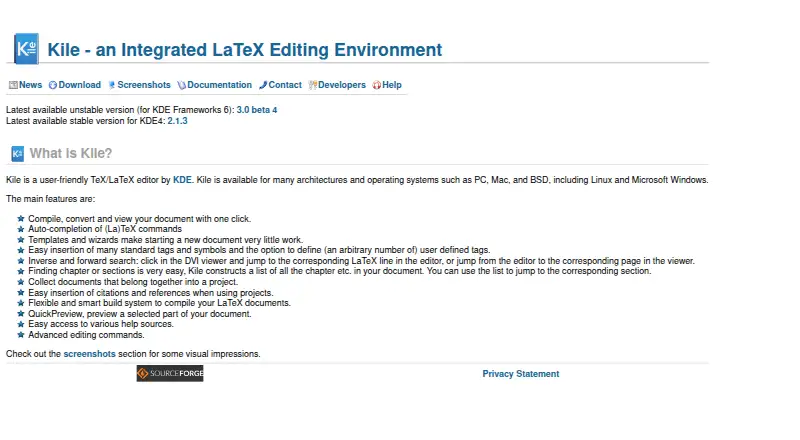
Kile is a desktop editor for TeX and LaTeX documents, available for Linux, macOS, and Windows. It can compile, convert, and display a document with one click. Command completion and advanced editing commands support work in the editor, while templates and wizards offer starting points for new documents. Users can organize related documents into projects and add citations and references. Kile supports forward and inverse search between the editor and a DVI viewer, and QuickPreview can show a selected portion of a document. Its maker describes the build system as flexible and smart for compiling LaTeX. Kile is free and open source. The download page offers source code and lists 64-bit Windows binaries for version 3.0 beta 3; it also displays a SHA-256 hash for the version 3.0 beta 4 source archive. For Linux, the maker recommends using a matching distribution package through the package manager when available. Technical questions can go to the kile-devel mailing list, and problems can be reported through KDE's bug tracking system.
Who it suits
Kile suits people writing TeX or LaTeX documents who want editing, compiling, and preview tools in a desktop application. Its project and citation features may also suit work involving related documents.
What it does well
- Compiles, converts, and views documents with one click
- Templates and wizards help start documents
- Projects can organize related documents and references
- QuickPreview shows a selected document section
What to know first
- The listed Windows binaries are for version 3.0 beta 3
- Linux installation guidance focuses on distribution packages
Plans
| Plan | Billed and limits | Price |
|---|---|---|
| Kile | Downloadable desktop application · source code available | Free |
As kile.sourceforge.io lists them, read 4 Oct 2026. The maker's own page has the final word.
Getting started
- Visit the Kile website.
- Choose a download for your platform; source code is available, and the download page lists 64-bit Windows binaries for version 3.0 beta 3.
- On Linux, install a matching distribution package through the package manager when one is available.
- Start a document with a template or wizard, or group related documents into a project.
Overview
Kile is a desktop editor for TeX and LaTeX, aimed at people who want to write, compile, and review technical documents in one application. Its project tools and linked editor-to-preview navigation make it a strong fit for writers working across related files; it is less compelling if you need a browser-based or mobile workflow.
Key features
Kile brings document editing and compilation together: it can compile, convert, and display a document with one click, while its build system is designed to handle LaTeX compilation flexibly. That integrated loop can reduce the friction of checking changes, though the help guidance focuses on KDE4 on Linux and BSD, so users on other setups should not assume the same installation instructions apply.
Command completion and advanced editing commands support LaTeX-focused writing, while templates and wizards give new documents a starting structure. These are practical aids for frequent markup work, rather than a substitute for a visual, word-processor-style authoring experience.
Projects group related documents and support inserting citations and references. Forward and inverse search connect the editor with the DVI viewer, and QuickPreview can render a selected portion instead of requiring a full-document review. Together, these tools suit longer technical documents where navigating source and output matters.
Pricing
Kile is free and open source. The Kile plan costs nothing and provides a downloadable desktop application with source code available. There is no paid tier or free trial to weigh against it; the published plan does not describe usage caps or seat limits.
Platforms
Kile supports Linux, Windows, and macOS. The download page offers source code and lists 64-bit Windows binaries for version 3.0 beta 3; Linux users are advised to install a matching distribution package through their package manager when one is available. The help page's compilation instructions cover the KDE4 version on Linux and BSD, so its guidance is narrower than the overall platform support. The download page also displays a SHA-256 hash for the Kile 3.0 beta 4 source archive.
Who it's for
Kile suits LaTeX users who prefer a desktop editor, work with multi-file projects, and value direct access to compilation and document previews. It is a less natural choice for people who need web access, mobile apps, or a hosted collaboration workflow.
Pros and cons
- Pros: One-click compile, convert, and view keeps the writing-to-output loop together.
- Pros: Project grouping, citation and reference insertion, and editor-to-DVI search help organize and navigate larger documents.
- Pros: Free, open-source access across three desktop platforms avoids a paid-plan decision.
- Cons: Its desktop focus excludes browser and mobile use.
- Cons: The documented compilation guidance centers on KDE4 for Linux and BSD, which may leave Windows and macOS users with less directly relevant installation help.
Alternatives
Browse LaTeX Editors for more options. Choose JianTeX if you want a free option that also offers web and self-hosted use. VerbTeX is worth considering for mobile access, though its free plan caps local and cloud projects, documents, and uploads at two each. Gummi is another free desktop option across Linux, macOS, and Windows. LyX is a free GPL-licensed alternative on the same desktop platforms. Oleafly offers a free desktop app, with possible usage charges from paid AI providers. Papeeria is a web-based choice with a free plan limited to one active private project, alongside unlimited public projects and collaborators. Texmaker is a free desktop LaTeX editor, with a LaTeX distribution required separately. Texpile is a free offline desktop editor.
Verdict
Choose Kile if you want a free, open-source desktop LaTeX workspace that combines project organization, compilation, and source-to-preview navigation. Look elsewhere if browser or mobile access is essential, or if you need installation guidance tailored to platforms beyond its KDE/Linux-centered documentation.
Verdict
Kile combines LaTeX editing with document compilation, preview, and project tools. It is free and open source, with desktop support across Linux, macOS, and Windows.
Questions
Is Kile free?
Yes. Kile is free and open source, and its downloadable desktop application plan is listed as free.
Which platforms does Kile support?
Kile supports Linux, Windows, and macOS.
Can I get Kile's source code?
Yes. The download page offers source code.
What does Kile do with TeX and LaTeX documents?
It can compile, convert, and view a document with one click. It also supports command completion, projects, citations and references, search with a DVI viewer, and QuickPreview.
How should Linux users install Kile?
The maker recommends installing a matching Linux distribution package through its package manager when one is available.
Where can I get help or report a problem?
Technical questions can go to the kile-devel mailing list. Problems can be reported through KDE's bug tracking system.
Facts from Kile's own pages
- Build system
- The maker describes Kile as having a flexible and smart build system for compiling LaTeX documents. · kile.sourceforge.io, 4 Oct 2026
- Compatibility note
- The help page says its compilation instructions cover Kile for KDE4 on Linux and BSD, and recommends distribution packages for system-wide installation. · kile.sourceforge.io, 4 Oct 2026
- Compile and view
- Kile can compile, convert, and view a document with one click. · kile.sourceforge.io, 4 Oct 2026
- Downloads
- The download page offers source code and lists 64-bit Windows binaries for version 3.0 beta 3. · kile.sourceforge.io, 4 Oct 2026
- Editing
- Kile supports auto-completion of (La)TeX commands and advanced editing commands. · kile.sourceforge.io, 4 Oct 2026
- Installation
- The maker recommends installing a matching Linux distribution package through its package manager when one is available. · kile.sourceforge.io, 4 Oct 2026
- Platforms
- The maker lists PC, Mac, BSD, Linux, and Microsoft Windows among supported architectures and operating systems. · kile.sourceforge.io, 4 Oct 2026
- Preview
- QuickPreview previews a selected part of a document. · kile.sourceforge.io, 4 Oct 2026
- Projects
- Users can group related documents into a project and insert citations and references in projects. · kile.sourceforge.io, 4 Oct 2026
- Purpose
- Kile is a user-friendly TeX/LaTeX editor. · kile.sourceforge.io, 4 Oct 2026
- Search
- Kile supports inverse and forward search between the editor and DVI viewer. · kile.sourceforge.io, 4 Oct 2026
- Security
- The download page displays a SHA-256 hash for the Kile 3.0 beta 4 source archive. · kile.sourceforge.io, 4 Oct 2026
- Support
- Users can ask technical questions through the kile-devel mailing list and report problems through KDE's bug tracking system. · kile.sourceforge.io, 4 Oct 2026
- Templates
- Templates and wizards help users start a new document. · kile.sourceforge.io, 4 Oct 2026
Where Kile stands on Freedom251
- LaTeX Editors#6 of 32