
Texpile
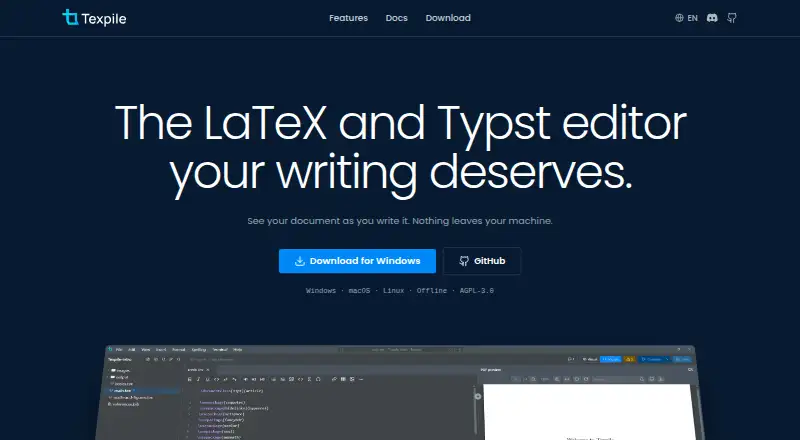
What Texpile is
Texpile is a free desktop editor for LaTeX, Typst, and Markdown on Windows, macOS, and Linux. It combines visual and source editing in the same file, with live previews for LaTeX and Typst documents as you type. Editing works offline and does not require a TeX distribution or tinymist; those tools are needed for LaTeX compilation and Typst compiling and preview, respectively. A built-in shell can run latexmk or another compile command, and project versioning lets users review changes and restore an earlier version. For collaboration, users can share a folder for real-time editing, while guests join by code without an account. Shared sessions are end-to-end encrypted; the documentation identifies these sessions as the feature that uses the network. Texpile can search a Zotero library and insert citations when Zotero is running with Better BibTeX installed. An optional local MCP server lets Claude Code or Codex read editor state and control app actions. It is open source under AGPL-3.0, and its site links to a Discord community.
Who it suits
Texpile may suit people writing LaTeX, Typst, or Markdown who want a desktop editor with source and visual editing. It also supports folder-based collaboration and Zotero citation insertion with the required Zotero setup.
What it does well
- Edits work offline.
- Visual and source editing share the same file.
- Shared sessions are end-to-end encrypted.
- Project versions can be reviewed and restored.
- Free and open source under AGPL-3.0.
What to know first
- LaTeX compilation requires the user's TeX distribution.
- Typst compiling and preview require tinymist.
- Zotero citations require Zotero running with Better BibTeX installed.
Plans
| Plan | Billed and limits | Price |
|---|---|---|
| Texpile | Free; offline desktop editor | Free |
As texpile.com lists them, read 30 Sept 2026. The maker's own page has the final word.
Getting started
- Visit https://texpile.com/.
- Choose the desktop version for Windows, macOS, or Linux.
- Install a TeX distribution if you plan to compile LaTeX documents.
- Install tinymist if you plan to compile or preview Typst documents.
Verdict
Texpile brings document editing, previews, version history, and folder sharing into a desktop app. Editing itself works without compilation tools, but compiling and Zotero citation insertion have specific requirements.
Questions
How much does Texpile cost?
Texpile is free, with a listed plan price of $0.
Which operating systems does it support?
Texpile is available for Windows, macOS, and Linux.
Can I edit without an internet connection?
Yes. Offline editing is supported; the documentation identifies shared sessions as the feature that uses the network.
Is Texpile open source?
Yes. It is licensed under AGPL-3.0.
What do I need to compile documents?
LaTeX compilation uses your own TeX distribution. Typst compiling and preview use tinymist; editing works without either tool.
Can I insert Zotero citations?
Yes. Texpile can search a Zotero library and insert citations when Zotero is running with Better BibTeX installed.
Facts from Texpile's own pages
- AI integration
- An optional local MCP server lets Claude Code or Codex read editor state and control app actions. · texpile.com, 30 Sept 2026
- Collaboration
- Users can share a folder for real-time editing; guests can join by code without an account. · texpile.com, 30 Sept 2026
- Editing
- It offers visual and source editing for documents in the same file. · texpile.com, 30 Sept 2026
- Formats and compiler
- LaTeX compilation uses the user's own TeX distribution; editing works without one. · texpile.com, 30 Sept 2026
- License
- Texpile is free and open source under AGPL-3.0. · texpile.com, 30 Sept 2026
- Live preview
- LaTeX and Typst documents update in a preview as the user types. · texpile.com, 30 Sept 2026
- Product
- Texpile is a local desktop editor for LaTeX, Typst, and Markdown. · texpile.com, 30 Sept 2026
- Security
- Shared sessions are end-to-end encrypted, and the documentation says this is the one feature that uses the network. · texpile.com, 30 Sept 2026
- Support
- The site links to a Discord community for users. · texpile.com, 30 Sept 2026
- Terminal
- Texpile includes a shell for latexmk or another compile command. · texpile.com, 30 Sept 2026
- Typst requirement
- Typst compiling and preview use tinymist, while editing works without it. · texpile.com, 30 Sept 2026
- Version control
- The editor can save project versions, show changes, and restore an older version. · texpile.com, 30 Sept 2026
- Zotero integration
- Texpile can search a Zotero library and insert citations; Zotero must be running with Better BibTeX installed. · texpile.com, 30 Sept 2026
Where Texpile stands on Freedom251
- LaTeX Editors#15 of 32