Freedom251 › Integration Platform as a Service Software

Kestra
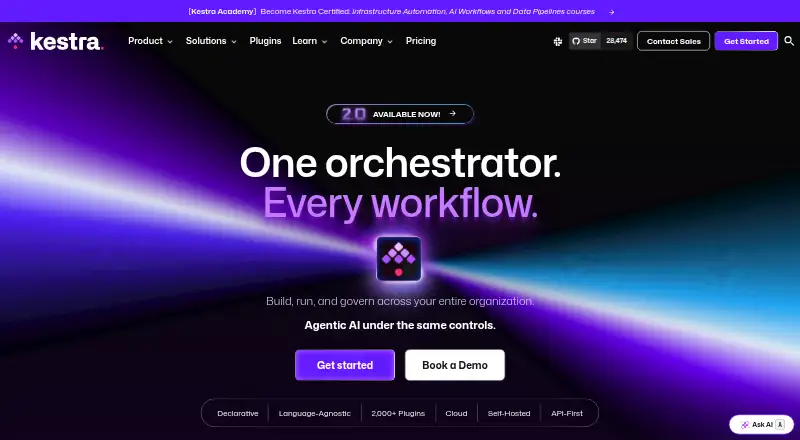
What Kestra is
Kestra is a workflow orchestration platform for creating, running and governing workflows across an organization. Users define flows in YAML, combining tasks with dependencies, conditions, triggers and runtime parameters. Built-in execution controls include retries, failure policies, timeouts, concurrency limits, worker assignment and log capture. Kestra advertises more than 2,000 plugins, with connections that include Airbyte, AWS, Azure, BigQuery, dbt, Docker, GitHub, Kafka, Kubernetes, Slack, Snowflake and Terraform. A workflow can bring together SQL, Python, shell, APIs, Terraform, dbt, Spark and custom tools. For AI-agent use, Kestra includes an MCP server and lets teams expose flows as tools. It offers a free plan and a cloud trial of up to two months. Teams can self-host using Docker or Kubernetes; Enterprise Edition also supports cloud, on-premises and air-gapped setups. Listed platforms include API, Linux, macOS, web and Windows. Enterprise features include SSO, audit logs, SCIM sync, multi-tenancy and role-based access controls.
Who it suits
Kestra suits teams that need to coordinate workflows across different tools and languages, with options for self-hosting or enterprise deployment. Its free plan may suit teams starting with workflow orchestration.
What it does well
- Free plan and cloud trial of up to two months
- YAML flows support tasks, conditions and triggers
- More than 2,000 advertised plugins
- Built-in retries, timeouts and execution logs
- Self-hosted and enterprise deployment options
What to know first
- Plan prices are not listed
- Enterprise support and access controls require Enterprise Edition
Plans
| Plan | Billed and limits | Price |
|---|---|---|
| Open Source | Declarative workflows · 2,300+ plugins · event-driven scheduling · any-language business logic · code/no-code editors · MCP server · PostgreSQL/MySQL queues · unlimited flows and executions | Free |
| Enterprise Edition | Annual subscription, per instance · Unlimited flows/tasks/executions · SSO/LDAP/SCIM · RBAC · audit logs · multi-tenancy · worker groups · task runners · secrets manager · enterprise plugins · AI Copilot · SLA support · cloud/on-prem/air-gapped deployment | On request |
| Kestra Cloud | Usage-based; request access · Managed hosting, upgrades and monitoring · automatic scaling · built-in security/governance · enterprise plugins · guided onboarding · SOC2 compliant | On request |
As kestra.io lists them, read 19 Oct 2026. The maker's own page has the final word.
Overview
Kestra is a workflow orchestration platform for coordinating jobs and services across an organization. It suits technical teams that can define workflows in YAML and need to connect varied tools and runtimes. Its appeal is the combination of execution controls, a broad plugin library and flexible deployment; teams needing enterprise access governance should weigh the Enterprise Edition.
Key features
Define and manage executions
Flows describe tasks, dependencies, conditions, triggers and runtime parameters in YAML. A visual workflow builder is also available, but YAML remains central, making Kestra a better fit for teams comfortable working with structured definitions than for organizations seeking a visual-only approach.
Retries, failure policies, timeouts, concurrency limits, worker assignment and captured logs give teams control over execution behavior and troubleshooting. Event triggers, execution observability and human approvals extend that control beyond simple scheduled job sequences.
Connect tools, languages and agents
Kestra advertises more than 2,000 plugins, including connections to services such as AWS, Azure, BigQuery, dbt, Docker, GitHub, Kafka, Kubernetes, Slack, Snowflake and Terraform. It can coordinate SQL, Python, shell, APIs, Terraform, dbt, Spark and custom tools in one workflow, which is useful when work crosses several environments rather than staying inside one runtime.
An MCP server lets AI agents call exposed flows as tools. That adds an agent integration path without limiting Kestra to AI workflows; teams choosing it primarily for ordinary orchestration still have the broader workflow and integration capabilities to consider.
Pricing
Kestra offers an Open Source plan and two paid-style offerings with custom pricing; published plan prices are not provided. The Open Source plan includes declarative workflows, 1,200+ plugins, event-driven scheduling, and unlimited flows and executions. Its unlimited execution allowance is a strong starting point for teams able to manage their own deployment, but it does not include the enterprise access controls and support listed for Enterprise Edition.
Enterprise Edition adds LDAP, SCIM, custom role-based access control, SSO, audit logs, multiple tenants, worker groups and task runners. It also supports cloud, on-premises and air-gapped deployment. A customer success program and enterprise support with an SLA make this the fit for organizations that need managed assistance or tighter governance, though its custom pricing requires a separate budget decision.
Kestra Cloud is fully managed, automatically scales, and includes security and governance features under a pay-as-you-scale model. It advertises SOC 2 compliance. The cloud trial offers up to two months free with full access while a team gets set up, making it a way to evaluate the hosted option before committing; the ongoing cost is custom pricing.
Platforms
Kestra supports API, web, Linux, macOS and Windows, with self-hosted and hybrid deployment options. Teams can self-host with Docker or Kubernetes, while Enterprise Edition also supports cloud, on-premises and air-gapped environments. Kestra Cloud advertises SOC 2 Type 1 and Type 2 and GDPR status through its Trust Center. This range suits teams that need deployment choice, but buyers should distinguish the self-hosting route from the fully managed Cloud offering.
Who it's for
Kestra is a strong candidate for technical teams coordinating data, infrastructure and application work across multiple tools, especially when execution behavior needs explicit controls. It is less compelling for teams that want to avoid YAML altogether or require a published price to compare costs before evaluating the platform.
Pros and cons
- Pro: More than 2,000 advertised plugins and support for multiple languages can bring varied tools into one workflow.
- Pro: Retries, timeouts, concurrency limits, worker assignment and logs provide concrete execution controls.
- Pro: Self-hosted, cloud, on-premises and air-gapped options accommodate different deployment needs.
- Con: YAML-centered flow definitions favor technically equipped teams over visual-only workflow authors.
- Con: Custom pricing across the named plans makes cost comparison less straightforward.
- Con: Enterprise access controls such as SSO, audit logs and SCIM are reserved for Enterprise Edition.
Alternatives
For a free process-oriented option, consider Bonita, whose free plan allows 150 process instances per month with no time limit and no credit card required. Camunda offers a no-license-required self-managed development plan for local development and testing, making it an alternative to assess when that use case is the priority. Temporal is another freemium option; its pay-as-you-go plan starts at $50 a month, billed usage-based, with no base monthly fee.
Apache Airflow is free to download and use under the Apache License, making it a straightforward alternative when those terms are the deciding factor. Windmill offers a free and open-source plan with 3 workspaces and 50 users, useful to compare when those stated caps fit the team. AWS Step Functions has a free tier that does not automatically expire after the 12-month AWS Free Tier term. Inngest provides a free tier with 5 seats, 50k executions, 500k events ingested and 24-hour trace history. Prefect offers a free Hobby plan capped at 2 users, 1 workspace, 5 deployments and 500 minutes per month on Prefect Serverless.
Browse Workflow Orchestration Software, Workload Automation Software, IT Orchestration Software, DataOps Platforms and Integration Platform as a Service Software for more options.
Verdict
Choose Kestra if your team needs configurable orchestration across tools and languages, with meaningful execution controls and a choice of deployment models. Look elsewhere if a visual-first workflow approach or clear, published plan pricing is essential; its strongest governance features also sit in the custom-priced Enterprise Edition.
Verdict
Kestra combines configurable workflow execution with a broad advertised plugin library and multiple deployment options. Teams should check which features are included in each plan, since prices are not listed.
Facts from Kestra's own pages
- Adoption claim
- Kestra's Series A announcement says more than 30,000 organizations used the platform and more than 2 billion workflows were executed in 2025. · kestra.io, 19 Oct 2026
- AI capabilities
- Kestra 2.0 adds AI Copilot, AI agents, RAG workflows, MCP server support and MCP tool triggers. · kestra.io, 19 Oct 2026
- AI workflows
- The platform includes an MCP server for AI agents and supports exposing flows as tools for agents to call. · kestra.io, 30 Sept 2026
- API authentication
- API requests can use bearer tokens created for users or service accounts, with token secrets stored only as salted SHA-512 hashes. · kestra.io, 19 Oct 2026
- API-first design
- Workflow creation, execution, inspection and administration are available through HTTP APIs, with Terraform integration and CLI management through kestractl. · kestra.io, 19 Oct 2026
- Cloud deployment differences
- Kestra Cloud is managed on PostgreSQL JDBC with managed worker pools, while Enterprise permits multiple queue backends, private networking and customizable storage. · kestra.io, 19 Oct 2026
- Cloud trial
- Kestra Cloud advertises up to two months free with full access while a team gets set up. · kestra.io, 30 Sept 2026
- Company founded
- LinkedIn lists Kestra as founded in 2022. · linkedin.com, 19 Oct 2026
- Company legal name
- Crunchbase lists the legal name as Kestra Technologies and founders Emmanuel Darras and Ludovic Dehon. · crunchbase.com, 19 Oct 2026
- Company size and headquarters
- LinkedIn lists 51–200 employees and New York headquarters, with an additional Paris location. · linkedin.com, 19 Oct 2026
- Declarative workflows
- Workflows are defined in YAML with tasks, dependencies, conditions, triggers and runtime parameters. · kestra.io, 19 Oct 2026
- Deployment
- Kestra can be self-hosted with Docker or Kubernetes, and Enterprise Edition also supports cloud, on-premises and air-gapped environments. · kestra.io, 30 Sept 2026
- Deployment model
- hybrid · kestra.io, 20 Sept 2026
- Docker support
- Official images support linux/amd64 and linux/arm64 and are based on Eclipse Temurin 21 JRE. · kestra.io, 19 Oct 2026
- Documentation depth
- The documentation includes installation guides, configuration references, security hardening, migration guides, release notes and an API reference. · kestra.io, 19 Oct 2026
- Enterprise access controls
- Enterprise features include SSO, audit logs, secret manager integration, end-to-end encryption, SCIM sync, multi-tenancy and role-based access control. · kestra.io, 30 Sept 2026
- Enterprise governance
- Enterprise adds SSO, LDAP, SCIM, RBAC, policies, promotion workflows, audit logs, cases, multi-tenancy and storage isolation. · kestra.io, 19 Oct 2026
- Examples
- The integrations page lists tools including Airbyte, AWS, Azure, BigQuery, dbt, Docker, GitHub, Kafka, Kubernetes, Slack, Snowflake and Terraform. · kestra.io, 30 Sept 2026
- Execution controls
- The platform provides retries, failure policies, timeouts, concurrency limits, worker assignment, log capture and conditional error handling. · kestra.io, 19 Oct 2026
- Free plan
- Yes · kestra.io, 20 Sept 2026
- Funding
- Kestra announced an $8 million seed round on September 23, 2024, led by Alven with ISAI and Axeleo. · kestra.io, 19 Oct 2026
- Funding: Series A
- Kestra announced a $25 million Series A on March 31, 2026 led by RTP Global, bringing stated total funding to $36 million. · kestra.io, 19 Oct 2026
- Integrations
- The plugin catalog covers databases, warehouses, queues, cloud services, CI/CD and security tools, with more than 2,200 plugins advertised on the features page. · kestra.io, 19 Oct 2026
- Languages
- Kestra can orchestrate SQL, Python, shell, APIs, Terraform, dbt, Spark and custom tools in the same workflows. · kestra.io, 30 Sept 2026
Where Kestra stands on Freedom251
- Integration Platform as a Service Software#1 of 113
- IT Orchestration Software#1 of 28
- Apis Integrations#2 of 30
- Ai Automation#2 of 28
- Workload Automation Software#3 of 24
- Workflow Orchestration Software#5 of 38
- DataOps Platforms#5 of 16