Freedom251 › Workflow Orchestration Software

Apache Airflow
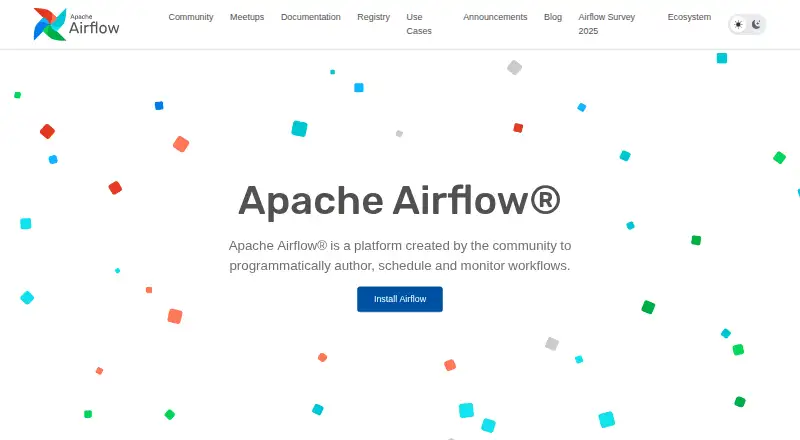
What Apache Airflow is
Apache Airflow is a platform for authoring, scheduling, and monitoring workflows defined in Python. It is intended for batch workflows with a clear beginning and end that run on a schedule. In its web interface, users can manage workflows, trigger DAGs manually, inspect task status and logs, backfill runs, and rerun failed tasks. A message queue coordinates workers within its modular architecture, which can orchestrate an arbitrary number of workers. Built-in operators connect workflows to Google Cloud Platform, Amazon Web Services, Microsoft Azure, and other services. The community maintains more than 80 separately installable provider packages, which can be upgraded or downgraded independently of the Airflow core release. Airflow can read connections, variables, and configuration from secret backends, but those integrations do not support writes. It uses JWT authentication for its public REST API and internal Execution API. In Airflow 3 and later, sensitive credentials are masked in logs, the interface, and API outputs. Airflow is free to download and use under the Apache License.
Who it suits
Airflow suits teams that define scheduled batch workflows in Python and need a web interface for monitoring and managing runs. It is aimed at Linux-based deployment environments; macOS is supported for local development.
What it does well
- Free to download and use under the Apache License.
- Supports manual triggers, backfills, and reruns.
- Operators connect to major cloud services.
- More than 80 provider packages are available.
- Credentials are masked in Airflow 3 and later.
What to know first
- Workflows must be defined in Python code.
- Designed for scheduled batch workflows.
- Secret-backend integrations do not allow writes.
- Windows deployment is unsupported except WSL2 development.
Limits
The free Apache Airflow plan costs nothing. The listed deployment limits are Linux-based environments officially supported, with Windows deployment unsupported except for WSL2 development; secret-backend integrations cannot write.
Plans
| Plan | Billed and limits | Price |
|---|---|---|
| Apache Airflow | download and use at no cost · Apache License source code | Free |
As airflow.apache.org lists them, read 1 Oct 2026. The maker's own page has the final word.
Getting started
- Visit the Apache Airflow website.
- Choose a Linux-based environment for deployment, or use macOS for local development.
- Download and use Airflow under the Apache License at no cost.
- Define workflows in Python and manage them through the web interface.
Apache Airflow is a Python-based workflow platform for teams coordinating scheduled batch jobs. It is strongest when engineers need to define workflows in code and manage their execution through operational controls. Teams that need a hosted service or work driven primarily by events should look elsewhere.
Overview
Airflow pairs Python workflow definitions with a web application for scheduling and managing runs. That makes it a practical choice for engineering teams that want workflow logic expressed in code and task status, logs, and run controls accessible in one interface. Its intended workload is batch processing with a clear beginning and end on a schedule, rather than automation without that shape.
The modular architecture uses a message queue to coordinate an arbitrary number of workers, giving teams a path to scale execution. The trade-off is self-hosting: teams must operate the platform themselves. Airflow began at Airbnb in October 2014 and became an Apache Software Foundation top-level project in January 2019.
Key features
Workflow authoring and operations
Workflows are defined in Python, which suits teams comfortable maintaining workflow logic as code but offers no visual workflow builder. The web interface supports manually triggering DAGs, inspecting task status and logs, backfilling runs, and rerunning failures. Automatic retries and execution observability help operators manage routine failures, while human approvals support workflows that require a decision point.
Integrations and security
Built-in plug-and-play operators connect to Google Cloud Platform, Amazon Web Services, Microsoft Azure, and other third-party services. More than 80 community-maintained provider packages broaden those integrations, and can be upgraded or downgraded independently of the Airflow core. That separation gives teams flexibility to manage provider changes on their own schedule.
Airflow can read connections, variables, and configuration from secret backends instead of its database, but those integrations do not support writes. JWT authentication is used for the public REST API and internal Execution API. In Airflow 3 and later, sensitive credentials are masked in logs, the UI, and API outputs.
Pricing
Apache Airflow costs nothing. The Apache License source code can be downloaded and used at no cost, so there is no software subscription to budget for. The price does not remove the responsibility of running a self-hosted deployment.
Platforms
Airflow supports self-hosted deployment and a web interface. Official deployment support is Linux-based; macOS is supported for local development, while Windows is unsupported for deployment apart from WSL2 development. Teams standardizing production on Windows should choose another approach.
Who it's for
Airflow is a good fit for engineering teams with scheduled, finite batch workflows, particularly those that need operational visibility, retries, backfills, or a broad range of service integrations. It is less suitable for teams that want a visual authoring experience, a managed hosting option, or Windows deployment support.
Pros and cons
Pros
- Python-defined workflows suit teams that want code-based authoring.
- Manual triggers, backfills, failure reruns, logs, and task status give operators meaningful control over runs.
- More than 80 independently managed provider packages make integrations broad and provider upgrades separable from core upgrades.
- The software is free under the Apache License, with no subscription cost.
Cons
- Self-hosting leaves deployment and platform operations to the adopting team.
- Workflows are intended for scheduled batch jobs, not every kind of automation.
- There is no visual workflow builder, so teams seeking graphical authoring will need another tool.
- Secret backends are read-only, limiting workflows that need to write secrets through those integrations.
- Windows is not supported for deployment, except for WSL2 development.
Alternatives
Kestra is another free-plan option with a free trial and support for Windows among its platforms; consider it if those platform or trial terms suit your needs better.
Apache NiFi is also free under the Apache License, Version 2.0, and its plan states no commercial plan or usage limits; compare it if those terms are a priority.
DataKitchen TestGen offers a free-forever open-source plan capped at one user, one connection, and one project, with unlimited tables and data volume and community support. It is worth considering if those specific limits fit your use.
Apache Hop is a free Apache License 2.0 platform for Linux, macOS, self-hosting, and Windows, with Java 21 required for release 2.19.0; consider it if that platform and runtime fit your environment.
Metaflow offers a free open-source plan, but production scaling requires infrastructure in your own cloud account or Kubernetes cluster. It may suit teams prepared to provide that infrastructure.
Flyte is a free-plan option with a free trial; consider it if those terms are a better match.
Keboola offers a free plan with 120 compute minutes in its first month, then 60 minutes per month, one project, and additional compute at $0.14 per minute. It is a different fit for teams whose usage can stay within those quotas.
Luigi is a free open-source Python package with no registration walls; consider it as another Python-based option.
For broader comparisons, see DataOps Platforms, Workload Automation Software, and Workflow Orchestration Software.
Verdict
Choose Apache Airflow if your team needs code-defined, scheduled batch workflows, operational controls, and extensive provider integrations without a software fee.
Verdict
Airflow is built for scheduled Python batch workflows, with operational controls and a broad set of provider packages. Its deployment support is Linux-based, and secret-backend integrations are read-only.
Questions
How much does Apache Airflow cost?
The Apache Airflow plan is free. It is free to download and use under the Apache License.
Is there a free plan?
Yes. The listed plan is free.
Which platforms does Airflow support?
The listed platforms are API, Linux, macOS, self-hosted, and web. Linux-based environments are officially supported for deployment; macOS is supported for local development, and Windows is unsupported for deployment except for WSL2 development.
Is Apache Airflow open source?
Airflow is free to download and use under the Apache License.
What does Airflow integrate with?
Built-in operators support Google Cloud Platform, Amazon Web Services, Microsoft Azure, and other third-party services. The community maintains more than 80 separately installable provider packages.
Can Airflow use a secrets backend?
It can read connections, variables, and configuration from secret backends. Those integrations do not allow writes.
Facts from Apache Airflow's own pages
- Authentication
- Airflow uses JWT authentication for its public REST API and internal Execution API. · airflow.apache.org, 1 Oct 2026
- Cloud integrations
- Built-in plug-and-play operators support Google Cloud Platform, Amazon Web Services, Microsoft Azure, and other third-party services. · airflow.apache.org, 1 Oct 2026
- Community support
- The project provides learning resources and community support through Slack and mailing lists. · airflow.apache.org, 1 Oct 2026
- Deployment platforms
- Airflow officially supports Linux-based deployment environments; macOS is supported for local development and Windows is unsupported for deployment except WSL2 development. · airflow.apache.org, 1 Oct 2026
- Founded
- 1999 · airflow.apache.org, 28 Sept 2026
- Headquarters
- Wilmington, Delaware, U.S. · airflow.apache.org, 28 Sept 2026
- Operations
- The web interface supports manually triggering DAGs, inspecting logs, monitoring task status, backfilling runs, and rerunning failed tasks. · airflow.apache.org, 1 Oct 2026
- Project history
- Airflow began in October 2014 at Airbnb and became an Apache Software Foundation top-level project in January 2019. · airflow.apache.org, 1 Oct 2026
- Provider releases
- Providers can be upgraded or downgraded independently of the Airflow core release. · airflow.apache.org, 1 Oct 2026
- Providers
- The community maintains more than 80 separately installable provider packages. · airflow.apache.org, 1 Oct 2026
- Purpose
- Apache Airflow is a platform for programmatically authoring, scheduling, and monitoring workflows. · airflow.apache.org, 1 Oct 2026
- Scalability
- Its modular architecture uses a message queue to orchestrate an arbitrary number of workers. · airflow.apache.org, 1 Oct 2026
- Secrets
- Airflow can read connections, variables, and configuration from secret backends instead of its database, but secret-backend integrations do not allow writes. · airflow.apache.org, 1 Oct 2026
- Sensitive data
- In Airflow 3 and later, sensitive credentials are masked in logs, the UI, and API outputs. · airflow.apache.org, 1 Oct 2026
- Web interface
- Its web application lets users monitor, schedule, and manage workflows and view task status and logs. · airflow.apache.org, 1 Oct 2026
- Workflow fit
- Airflow is intended for batch workflows with a clear start and end that run on a schedule. · airflow.apache.org, 1 Oct 2026
- Workflow language
- Airflow workflows are defined in Python code. · airflow.apache.org, 1 Oct 2026
Where Apache Airflow stands on Freedom251
- Workflow Orchestration Software#7 of 38
- Workload Automation Software#5 of 24
- DataOps Platforms#7 of 16