Freedom251 › Work Management Software
KanBo
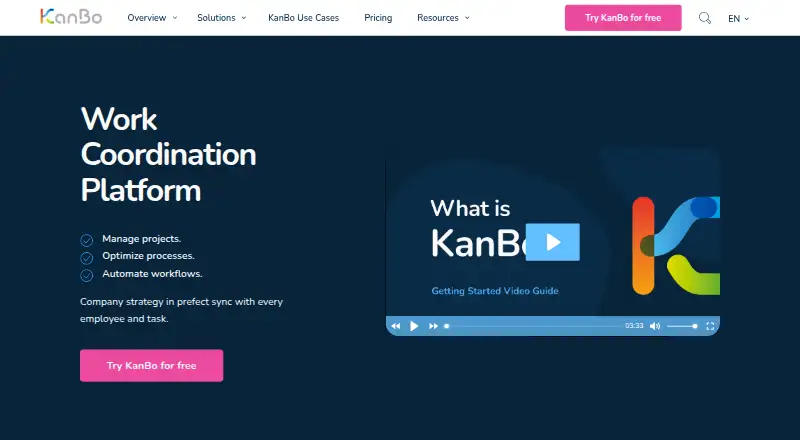
What KanBo is
KanBo is a work coordination platform for organizing projects, processes, workflows, documents, tasks, and analytics. Work is represented by cards for tasks or other tracked items; cards can hold notes, files, comments, dates, and checklists. The plans include a range of ways to view work, including Kanban, list, calendar, Gantt, timeline, mind map, analytics, dashboard, and custom views. The Free plan provides unlimited users, task management, Kanban, list and calendar views, notifications, real-time communication, and advanced search. Paid plans add options such as card templates, custom fields, dashboards, workflow rules, analytics, document approvals, resource assignment, and portfolio planning. KanBo integrates with Microsoft Teams, SharePoint, Exchange, Outlook, Stream, OneDrive, Azure Active Directory, PowerApps, and Power Automate. Deployment choices include cloud, GCC High cloud, on-premises, and hybrid installation. The maker says its Microsoft 365-based cloud encrypts data in transit and at rest, and lists compliance with ISO 27001, ISO 27018, SOC 2, HIPAA, FERPA, and GDPR standards. KanBo offers a no-cost trial of its highest plan for 30–60 days. Paid tiers have different user ranges: Team supports 2–25 users, Professional 5–200, and Business, Enterprise, and Strategic 10 to Unlimited. KanBo’s site advertises 24-hour specialist support and provides a help portal and training resources.
Who it suits
KanBo suits self-organizing teams that need to coordinate tasks, workflows, documents, and projects. Its deployment choices and broad Microsoft integrations also suit large international organizations and enterprise use cases.
What it does well
- Free supports unlimited users and includes task management.
- Cards can contain notes, files, comments, dates, and checklists.
- Plans include Kanban, calendar, Gantt, timeline, and other views.
- Integrates with Microsoft Teams, SharePoint, Outlook, and OneDrive.
- Offers cloud, GCC High cloud, on-premises, and hybrid deployment.
- A 30–60-day no-cost trial covers the highest plan.
What to know first
- Paid plan prices are available on request.
- Free includes Kanban, list, and calendar views; other views vary by plan.
- Paid tiers have different user ranges, starting at two or five users.
Limits
The Free plan includes task management and Kanban, list, and calendar views. The trial of the highest plan lasts 30–60 days. Paid tiers have different user ranges: Team supports 2–25 users, Professional 5–200, and Business, Enterprise, and Strategic 10 to Unlimited.
Plans
| Plan | Billed and limits | Price |
|---|---|---|
| Free | Unlimited · task management · flexible status workflows · Kanban, list and calendar views · notifications · real-time communication · advanced search | Free |
| Professional | 5-200 users · analytics view · space templates · card mirroring and sharing · OneDrive documents · approvals · Teams workspaces | On request |
| Enterprise | 10 to unlimited users · on-premises installation · full email client · network-drive files · digital signatures · BI API · workload view · time budget | On request |
| Team | 2-25 users · Gantt, timeline and mind-map views · card templates · folder hierarchy · custom fields · Email 2 KanBo | On request |
| Business | 10 to unlimited users · dashboards · forecast chart · rule-based workflows · active-usage licensing · time tracking · document approvals | On request |
| Strategic | 10 to unlimited users · advanced analytics · expense budget · scenarios · portfolio designer · roadmaps · portfolio analysis · custom views | On request |
As kanboapp.com lists them, read 15 Oct 2026. The maker's own page has the final word.
Getting started
- Visit https://kanboapp.com/en/ and choose a cloud, GCC High cloud, on-premises, or hybrid deployment.
- Start with the Free plan or request information about a paid tier.
- Use the no-cost 30–60-day trial of the highest plan if you want to evaluate it.
- Create cards for tasks or tracked items and add notes, files, comments, dates, or checklists.
- Choose a work view included with your plan.
- Connect the Microsoft services your team uses.
Overview
KanBo is a work coordination platform for tracking tasks, projects, documents, processes, and workflows. It is best suited to self-organizing teams and large organizations that need flexible planning views and Microsoft integrations. The free tier handles core task management for unlimited users, while paid tiers add planning, reporting, and enterprise capabilities with custom pricing.
Key features
Work lives in cards for tasks or other tracked items. Each card can hold notes, files, comments, dates, and checklists, giving teams a place to keep an item’s context and follow-up together. That structure should suit teams coordinating ongoing work across several people; teams that only need a short task list may not need this broader platform.
KanBo offers Kanban, list, calendar, Gantt, timeline, mind map, analytics, dashboard, and custom views across its plans. Free includes Kanban, list, and calendar. Team adds Gantt, timeline, and mind map; Professional adds analytics; Business adds dashboards and forecasting; Strategic adds advanced analytics, portfolio tools, roadmaps, forecasts, and custom views. This progression supports teams that need to expand from task tracking into planning and portfolio oversight, though the view a team needs may push it toward a paid tier.
Workflow automation, resource planning, portfolio management, custom fields, and dashboards and reporting extend the platform beyond task assignment. Business includes rule-based workflows, time tracking, and document approvals; Enterprise adds resource assignment, while Strategic focuses on portfolio analysis, budgets, and roadmaps. Those tools are aimed at organizations coordinating work across teams and projects, rather than individuals looking for a lightweight personal planner.
Integrations include Microsoft Teams, SharePoint, Exchange, Outlook, Stream, OneDrive, Azure Active Directory, PowerApps, and Power Automate. Organizations already working in Microsoft 365 can connect KanBo to services they use for communication, files, identity, and automation. Its cloud is based on Microsoft 365, and the maker says data is encrypted in transit and at rest. Microsoft Entra ID multi-factor authentication is available to protect personal data; the maker also states its Microsoft 365-based cloud maintains ISO 27001, ISO 27018, SOC 2, HIPAA, FERPA, and GDPR compliance.
Pricing
KanBo uses a freemium model. Its Free plan costs nothing and supports unlimited users, task management, Kanban, list and calendar views, notifications, real-time communication, and advanced search. For a team that needs core task coordination without a user cap, that is a meaningful starting point. The trade-off is that Gantt, timeline, mind map, analytics, dashboards, and other advanced planning tools sit in paid tiers.
Paid plans use custom pricing and have different user ranges. Team supports 2–25 users and adds Gantt, timeline, and mind map views, card templates, and custom fields, making it the tier to consider for a smaller group that needs richer planning. Professional supports 5–200 users and adds analytics, card sharing and approvals, OneDrive documents, and Microsoft Teams workspaces, fitting teams that need reporting and closer Microsoft collaboration.
Business supports 10 to Unlimited users and adds dashboards, forecast charts, rule-based workflows, time tracking, and document approvals. Enterprise supports 10 to Unlimited users and adds on-premises installation, a full email client, network drive files, digital signatures, a BI API, and resource assignment. Strategic also supports 10 to Unlimited users, adding advanced analytics, expense budgets, portfolio design and analysis, forecasts, roadmaps, and custom views. These higher tiers target organizations that need broader oversight, control, or deployment options; teams must request pricing to compare their cost.
A no-cost trial of the highest plan runs for 30–60 days. KanBo also advertises 24-hour support from specialists, along with a help portal and training resources.
Platforms
KanBo is available on Android, iOS, Linux, macOS, Windows, and the web, with an API and self-hosted options. Deployment choices include cloud, GCC High cloud, on-premises, and hybrid installations. That range can accommodate organizations with different infrastructure requirements, including those that need to run the platform on their own systems.
Who it's for
KanBo is a strong candidate for self-organizing teams and larger international organizations that need to coordinate work across projects, use multiple planning views, or build around Microsoft services. Its free plan can cover a broad user base for basic task management. Teams that need advanced views or portfolio features should expect to discuss a paid plan, and buyers who require published paid-plan prices should compare alternatives before committing time to a sales process.
Pros and cons
- Pros: The free plan supports unlimited users and includes task management, three core views, notifications, real-time communication, and advanced search.
- Pros: A wide range of views spans task tracking, timelines, analytics, dashboards, and portfolio planning, with paid tiers for different needs.
- Pros: Microsoft integrations and cloud, GCC High, on-premises, and hybrid deployment options suit organizations already invested in Microsoft or with specific installation needs.
- Cons: Paid plans have custom pricing, making it harder to compare costs before contacting KanBo.
- Cons: User ranges vary by tier: Team supports 2–25, Professional 5–200, and Business, Enterprise, and Strategic 10 to Unlimited. Buyers should match their team size to the relevant plan before evaluating its features.
- Cons: The free plan is limited to Kanban, list, and calendar views, so teams that require Gantt, timeline, mind map, analytics, or dashboard views need a paid tier.
Alternatives
Work Management Software is a useful starting point for comparing tools in the category.
Choose EGroupware if open-source software is a priority; its eCloud NGO plan costs €21.90 a month, with a discount for annual payment, prices plus VAT, 20 GB of storage, and unlimited users.
Nifty is another freemium option. Its Free plan is billed forever and includes unlimited members, 100 MB of storage, and two active projects.
Asana has a free Personal plan for one or two people managing personal projects, with a two-user limit and a 100 MB maximum per file.
Basecamp offers a free plan capped at one project, 1 GB of storage, and five users.
ClickUp offers a Free Forever plan with unlimited tasks and free-plan members, 60 MB of storage, and one form.
Fibery may suit smaller groups that want a generous free database allowance: its Free plan supports up to 10 users and 10 guests, includes 10 databases and unlimited entities, and provides 1 GB of file storage with 14-day version history.
Hive has a free plan for up to 10 workspace members, with unlimited tasks, 200 MB of storage, and 1,000 AI credits per month.
Wrike offers unlimited users on its free plan, with 2 GB of storage and a limit of 200 active tasks per account.
Verdict
KanBo is a strong fit for teams that need to coordinate work across several views, integrate with Microsoft services, or choose among cloud and self-hosted deployment options. Its unlimited-user free plan makes core task management accessible to large teams, while the paid tiers extend into analytics, workflow control, and portfolio planning. Choose another tool if you need to know the price of advanced features before speaking with the maker.
Verdict
Choose KanBo if your team needs work coordination with multiple views, Microsoft integrations, or cloud and on-premises deployment options. The free plan covers unlimited users and core task management. Look elsewhere if you need published paid-plan prices before contacting the maker.
Questions
How much does KanBo cost?
KanBo has a Free plan. Pricing for paid plans is available on request.
Does KanBo offer a free trial?
Yes. KanBo offers a no-cost trial of the highest plan for 30–60 days.
What platforms does KanBo support?
Listed platforms include Android, iOS, Linux, macOS, web, and Windows, as well as API and self-hosted options.
Which Microsoft services does KanBo integrate with?
Integrations include Microsoft Teams, SharePoint, Exchange, Outlook, Stream, OneDrive, Azure Active Directory, PowerApps, and Power Automate.
Can KanBo be installed on-premises?
Yes. Deployment options include cloud, GCC High cloud, on-premises, and hybrid installation.
What does the Free plan include?
It includes unlimited users, task management, Kanban, list and calendar views, notifications, real-time communication, and advanced search.
Facts from KanBo's own pages
- API
- The API is intended for importing and exporting data, automating processes, and enforcing standardization or compliance. · kanboapp.com, 15 Oct 2026
- Calendar view
- Calendar view shows time-dependent tasks, upcoming due dates and workload. · kanboapp.com, 15 Oct 2026
- Cards
- Cards represent tasks or tracked work and can contain notes, files, comments, dates and checklists. · kanboapp.com, 15 Oct 2026
- Cloud data
- The maker says KanBo cloud is based on Microsoft 365 and that data is encrypted in transit and at rest. · kanboapp.com, 8 Oct 2026
- Company founding
- LinkedIn lists the company as founded in 2012. · linkedin.com, 15 Oct 2026
- Company history
- The maker says the project began in 2011 as an alpha called “kaizeno” and the KanBo platform went live in 2013. · kanboapp.com, 8 Oct 2026
- Company size
- LinkedIn lists KanBo Work Coordination Platform as having 11-50 employees. · linkedin.com, 15 Oct 2026
- Compliance
- The maker states that its Microsoft 365-based cloud maintains compliance with ISO 27001, ISO 27018, SOC 2, HIPAA, FERPA, and GDPR standards. · kanboapp.com, 8 Oct 2026
- Custom data sources
- Developers can implement IDocSource and IDataSource interfaces to expose custom document and business data sources on cards. · kanboapp.com, 15 Oct 2026
- Deployment
- KanBo supports Microsoft 365 cloud, GCC High cloud, on-premises, hybrid and customer-controlled infrastructure deployments. · kanboapp.com, 15 Oct 2026
- Documentation
- The Help Center contains sections for basics, visualization, collaboration, resource management, secure work and integrations. · help.kanboapp.com, 15 Oct 2026
- Gantt view
- The Gantt view presents tasks and timelines for project planning and tracking. · kanboapp.com, 15 Oct 2026
- Headquarters
- LinkedIn lists Tallinn as headquarters and shows a primary Tallinn address. · linkedin.com, 15 Oct 2026
- Identity and MFA
- Microsoft Entra ID supplies single sign-on and can enforce multi-factor authentication for KanBo access. · kanboapp.com, 15 Oct 2026
- Independent integrations count
- GetApp lists 11 integrations, including Teams, Egnyte, Azure, Excel, SQL Server, Outlook, PowerPoint, SharePoint, Power BI, Power Automate and Word. · getapp.com, 15 Oct 2026
- Independent platform support
- GetApp lists web, Android and iPhone/iPad support, plus chat, email/help-desk, forum and knowledge-base support. · getapp.com, 15 Oct 2026
- Integrations
- KanBo integrates with Microsoft Teams, SharePoint, Exchange, Outlook, Stream, OneDrive, Azure Active Directory, PowerApps, and Power Automate. · kanboapp.com, 8 Oct 2026
- Intended users
- The maker describes KanBo as designed for self-organizing teams and highlights large international organizations and enterprise use cases. · kanboapp.com, 8 Oct 2026
- Kanban view
- The Kanban view displays work in columns so users can visually follow task status and progress. · kanboapp.com, 15 Oct 2026
- License model
- KanBo uses per-user license authorizations, with six license types: Free, Team, Professional, Business, Enterprise and Strategic. · help.kanboapp.com, 15 Oct 2026
- Limit: analytics
- That G2 reviewer requested stronger dashboard analytics for program and portfolio metrics. · g2.com, 15 Oct 2026
- Limit: price transparency
- Software Advice lists KanBo pricing as available upon request rather than publishing amounts. · softwareadvice.com, 15 Oct 2026
- Limits
- The pricing page lists different user ranges for paid tiers: Team 2–25, Professional 5–200, and Business, Enterprise, and Strategic 10 to Unlimited. · kanboapp.com, 8 Oct 2026
- Microsoft ecosystem
- KanBo integrates with SharePoint, OneDrive, Office 365, Azure, Exchange, Outlook, Teams, Power Apps and Power Automate. · kanboapp.com, 15 Oct 2026
Where KanBo stands on Freedom251
- Work Management Software#8 of 51