Freedom251 › Work Management Software

Fibery
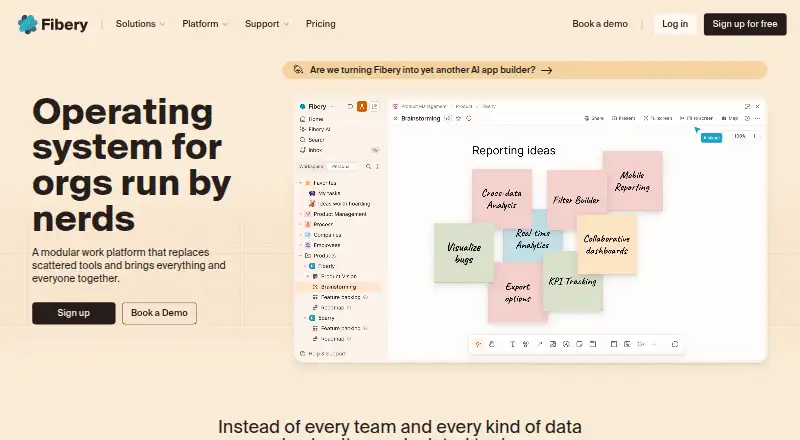
What Fibery is
Fibery is a workspace platform for connecting company work and information. Teams can model processes with custom entities, fields, and relations, then create databases, views, formulas, reports, and automations. Its views include Board, Timeline, Gantt, Table, List, Calendar, Gallery, Feed, and Map, alongside collaborative documents and whiteboards. Fibery names product teams, software development teams, digital agencies, and startups among its audiences. Integrations include Slack, GitLab, GitHub, Jira, Trello, Airtable, ClickUp, Discourse, HubSpot, Braintree, Intercom, Make, and Zapier; users can also create custom integration templates. It offers an API, custom apps, and an MCP server for AI agents to query data, create or update entities, and build reports. Access includes web, Windows and macOS desktop apps, iOS and Android apps, and Chrome and Firefox extensions. Pricing includes a free plan, paid plans from €12/user/mo (annual), and a 14-day trial. The free plan has 10 databases, up to 10 users plus 10 guests, 1 GB file storage, and 14-day version history.
Who it suits
Fibery suits teams and organizations that want to configure shared processes, information, and reporting in one workspace. Its named audiences include product teams, software development teams, digital agencies, and startups.
What it does well
- Custom entities, fields, relations, and formulas.
- Nine named views, plus documents and whiteboards.
- Web, desktop, mobile, and browser extension access.
- Free plan and 14-day trial.
What to know first
- Free plan limits databases to 10.
- Free plan includes 1 GB file storage.
- Enterprise requires at least 25 paid users.
Limits
The Free plan includes up to 10 users, 10 guests, 10 databases, 1 GB of file storage, and 14-day version history. Standard starts at €12/user/mo billed annually and offers 90-day version history; Pro starts at €20/user/mo billed annually and includes unlimited version history.
Plans
| Plan | Billed and limits | Price |
|---|---|---|
| Free | up to 10 users · 10 databases · unlimited entities · 1 GB storage | Free |
| Standard | billed annually · per user · unlimited databases · AI · charts · whiteboards · human support | €12 a month |
| Pro | billed annually · per user · custom apps · advanced permissions · JavaScript automations · unlimited version history | €20 a month |
| Enterprise | billed annually · per user · unlimited automations · unlimited integrations · SAML SSO · SCIM · regional data residency | €40 a month |
As fibery.com lists them, read 14 Oct 2026. The maker's own page has the final word.
Getting started
- Visit fibery.com to access the web app.
- Choose the Free plan or consider the 14-day trial.
- Use a macOS or Windows desktop app, an iOS or Android app, or a Chrome or Firefox extension.
- Create entities, fields, and relations to model your process.
- Build databases, views, reports, or automations as needed.
Fibery is a configurable workspace that brings connected company information and work into one system. It is best for product, software, agency, and startup teams willing to design their own processes. Its flexibility and integration range are compelling, but teams wanting a ready-made task manager may find the setup excessive.
Overview
Fibery lets teams define custom entities, fields, and relationships, then build databases, formulas, reports, and automations around them. This can represent very different operating models without forcing every project into the same template. The tradeoff is organizational effort: teams must decide how their information should be structured and connected.
Documents, whiteboards, dashboards, and numerous data views sit alongside those databases. That makes Fibery more suitable for teams that want planning, knowledge, and reporting in one workspace than for users who only need a simple list of tasks.
Key features
Configurable data and views
Custom entities, fields, and relations let teams model their own work. Board, Timeline, Gantt, Table, List, Calendar, Gallery, Feed, and Map views provide different ways to use the same information. Formulas, dashboards, reporting, and workflow automation turn that structure into planning and analysis. The breadth handles varied workflows well, but it demands more decisions than a fixed project template.
Collaboration and automation
Collaborative documents and whiteboards support shared work beyond database records. Integrations include Slack, GitLab, GitHub, Jira, Trello, Airtable, ClickUp, Discourse, HubSpot, Braintree, Intercom, Make, and Zapier, with custom integration templates also supported. An API can connect external systems, create workflows, and automate routine tasks. These options suit teams with an existing toolchain; smaller teams may not need this integration surface.
Apps, AI, and protection
Custom apps extend the workspace, while an MCP server can connect AI agents to query data, create or update entities, and build reports. Fibery says content sent to its AI features is not used by Fibery or its AI providers to train models. Its servers run on AWS, communications use TLS, and data is encrypted at rest. Fibery reports SOC 2 Type II and a commitment to GDPR compliance.
Pricing
Free
The Free plan costs nothing and allows up to 10 users, 10 guests, 10 databases, and unlimited entities. It includes 1 GB of file storage and 14-day version history. This is a practical way for a small team to establish a workspace, but the database, storage, and history caps will constrain document-heavy or growing operations.
Standard
Standard costs €12 a month, billed annually. It provides unlimited users, databases, entities, and file storage, plus 90-day version history; observers and guests are free. Human support is included. It is the sensible paid tier for teams that need capacity without permanent history.
Pro
Pro costs €20 a month, billed annually. It keeps the Standard allowances and adds unlimited version history. Choose it when retaining a complete record of changes matters; otherwise Standard removes the main Free-plan constraints at a lower price.
Enterprise
Enterprise costs €40 a month, billed annually, with a minimum of 25 paid users. It includes unlimited databases, entities, file storage, and version history, with observers and guests free. The minimum seat commitment makes it appropriate for established organizations rather than small teams.
A 14-day trial gives prospective customers a short period to validate their structure and integrations before committing.
Platforms
Fibery provides a web app, macOS and Windows desktop apps, iOS and Android apps, and Chrome and Firefox extensions. The API supports system-to-system integration, so teams can combine the workspace with external services rather than relying only on its apps.
Who it's for
Product teams can connect roadmaps, requirements, and reporting; software teams can relate development information to broader company work; agencies can adapt structures to different clients; and startups can begin on the free plan and expand as their model matures. It is less suitable for a team that wants an immediately defined, minimal task workflow with little configuration.
Pros and cons
- Pros: custom entities and relations support highly specific processes; many views, dashboards, formulas, and automations keep planning and analysis together; broad integrations, templates, and an API connect existing tools; free observers and guests on paid plans help external collaboration; desktop, mobile, and browser options cover major work styles.
- Cons: designing the workspace requires more commitment than adopting a preset task manager; the Free plan's 10-database, 1 GB storage, and 14-day history limits are restrictive for larger records; Enterprise requires at least 25 paid users; the lowest paid tier retains only 90 days of history.
Alternatives
Browse Work Management Software for a wider category comparison. Choose EGroupware instead if open source, Linux support, or self-managed-style flexibility is more important; its eCloud NGO plan is €21.90 a month with 20 GB storage and unlimited users, with annual discounts and VAT applying. KanBo is a stronger fit for teams prioritizing Kanban, list, and calendar task management with unlimited free users and self-hosting options. Pick Asana for a more conventional project manager, including a free Personal plan for one or two people. Basecamp suits small groups wanting a focused project space, while ClickUp is an alternative for unlimited tasks and unlimited free-plan members. Hive, Nifty, and Wrike are other freemium work-management choices when their respective task, project, or account limits better match your needs.
Verdict
Choose Fibery if your team needs one adaptable system for connected data, collaborative work, reporting, integrations, and automation. Its main reason to look elsewhere is the configuration burden: teams that prefer a simpler, predefined task workflow can reach their goal with less design in a narrower work-management product.
Verdict
Fibery combines configurable databases and views with integrations, an API, and automation for team workflows. The free plan has defined user, database, storage, and history limits; paid plans start at €12/user/mo (annual).
Questions
Is there a free plan?
Yes. The Free plan costs nothing and includes up to 10 users, 10 guests, 10 databases, unlimited entities, 1 GB of file storage, and 14-day version history.
How much do paid plans cost?
Standard is €12/user/mo billed annually, Pro is €20/user/mo billed annually, and Enterprise is €40/user/mo billed annually. Enterprise requires at least 25 paid users.
Is there a free trial?
Yes, Fibery offers a 14-day trial.
What platforms does Fibery support?
It offers web access, macOS and Windows desktop apps, iOS and Android mobile apps, and Chrome and Firefox extensions.
Which services does Fibery integrate with?
Named integrations include Slack, GitLab, GitHub, Jira, Trello, Airtable, ClickUp, Discourse, HubSpot, Braintree, Intercom, Make, and Zapier. Users can create custom integration templates.
What security and compliance details does Fibery provide?
Fibery says its servers run on AWS, web communications use TLS, and data is encrypted at rest. It reports having a SOC 2 Type II report and a commitment to GDPR compliance.
Facts from Fibery's own pages
- AI data use
- Fibery says content submitted to its AI features is not used by Fibery or its AI providers to train AI models. · fibery.com, 9 Oct 2026
- AI features
- Fibery AI provides workspace questions, natural-language workspace building, text assistance, semantic search and audio/video transcription. · fibery.com, 14 Oct 2026
- API
- The developer documentation describes an HTTP API for querying, creating and updating workspace data. · developers.fibery.com, 14 Oct 2026
- Apps and AI
- Fibery lists custom apps and an MCP server that can connect AI agents to query data, create or update entities, and build reports. · fibery.com, 9 Oct 2026
- Audience
- Fibery presents the product for teams and organizations, including product teams, software development teams, digital agencies, and startups. · fibery.com, 9 Oct 2026
- Automations
- Automation rules, buttons and JavaScript scripted actions can update Fibery and call external APIs. · fibery.com, 14 Oct 2026
- Company facts
- LinkedIn lists Fibery as privately held, founded in 2017, headquartered in Nicosia and employing 11–50 people. · linkedin.com, 14 Oct 2026
- Compliance
- Fibery says it has a SOC 2 Type II report and is committed to GDPR compliance. · fibery.com, 9 Oct 2026
- Custom integration SDK
- Fibery offers a custom integrations SDK for building connectors that synchronize data from other tools. · fibery.com, 14 Oct 2026
- Custom workspace
- Users can model processes with custom entities, fields, and relations, and create databases, views, formulas, reports, and automations. · fibery.com, 9 Oct 2026
- Desktop and mobile
- Official downloads are provided for macOS and Windows, with web, iOS and Android access also offered. · fibery.com, 14 Oct 2026
- Documentation and support
- Support channels include a user guide, community forum, chat, email, webinars, videos and live help. · getapp.com, 14 Oct 2026
- Documents
- Collaborative documents support real-time editing, comments, embeds, linked entities, table of contents and change history. · fibery.com, 14 Oct 2026
- Formulas
- Formula fields can calculate metrics across related entities and hierarchies, including measures such as MRR and cycle time. · fibery.com, 14 Oct 2026
- Founded
- 2016 · fibery.com, 28 Sept 2026
- Google Play listing
- The Google Play listing shows 1K+ downloads but no aggregate star rating in the opened page. · play.google.com, 14 Oct 2026
- Headquarters
- Cyprus · fibery.com, 28 Sept 2026
- Hosting and encryption
- Fibery runs on AWS, encrypts web traffic with TLS, encrypts data at rest and uses AWS RDS backups. · fibery.com, 14 Oct 2026
- Hosting and security
- Fibery says its servers run on AWS, web communications use TLS, and data is encrypted at rest. · fibery.com, 9 Oct 2026
- Integrations
- Native or supported connectors include Slack, GitHub, GitLab, Jira, Trello, Airtable, ClickUp, Discourse, HubSpot, Intercom, Zendesk, Make and Zapier. · fibery.com, 14 Oct 2026
- Legal entity and funding
- Crunchbase identifies Fibery Inc. as the legal name, lists Nicosia, Cyprus as headquarters, and names Tal Ventures and AltaIR Capital as investors. · crunchbase.com, 14 Oct 2026
- Licence
- The Fibery service itself is proprietary; a company representative said Fibery had no intention to open source it. · community.fibery.io, 14 Oct 2026
- Limit: learning curve
- Review summaries say Fibery's flexibility can make setups complicated and that new users face a learning curve. · capterra.com, 14 Oct 2026
- Limit: missing workflow controls
- GetApp's review analysis reports complaints about missing required fields and fine-grained workflow capabilities. · getapp.com, 14 Oct 2026
Where Fibery stands on Freedom251
- Work Management Software#6 of 51
- Cloud Content Collaboration Software#7 of 30