Freedom251 › Menu Bar Customization Software
JellyBar
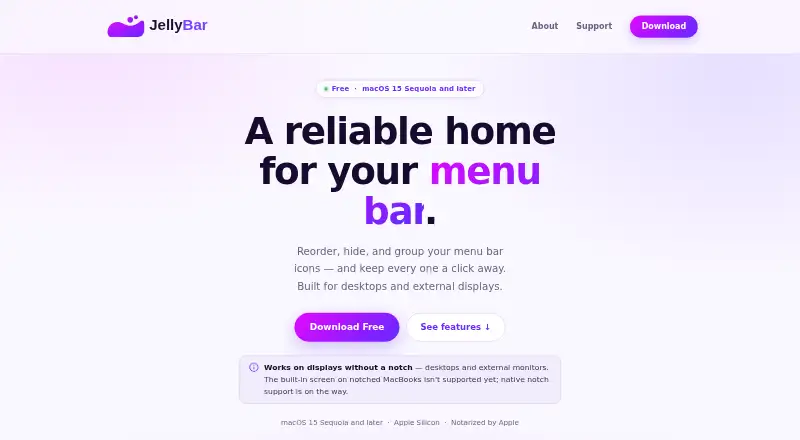
What JellyBar is
JellyBar is a free Mac utility for rearranging, hiding, and grouping menu bar icons. Its editor lets users drag icons between Active and Hidden sections, with changes reflected in the menu bar automatically. Hidden icons can be shown by hovering after a configurable delay, which defaults to one second, or by clicking the chevron. Spacers in three sizes and bullet dots provide ways to group icons. JellyBar keeps the 30 newest automatic layout backups; manual snapshots remain pinned indefinitely and can sync to iCloud Drive. The maker says the app has no analytics or telemetry and makes no network requests of its own. Accessibility permission is required, while Screen Recording is optional for capturing icon previews in settings. JellyBar is available as an Apple-notarized Mac download or through Homebrew, and checks for updates in the background before prompting to install. It supports macOS 15 Sequoia and later on Apple Silicon, including desktops, external displays, and clamshell MacBooks with an external monitor. Native support for the built-in screen on notched MacBooks is still in development.
Who it suits
JellyBar suits Mac users who want to organize menu bar icons and keep selected icons hidden but accessible. It is limited to macOS 15 Sequoia or later on Apple Silicon and supports external displays and clamshell setups.
What it does well
- Moves icons between Active and Hidden sections.
- Hidden icons can appear on hover or by chevron.
- Offers spacers and bullet dots for grouping.
- Keeps 30 newest automatic layout backups.
- Manual snapshots can sync to iCloud Drive.
What to know first
- Requires macOS 15 Sequoia or later.
- Requires Apple Silicon.
- Accessibility permission is required.
- Built-in notched MacBook screen support is in development.
Plans
| Plan | Billed and limits | Price |
|---|---|---|
| Free | macOS 15 Sequoia and later · Apple Silicon | Free |
As jellybar.app lists them, read 7 Oct 2026. The maker's own page has the final word.
Getting started
- Visit the JellyBar website.
- Download the notarized Mac app or install it with Homebrew.
- Grant the required Accessibility permission.
- Move icons between Active and Hidden in the layout editor.
- Add spacers or bullet dots, then choose hover or chevron to reveal hidden icons.
JellyBar is a macOS menu-bar organizer for people whose icons have outgrown a tidy strip. It suits Apple Silicon Mac users on macOS 15 Sequoia or later who want controlled hiding, deliberate grouping, and recoverable layouts. Its free price and privacy stance are compelling, but the notch limitation and narrow compatibility make the platform check decisive.
Overview
JellyBar moves menu-bar icons into Active and Hidden sections, so less-used controls stay out of the way without disappearing. You edit the arrangement by dragging icons between those sections, and the menu bar updates automatically. That makes it a practical fit for busy menu bars rather than a utility for users who only need a single hide/show switch.
Hidden items appear when you hover, after a configurable delay set to one second by default, or when you click the chevron. The hover option keeps the interaction quick, while the chevron provides a deliberate reveal when accidental pop-outs would be distracting.
Key features
Layout control
The editor gives you a direct way to decide which icons remain visible. Spacers in three sizes and bullet dots add visual grouping, useful for separating work, communication, system, and utility controls. These are organizational aids rather than a replacement for apps that provide deeper menu-bar automation.
Backups and recovery
JellyBar retains the newest 30 automatic layout backups. Manual snapshots stay pinned indefinitely and can sync to iCloud Drive, giving users a safer way to preserve a carefully arranged setup or move a preferred layout between supported environments.
Permissions and privacy
Accessibility permission is required for the app to manage menu-bar items. Screen Recording is optional and is used to capture icon previews in settings. The maker says JellyBar has no analytics or telemetry and makes no network requests of its own. Updates are checked in the background, with a prompt before installation.
Pricing
JellyBar has one Free plan at no cost. It includes hiding, rearranging, and grouping menu items on macOS 15 Sequoia and later with Apple Silicon. There is no free trial because the product is already free, and there are no paid tiers or renewal terms to weigh. This is the straightforward choice for anyone whose Mac meets the compatibility requirement; users on older macOS versions or Intel hardware cannot use this plan.
Platforms
JellyBar is a macOS app for Apple Silicon Macs running macOS 15 Sequoia or later. It supports desktop setups, external displays, and MacBooks running in clamshell mode with an external monitor. Native support for the built-in screen on notched MacBooks is still in development, so owners who depend on that display should expect a limitation. The app is notarized by Apple and is available as a Mac download or through Homebrew; Homebrew users can upgrade with brew.
Who it's for
Choose JellyBar if you use a recent Apple Silicon Mac and want a free, focused way to reduce menu-bar clutter while retaining fast access to hidden controls. It is particularly suitable for multi-display and clamshell workflows, and for users who value layout history and iCloud Drive snapshots. Look elsewhere if you need Intel or pre-Sequoia support, or if native notched-screen handling is essential today.
Pros and cons
Pros
- Free with the core organizer included: hiding, rearranging, and grouping do not require a paid upgrade.
- Flexible reveal controls: hover delay and chevron activation accommodate quick access or more deliberate behavior.
- Useful visual structure: three spacer sizes and bullet dots make dense icon collections easier to scan.
- Recoverable layouts: 30 automatic backups plus indefinitely pinned manual snapshots reduce the risk of losing a preferred arrangement.
- Minimal data collection: the maker says there is no telemetry and no app-initiated network traffic.
Cons
- Strict system requirement: it needs macOS 15 Sequoia or later on Apple Silicon.
- Notch support is incomplete: native handling for the built-in display on notched MacBooks is still in development.
- Accessibility access is mandatory: users must grant a sensitive system permission for the organizer to operate.
Alternatives
For a broader comparison, see Menu Bar Customization Software.
- Cornice is another free macOS option, but it requires macOS 26 (Tahoe) or later on Apple Silicon.
- Dozer is free and supports macOS 10.13 and later, making it the better fit for older Macs.
- GreatBar is free for now and runs on macOS 14 or later.
- Hidden Bar is a free, open-source choice with support for macOS 13 Ventura and later, including macOS 10.13–12.x.
- iBar-Menubar offers a free download with in-app purchases, so it suits readers willing to consider a freemium model.
- Ice 2 is free and open source for macOS users who want published source code.
- Lloyd is a free MIT-licensed macOS menu-bar utility.
- MenuBarDockX is free with no subscription and supports macOS 14 or later on Apple Silicon and Intel.
Verdict
JellyBar is a strong choice for Apple Silicon users on macOS 15 or newer who want precise menu-bar organization, fast reveals, and dependable layout recovery at no cost. Its main reason to look elsewhere is compatibility: older systems, Intel Macs, and users who need finished support for notched MacBook screens are better served by an alternative.
Verdict
JellyBar focuses on menu bar organization, with hide-and-reveal controls, grouping, and layout backups. Check its macOS and Apple Silicon requirements, and note that native support for notched MacBook screens is still in development.
Questions
How much does JellyBar cost?
The Free plan costs nothing.
Which Macs does it support?
JellyBar supports macOS 15 Sequoia and later on Apple Silicon. It supports desktops, external displays, and MacBooks used in clamshell mode with an external monitor.
How can I install it?
Download the Apple-notarized Mac app or install it with Homebrew.
Does JellyBar have a free trial?
No. The listed offer is a free plan, and there is no free trial.
What permissions does it require?
Accessibility permission is required. Screen Recording is optional and is used to capture icon previews in settings.
Who makes JellyBar?
Independent developer Marc Vigod makes JellyBar as part of Vigod Labs.
Facts from JellyBar's own pages
- Backups
- JellyBar keeps the newest 30 automatic layout backups; manual snapshots are pinned indefinitely and can be synced to iCloud Drive. · jellybar.app, 7 Oct 2026
- Compatibility limit
- JellyBar supports macOS 15 Sequoia and later on Apple Silicon; native support for the built-in screen on notched MacBooks is still in development. · jellybar.app, 7 Oct 2026
- Distribution
- The app is notarized by Apple and can be downloaded for Mac or installed with Homebrew. · jellybar.app, 7 Oct 2026
- Grouping
- Users can add spacers in three sizes and bullet dots to group menu bar icons. · jellybar.app, 7 Oct 2026
- Headquarters
- New Jersey · jellybar.app, 28 Sept 2026
- Layout editor
- Users drag icons between Active and Hidden sections, and changes sync to the menu bar automatically. · jellybar.app, 7 Oct 2026
- Maker
- JellyBar is made by Marc Vigod, an independent developer based in New Jersey, as part of Vigod Labs. · jellybar.app, 7 Oct 2026
- Permissions
- Accessibility permission is required; Screen Recording is optional and used to capture icon previews in settings. · jellybar.app, 7 Oct 2026
- Privacy
- The maker says JellyBar has no analytics or telemetry and makes no network requests of its own. · jellybar.app, 7 Oct 2026
- Purpose
- JellyBar reorders, hides, and groups menu bar icons, keeping hidden icons one click away. · jellybar.app, 7 Oct 2026
- Reveal
- Hidden icons can be revealed by hovering, with a configurable delay that defaults to 1 second, or by clicking the chevron. · jellybar.app, 7 Oct 2026
- Support
- Users can open a support ticket or email [email protected] for help and bug reports. · jellybar.app, 7 Oct 2026
- Supported setups
- JellyBar supports desktops, external displays, and MacBooks used in clamshell mode with an external monitor. · jellybar.app, 7 Oct 2026
- Updates
- JellyBar checks for updates in the background and prompts before installing; Homebrew users can upgrade with brew. · jellybar.app, 7 Oct 2026
Where JellyBar stands on Freedom251
- Menu Bar Customization Software#8 of 25