Freedom251 › Menu Bar Customization Software
Lloyd
What Lloyd is
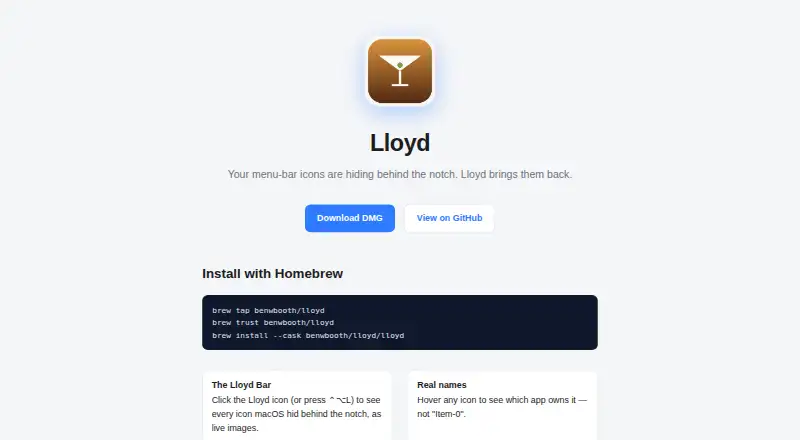
Lloyd is a free, MIT-licensed macOS utility that reveals menu-bar icons hidden behind a MacBook notch in a panel below the menu bar. The panel displays icons as live images; hovering identifies the app or, for system extras, the item name. Clicking an icon moves it to a visible menu-bar slot and opens its menu, and right-clicks are forwarded. Users can open the panel from Lloyd’s menu-bar icon or with ⌃⌥L. The app pins its icon at the far right of the movable menu-bar area. Lloyd requests Screen Recording permission to capture hidden icons and Accessibility permission to move items, forward clicks, and identify app names. It is signed but not notarized, uses private APIs, and is distributed directly rather than through the App Store. The maker provides a DMG download and Homebrew cask installation instructions. A revealed item remains visible because macOS does not let Lloyd return it to notch overflow; it can be hidden again by dragging it toward the notch.
Who it suits
Lloyd suits macOS users who want to access menu-bar icons hidden by a MacBook notch. It is a free option for people comfortable granting Screen Recording and Accessibility permissions and installing outside the App Store.
What it does well
- Free and MIT-licensed
- Shows hidden icons as live images
- Supports opening the panel with ⌃⌥L
- DMG and Homebrew cask installation instructions
What to know first
- Requires Screen Recording and Accessibility permissions
- Signed but not notarized
- Revealed items remain visible until dragged toward the notch
Plans
| Plan | Billed and limits | Price |
|---|---|---|
| Lloyd | MIT-licensed; macOS menu-bar utility | Free |
As benwbooth.github.io lists them, read 9 Oct 2026. The maker's own page has the final word.
Getting started
- Download the DMG from the maker’s website or follow its Homebrew cask installation instructions.
- Launch Lloyd; on first launch, the maker says you may need to right-click the app and choose Open.
- Grant Screen Recording permission so Lloyd can capture hidden icons.
- Grant Accessibility permission so Lloyd can move menu-bar items, forward clicks, and identify app names.
- Open the panel from Lloyd’s menu-bar icon or press ⌃⌥L.
Verdict
Lloyd provides a focused way to view and interact with notch-hidden menu-bar icons. Its permissions, direct distribution, and behavior after revealing an item are important considerations before installing.
Questions
How much does Lloyd cost?
The Lloyd plan is free. The project is MIT-licensed and open source.
Which platform does Lloyd support?
Lloyd is for macOS.
How can I install Lloyd?
The maker provides a DMG download and Homebrew cask installation instructions.
Does Lloyd require permissions?
Yes. It requests Screen Recording to capture hidden icons and Accessibility to move items, forward clicks, and identify app names.
Can Lloyd hide a revealed item again?
A revealed item stays visible because macOS provides no way for Lloyd to return it to notch overflow. The maker says it can be hidden again by dragging it toward the notch.
Is Lloyd available through the App Store?
No. It uses private APIs, so the maker says it is not App Store-safe and distributes it directly.
Facts from Lloyd's own pages
- App names
- Hovering over an icon shows the app that owns it, or the item name for system extras. · github.com, 9 Oct 2026
- Click handling
- Clicking a hidden icon moves it to a visible slot and opens its menu; right-click is forwarded too. · github.com, 9 Oct 2026
- Click support
- Clicking a hidden icon reveals it in a visible menu-bar slot and opens its menu; right-clicks are also forwarded. · github.com, 9 Oct 2026
- Cursor behavior
- Lloyd hides and restores the cursor during synthetic drag-and-click gestures so it does not visibly jump. · github.com, 9 Oct 2026
- Distribution
- Lloyd is signed but not notarized, uses private APIs, and is distributed directly rather than through the App Store. · github.com, 9 Oct 2026
- Distribution limit
- The maker says private API use means Lloyd is not App Store-safe and is distributed directly. · github.com, 9 Oct 2026
- Hotkey
- The panel can be opened by clicking Lloyd’s menu-bar icon or pressing ⌃⌥L. · github.com, 9 Oct 2026
- Installation
- The maker provides a DMG download and Homebrew cask installation instructions. · github.com, 9 Oct 2026
- Integrations
- The maker’s pages describe no third-party integrations. · benwbooth.github.io, 9 Oct 2026
- License
- The project is MIT-licensed. · github.com, 9 Oct 2026
- License and maker
- The public repository identifies Lloyd as MIT-licensed open source by Ben Booth. · github.com, 9 Oct 2026
- Limitation
- A revealed item stays visible because macOS provides no way for Lloyd to push it back into notch overflow. · github.com, 9 Oct 2026
- Live icon panel
- Clicking Lloyd’s menu-bar icon or pressing ⌃⌥L opens a panel showing hidden menu-bar icons as live images. · github.com, 9 Oct 2026
- Live previews
- The panel shows hidden menu-bar icons as live images. · benwbooth.github.io, 9 Oct 2026
- Notable limitation
- A revealed item stays visible because macOS provides no way for Lloyd to return it to notch overflow; it can be hidden again by dragging it toward the notch. · github.com, 9 Oct 2026
- Permissions
- Lloyd requests Screen Recording to capture hidden icons and Accessibility to move menu-bar items, forward clicks, and identify app names. · github.com, 9 Oct 2026
- Placement
- Lloyd pins its icon to the far right of the movable menu-bar area so the panel opens in a predictable place. · github.com, 9 Oct 2026
- Purpose
- Lloyd brings menu-bar icons hidden behind a MacBook notch into a panel below the menu bar. · benwbooth.github.io, 9 Oct 2026
- Signing
- The app is signed but not notarized; the maker says first launch may require right-clicking the app and choosing Open. · github.com, 9 Oct 2026
- Technical implementation
- Lloyd uses private CGS/SkyLight calls to enumerate menu-bar windows and synthetic gestures to reveal items. · github.com, 9 Oct 2026
Where Lloyd stands on Freedom251
- Menu Bar Customization Software#9 of 25