Freedom251 › Menu Bar Customization Software
Hidden Bar
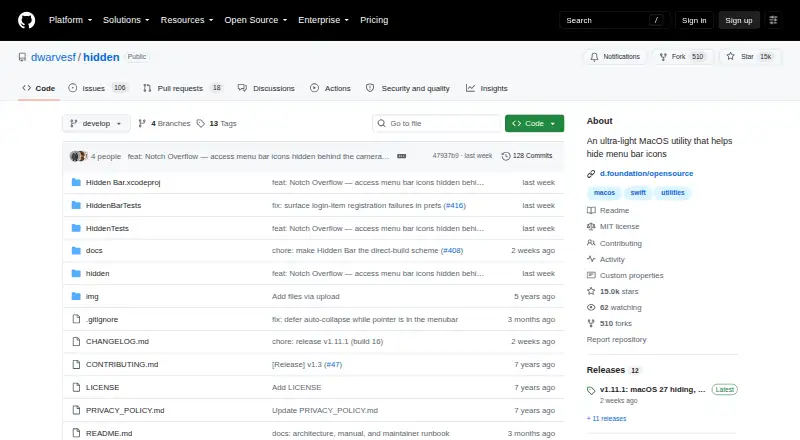
What Hidden Bar is
Hidden Bar is a free, open-source macOS app for hiding menu bar items and keeping the bar less crowded. Click its arrow to expand or collapse the hidden area, and Command-drag icons across the separator to change which items are tucked away. Preferences offer automatic re-collapse after a selected delay and a system-wide shortcut for expanding or collapsing. An optional second section stays hidden even while the main area is open; Option-click the arrow to reveal it. The app can launch at login through the macOS 13 or later SMAppService login item. It is available through Homebrew or manual download, which the project says is notarized. Hidden Bar is listed as free for macOS 13 Ventura or later; v1.10 supports macOS 10.13–12.x. On macOS 27, the direct download build needs Accessibility permission to detect icon positions. Hiding there is per app, built-in macOS items remain visible, and the app must run from /Applications. Its hiding feature on macOS 27 relies on a private Apple framework that an update could disrupt.
Who it suits
Hidden Bar suits Mac users who want to hide or rearrange menu bar items, with controls for automatic re-collapse and keyboard shortcuts. Its listed versions cover macOS 13 or later and, with v1.10, macOS 10.13–12.x.
What it does well
- Free, open-source app.
- Command-dragging rearranges which icons are hidden.
- Automatic re-collapse and system-wide shortcut are available.
- An optional second section stays hidden when expanded.
- Homebrew and manual installation are available.
What to know first
- On macOS 27, direct download needs Accessibility permission.
- macOS 27 hiding is per app; built-in items stay visible.
- On macOS 27, it must run from /Applications.
- macOS 27 hiding depends on a private Apple framework.
Limits
The plan costs nothing. On macOS 27, hiding is per app, built-in macOS items remain visible, the app must run from /Applications, and the feature relies on a private Apple framework that a macOS update could break.
Plans
| Plan | Billed and limits | Price |
|---|---|---|
| Hidden Bar | macOS 13 Ventura or later; macOS 10.13–12.x supported by v1.10 | Free |
As github.com lists them, read 2 Oct 2026. The maker's own page has the final word.
Getting started
- Open the Hidden Bar website on GitHub.
- Install through Homebrew or download the app manually.
- On macOS 27 with the direct download build, grant Accessibility permission for icon position detection.
- Use the arrow to expand or collapse the hidden section.
- Command-drag icons across the separator to change which items are hidden.
- Set preferences such as automatic re-collapse, a system-wide shortcut, or launch at login.
Hidden Bar is a free, open-source macOS utility for hiding and organizing menu bar icons. It is best for Mac users who want a focused way to reduce menu bar clutter without paying for the app. Its controls are flexible, though macOS 27 imposes important permissions and compatibility limits.
Overview
Hidden Bar splits menu bar icons into visible and hidden sections. Clicking the arrow toggles the hidden section, while Command-dragging icons across the separator changes which section they occupy. That direct approach suits people who want to keep selected icons close at hand without leaving every menu bar item visible.
An optional second section stays hidden even when the main section is expanded; Option-clicking the arrow reveals it. This provides a place for icons that rarely need attention, at the cost of remembering a separate gesture to reach them.
Key features
- Automatic collapse and shortcut: Choose a delay for re-collapsing the hidden section, or use a system-wide shortcut to expand or collapse it. Automatic re-collapse helps keep the menu bar tidy after access; the shortcut is useful for people who prefer keyboard control.
- Organization and displays: Hidden Bar supports hiding, rearranging, and grouping menu bar items across multiple displays. On macOS 27, however, built-in macOS items remain visible, limiting how thoroughly users of that version can clean up the bar.
- Login launch: On macOS 13 or later, the app can start at login through the SMAppService login item. This avoids needing to launch it manually each time.
- Setup and privacy: Installation is available through Homebrew or a notarized direct download. The project says the app does not use third-party services that may collect information used to identify users. Its manual covers settings, Terminal-only options, and troubleshooting.
Pricing
Hidden Bar costs nothing. There is no free trial because the app is free, and no paid plan is described. The plan supports macOS 13 Ventura or later; macOS 10.13–12.x is supported by v1.10, so users on older systems need that version rather than the current plan's stated compatibility range.
The free plan includes hiding, rearranging, and grouping menu items, keyboard shortcuts, and multiple-display support. There is no paid tier to unlock these capabilities, making it a straightforward fit for someone seeking these controls without a subscription or purchase.
Platforms
Hidden Bar is for macOS. On macOS 27, the direct download build requires Accessibility permission to detect icon positions; without permission, the menu bar stays expanded. Hiding on that system is per app, built-in macOS items remain visible, and Hidden Bar must run from /Applications. Its hiding feature also relies on a private Apple framework, which a macOS update could break. These constraints make it a less dependable choice for macOS 27 users who need comprehensive hiding or want to avoid granting Accessibility access.
Who it's for
Hidden Bar suits Mac users who want a no-cost, configurable way to tuck away selected menu bar items, especially those who value automatic re-collapse, a second hidden section, or keyboard control. It is a weaker fit for macOS 27 users who need built-in items hidden or want a feature insulated from changes to private Apple frameworks.
Pros and cons
- Pros: Free and open source, with hiding, rearranging, grouping, shortcuts, and multiple-display support in one focused utility.
- Pros: Automatic re-collapse and an optional always-hidden section give users more control over how much of the menu bar is exposed.
- Cons: macOS 27 requires Accessibility permission for the direct download build, and the menu bar stays expanded without it.
- Cons: On macOS 27, hiding is per app, built-in items cannot be hidden, and a private framework dependency leaves the feature vulnerable to macOS updates.
Alternatives
Menu Bar Customization Software is a useful starting point for comparing more options in this category.
- iBar-Menubar is another macOS option with a free plan; its pricing model is freemium, so consider it if you want to compare against an app that also offers in-app purchases.
- Ice 2 is a free, open-source macOS alternative if you want another no-cost project with public source code.
- SaneBar is free and open source under the MIT License, making it a candidate if that specific license matters to you.
- Thaw is free with no purchase, subscription, or upgrade fee for new macOS versions, a useful distinction if you want those terms explicitly.
- Vanilla offers a free plan for hiding menu bar icons and uses a freemium model, so compare it if you want that narrower stated free-plan capability.
- Cornice is another free macOS option.
- GreatBar is free for now and supports macOS 14.0 or later, worth considering if that minimum version fits your Mac.
- JellyBar is another free macOS option.
Verdict
Choose Hidden Bar if you want a free, open-source Mac utility with direct controls for hiding, grouping, and retrieving menu bar icons. Its extra hidden section and automatic collapse are useful refinements. Look elsewhere if you use macOS 27 and need built-in items hidden, cannot grant Accessibility permission to the direct build, or want to avoid reliance on a private framework.
Verdict
Hidden Bar offers direct controls for tucking away menu bar items, including a second hidden section and automatic re-collapse. Check its macOS 27 permissions and limits if using that system version.
Questions
How much does Hidden Bar cost?
The Hidden Bar plan is free.
Which Macs does it support?
The plan lists macOS 13 Ventura or later. Version 1.10 supports macOS 10.13–12.x.
How do I install Hidden Bar?
The project offers Homebrew installation or manual download, and says the direct distribution is notarized.
Can it start when I log in?
Yes. On macOS 13 or later, it can use the SMAppService login item.
Is Hidden Bar open source?
Yes. Dwarves Foundation describes it as an open-source app provided at no cost.
What is different about using it on macOS 27?
The direct download build needs Accessibility permission to detect icon positions. Hiding is per app, built-in macOS items remain visible, and the app must run from /Applications.
Facts from Hidden Bar's own pages
- Always-hidden section
- An optional second section stays hidden while expanded and can be revealed by Option-clicking the arrow. · github.com, 2 Oct 2026
- Automatic collapse
- The preferences include automatic re-collapse after a chosen delay and a system-wide expand or collapse shortcut. · github.com, 2 Oct 2026
- Distribution
- The project offers installation through Homebrew or manual download and says the direct distribution is notarized. · github.com, 2 Oct 2026
- Documentation
- The manual covers settings, Terminal-only options, and troubleshooting. · github.com, 2 Oct 2026
- Framework dependency
- The macOS 27 hiding feature relies on a private Apple framework that a macOS update could break. · github.com, 2 Oct 2026
- Hide and show
- Clicking the arrow expands or collapses the hidden section, and Command-dragging icons across the separator changes which icons are hidden. · github.com, 2 Oct 2026
- Login launch
- The app can start at login using the macOS 13 or later SMAppService login item. · github.com, 2 Oct 2026
- macOS 27 limits
- On macOS 27, hiding is per app, built-in macOS items remain visible, and the app must run from /Applications. · github.com, 2 Oct 2026
- macOS 27 permission
- On macOS 27, the direct download build needs Accessibility permission to detect icon positions; without it the menu bar stays expanded. · github.com, 2 Oct 2026
- Open source
- Dwarves Foundation describes Hidden Bar as an open source app provided at no cost. · github.com, 2 Oct 2026
- Privacy
- The project says the app does not use third-party services that may collect information used to identify users. · github.com, 2 Oct 2026
- Purpose
- Hidden Bar hides menu bar items to give a Mac a cleaner look. · github.com, 2 Oct 2026
- Support
- The privacy policy lists [email protected] for questions or suggestions about that policy. · github.com, 2 Oct 2026
Where Hidden Bar stands on Freedom251
- Menu Bar Customization Software#5 of 25
- Menu Bar Apps#6 of 23