Freedom251 › Audio Enhancement Software
JamesDSP
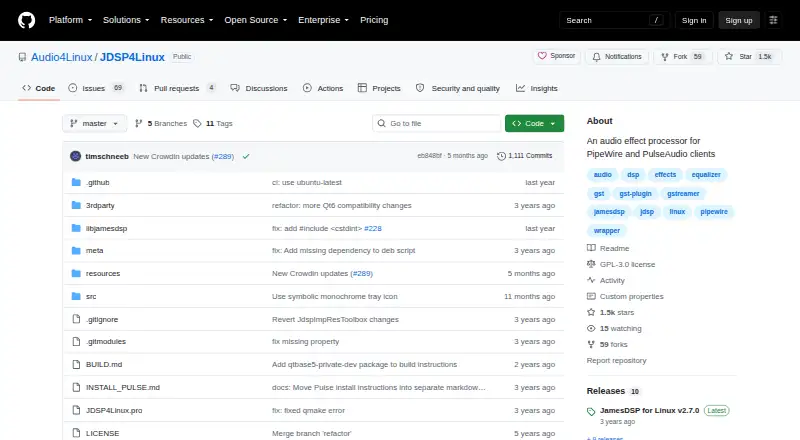
What JamesDSP is
JamesDSP is a free, open-source audio effects processor for Linux clients using PipeWire or PulseAudio. Its tools include automatic bass boost, multiband dynamic range compression, reverb, equalizers, crossfeed, soundstage widening, analog modeling, and an output limiter. A partitioned convolver supports mono, stereo, and full or true stereo impulse responses. Its arbitrary response equalizer connects to the AutoEQ database and requires a network connection.
For custom processing, users can write live DSP effects in EEL2 with a minimal scripting IDE that provides syntax highlighting, basic code completion, and console output. PipeWire is the intended backend; PulseAudio remains supported in maintenance mode. Selective app exclusion and changing the target audio device are available only to PipeWire clients. Installation options include Flatpak, Arch AUR, Fedora and openSUSE packages, or building from source. The Flatpak is sandboxed and can access only its application data directory by default. Since version 2.5.0, D-Bus IPC and command-line controls are available for settings, presets, devices, and preset rules.
Who it suits
JamesDSP suits Linux users who want audio effects for PipeWire or PulseAudio clients, including people interested in programmable DSP. Users who need selective app exclusion or target-device switching need PipeWire clients.
What it does well
- Offers bass boost, compression, reverb, and equalizers.
- Includes a partitioned convolver for several channel formats.
- Live EEL2 scripting includes syntax highlighting and code completion.
- Supports D-Bus IPC and command-line control.
What to know first
- AutoEQ integration requires a network connection.
- PulseAudio backend is in maintenance mode.
- Selective app exclusion is limited to PipeWire clients.
- Flatpak access defaults to its application data directory.
Limits
The Flatpak is sandboxed and can access only its application data directory by default. Selective app exclusion and target audio device selection are available only to PipeWire clients.
Plans
| Plan | Billed and limits | Price |
|---|---|---|
| Free | Free on Flathub; PipeWire package supports Linux | Free |
As github.com lists them, read 8 Oct 2026. The maker's own page has the final word.
Getting started
- Choose Flatpak, an Arch AUR package, a Fedora or openSUSE package, or a source build.
- Install the package or build the project from source.
- Use PipeWire as the intended audio backend, or PulseAudio for backward compatibility.
- Connect to a network when using the AutoEQ database.
JamesDSP is an audio effects processor for Linux clients, with roots in Android. It best suits Linux listeners who want detailed sound shaping or the freedom to write custom DSP. Its broad processing toolkit costs nothing, but PipeWire users get the strongest fit.
Overview
JamesDSP brings routine listening controls and more specialized processing into one app: bass boost, multiband compression, reverb, equalization, crossfeed, stereo widening, analog modeling and output limiting. Its partitioned convolver handles mono, stereo and full or true-stereo impulse responses, giving users room to tailor a listening setup beyond basic tone adjustment.
The project began as an Android effects processor and is licensed under GPLv3. The software comes without warranty, and support and updates are offered through a Telegram group.
Key features
The arbitrary-response equalizer connects to the AutoEQ database, which can aid response-based tuning. It needs a network connection, so users who work offline should not depend on that integration.
Users can create live effects with EEL2 scripting. The included minimal IDE has syntax highlighting, basic code completion and console output, enough to support custom experiments but modest for larger development work.
D-Bus IPC and a command-line interface, available since version 2.5.0, let users control settings, presets, devices and preset rules remotely. This is useful for scripted or automated setups. PipeWire clients can also exclude selected apps and change the target audio device; PulseAudio clients cannot use those routing controls.
Pricing
JamesDSP is free: the Free plan costs nothing. There is no free trial because the full plan is free, and no paid tier is described. That makes it a straightforward choice for Linux users seeking audio processing without a software fee.
Platforms
JamesDSP supports Linux, and the project documents Flatpak, Arch AUR and Fedora/openSUSE packages, as well as source builds. The Flatpak is offered for aarch64 and x86_64, but its sandbox limits default access to its application data directory. Users who need files outside that directory may find the default Flatpak boundary restrictive.
PipeWire is the intended backend. PulseAudio remains supported for backward compatibility, but that backend is in maintenance mode. Users on PulseAudio can still use the processor, though they miss PipeWire-only app exclusion and target-device selection. The project also identifies Android as JamesDSP's original platform.
Who it's for
JamesDSP fits Linux listeners who want effects beyond an equalizer, people tuning playback with impulse responses, and technically minded users who value live DSP scripting or command-line and D-Bus control. PipeWire users are best placed to use its routing options. Those committed to PulseAudio should weigh the maintenance-mode backend and reduced routing controls before choosing it.
Pros and cons
- Pro: The range of effects, including a partitioned convolver and output limiter, supports more tailored playback than basic tone controls.
- Pro: EEL2 scripting and remote-control interfaces make it adaptable to custom and automated setups.
- Pro: The free GPLv3 software is distributed through several Linux packaging routes as well as source builds.
- Con: PulseAudio is in maintenance mode and lacks PipeWire's selective app exclusion and target-device selection.
- Con: AutoEQ integration needs a network connection, limiting its usefulness in offline workflows.
- Con: The Flatpak's default access is limited to its application data directory.
Alternatives
EasyEffects is another free Linux option for users already on PipeWire; it requires the PipeWire audio server, and some effects need separately installed plugin packages. Choose JACK Audio Connection Kit if a free audio server and library across Linux, macOS and Windows better match your needs. Buddi is free budgeting software for Linux, macOS and Windows, rather than an audio processor. RØDE UNIFY is free streaming software for macOS and Windows, compatible with RØDE X microphones. Splitwave is a free, open-source option for Linux, macOS and Windows. DTS Sound Unbound is a Windows app with a free download and trial, though its audio technologies may require an in-app purchase. Elgato Wave Link is available free on Windows and macOS and works with any microphone or audio interface. eqMac offers a free macOS tier with community support and no Pro features.
For broader browsing, see Audio Enhancement Software and Audio Equalizer Software.
Verdict
Choose JamesDSP if you use Linux and want an unusually broad free processing toolkit, especially with PipeWire or custom DSP workflows. Its effects, convolver and control interfaces are strong reasons to choose it. Look elsewhere if you need a fully maintained PulseAudio backend, or if Flatpak's default file access would constrain your setup.
Verdict
JamesDSP offers a broad set of processing tools alongside scripting and remote-control interfaces. PipeWire is the intended backend, while PulseAudio remains available with stated limitations.
Questions
How much does JamesDSP cost?
JamesDSP is free; its free plan is listed as free.
Is JamesDSP open source?
Yes. The project identifies its license as GPLv3.
Which audio backends does it support?
PipeWire is the intended backend, and PulseAudio is supported for backward compatibility in maintenance mode.
Which installation options are available?
The project documents Flatpak, Arch AUR, Fedora and openSUSE packages, and building from source.
Does the AutoEQ equalizer work offline?
The arbitrary response equalizer integrates with the AutoEQ database and requires a network connection.
What does the Flatpak sandbox restrict?
By default, it can access only its application data directory.
Facts from JamesDSP's own pages
- Android origin
- The project says JamesDSP was initially published as an audio effects processor for Android devices. · github.com, 8 Oct 2026
- Audio backends
- PipeWire is the intended backend; PulseAudio is supported for backward compatibility and its backend is in maintenance mode. · github.com, 8 Oct 2026
- Audio effects
- Features include automatic bass boost, multiband dynamic range compression, reverb, equalizers, a convolver, crossfeed, soundstage widening, analog modeling, and an output limiter. · github.com, 8 Oct 2026
- AutoEQ
- The arbitrary response equalizer integrates with the AutoEQ database and requires a network connection. · github.com, 8 Oct 2026
- Control interfaces
- Since version 2.5.0, the app supports D-Bus IPC and a command-line interface for controlling settings, presets, devices, and preset rules. · github.com, 8 Oct 2026
- Convolver
- The partitioned convolver supports mono, stereo, and full or true stereo impulse responses. · github.com, 8 Oct 2026
- Custom DSP
- A live scripting engine uses EEL2 and includes a minimal IDE with syntax highlighting, basic code completion, and console output. · github.com, 8 Oct 2026
- Custom effects
- Users can write live programmable DSP effects in EEL2, with a minimal scripting IDE that includes syntax highlighting and code completion. · github.com, 8 Oct 2026
- Downloads
- The project lists Flatpak, Arch AUR packages, Fedora/openSUSE packages, and source builds; the Flatpak page lists aarch64 and x86_64 architectures. · github.com, 8 Oct 2026
- Effects
- Its effects include automatic bass boost, dynamic range compression, reverberation, equalizers, crossfeed, stereo wideness control, analog modeling, and an output limiter. · github.com, 8 Oct 2026
- Equalizer
- The arbitrary response equalizer integrates the AutoEQ database and requires a network connection. · github.com, 8 Oct 2026
- Flatpak access
- The project says its Flatpak is sandboxed and can access only ~/.var/app/me.timschneeberger.jdsp4linux/ by default. · github.com, 8 Oct 2026
- Flatpak limit
- The Flatpak is sandboxed and can access only its application data directory by default. · github.com, 8 Oct 2026
- IPC and CLI
- Since version 2.5.0, the app supports D-Bus IPC and command-line configuration and remote control. · github.com, 8 Oct 2026
- License and warranty
- The project is licensed under GPLv3 and its license section says the software is provided without warranty. · github.com, 8 Oct 2026
- Linux installation
- The project documents Flatpak, Arch AUR, Fedora/openSUSE packages, and building from source. · github.com, 8 Oct 2026
- Notable limitation
- The README says selective app exclusion and changing the target audio device are available only to PipeWire clients. · github.com, 8 Oct 2026
- PipeWire capabilities
- Selective app exclusion and changing the target audio device are available only to PipeWire clients. · github.com, 8 Oct 2026
- Purpose
- JamesDSP for Linux is an open-source audio effects processor for PipeWire and PulseAudio clients. · github.com, 8 Oct 2026
- Security and license
- The repository identifies the project as GPL-3.0 licensed and provides no security or compliance certification details on the page. · github.com, 8 Oct 2026
- Support
- The project invites users to join its Telegram group for support and updates. · github.com, 8 Oct 2026
Where JamesDSP stands on Freedom251
- Audio Enhancement Software#6 of 30
- Audio Equalizer Software#7 of 22