Freedom251 › Audio Equalizer Software
EasyEffects
What EasyEffects is
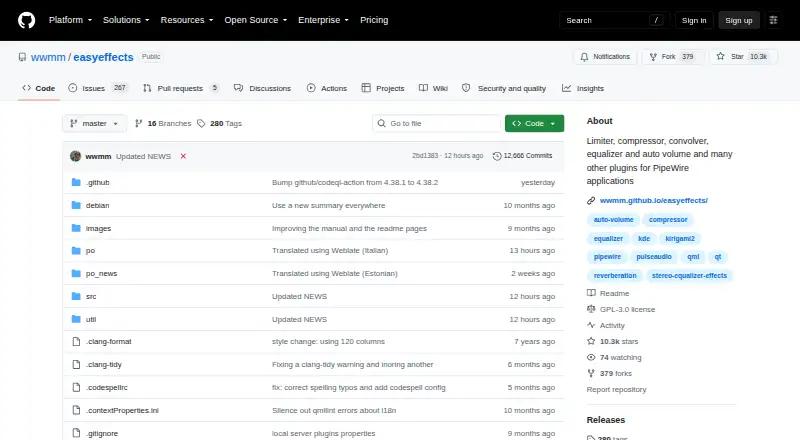
EasyEffects applies audio effects to applications managed by PipeWire, including app output and microphone audio sent to recording applications. Its effects include equalization, compression, convolution, limiting, noise reduction, reverberation, pitch shifting, and stereo tools. Users can arrange the processing chain, process input or output streams, and exclude selected applications. Processed output can be exposed through Easy Effects Source for recording and communication applications. Effect configurations can be saved, imported, reused on another system, or set to load automatically for selected devices. A PipeWire tab reports version, quantum values, sample rate, installed modules, and loaded clients. EasyEffects is free and open source under GNU GPL version 3 or later, and runs on Linux. PipeWire must be installed to run it. Most current Linux distributions package EasyEffects, and a sandboxed Flatpak package is also available with the available plugins. Some distribution packages may omit plugin packages needed for certain effects. The project advises keeping hardware as the default audio device rather than setting Easy Effects virtual devices as the default input or output.
Who it suits
EasyEffects suits Linux users who want to apply and save audio processing for PipeWire-managed application or microphone streams. Users should have PipeWire installed and check whether their package includes any plugins needed for the effects they want.
What it does well
- Offers equalizer, noise reduction, and stereo effects.
- Users can order effects in the processing chain.
- Configurations can load automatically for selected devices.
- Processed audio can be shared with recording apps.
What to know first
- Requires the PipeWire audio server.
- Some effects may need separately installed plugin packages.
- Available only on Linux.
Limits
EasyEffects requires PipeWire. Some distribution packages may omit plugin packages, so certain effects may require separately installed dependencies.
Plans
| Plan | Billed and limits | Price |
|---|---|---|
| Easy Effects | PipeWire audio server required · some effects require separately installed plugin packages | Free |
As github.com lists them, read 3 Oct 2026. The maker's own page has the final word.
Getting started
- Install PipeWire on your Linux system if it is not already installed.
- Install EasyEffects from your Linux distribution package or the Flatpak package.
- Keep your hardware as the default audio input and output devices.
- Choose input or output processing and configure the effects chain.
- Save or import configurations, and set them to autoload for selected devices if useful.
EasyEffects is a Linux audio processor for PipeWire-managed application playback and microphone signals. It is best for users who need app-aware effects, repeatable device presets, and a processed feed for recording or calls. Its free, open-source design is compelling when PipeWire and the needed plugins fit your system; otherwise, setup constraints narrow its appeal.
Overview
EasyEffects puts detailed signal processing between applications and the PipeWire audio server. It can work across input streams, output streams, or both, while allowing selected applications to bypass the treatment. That makes it more capable than a simple equalizer when a desktop needs consistent processing but one program must stay unmodified.
The project requires PipeWire for version 6.0.0 and later, and its own guidance says PipeWire must be installed before EasyEffects can run. Most current Linux distributions package it, and a Flatpak is also available. The Flatpak is sandboxed and bundles all available plugins, while some distribution packages may omit plugin packages; on those installations, particular effects can require separately installed dependencies.
Key features
Effect chains
The processor includes an equalizer, compressor, convolver, limiter, noise reduction, reverberation, pitch shift, and stereo tools. You control their order in the chain, so processing can be arranged for the signal rather than accepted as a fixed sequence. Noise reduction and compression suit microphone cleanup, while convolution, reverberation, pitch and stereo controls support more deliberate sound design.
Application-aware routing
Processing can cover every input or output stream, with exclusions for chosen applications. This is practical when most of a session should share one treatment but a particular player, game, or call must remain untouched. Easy Effects Source can provide the processed output to recording and communication applications, giving those programs a ready processed feed.
Presets and system information
Configurations can be saved, imported, reused on another system, and set to autoload for selected input or output devices. That is valuable for people moving between microphones, headsets, or other hardware. A PipeWire tab reports the server version, quantum values, sample rate, installed modules, and loaded clients, helping users identify the audio environment involved in a processing problem.
The application includes help pages, while the project provides an FAQ, wiki, changelog, and bug-reporting instructions. Its manual identifies Wellington Wallace as the author. The project also advises keeping physical hardware as the default audio device rather than making EasyEffects virtual devices the default input or output, an operational constraint worth following during setup.
Pricing
Easy Effects — free. This is free, open-source software under the GNU General Public License version 3 or later. There is no free trial because the software is free rather than time-limited. The plan requires a PipeWire audio server, and some effects may require separately installed plugin packages. There are no published seat quotas, usage allowances, renewal charges, or subscription terms.
The free plan suits Linux users comfortable managing PipeWire and, where necessary, plugin dependencies. It gives up none of the published processing features, but the practical setup burden is higher on distributions whose packages do not include every plugin.
Platforms
EasyEffects supports Linux. Version 6.0.0 and later uses PipeWire, so a Linux installation without that audio server cannot use the application. Distribution packages and Flatpak provide installation paths, with Flatpak bundling the available plugins in its sandbox.
Who it's for
Choose EasyEffects if you run Linux with PipeWire and want ordered effect chains, per-application exclusions, reusable device presets, or a processed signal for recording and communications. It is especially suited to users who need microphone noise reduction and compression alongside playback equalization.
Look elsewhere if you need macOS or Windows support, or if you cannot change an installation that lacks PipeWire. Users on a distribution with incomplete plugin packaging should also budget time for dependency installation before relying on every listed effect.
Pros and cons
- Pros: Broad effect selection covers corrective, dynamic, spatial, and creative processing.
- Pros: Adjustable effect order supports intentional multi-stage chains.
- Pros: Stream-wide processing with application exclusions handles mixed desktop workloads.
- Pros: Easy Effects Source can feed processed audio to recording and communication software.
- Pros: Importable, portable presets with device-based autoloading reduce repeated setup.
- Cons: PipeWire is mandatory for current versions, excluding other audio-server setups.
- Cons: Some distribution packages omit plugins, so effects may need separate dependencies.
- Cons: The project warns against using its virtual devices as the system defaults, adding a setup rule that can confuse less experienced users.
Alternatives
For broader category browsing, see Audio Enhancement Software and Audio Equalizer Software.
- Buddi is free budgeting software for Linux, macOS, and Windows, so it is not an audio-processing substitute.
- JACK Audio Connection Kit is free software for Linux, macOS, and Windows; choose it when you need its JACK server and LGPL library rather than EasyEffects' PipeWire effects interface.
- JamesDSP is free on Flathub, with a PipeWire package for Linux and additional Android and API availability; consider it when those deployment options matter.
- RØDE UNIFY is free streaming software for macOS and Windows compatible with RØDE X microphones, making it the alternative for those platforms and hardware.
- Splitwave is free, open-source, MIT-licensed software for Linux, macOS, and Windows; pick it when cross-platform access is the priority.
- DTS Sound Unbound is a Windows Microsoft Store app with optional in-app purchases for audio technologies, suited to Windows users seeking that ecosystem.
- Elgato Wave Link is free on Windows and macOS, works with any microphone or audio interface, and has no subscription or feature gates; choose it for a cross-platform microphone workflow.
- eqMac offers a free macOS tier with community support and no Pro features, so it is the relevant choice for Mac users.
Verdict
EasyEffects is a strong choice for Linux users running PipeWire who want extensive, ordered processing, app exclusions, and presets that follow their audio devices. Its main reason to choose it is the combination of broad effects and repeatable routing at no cost. Its main reason to look elsewhere is equally clear: PipeWire and plugin availability are prerequisites, and the software does not target macOS or Windows.
Verdict
EasyEffects offers configurable audio processing for PipeWire streams, with saved presets and application exclusions. Confirm PipeWire and plugin availability for your setup before relying on particular effects.
Questions
Is EasyEffects free and open source?
Yes. It is free and licensed under GNU GPL version 3 or later.
Which operating system does EasyEffects support?
The listed platform is Linux.
What does EasyEffects do?
It applies audio effects to applications managed by PipeWire, including application output and microphone audio sent to recording applications.
What is required to run it?
PipeWire must be installed. EasyEffects version 6.0.0 and later supports the PipeWire audio server.
How can I install EasyEffects?
The project says most current Linux distributions package it and also offers Flatpak installation. The Flatpak package is sandboxed and includes all available plugins.
Who is the project author?
The manual identifies Wellington Wallace as the author.
Facts from EasyEffects's own pages
- Audio sharing
- Processed output audio can be made available through Easy Effects Source for recording and communication applications. · wwmm.github.io, 3 Oct 2026
- Designed use
- The project warns users to keep their hardware as the default audio device and not set Easy Effects virtual devices as the default input or output. · github.com, 3 Oct 2026
- Effect ordering
- Users can control the order of effects in the processing chain. · github.com, 3 Oct 2026
- Effects
- Available effects include equalizer, compressor, convolver, limiter, noise reduction, reverberation, pitch shift and stereo tools. · github.com, 3 Oct 2026
- Flatpak packaging
- The project says its Flatpak package is sandboxed and includes all available plugins. · github.com, 3 Oct 2026
- Help and support
- The application includes help pages, and the project links to an FAQ, wiki, changelog and bug reporting instructions. · github.com, 3 Oct 2026
- Installation
- The project says most current Linux distributions package Easy Effects and also offers Flatpak installation. · github.com, 3 Oct 2026
- License
- Easy Effects is licensed under GNU General Public License version 3 or later. · github.com, 3 Oct 2026
- Per application processing
- Users can process all input or output streams and exclude selected applications from that processing. · wwmm.github.io, 3 Oct 2026
- PipeWire information
- The PipeWire tab reports PipeWire version, quantum values, sample rate, installed modules and loaded clients. · wwmm.github.io, 3 Oct 2026
- Platform requirement
- Easy Effects version 6.0.0 and later supports the PipeWire audio server, and the project wiki says PipeWire must be installed to run it. · github.com, 3 Oct 2026
- Plugin availability
- Some distribution packages may omit plugin packages, so some effects may require separately installed dependencies. · github.com, 3 Oct 2026
- Presets
- Effect configurations can be saved, imported, reused on another system, and set to autoload for selected input or output devices. · wwmm.github.io, 3 Oct 2026
- Project author
- The manual identifies Wellington Wallace as the author. · wwmm.github.io, 3 Oct 2026
- What it does
- Easy Effects applies audio effects to applications managed by PipeWire, including application output and microphone audio sent to recording applications. · wwmm.github.io, 3 Oct 2026
Where EasyEffects stands on Freedom251
- Audio Equalizer Software#6 of 22
- Audio Enhancement Software#9 of 30