Freedom251 › Audio Enhancement Software
Splitwave
What Splitwave is
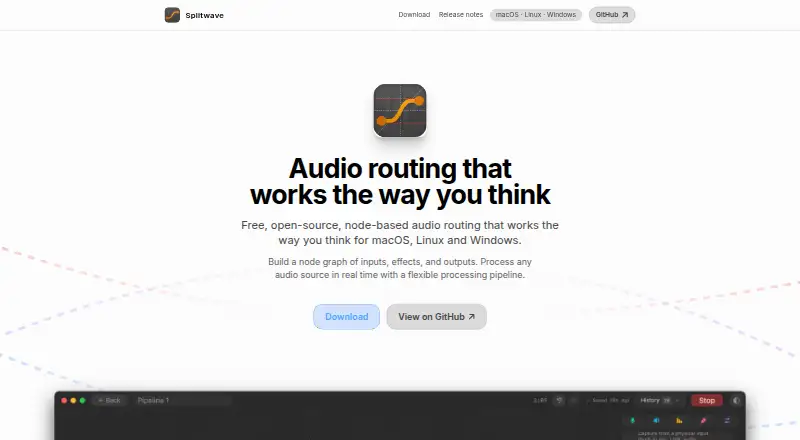
Splitwave is a desktop audio router that connects sound sources, effects, and outputs in a real-time node graph. Sources include microphones, system audio, individual app audio, WAV files, and virtual device loopback. The app lists noise suppression, EQ, compression, gating, reverb, and delay, and can record to audio files. It hosts CLAP and VST3 plugins as nodes; Audio Unit hosting is available only on macOS. For network audio, WebRTC peers can connect in both directions, while UDP sender and receiver nodes support Opus or raw PCM. Processing happens locally, and audio leaves the computer only when a user adds a network node and routes audio to a peer. Splitwave is free and open source under the MIT license. It supports macOS 13 or newer on Apple Silicon or Intel, Linux x86_64 with PipeWire, and 64-bit Windows 10 or newer. It creates virtual audio devices on macOS and Linux; Windows users need VB-Cable or a similar virtual cable. The macOS app is not yet notarized by Apple, and installation instructions call for clearing its quarantine flag. Its terms provide the software as is without guarantees of uninterrupted operation or suitability for a particular task.
Who it suits
Splitwave suits people who want to route desktop audio through effects, plugins, or network connections. It is available for macOS, Linux, and Windows, with platform-specific requirements and setup considerations.
What it does well
- Connects app, system, microphone, and WAV audio sources.
- Includes noise suppression, EQ, compression, and reverb.
- Supports CLAP and VST3 plugin nodes.
- Audio processing is local unless routed to a peer.
- Free and open source under the MIT license.
What to know first
- Audio Unit hosting is macOS-only.
- Windows requires VB-Cable or a similar virtual cable.
- macOS installation requires clearing the quarantine flag.
- Terms provide no guarantee of uninterrupted operation.
Plans
| Plan | Billed and limits | Price |
|---|---|---|
| Free | Free and open source · MIT license | Free |
As splitwave.app lists them, read 7 Oct 2026. The maker's own page has the final word.
Getting started
- Visit https://splitwave.app/.
- Download the build for macOS, Linux or Windows that matches your system.
- On macOS, follow the installation instruction to clear the quarantine flag.
- On Windows, install VB-Cable or a similar virtual cable if you need virtual audio devices.
- Connect audio sources, effects and outputs in the node graph.
Overview
Splitwave is a free, open-source desktop audio router for connecting sources, processing and outputs in a real-time node graph. It is a strong fit for people who want to build their own audio paths across applications, devices or network peers. Its breadth is useful, but Windows requires extra virtual-cable software and macOS installation takes an additional security step.
Key features
Input nodes cover microphones, system audio, individual app audio, WAV files and virtual-device loopback. Users can route these through effects, record them to audio files or send them to other outputs. The graph makes complex routing possible in one desktop tool, but suits people willing to arrange their own connections better than those seeking a fixed, ready-made workflow.
Built-in processing includes noise suppression, a 10-band equalizer, compression, gating, reverb and delay. Splitwave also hosts CLAP and VST3 plugins, plus Audio Unit plugins on macOS. This combination leaves room for routine cleanup as well as plugin-based processing; Audio Unit users, however, need a Mac.
For network audio, WebRTC peers can connect in both directions, while UDP sender and receiver nodes support Opus or raw PCM. Processing happens locally, and audio leaves the computer only when a user adds a network node and directs it to a peer. The app does not collect or transmit audio streams, personal files or usage telemetry to an external server, a useful distinction for privacy-conscious users configuring local workflows.
Pricing
Free — free. The plan is free and open source under the MIT license, with noise reduction, equalization and audio routing. There is no paid tier to weigh against it, and the free offering avoids subscription cost. It is best for users comfortable with the platform-specific setup and the terms under which the software is provided.
The terms provide the software as is, without warranties or guarantees of uninterrupted operation, suitability for a task or freedom from errors. That makes it a less suitable choice where dependable operation is essential and a warranty is required.
Platforms
Splitwave supports Linux, macOS and Windows, with requirements that differ by platform: Linux needs x86_64 and PipeWire; macOS needs version 13 or newer on Apple Silicon or Intel; Windows needs 64-bit Windows 10 or newer. macOS and Linux users get virtual audio devices from the app. Windows users must install VB-Cable or a similar virtual cable to get that capability, adding a dependency to setup.
macOS installation has another caveat: the app is not yet notarized by Apple, and users are instructed to clear its quarantine flag. That extra step may deter people who prefer standard notarized installation. The site names Patreon, GitHub and Cloudflare as website providers for membership and authentication, optional avatar retrieval, and hosting, security and content delivery; these roles are distinct from the desktop app's audio handling.
Who it's for
Splitwave is aimed at audio users who need to combine sources, apply effects, host plugins or connect to network peers without paying for the software. It is particularly attractive to people who value local processing and want to build a custom routing graph. It is less compelling for someone who wants virtual audio devices to work without additional Windows software, or who needs a guaranteed service level.
Pros and cons
- Pros: The graph combines multiple source types, effects, plugins, recording and outputs in a flexible routing workflow.
- Pros: Local processing and the stated absence of external audio, file or telemetry transmission suit users who want audio to stay on their computer unless they route it to a peer.
- Pros: It is free and open source under the MIT license, with support for Linux, macOS and Windows.
- Cons: Windows virtual audio devices require VB-Cable or similar software, so the app alone does not provide the complete setup.
- Cons: macOS installation requires clearing the quarantine flag because the app is not yet notarized.
- Cons: The as-is terms offer no warranty or assurance of uninterrupted, error-free operation, a drawback for critical workflows.
Alternatives
JACK Audio Connection Kit is another free option for readers who want GPL server and LGPL library software across Linux, macOS and Windows. EasyEffects is a Linux-only alternative for PipeWire users; some effects require separately installed plugin packages. JamesDSP is worth considering for Android or API use as well as Linux, with its PipeWire package supporting Linux.
RØDE UNIFY may fit macOS or Windows users looking for free streaming software compatible with RØDE X microphones. Elgato Wave Link is another free macOS and Windows option that works with any microphone or audio interface and has no subscription or feature gates. For macOS users focused on equalization, eqMac has a free tier with community support but no Pro features.
DTS Sound Unbound is a Windows alternative with a free app and free trial, though its audio technologies may require an in-app purchase. Buddi is also free across Linux, macOS and Windows, but it is budgeting software rather than an audio-routing alternative.
Browse more options in Audio Enhancement Software.
Verdict
Choose Splitwave if you want a free, open-source way to build detailed desktop audio routes, process sound locally and connect to network peers. Its combination of varied sources, effects and plugin hosting is the central reason to pick it. Look elsewhere if Windows virtual-device setup, macOS's quarantine step or the lack of warranty is a poor fit for your workflow.
Verdict
Splitwave offers flexible node-based audio routing and local processing across three desktop platforms. Check its platform requirements and installation notes, especially if using Windows or macOS.
Questions
How much does Splitwave cost?
Splitwave is free and open source under the MIT license.
Which operating systems are supported?
The download page lists macOS 13 or newer on Apple Silicon or Intel, Linux x86_64 with PipeWire, and 64-bit Windows 10 or newer.
Does Splitwave support audio plugins?
It hosts CLAP and VST3 plugins as nodes. Audio Unit hosting is available only on macOS.
Does Splitwave send audio to an external server?
The privacy policy says the desktop app does not transmit audio streams, personal files or usage telemetry to an external server. Audio leaves the computer only when a network node directs it to a peer.
Does it create virtual audio devices?
Splitwave creates virtual audio devices on macOS and Linux. Windows users need VB-Cable or a similar virtual cable.
Is the macOS app notarized?
No. The download page says the app is not yet notarized by Apple and instructs users to clear its quarantine flag during installation.
Facts from Splitwave's own pages
- Audio sources
- Its source nodes include microphones, system audio, individual app audio, WAV files, and virtual device loopback. · splitwave.app, 7 Oct 2026
- Effects and recording
- The site lists effects including noise suppression, EQ, compression, gating, reverb, and delay, plus recording to audio files. · splitwave.app, 7 Oct 2026
- Local processing
- The homepage says processing happens locally and audio leaves the computer only when the user adds a network node and directs it to a peer. · splitwave.app, 7 Oct 2026
- macOS installation
- The download page says the app is not yet notarized by Apple and instructs users to clear its quarantine flag during installation. · splitwave.app, 7 Oct 2026
- Network audio
- WebRTC peers can connect both ways, while UDP sender and receiver nodes support Opus or raw PCM. · splitwave.app, 7 Oct 2026
- Plugin support
- Splitwave hosts CLAP, VST3, and Audio Unit plugins as nodes, with Audio Unit hosting available only on macOS. · splitwave.app, 7 Oct 2026
- Privacy
- The privacy policy says the desktop app does not collect, track, or transmit audio streams, personal files, or usage telemetry to an external server. · splitwave.app, 7 Oct 2026
- Purpose
- Splitwave is a desktop audio router that connects audio sources, effects, and outputs in a real-time node graph. · splitwave.app, 7 Oct 2026
- Support
- The site lists [email protected] as a contact and offers voluntary development support through Patreon or cryptocurrency. · splitwave.app, 7 Oct 2026
- Supported systems
- The download page lists macOS 13 or newer on Apple Silicon or Intel, Linux x86_64 with PipeWire, and 64-bit Windows 10 or newer. · splitwave.app, 7 Oct 2026
- Terms
- The terms say Splitwave is provided as is without warranties or guarantees of uninterrupted operation, task suitability, or absence of errors. · splitwave.app, 7 Oct 2026
- Virtual audio devices
- Splitwave creates virtual audio devices on macOS and Linux, while Windows users need VB-Cable or a similar virtual cable. · splitwave.app, 7 Oct 2026
- Website providers
- The privacy policy names Patreon, GitHub, and Cloudflare as website providers for membership and authentication, optional avatar retrieval, and hosting, security, and content delivery. · splitwave.app, 7 Oct 2026
Where Splitwave stands on Freedom251
- Audio Enhancement Software#12 of 30