Freedom251 › Audio Enhancement Software
JACK Audio Connection Kit
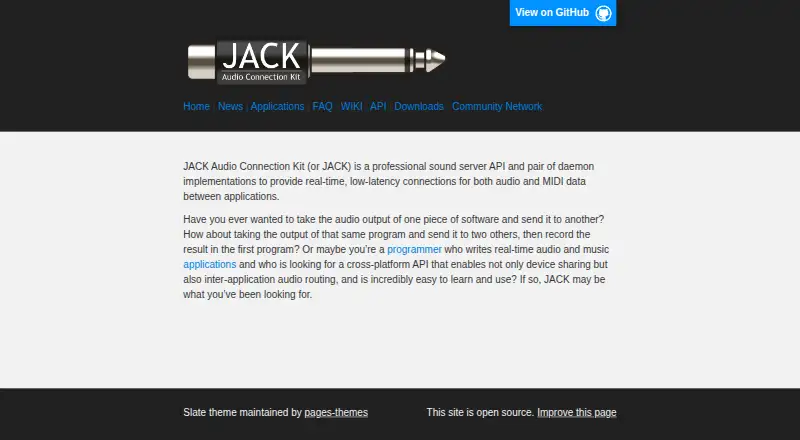
What JACK Audio Connection Kit is
JACK Audio Connection Kit is a free sound server API and daemon implementations for connecting audio and MIDI applications. Client applications can connect to an audio device and share audio with other clients. JACK’s design centers on synchronous client execution and low-latency operation. Applications communicate through callbacks and register ports to send and receive data; JACK represents audio internally as 32-bit floating-point values.
The project lists compatible applications including Audacity, Ardour, Blender, Mixxx, QjackCtl, and VLC. JACK is available for Linux, macOS, and Windows. Linux users can get binaries through their distribution’s package manager. Listed macOS installers are for macOS 10.12 or higher, while listed Windows installers are for Windows 7 or higher. Source repositories for JACK1 and JACK2 are hosted on GitHub, with clone instructions provided. JACK is free software: the server uses the GPL, and the library uses the LGPL, which permits proprietary programs to link with it. The project directs users to mailing lists, IRC channels, and community forums for discussion and help. It is distributed without warranty.
Who it suits
JACK suits people connecting audio or MIDI applications through a sound server, including users of compatible tools such as Ardour, Mixxx, and VLC. Developers can use its callback and port model to send and receive audio or MIDI data.
What it does well
- Connects audio and MIDI applications.
- Designed for synchronous client execution and low latency.
- Available on Linux, macOS, and Windows.
- The LGPL library permits proprietary programs to link with it.
- Compatible applications include Audacity, Ardour, Blender, Mixxx, QjackCtl, and VLC.
What to know first
- Linux binaries are obtained through the user’s distribution package manager.
- Listed macOS installers require macOS 10.12 or higher.
- Listed Windows installers require Windows 7 or higher.
- Distributed without warranty.
Plans
| Plan | Billed and limits | Price |
|---|---|---|
| JACK Audio Connection Kit | Free software; GPL server and LGPL library | Free |
As jackaudio.org lists them, read 7 Oct 2026. The maker's own page has the final word.
Getting started
- Open the JACK website.
- On Linux, use your distribution’s package manager for binaries.
- On macOS, use a listed installer for macOS 10.12 or higher.
- On Windows, use a listed installer for Windows 7 or higher.
- Connect compatible applications through JACK.
JACK Audio Connection Kit is a free sound server that connects compatible audio and MIDI applications. It suits people building real-time audio workflows and developers integrating software through its API. Choose it for synchronous, low-latency routing; look elsewhere for built-in sound enhancement.
Overview
JACK lets client applications connect to an audio device and share audio with one another, with MIDI connections also supported. Its emphasis on synchronous client operation and low latency makes it useful when separate applications need to exchange media as part of a coordinated workflow. It is infrastructure for connecting tools, not an audio-effects package.
The developer API uses callbacks and registered ports to send and receive data. JACK represents audio internally as 32-bit floating-point values, a technical detail relevant to developers building compatible applications. The applications directory includes Audacity, Ardour, Blender, Mixxx, QjackCtl, and VLC, though JACK’s usefulness depends on the tools in a workflow supporting it.
Key features
- Audio and MIDI routing: Clients can connect to an audio device and share audio or MIDI through JACK. That is a practical fit for users coordinating compatible applications, rather than those seeking a standalone player or editor.
- Synchronous, low-latency operation: JACK is designed for clients to execute synchronously. This focus makes it relevant to real-time audio workflows; it does not turn JACK into a general-purpose sound enhancer.
- Callback-based API: Applications register ports and exchange data through callbacks. Developers can use this model to build software that sends or receives JACK audio and MIDI.
- Open-source licensing: The server uses the GPL and the library uses the LGPL. The LGPL permits proprietary programs to link with the library, while the server and library have distinct licensing terms worth considering for software developers.
Pricing
JACK Audio Connection Kit costs nothing. The free software includes the JACK server and library under their respective GPL and LGPL licenses, so there is no paid tier to weigh against a limited free edition. There is no free trial; the software is free.
Platforms
JACK supports Linux, macOS, and Windows. Linux users are directed to install binaries through their distribution’s package manager. The listed macOS installers support macOS 10.12 or higher, and the listed Windows installers support Windows 7 or higher.
JACK1 and JACK2 source repositories are hosted on GitHub, with clone instructions provided for users who want to work from source. The software is distributed without warranty, including implied warranties of merchantability or fitness for a particular purpose. For discussion and help, the maker points users to JACK and Linux audio mailing lists, IRC channels, and community forums.
Who it's for
JACK is a strong fit for musicians, audio practitioners, and developers who need compatible applications to exchange audio or MIDI with low latency. Its listed integrations give prospective users concrete tools to check against their workflow, while its cross-platform support serves Linux, macOS, and Windows users.
It is not the right choice for someone whose main goal is noise reduction, equalization, or virtual surround: those features are not included. Users should also confirm that their applications support JACK before relying on it to connect a workflow.
Pros and cons
- Pro: Free software across three platforms. Linux, macOS, and Windows support gives users on those systems a no-cost option for audio and MIDI connections.
- Pro: Designed for synchronous, low-latency operation. That focus serves workflows where compatible clients need to work together in real time.
- Pro: LGPL library can be linked by proprietary programs. This gives developers a licensing option distinct from the GPL-licensed server.
- Con: No built-in noise reduction, equalizer, or virtual surround. Users seeking those processing features need a different tool.
- Con: Applications must be compatible with JACK. Its routing value depends on the software a user needs to connect.
- Con: Distributed without warranty. Users accept the stated absence of warranty, including implied warranties of merchantability or fitness for a particular purpose.
Alternatives
For audio processing rather than routing, compare options in Audio Enhancement Software. Buddi is a free budgeting application, so it is not a substitute for JACK’s audio and MIDI routing.
JamesDSP is a free option for Android, API, and Linux. RØDE UNIFY is free streaming software for macOS and Windows that is compatible with RØDE X microphones. Splitwave is free and open source under the MIT license, with Linux, macOS, and Windows support.
DTS Sound Unbound offers a free Windows app, while its audio technologies may require an in-app purchase. EasyEffects is a free Linux option that requires the PipeWire audio server, and some effects require separately installed plugin packages.
Elgato Wave Link is free on macOS and Windows, works with any microphone or audio interface, and has no subscription or feature gates. eqMac has a free macOS plan with community support and no Pro features.
Verdict
Choose JACK if you need free, cross-platform infrastructure for connecting compatible audio and MIDI applications with a synchronous, low-latency design. Its clearest advantage is focused routing without a price barrier; look elsewhere if you need audio enhancement, or if the applications you depend on do not support JACK.
Verdict
Choose JACK if you need a free sound server for sharing audio or MIDI between applications, with support for synchronous client operation. Look elsewhere if you need noise reduction, equalization, or virtual surround, which are not included.
Questions
How much does JACK cost?
JACK is free, with a listed price of $0.
Which platforms does it support?
Linux, macOS, and Windows. Listed macOS installers are for macOS 10.12 or higher, and listed Windows installers are for Windows 7 or higher.
Does JACK support MIDI as well as audio?
Yes. JACK connections carry both audio and MIDI data.
Can proprietary programs link with JACK?
The library uses the LGPL, which permits proprietary programs to link with it. The server uses the GPL.
Where can Linux users get binaries?
The downloads page directs Linux users to their distribution’s package manager.
Where can users find discussion and help?
The project points users to JACK and Linux audio mailing lists, IRC channels, and community forums.
Facts from JACK Audio Connection Kit's own pages
- Audio format
- JACK represents audio data internally as 32-bit floating-point values. · jackaudio.org, 7 Oct 2026
- Audio routing
- JACK lets client applications connect to an audio device and share audio with each other. · jackaudio.org, 7 Oct 2026
- Design focus
- JACK’s design focuses on synchronous execution of clients and low-latency operation. · jackaudio.org, 7 Oct 2026
- Developer API
- Applications use a callback model and register ports to send and receive data through JACK. · jackaudio.org, 7 Oct 2026
- Integrations
- The applications directory lists compatible tools including Audacity, Ardour, Blender, Mixxx, QjackCtl, and VLC. · jackaudio.org, 7 Oct 2026
- Licensing
- JACK is free software; the server uses the GPL and the library uses the LGPL, which permits proprietary programs to link with it. · jackaudio.org, 7 Oct 2026
- Linux installation
- For Linux binaries, the downloads page directs users to their distribution’s package manager. · jackaudio.org, 7 Oct 2026
- MIDI support
- The official site describes JACK connections for both audio and MIDI data. · jackaudio.org, 7 Oct 2026
- Platform requirements
- The listed macOS installers are for macOS 10.12 or higher, and the listed Windows installers are for Windows 7 or higher. · jackaudio.org, 7 Oct 2026
- Platforms
- The downloads page provides Linux packages or source, macOS installers or source, and Windows installers or source. · jackaudio.org, 7 Oct 2026
- Purpose
- JACK is a professional sound server API and daemon implementations for real-time, low-latency connections between audio and MIDI applications. · jackaudio.org, 7 Oct 2026
- Source code
- The maker hosts JACK1 and JACK2 source repositories on GitHub and provides clone instructions. · jackaudio.org, 7 Oct 2026
- Support
- The maker points users to JACK and Linux audio mailing lists, IRC channels, and community forums for discussion and help. · jackaudio.org, 7 Oct 2026
- Warranty
- The software is distributed without warranty, including implied warranties of merchantability or fitness for a particular purpose. · jackaudio.org, 7 Oct 2026
Where JACK Audio Connection Kit stands on Freedom251
- Audio Enhancement Software#5 of 30