Freedom251 › Incident Management Software

ITOC360
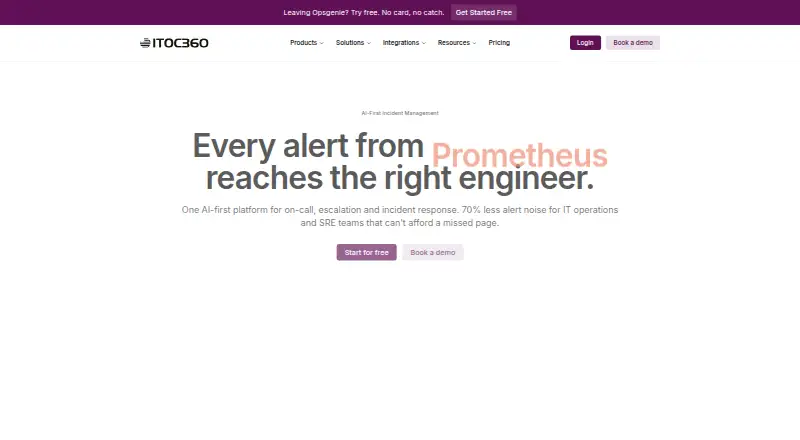
What ITOC360 is
ITOC360 is an incident orchestration platform for DevOps and SRE teams. It correlates alerts using labels, resources, and timestamps with machine learning, grouping related notifications into incidents. Teams can route alerts to engineers, configure timezone-aware on-call rotations with holiday overrides and backups, and set escalation policies. Responders can acknowledge, escalate, reassign, or resolve incidents from Slack or Microsoft Teams, with activity collected in a timeline, or use the iOS and Android apps. Notification options include voice calls, SMS, push alerts, email, Slack, Microsoft Teams, and custom webhooks. Its integrations directory lists 59 options, including Prometheus, Datadog, Jira, and ServiceNow. Teams can also import schedules, escalation policies, integrations, and routing rules from Opsgenie or PagerDuty exports, with migration assistance. ITOC360 offers a free plan and a 14-day trial. Free is limited to one user, one monitoring source, 50 SMS and five voice calls monthly, and seven-day data retention. Paid plans start at $12/user/mo; Premium includes a written 99.99% uptime SLA, dedicated support, and onboarding.
Who it suits
ITOC360 suits solo developers and teams managing operational alerts, from early or growing groups to teams of 20 or more. Its mobile apps and chat-based response options may suit teams that need to handle incidents away from a desktop.
What it does well
- Groups alerts into incidents using machine learning.
- Timezone-aware rotations include holiday overrides and backups.
- Responders can manage incidents through Slack or Teams.
- Import support covers Opsgenie and PagerDuty exports.
- Free plan and 14-day trial are available.
What to know first
- Free plan is limited to one user.
- Free plan retains data for seven days.
- Free plan limits SMS and voice calls monthly.
Limits
Free allows one user, 50 SMS and five voice calls per month, one monitoring source, and seven-day data retention. Foundation costs $12/user/mo and requires at least three users; it includes 500 SMS per month, 100 voice calls, two monitoring sources, and three-month retention.
Plans
| Plan | Billed and limits | Price |
|---|---|---|
| Free | free forever · 1 user · 50 SMS/month · 5 voice calls/month · 1 monitoring source · 7-day retention · basic time-based grouping | Free |
| Foundation | billed monthly; 3-user minimum ($36 total commitment) · Up to 10 users · 500 SMS/month · 100 voice calls/month · 2 monitoring sources · 3-month retention · 14-day trial | $12 a month |
| Advanced | 14-day free trial; 5-user minimum ($90 total commitment) · Unlimited users · unlimited SMS and voice calls · 6 monitoring sources · 6-month retention · sliding grouping · custom workflows · Jira/ServiceNow sync | $18 a month |
| Premium | billed monthly; 20-user minimum ($560 total commitment) · Unlimited users · unlimited SMS and voice calls · unlimited monitoring sources · 12-month retention · custom integrations/webhooks · dedicated support · written 99.99% uptime SLA | $28 a month |
As itoc360.com lists them, read 15 Oct 2026. The maker's own page has the final word.
Getting started
- Open the ITOC360 website.
- Choose the Free plan or review the Foundation, Advanced, and Premium plans.
- Use the 14-day trial if you want to try the service before selecting a paid plan.
- Set up on-call schedules, escalation policies, and alert routing.
- Connect monitoring sources and other tools through the integrations directory.
- Install the iOS or Android app for mobile incident response.
Overview
ITOC360 brings alert correlation, on-call coverage and incident handling into one platform for DevOps and SRE teams. It is a better fit for organizations ready to pay for several seats than for a solo user: even its lowest paid tier has a three-user minimum.
Its combination of scheduling, multiple notification routes and response actions in mobile apps and chat makes it a substantial option for teams coordinating incidents across channels. The trade-off is a free tier with tight usage caps and short retention, while the more generous paid tiers also impose minimum seat counts.
Key features
ITOC360 groups alerts by labels, resources and timestamps using machine learning, with the aim of reducing duplicate notifications and consolidating alert storms into incidents. This can make noisy monitoring feeds more manageable when those grouping signals suit the team’s setup. Escalation policies route alerts onward when a responder does not act, adding a path beyond initial notification.
Timezone-aware rotations, holiday overrides and backup schedules help teams plan coverage across schedules and absences. Alerts can reach responders by voice call, SMS, push, email, Slack, Microsoft Teams or custom webhook. That range suits teams with established channel preferences, but teams depending heavily on phone notifications should compare their expected use with each plan’s quotas.
The iOS and Android apps support acknowledging, escalating and resolving alerts away from a desktop. Slack and Teams users can take those actions in chat, reassign incidents and have activity collected into a timeline. The integrations directory has 59 entries, including Prometheus, Datadog, Jira, ServiceNow, Slack and Microsoft Teams.
Post-incident reviews, status pages and audit logs extend the product beyond alert routing. Teams moving from Opsgenie or PagerDuty can import schedules, escalation policies, integrations and routing rules from exports, with migration assistance. Premium adds dedicated support and onboarding plus a written 99.99% uptime SLA. The privacy policy says the website cookie policy complies with Turkey’s KVKK and the EU GDPR.
Pricing
The free plan costs nothing, billed free forever, and covers one user, 50 SMS/month, five voice calls/month, one monitoring source and seven-day data retention. It is useful for an individual exploring the workflow, but the notification and source limits make it a constrained choice for ongoing team response.
Foundation costs $12/user/mo, billed monthly, with a three-user minimum and up to 10 users. It includes 500 SMS/month, 100 voice calls/month, two monitoring sources and three-month data retention. The minimum makes its starting monthly commitment at least three seats; it suits a small team that can work within those quotas.
Advanced costs $18/user/mo and requires at least five users. It allows unlimited users, SMS and voice calls, with six monitoring sources and six-month retention. This is the more suitable step up for teams whose notification volume outgrows Foundation, though the five-seat floor raises the entry cost.
Premium costs $28/user/mo, billed monthly, with a 20-user minimum. It includes unlimited users, SMS and voice calls, unlimited monitoring sources, 12-month retention, dedicated support and onboarding, and a written 99.99% uptime SLA. Its price and seat floor make it an enterprise-oriented option rather than a sensible upgrade for a small team seeking only more capacity.
A 14-day trial is offered. Support response targets range from under 72 hours on Free to under two hours, 24/7, on Premium, making the support distinction material for teams that need prompt help during incidents.
Platforms
ITOC360 is available on web, iOS and Android. Mobile access is particularly relevant to responders who need to acknowledge or resolve incidents away from their desks.
Who it's for
DevOps and SRE teams that need coordinated alert routing, scheduled coverage and incident actions across mobile and chat are the clearest fit. Foundation can suit a small group able to meet its three-seat minimum; Advanced and Premium address larger teams with greater notification or monitoring needs. A solo developer may find the free plan’s caps limiting, while the paid minimums make it a poor match for buying just one seat.
Pros and cons
- Pros: Correlation, escalation, schedules and response actions sit within one incident workflow, reducing the need to treat notification and follow-up as separate tasks.
- Pros: Responders can act through mobile apps or Slack and Teams, and the 59 integrations include established monitoring and service-management tools.
- Pros: Premium has a written 99.99% uptime SLA and dedicated support and onboarding for teams that need those commitments.
- Cons: The free tier allows only one user, one monitoring source and modest phone-notification quotas, with seven-day retention.
- Cons: Paid plans start at three seats, rising to five on Advanced and 20 on Premium, so smaller teams pay for minimum capacity they may not need.
- Cons: Foundation has capped SMS, voice and monitoring-source allowances; longer retention and unlimited sources require higher tiers.
Alternatives
Compare incident management software if you want to consider a broader set of tools. DFIR-IRIS is a free and open-source, self-hosted option for readers who prefer deployment control and no licence fee. Grafana Cloud Application Observability is worth considering when host-hour-based observability is the priority; its free tier includes 2,232 host hours.
incident.io may suit teams seeking Slack or Microsoft Teams native incident response, with a free Basic plan that includes single-team on-call and a status page. PagerDuty is another freemium incident-management option, with a free plan for up to five users. Spectate is an alternative for readers looking for monitoring and status-page plans, including a Hobby tier with five monitors or servers and one status page.
AlertOps may be a better fit for a small group wanting a free plan for up to five users, basic alert routing and three escalation policies. DFIRe offers a non-commercial option for eligible individual, educational, charity and community use. Request Tracker for Incident Response is another option to compare for incident response.
Verdict
Choose ITOC360 if your DevOps or SRE team wants alert correlation, on-call scheduling and incident actions across mobile and chat, and can meet the paid plan’s seat minimums. Its integrated response workflow is the main reason to choose it; look elsewhere if you need a low-cost single-user service or cannot fit your notification needs within the free and Foundation caps.
Verdict
ITOC360 combines alert correlation, on-call scheduling, escalation, and incident response across mobile apps and chat tools. The free plan has firm usage limits; paid plans start at $12/user/mo, with higher-tier support and an SLA on Premium.
Questions
Is there a free plan?
Yes. Free is billed at no cost, forever, and includes one user, 50 SMS and five voice calls per month, one monitoring source, and seven-day data retention.
How much do paid plans cost?
Foundation is $12/user/mo, Advanced is $18/user/mo, and Premium is $28/user/mo. Foundation and Premium are billed monthly; Foundation has a three-user minimum, Advanced a five-user minimum, and Premium a 20-user minimum.
Is there a free trial?
Yes. ITOC360 offers a 14-day trial.
Which platforms does ITOC360 support?
ITOC360 is available on the web, Android, and iOS.
Can teams import from Opsgenie or PagerDuty?
The maker says schedules, escalation policies, integrations, and routing rules can be imported from Opsgenie or PagerDuty exports, with migration assistance.
Who makes ITOC360?
ITOC says it registered the ITOC brand and launched human-assisted on-call services in 2019. The company describes ITOC360 as incorporated in the United States and engineered in Europe.
Facts from ITOC360's own pages
- AI alert correlation
- Machine-learning correlation groups duplicate alerts using labels, resources and timestamps into a single actionable incident. · itoc360.com, 15 Oct 2026
- Alert correlation
- It groups alerts using labels, resources, and timestamps with machine learning to reduce duplicate notifications and combine alert storms into incidents. · itoc360.com, 29 Sept 2026
- API authentication
- Webhook and SDK requests use a per-source bearer token, which the documentation says should be treated like a password. · docs.itoc360.com, 15 Oct 2026
- ChatOps
- Slack and Teams responders can acknowledge, escalate, reassign, or resolve incidents from chat, and incident activity is collected into a timeline. · itoc360.com, 29 Sept 2026
- Company facts
- LinkedIn lists ITOC360 as privately held, founded in 2018, headquartered in Dover, Delaware, with 51–200 employees. · linkedin.com, 15 Oct 2026
- Company history
- The company says it registered the ITOC brand and launched human-assisted on-call services in 2019. · itoc360.com, 29 Sept 2026
- Company legal name
- The Google Play listing identifies the operator as ITOC360 Inc.; its developer contact lists IT SERVIS TEKNOLOJI HIZMETLERI VE YAZILIM ANONIM SIRKETI. · play.google.com, 15 Oct 2026
- Company location
- The maker says ITOC360 is incorporated in the United States and engineered in Europe, with operations serving clients in the US, UK, and Gulf. · itoc360.com, 29 Sept 2026
- Company origin
- The company says it registered the ITOC brand in 2019 after operating IT infrastructure, managed services and human-assisted on-call operations. · itoc360.com, 15 Oct 2026
- Documentation depth
- The GitBook documentation covers quickstart, channels, sources, escalation policies, incident lifecycle, alert grouping, authentication and security settings. · docs.itoc360.com, 15 Oct 2026
- Enterprise availability
- The Premium plan includes a written 99.99% uptime SLA and dedicated support and onboarding. · itoc360.com, 29 Sept 2026
- Escalation policies
- Policies can set timeouts and route unacknowledged alerts through multiple users, teams, schedules or management levels. · docs.itoc360.com, 15 Oct 2026
- Founded
- 2019 · itoc360.com, 28 Sept 2026
- Go SDK
- A public Go Events API client is published as github.com/itoc360/itoc360-go, requires Go 1.22 or later and is Apache-2.0 licensed. · pkg.go.dev, 15 Oct 2026
- Headquarters
- Istanbul, Türkiye · itoc360.com, 28 Sept 2026
- Incident tracking
- Each incident records detection, acknowledgment, escalation and resolution actions in a timestamped activity history. · itoc360.com, 15 Oct 2026
- Integrations
- The integrations directory lists 59 native connectors across APM, automation, CI/CD, cloud, communication, logging, monitoring, observability, security and ticketing. · itoc360.com, 15 Oct 2026
- Intended users
- The maker describes the platform as serving DevOps and SRE teams, and its pricing page identifies solo developers, early teams, growing teams, and teams of 20 or more as plan audiences. · itoc360.com, 29 Sept 2026
- Limit: analytics export
- A Capterra reviewer says exporting analytics charts for presentations is awkward and manual screenshots are easier. · capterra.com, 15 Oct 2026
- Limit: interface polish
- A Capterra reviewer reports minor interface polish issues, a less-smooth onboarding curve and advanced settings that could be more intuitive. · capterra.com, 15 Oct 2026
- Limit: onboarding complexity
- One Capterra reviewer says complex escalation paths take time to learn and another reports that alert categorization and grouping required considerable setup effort. · capterra.com, 15 Oct 2026
- Migration
- The maker says schedules, escalation policies, integrations, and routing rules can be imported from Opsgenie or PagerDuty exports, with migration assistance. · itoc360.com, 29 Sept 2026
- Mobile apps
- The iOS and Android apps let responders acknowledge, escalate, or resolve alerts from their phones. · itoc360.com, 29 Sept 2026
- Mobile requirements
- The mobile app requires an active ITOC360 account provisioned by an organization administrator; the app itself is free. · play.google.com, 15 Oct 2026
Where ITOC360 stands on Freedom251
- Incident Management Software#9 of 29