Freedom251 › Uptime monitoring services
Spectate
by Spectate
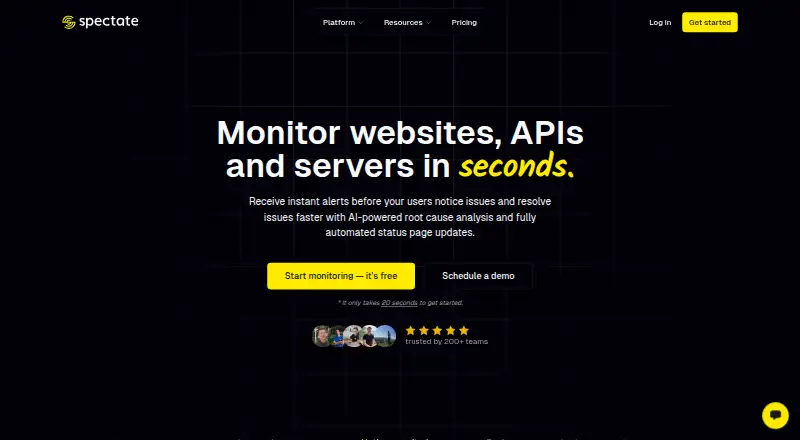
What Spectate is
Spectate is a monitoring and incident management platform for websites, APIs, servers, infrastructure, and applications. Website checks track uptime and performance, can run globally, capture screenshots, and alert on SSL certificate expiry. Its custom-built server agent is described as open source, dependency-free, and designed to add no server load. Incident tools include merging, collaboration, AI-assisted root cause analysis, postmortems, interactive alerts, and status page publishing. Status pages can use branding and custom domains, accept user issue reports, and support subscriptions and postmortems. Alerts can be sent through Slack, Discord, or Pushover, as well as by voice or SMS. The free Hobby tier allows five monitors or servers and one status page. Paid plans start at $12.00 per month for Solo, billed $144 billed yearly; higher listed tiers cost $24.00, $72.00, and $169.00 per month. Enterprise is custom-priced. On-call scheduling and incident escalation policies are marked as coming soon.
Who it suits
Spectate may suit freelancers, SMBs, agencies, startups, SaaS companies, indie hackers, and enterprises that need website or infrastructure monitoring and incident tools. Its plan limits and status-page features can help teams choose a tier based on monitor and user needs.
What it does well
- Free Hobby tier allows five monitors or servers.
- Website checks include global checks and screenshots.
- Status pages support custom domains and user issue reports.
- Alerts can use chat integrations, voice, or SMS.
- Mobile apps are available on Android and iOS.
What to know first
- Hobby tier is limited to one status page.
- On-call scheduling is marked as coming soon.
- Incident escalation policies are not yet available.
- Enterprise pricing is a custom quote.
Limits
The free Hobby tier allows five monitors or servers and one status page. Paid monitor or server limits range from 15 on Solo to 250 on Business; Enterprise pricing is a custom quote.
Plans
| Plan | Billed and limits | Price |
|---|---|---|
| Solo | $144 billed yearly · 1 user · 15 monitors/servers · 1-minute checks · unlimited domains · 1 public status page | $12 a month |
| Pro | $288 billed yearly · 5 users · 50 monitors/servers · 30-second checks · 2 public status pages · 25 Voice/SMS credits included · AI-features | $24 a month |
| Scale | $864 billed yearly · unlimited users · 100 monitors/servers · 30-second checks · unlimited public status pages · 100 Voice/SMS credits included · AI-features | $72 a month |
| Business | $2,028 billed yearly · unlimited users · 250 monitors/servers · 30-second checks · unlimited public status pages · unlimited Voice/SMS credits · AI-features | $169 a month |
| Hobby | free forever · 5 monitors or servers · 1 status page · email alerts | Free |
| Enterprise | custom quote · SSO · audit logs · phone support · dedicated account manager · custom SLAs | On request |
As spectate.net lists them, read 29 Sept 2026. The maker's own page has the final word.
Getting started
- Visit the Spectate website.
- Choose the free Hobby tier or a paid plan.
- Choose Solo, Pro, Scale, or Business for a listed monthly price, or request a custom Enterprise quote.
- Use Spectate on Android, iOS, or the web.
- Configure monitors or servers and a status page within the chosen plan's limits.
Spectate brings monitoring, incident response, and public status communications into one service for freelancers and teams managing websites, APIs, servers, or applications. Its broad monitoring and status-page tools make it a credible all-in-one option, but the missing on-call scheduling and escalation policies are a material gap for incident-heavy teams.
Overview
Spectate combines uptime and performance monitoring with incident collaboration and status pages, so teams can coordinate operational work and customer updates in the same product. That breadth is useful for small teams that would rather not assemble separate monitoring and status-page tools. It is less suited to organisations that need a complete on-call process: scheduling and escalation policies are still marked as coming soon.
The product is made by Realify, a bootstrapped software company founded in 2016 and based in Bergschenhoek, Netherlands. Spectate’s privacy notice describes organisational and technical safeguards; its application servers are in Germany and the Netherlands, while workers are in other countries.
Key features
- Website monitoring: Uptime and performance tracking includes global checks, screenshots, and SSL certificate expiry alerts. Solo checks every minute, while Pro and higher tiers check every 30 seconds, giving teams with tighter response needs a reason to move up from the entry paid plan.
- Infrastructure monitoring: Spectate’s custom-built server agent is described as open source, dependency-free, and designed to add no server load. That makes it a considered option for teams monitoring their own servers, though the plan limits on monitors and servers still apply.
- Incident response: Incident merging, collaboration, interactive alerts, AI-assisted root cause analysis, and postmortems support work from detection through review. Alerts can go through Slack, Discord, Pushover, voice, or SMS. The missing escalation policies and on-call scheduling mean teams needing automated routing and coverage arrangements will need another solution.
- Status pages: Branding, custom domains, subscriptions, user issue reports, AI-powered updates, and postmortems give teams tools for both customer communication and feedback. Public status-page allowances rise from one on Solo to two on Pro and unlimited on Scale and Business.
Pricing
Spectate is freemium. Hobby is free, with five monitors or servers and one status page; that is a useful starting cap for a small project, but not much room for a growing estate. Solo costs $12 a month, billed $144 billed yearly, and includes one user, 15 monitors or servers, one-minute checks, unlimited domains, and one public status page. It suits an individual operator, but its single seat and slower checks constrain shared response work.
Pro costs $24 a month, billed $288 billed yearly. It raises capacity to five users and 50 monitors or servers, adds 30-second checks, two public status pages, 25 Voice/SMS credits, and AI features. Scale costs $72 a month, billed $864 billed yearly, and brings unlimited users, 100 monitors or servers, unlimited public status pages, 100 Voice/SMS credits, and AI features. Pro is the more practical fit for a small team; Scale is aimed at larger operations that need more seats and pages, though its monitor cap remains 100.
Business costs $169 a month, billed $2,028 billed yearly, and includes unlimited users, 250 monitors or servers, 30-second checks, unlimited public status pages and Voice/SMS credits, plus AI features. It fits teams with substantial monitoring volume or frequent voice and SMS alerting. Enterprise has custom pricing and adds SSO, audit logs, phone support, a dedicated account manager, and custom SLAs. Email support is listed at [email protected]; phone support and a dedicated account manager are enterprise inclusions.
Platforms
Spectate supports web, Android, and iOS, giving teams both browser access and mobile apps.
Who it's for
Spectate is a strong fit for freelancers, agencies, startups, SaaS companies, and SMBs that want monitoring, incident coordination, and customer-facing status pages together. Larger organisations can consider Business or Enterprise for greater capacity and support. Teams that depend on formal on-call scheduling or incident escalation should look elsewhere until those capabilities are available.
Pros and cons
- Pro: Monitoring, incident collaboration, and status-page publishing sit in one service, reducing the need to combine separate tools.
- Pro: Status pages include custom domains, subscriptions, issue reports, and postmortems, supporting more than one-way service announcements.
- Pro: The agent is described as open source and dependency-free, and designed not to add server load.
- Con: On-call scheduling and escalation policies are absent, leaving a gap for teams that need structured incident routing.
- Con: Solo is limited to one user and one-minute checks; faster checks and shared seats start at Pro.
- Con: Hobby allows only five monitors or servers and one status page, so teams may outgrow it quickly.
Alternatives
For a more focused status-page choice, compare Status Page Software; teams prioritising coordinated incident workflows can browse Incident Management Software, while monitoring-first buyers can review Uptime Monitoring Software.
- AppStatus is worth comparing if its free plan’s five monitors, five-minute checks, one status page, and five team members better match a small team’s needs.
- openstatus offers a free Hobby tier with one monitor, one status page, three components, and 10-minute minimum checks; consider it for a modest monitoring and status-page setup.
- StatusIQ has a free tier with one status page, 10 components, and 100 subscribers, making it an option when those status-page limits fit.
- Flashduty Status Page has a free tier for five users and one public status page, which may suit a small group focused on collaboration and status communication.
- Instatus offers a free Starter plan with 15 monitors, two-minute checks, email alerts, five team members, two on-call members, and a public status page; it is a relevant comparison for teams seeking on-call coverage in a free tier.
- StatusEntry is another freemium status-page option.
- StatusOwl offers a free plan with 25 monitors checked every three minutes, one status page, two team members, and 30 days of history; compare it if those limits fit better than Spectate’s five-monitor Hobby tier.
- StatusPage.me is another freemium status-page option.
Verdict
Choose Spectate if you want website and infrastructure monitoring, incident collaboration, and capable status pages under one roof, with room to scale beyond its free tier. Its clearest reason to look elsewhere is the absence of on-call scheduling and escalation policies; teams that rely on those workflows should choose a product that provides them now.
Verdict
Spectate combines monitoring, incident response, and status pages, with a free tier and several paid tiers. On-call scheduling and escalation policies are not currently available.
Questions
Does Spectate have a free plan?
Yes. The free Hobby tier allows five monitors or servers and one status page.
How much does Spectate cost?
Solo is $12.00 per month, billed $144 yearly. Listed monthly prices also include Pro at $24.00, Scale at $72.00, and Business at $169.00; Enterprise is custom quote.
Which platforms can I use Spectate on?
Spectate lists Android, iOS, and web platforms.
Which integrations and alert channels are listed?
Named integrations are Slack, Discord, and Pushover. Alerts can also be sent by voice or SMS.
Does Spectate offer incident escalation policies?
No. Escalation policies are listed as unavailable, while on-call scheduling and incident escalation policies are marked as coming soon.
Who makes Spectate?
Spectate is a product of Realify, a bootstrapped software development company based in the Netherlands and founded in 2016.
Facts from Spectate's own pages
- Coming soon
- On-call scheduling and incident escalation policies are marked as coming soon. · spectate.net, 29 Sept 2026
- Company
- Spectate is a product of Realify, a bootstrapped software development company based in the Netherlands and founded in 2016. · spectate.net, 29 Sept 2026
- Founded
- 2016 · spectate.net, 28 Sept 2026
- Free plan
- Yes · spectate.net, 22 Sept 2026
- Headquarters
- Bergschenhoek, Zuid Holland, Netherlands · spectate.net, 28 Sept 2026
- Incident response
- Incident tools include incident merging, collaboration, AI-assisted root cause analysis, postmortems, interactive alerts, and status page publishing. · spectate.net, 29 Sept 2026
- Infrastructure monitoring
- Its custom-built server agent is described as open source, dependency-free, and designed to add no server load. · spectate.net, 29 Sept 2026
- Integrations
- The maker names Slack, Discord, and Pushover as integrations, and says alerts can also be sent by voice or SMS. · spectate.net, 29 Sept 2026
- Intended users
- The company says it aims to serve freelancers, SMBs, and enterprises; its homepage also calls out agencies, startups, SaaS companies, and indie hackers. · spectate.net, 29 Sept 2026
- Plan limits
- The free Hobby tier allows 5 monitors or servers and one status page; paid monitor limits shown range from 15 to 250. · spectate.net, 29 Sept 2026
- Product
- Spectate is a monitoring and incident management platform for websites, APIs, servers, infrastructure, and applications. · docs.spectate.net, 29 Sept 2026
- Security and privacy
- The privacy notice describes organisational and technical safeguards and says application servers are located in Germany and the Netherlands, with workers in other countries. · spectate.net, 29 Sept 2026
- Paid from
- 12 · spectate.net, 22 Sept 2026
- Status pages
- Status pages support branding, custom domains, AI-powered updates, user issue reports, subscriptions, and postmortems. · spectate.net, 29 Sept 2026
- Support
- The site lists email support at [email protected]; enterprise offerings include phone support and a dedicated account manager. · spectate.net, 29 Sept 2026
- Website monitoring
- Website monitoring includes uptime and performance tracking, global checks, screenshots, and SSL certificate expiry alerts. · spectate.net, 29 Sept 2026
Where Spectate stands on Freedom251
- Uptime monitoring services#9 of 48
- Status Page Software#10 of 31
- Uptime Monitoring Software#16 of 48
- Status page services#13 of 31
- Incident Management Software#13 of 29