Freedom251 › Uptime Monitoring Software

Better Uptime
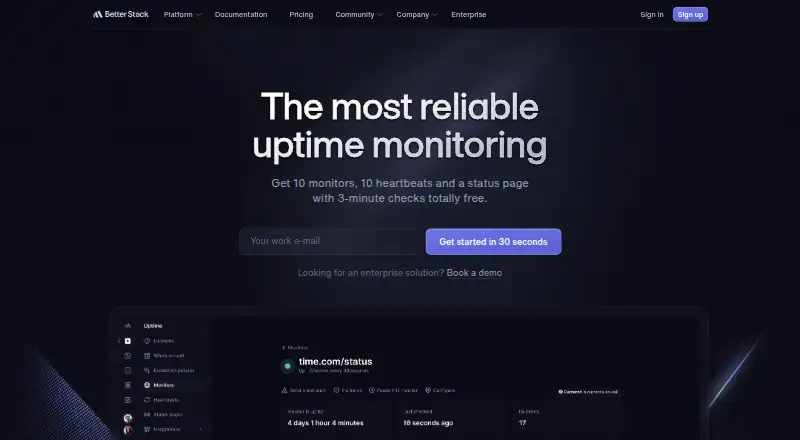
What Better Uptime is
Better Uptime is a web and mobile service for monitoring uptime and handling incidents. Its listed monitoring includes SSL expiry alerts, keyword monitoring, and server monitoring, with checks from four monitoring locations. Alerts can be sent by phone call, SMS, email, push notification, critical alert, Slack, Microsoft Teams, or webhook. The Free for personal projects plan costs nothing and includes 10 monitors and heartbeats, one status page, and Slack and email alerts. Responder costs $29 a month when billed annually. It includes uptime monitoring with incident management, on-call, monitoring, and a status page, plus 10 monitors and unlimited phone call and SMS alerts. Better Uptime is available on the web, iOS, and Android. Its maker, Better Uptime, was founded in 2021. The stated monitor allowance for both listed plans is 10, while the Responder plan specifically adds incident and on-call functions and unlimited phone and SMS alerts.
Who it suits
It suits individuals or teams looking for website or server monitoring with alert options across web and mobile. The free plan is aimed at personal projects, while Responder includes incident management and on-call features.
What it does well
- Free plan includes 10 monitors and heartbeats.
- Monitoring includes SSL expiry, keywords, and servers.
- Alerts support phone, SMS, email, and collaboration channels.
- Responder includes incident management and on-call.
- Available on web, iOS, and Android.
What to know first
- The listed plans each include 10 monitors.
- Responder costs $29 a month, billed annually.
- Free plan alerts are limited to Slack and email.
Limits
The free plan includes 10 monitors and heartbeats, one status page, and Slack and email alerts. Responder includes 10 monitors and costs $29.00 per month when billed annually.
Plans
| Plan | Billed and limits | Price |
|---|---|---|
| Free for personal projects | billed monthly · 10 monitors and heartbeats · 1 status page · Slack and email alerts | Free |
| Responder | billed annually · Uptime monitoring with incident management, on-call, monitoring, and status page · Unlimited phone call and SMS alerts · 10 monitors included | $29 a month |
As betterstack.com lists them, read 19 Sept 2026. The maker's own page has the final word.
Getting started
- Open https://betterstack.com/uptime.
- Choose the Free for personal projects plan or Responder.
- Use the web service or access it on iOS or Android.
- Set up monitoring within the plan’s 10 included monitors.
Overview
Better Uptime is a web and mobile service for monitoring uptime, servers, SSL certificates and keywords, with alerts and an incident-management option. It suits individuals who need a modest set of checks or teams that want monitoring tied to on-call response. Its strongest case is the combination of multiple alert channels and incident management; the free tier’s 10-monitor cap makes it a limited fit for larger estates.
Key features
Better Uptime supports uptime, server and keyword monitoring, plus SSL expiry alerts. These cover several common reasons to track a service, but the 10 monitors included with the free plan and Responder call for prioritising what to watch rather than assuming broad coverage.
Alerts can arrive by phone call, SMS, email, push notification, critical alert, Slack, Microsoft Teams or webhook. That range gives teams options to route incidents through existing communication channels. Free users get Slack and email alerts; unlimited phone calls and SMS are part of Responder, so those wanting those channels without a paid plan should look elsewhere.
Responder combines uptime monitoring with incident management, on-call and a status page. That is a more cohesive choice for teams that need a response process alongside detection. The free plan includes a status page too, but does not include the paid plan’s stated incident-management and on-call bundle.
Pricing
| Plan | Price and billing | What it includes | Best fit |
|---|---|---|---|
| Free for personal projects | free, billed monthly | 10 monitors and heartbeats, 1 status page, Slack and email alerts | Personal projects with a small monitoring footprint and no need for phone or SMS alerts |
| Responder | $29 a month, billed annually | Uptime monitoring with incident management, on-call, monitoring and status page; unlimited phone call and SMS alerts; 10 monitors included | Teams that want incident response and phone or SMS alerts as part of monitoring |
The free plan keeps the core monitoring entry point at no cost, but its 10-monitor limit and Slack-and-email alert allowance constrain coverage and escalation options. Responder adds incident-management and on-call capabilities and unlimited phone and SMS alerts, while still including 10 monitors. The published plans give no seat or trial terms, so neither should be assumed when comparing costs.
Platforms
Better Uptime is available on the web, iOS and Android, making it accessible from browsers and mobile devices.
Who it's for
Choose Better Uptime if you want a compact monitor set, several ways to receive alerts and, on Responder, incident management and on-call in the same service. The free plan is the more sensible starting point for personal projects that can work within 10 monitors and Slack or email notifications. Teams needing more than 10 monitors should weigh that cap carefully, since Responder also includes 10.
Pros and cons
- Broad alert-channel choice: Phone, SMS, email, push, critical alerts, Slack, Microsoft Teams and webhooks give teams flexibility in how to receive notifications.
- Incident response bundled with monitoring: Responder includes incident management and on-call as well as a status page, which suits teams seeking more than detection alone.
- Free plan has useful basics: Ten monitors and heartbeats, one status page and Slack and email alerts support a small personal setup without a subscription.
- Monitor ceiling is restrictive: Both stated plans include 10 monitors, so the published plan details do not offer a clear step up in monitor count for a growing inventory.
- Phone and SMS alerts require Responder: Free users are limited to Slack and email, which is a meaningful trade-off for teams that need direct escalation.
Alternatives
Consider the Uptime Monitoring Software directory to compare options. Dotcom-Monitor is worth considering if a free plan with up to 25 targets, monitoring every five minutes, two locations and email alerts better matches your basic monitoring needs.
HetrixTools may suit readers who want a free-for-life plan with 15 uptime monitors, 15 server monitors, one-minute checks and four monitoring locations. openstatus is an alternative if its free Hobby plan’s single monitor, single status page, three components and 10-minute minimum checks fit a small setup.
Checkmate is a distinct option for those seeking a free, self-hosted service with no monitor limits and 12 alert channels. SolidPing is another free-plan option, with 100 monitors and five team members, though its stated free-plan limit of 10 check executions per minute is worth considering.
Spectate is an alternative with a Hobby plan for five monitors or servers and one status page, or a Solo plan at $12 a month billed $144 billed yearly for one user and 15 monitors or servers. UptimeRobot may be a better fit for hobby and nonprofit projects that need a free plan with 50 monitors and five-minute monitoring intervals.
ServiceUptime offers a free plan with one monitor and 30- or 60-minute checks, and paid plans starting at $5.95 a month billed monthly for three monitors and five-minute checks.
Verdict
Better Uptime is a strong fit for personal projects and small teams that can work within 10 monitors and value multiple alert routes, with Responder adding incident management and on-call. Its main limitation is that the stated paid plan retains the same 10-monitor allowance, so readers whose monitoring footprint is likely to grow should compare alternatives before committing.
Verdict
Better Uptime pairs uptime monitoring with multiple alert channels and an incident-management option. The free plan covers personal projects, while Responder costs $29 a month when billed annually.
Questions
Is Better Uptime free?
Yes. Free for personal projects costs $0.00 per month and includes 10 monitors and heartbeats, one status page, and Slack and email alerts.
How much does Responder cost?
Responder costs $29.00 per month when billed annually.
Which platforms does Better Uptime support?
It is available on the web, iOS, and Android.
What can Better Uptime monitor?
Its listed features include uptime monitoring, SSL expiry alerts, keyword monitoring, and server monitoring.
Which alert channels are available?
Listed channels include phone calls, SMS, email, push notifications, critical alerts, Slack, Microsoft Teams, and webhooks.
Facts from Better Uptime's own pages
- Alert channels
- phone calls,SMS,email,push notifications,critical alerts,Slack,Microsoft Teams,webhooks · betterstack.com, 19 Sept 2026
- Founded
- 2021 · betterstack.com, 28 Sept 2026
- Free plan
- Yes · betterstack.com, 19 Sept 2026
- Keyword monitoring
- Yes · betterstack.com, 19 Sept 2026
- Monitoring locations
- 4 · betterstack.com, 19 Sept 2026
- Monitor limit
- 10 · betterstack.com, 19 Sept 2026
- Server monitoring
- Yes · betterstack.com, 19 Sept 2026
- SSL expiry alerts
- Yes · betterstack.com, 19 Sept 2026
- Paid from
- 29 · betterstack.com, 19 Sept 2026
Where Better Uptime stands on Freedom251
- Uptime Monitoring Software#4 of 48
- Uptime monitoring services#11 of 48