Freedom251 › Uptime monitoring services

UptimeRobot
by UptimeRobot
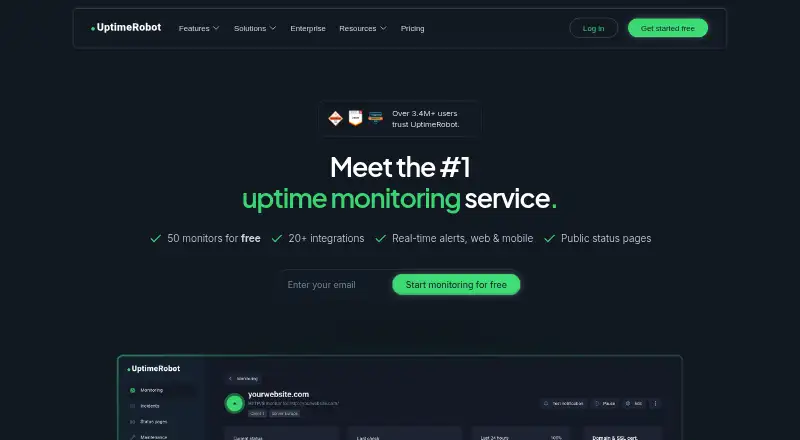
What UptimeRobot is
UptimeRobot monitors websites, servers, and other services for availability, with mobile apps for Android and iOS. Its free plan includes 50 monitors and checks every five minutes; paid plans can check every minute, and the listed Solo plan uses a 60-second interval. The free plan lists HTTP, port, ping, keyword, API, UDP, DNS, SSL, and domain monitoring. Alerts can go to email, SMS, voice calls, app push, collaboration tools, and webhooks, among other channels. UptimeRobot also supports branded real-time status pages with incident and maintenance updates, plus role-based team access. The company lists integrations with 20+ services, though the free plan is limited to five integrations. Free registration does not require a credit card. The pricing note says paid plans start at $12/mo with annual billing; the listed Solo plan is $9 a month when billed annually. Annual billing is stated to save about 15%, and new subscriptions and upgrades have a 14-day money-back guarantee. UptimeRobot is headquartered in Bratislava, Slovakia.
Who it suits
UptimeRobot suits individuals and teams monitoring websites, servers, and other services. The free plan is described as suitable for hobby and non-profit projects; paid plans include options for freelancers and teams.
What it does well
- Free plan includes 50 monitors.
- Paid plans can check services every minute.
- Supports branded status pages with incident updates.
- Role-based access lets teams manage permissions.
What to know first
- Free monitoring interval is five minutes.
- Free plan is limited to five integrations.
- Solo is $9 a month billed annually.
Limits
The Free plan has 50 monitors, five-minute checks, and five integrations. Solo lists 10 monitors and 60-second checks at $9 a month when billed annually.
Plans
| Plan | Billed and limits | Price |
|---|---|---|
| Free | billed monthly · 50 monitors · 5-minute monitoring interval · HTTP, port, ping, keyword, API, UDP, DNS, SSL, and domain monitoring · Basic status pages | Free |
| Solo | billed annually · 10 monitors · 60-second monitoring interval · All monitor types plus SSL and DNS · Three status pages and own domain | $9 a month |
| Team | billed annually · 100 monitors · 30-second monitoring interval · Three seats included · Webhook, Zapier, and PagerDuty | $35 a month |
| Scale | billed annually · 200 or 500 monitors · 15-second monitoring interval · Five seats included · Unlimited status pages | $65 a month |
| Enterprise | Let’s talk · Custom monitoring intervals · SSO, audit logs, SLA, and security review options · Custom invoicing | On request |
| SMS credits 10 | $3.00/one-time | $3, paid once |
As uptimerobot.com lists them, read 27 Sept 2026. The maker's own page has the final word.
Getting started
- Open the UptimeRobot website.
- Register for the Free plan without a credit card, or choose a paid plan.
- Add monitors using the available monitor types.
- Set alert destinations from the available channels.
- Use the Android or iOS app for mobile access.
UptimeRobot is a service-monitoring platform for websites, APIs, servers and other endpoints. It is best suited to site owners, freelancers and operations teams that need many monitor types and notification routes in one account. Its broad coverage is compelling, but faster checks, more monitors and collaboration are reserved for paid plans.
Overview
UptimeRobot monitors HTTP, ports, ping, keywords, APIs, UDP, DNS, SSL and domains, with server monitoring also supported. SSL-expiry alerts and keyword monitoring cover practical failure modes beyond simple reachability. Branded real-time status pages can publish incidents and maintenance updates, making the service useful for communicating outages as well as detecting them.
Alert delivery is unusually broad: email, SMS, voice call, email-to-SMS, mobile push, Slack, Microsoft Teams, Telegram, Discord, Google Chat, Mattermost, PagerDuty, Splunk On-Call, Pushbullet, Pushover, Zapier and webhooks are supported. UptimeRobot integrates with more than 20 services, although the free plan permits only five integrations. Role-based access supports permission control for teams. UptimeRobot says it is SOC 2 and GDPR compliant, and Stripe handles card payments under PCI Service Provider Level 1 certification.
Key features
- Monitor variety: The combination of web, network, API, DNS, SSL, domain and server checks suits mixed environments better than a single-purpose uptime checker.
- Intervals by plan: Free monitoring runs every five minutes; paid plans can check every minute, with Team reaching 30 seconds and Scale 15 seconds. Faster intervals matter when short outages or rapid incident response are costly.
- Status communication: Branded status pages provide a customer-facing place for live incidents and maintenance. The number of pages and custom-domain options depend on the plan.
- Mobile access: Android and iOS apps add mobile push alerts and access away from a desktop.
- Operational routing: Webhooks, Zapier and PagerDuty appear on Team, while the wider channel list can connect alerts to both lightweight and on-call workflows.
Pricing
UptimeRobot uses a freemium model. The Free plan costs nothing, requires no card and is aimed at hobby and non-profit projects. It includes 50 monitors, five-minute checks, the listed HTTP, port, ping, keyword, API, UDP, DNS, SSL and domain monitor types, and basic status pages. Its 50-monitor allowance is generous for a no-cost tier, but the slower interval and five-integration cap make it less suitable for production alerting.
Solo costs $9 a month when billed annually and targets freelancers and small sites. It provides 10 monitors, 60-second checks, all monitor types plus SSL and DNS, three status pages and your own domain. This is the practical entry point for faster detection, although its 10-monitor tier is far smaller than Free's monitor allowance. The general paid starting price is $12 per month on annual billing, and annual payment saves about 15%, so readers should confirm which paid tier and billing presentation apply to their account.
Team costs $35 a month, billed annually, for small production teams. It raises capacity to 100 monitors, checks every 30 seconds, includes three seats and adds webhook, Zapier and PagerDuty support. Scale costs $65 a month annually for high-volume self-service monitoring: 200 or 500 monitors, 15-second checks, five seats and unlimited status pages. Enterprise uses custom pricing and can provide custom intervals, SSO, audit logs, SLA and security-review options, plus custom invoicing. SMS credits are a separate $3.00 one-time purchase for 10 credits. New subscriptions and upgrades have a 14-day money-back guarantee; PayPal is unavailable for new subscriptions, while major cards and wire transfers are accepted.
Platforms
Mobile apps are available for Android and iOS. The service is primarily account-based, so teams can receive alerts and manage monitoring through supported web workflows and the mobile apps.
Who it's for
Choose UptimeRobot if you need one service to watch websites, APIs and infrastructure while sending alerts into several communication or on-call systems. Free is a strong fit for personal, hobby and non-profit monitoring where five-minute detection is acceptable. Solo suits a freelancer or small site that needs minute-level checks and a custom-domain status page. Team and Scale fit production operations that need shorter intervals, more monitors, seats and incident integrations. Enterprise is for organizations requiring procurement, compliance and identity controls. It is less attractive when you need more than five free integrations, very fast checks without a paid subscription, or a free tier with only a small number of monitored endpoints.
Pros and cons
- Pro: Nine monitor categories plus server, SSL and keyword monitoring cover diverse technical checks.
- Pro: Extensive alert channels, including webhooks and on-call services, fit established incident workflows.
- Pro: Free includes 50 monitors and no card requirement, lowering the barrier for small projects.
- Con: Free checks run only every five minutes and allow five integrations, limiting rapid response and workflow breadth.
- Con: Solo drops to a 10-monitor tier, so faster checks can require accepting less monitor capacity than Free.
- Con: Seats, shorter intervals and unlimited status pages appear only on higher-priced plans.
Alternatives
For API-focused monitoring, Site24x7 API Monitoring offers a free plan for up to 50 resources with instant downtime email alerts and apps across Android, iOS, Linux, macOS, web and Windows. APIContext is a better fit for API, MCP and HTTP testing with 10,000 tests per month on its free tier, but it excludes simulated browser journeys.
Dotcom-Monitor provides up to 25 targets, five-minute checks, two monitoring locations and email alerts on its free plan. Postman is the alternative when API client work, specifications, mock servers and collection running matter more than continuous uptime monitoring.
Tallwatch offers 10 monitors, 60-second checks from three regions, three team members, one custom-domain status page and email and Slack alerts for free. Watchlog suits users who need an agent, API check, custom events and log storage alongside basic monitoring. Checkly targets uptime plus browser and API checks, with 10 uptime monitors, 1,000 browser runs, 10,000 API runs and six locations in its Hobby plan. HostTracker is a simpler option with two free monitors and 30-minute checks.
For broader comparisons, browse API Monitoring Tools, Internet Performance Monitoring Software, Website Monitoring Software and Uptime Monitoring Software.
Verdict
UptimeRobot is a strong choice for anyone wanting broad endpoint coverage, many alert destinations and a clear path from free monitoring to team operations. Choose it when monitor variety and integrations matter more than a generous free check interval. Look elsewhere if five-minute free checks and five integrations are too restrictive, or if your priority is specialist API testing or browser-based journeys.
Verdict
UptimeRobot offers availability monitoring, multiple alert channels, and status pages, with a free tier and paid options. Compare the free plan’s check interval and integration limit with your monitoring needs.
Questions
Is UptimeRobot free?
Yes. The Free plan costs nothing and includes 50 monitors with five-minute monitoring intervals.
What does Solo cost?
Solo is listed at $9 a month when billed annually. Annual billing is stated to save about 15%.
Which platforms does UptimeRobot support?
Mobile apps are available for Android and iOS.
What alert channels are available?
Options include email, SMS, voice calls, mobile push, Slack, Microsoft Teams, Telegram, Discord, Google Chat, Mattermost, PagerDuty, Splunk On-Call, Pushbullet, Pushover, Zapier, and webhooks.
Does the free plan require a credit card?
No. Free registration does not require a credit card.
What payment methods are accepted?
UptimeRobot accepts major cards and wire transfers. PayPal is unavailable for new subscriptions.
Facts from UptimeRobot's own pages
- Alert channels
- Email, SMS, voice call, mobile push, Email-to-SMS and integrations are listed. · uptimerobot.com, 27 Sept 2026
- Annual savings
- Annual billing saves about 15%. · uptimerobot.com, 27 Sept 2026
- Check interval
- 1 minute · uptimerobot.com, 19 Sept 2026
- User count
- Over 3.4M users trust UptimeRobot. · uptimerobot.com, 27 Sept 2026
- Free integrations
- Free plan has only 5 integrations. · uptimerobot.com, 27 Sept 2026
- Free interval
- Free monitoring interval is 5 minutes. · uptimerobot.com, 27 Sept 2026
- Free monitors
- Free plan includes 50 monitors. · uptimerobot.com, 27 Sept 2026
- Free plan
- Yes · uptimerobot.com, 19 Sept 2026
- GDPR
- UptimeRobot says it is GDPR compliant. · uptimerobot.com, 27 Sept 2026
- Headquarters
- Bratislava, Slovakia · uptimerobot.com, 28 Sept 2026
- Integrations
- UptimeRobot integrates with 20+ services. · uptimerobot.com, 27 Sept 2026
- Keyword monitoring
- Yes · uptimerobot.com, 19 Sept 2026
- Mobile apps
- Mobile app is available for Android and iOS. · uptimerobot.com, 27 Sept 2026
- Money back
- 14-day money-back guarantee for new subscriptions and upgrades. · uptimerobot.com, 27 Sept 2026
- Monitoring locations
- 4 · uptimerobot.com, 19 Sept 2026
- Monitor limit
- 10 · uptimerobot.com, 19 Sept 2026
- No card
- Free registration does not require a credit card. · uptimerobot.com, 27 Sept 2026
- Paid interval
- Paid plans can check services every minute. · uptimerobot.com, 27 Sept 2026
- Payment methods
- Accepts major cards and wire transfers; PayPal unavailable for new subscriptions. · uptimerobot.com, 27 Sept 2026
- PCI payments
- Credit cards are handled on Stripe infrastructure with PCI Service Provider Level 1 certification. · uptimerobot.com, 27 Sept 2026
- Server monitoring
- Yes · uptimerobot.com, 19 Sept 2026
- SOC 2
- UptimeRobot says it is SOC 2 compliant. · uptimerobot.com, 27 Sept 2026
- SSL expiry alerts
- Yes · uptimerobot.com, 19 Sept 2026
- Paid from
- 12 · uptimerobot.com, 19 Sept 2026
Where UptimeRobot stands on Freedom251
- Uptime monitoring services#8 of 48
- Internet Performance Monitoring Software#12 of 30
- Uptime Monitoring Software#27 of 48
- Status Tracking#16 of 26
- Website Monitoring Software#34 of 55
- API Monitoring Tools#21 of 27