Freedom251 › Uptime monitoring services
Uptime Kuma
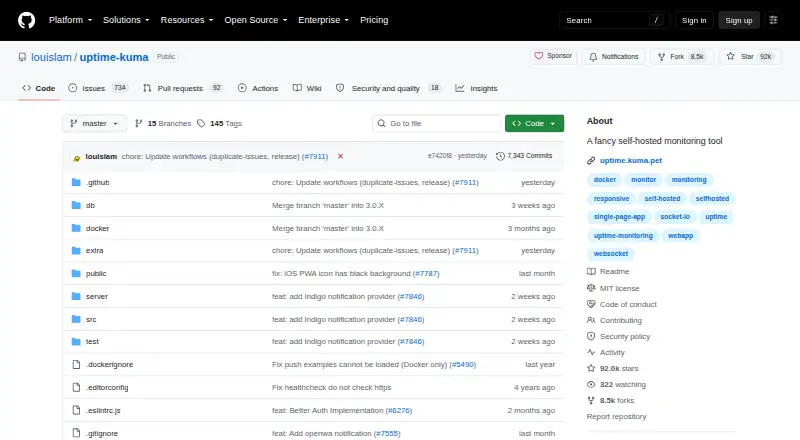
What Uptime Kuma is
Uptime Kuma is a free, self-hosted monitoring tool for checking services, servers and other endpoints. It can monitor HTTP(S), TCP, HTTP(S) keywords and JSON queries, WebSocket, ping, DNS records, push endpoints, Steam game servers and Docker containers. The README lists monitoring intervals of 20 seconds. Notifications can be sent through Telegram, Discord, Gotify, Slack, Pushover, SMTP email, Apprise and more than 90 services. Users can create multiple status pages and assign them to specific domains. Other listed features include ping charts, certificate information, proxy support, multiple languages and two-factor authentication. Installation guidance covers Docker Compose, Docker commands and non-Docker setups. For non-Docker installations, supported requirements include major Linux distributions and 64-bit Windows 10 or Windows Server 2012 R2 or higher. FreeBSD, OpenBSD, NetBSD, Replit and Heroku are marked unsupported. Network file systems such as NFS are not supported; the project advises using a local directory or volume. Uptime Kuma is licensed under MIT. The maintainer says general or technical support is not available by email and points users toward Google, GitHub Issues or the project subreddit.
Who it suits
Uptime Kuma suits people who can host and maintain their own monitoring setup on supported systems. It can monitor a range of services and send alerts through many listed notification channels.
What it does well
- Monitors services, DNS, Docker containers and more.
- Supports more than 90 notification services.
- Multiple status pages can map to specific domains.
- Installation instructions cover Docker and non-Docker setups.
- Includes two-factor authentication.
What to know first
- Network file systems such as NFS are unsupported.
- FreeBSD, OpenBSD, NetBSD, Replit and Heroku are unsupported.
- General or technical support by email is unavailable.
Limits
The free plan is listed as free, with no paid limits stated. Network file systems such as NFS are unsupported, and the listed unsupported systems include FreeBSD, OpenBSD, NetBSD, Replit, and Heroku.
Plans
| Plan | Billed and limits | Price |
|---|---|---|
| Uptime Kuma | Self-hosted monitoring tool · no paid limits stated | Free |
As github.com lists them, read 9 Oct 2026. The maker's own page has the final word.
Getting started
- Open the Uptime Kuma project website on GitHub.
- Choose Docker Compose, a Docker command, or a non-Docker installation route.
- For non-Docker installation, use a major Linux distribution or supported 64-bit Windows version.
- Store data in a local directory or volume rather than a network file system.
- Configure the checks, notification services, and status pages you need.
Verdict
Uptime Kuma provides broad self-hosted monitoring, alerting and status-page features under an MIT license. Check the supported operating systems and storage limitations before choosing a deployment.
Questions
How much does Uptime Kuma cost?
The Uptime Kuma plan is listed as free. Its pricing model is free.
Which monitoring checks does it support?
It monitors HTTP(S), TCP, keywords and JSON queries, WebSocket, ping, DNS records, push endpoints, Steam game servers, and Docker containers.
Where can I install Uptime Kuma?
It is listed for Linux, self-hosted use, web, and Windows. Non-Docker requirements include major Linux distributions and 64-bit Windows 10 or Windows Server 2012 R2 and later.
Which alert channels are supported?
Listed channels include Telegram, Discord, Gotify, Slack, Pushover, SMTP email, and Apprise. The project also lists support for more than 90 notification services.
Is Uptime Kuma open source?
The GitHub repository identifies its license as MIT.
Can I use NFS for storage?
No. The README says network file systems such as NFS are unsupported and advises using a local directory or volume.
Facts from Uptime Kuma's own pages
- Additional features
- The listed features include ping charts, certificate information, proxy support, multiple languages, and two-factor authentication. · github.com, 9 Oct 2026
- Alert channels
- Telegram,Discord,Gotify,Slack,Pushover,Email (SMTP),Apprise · github.com, 19 Sept 2026
- Check interval
- The README lists monitoring intervals of 20 seconds. · github.com, 9 Oct 2026
- Checks
- It monitors HTTP(S), TCP, HTTP(S) keywords and JSON queries, WebSocket, ping, DNS records, push endpoints, Steam game servers, and Docker containers. · github.com, 9 Oct 2026
- Deployment
- The README provides Docker Compose and Docker command installation instructions, as well as non-Docker installation instructions. · github.com, 9 Oct 2026
- Free plan
- Yes · github.com, 19 Sept 2026
- Keyword monitoring
- Yes · github.com, 19 Sept 2026
- License
- The GitHub repository identifies the project license as MIT. · github.com, 9 Oct 2026
- Notifications
- It supports notifications through Telegram, Discord, Gotify, Slack, Pushover, SMTP email, and more than 90 notification services. · github.com, 9 Oct 2026
- Purpose
- Uptime Kuma is an easy-to-use self-hosted monitoring tool. · github.com, 9 Oct 2026
- Security
- The project lists two-factor authentication and directs vulnerability reports to GitHub Security Advisories, accompanied by an empty security issue to alert the maintainer. · github.com, 9 Oct 2026
- Server monitoring
- Yes · github.com, 19 Sept 2026
- SSL expiry alerts
- Yes · github.com, 19 Sept 2026
- Status pages
- It supports multiple status pages and mapping status pages to specific domains. · github.com, 9 Oct 2026
- Storage limitation
- The README says network file systems such as NFS are not supported and advises using a local directory or volume. · github.com, 9 Oct 2026
- Support
- The README says the maintainer cannot provide general or technical support by email and recommends Google, GitHub Issues, or the project's subreddit. · github.com, 9 Oct 2026
- Supported Docker tags
- The security policy lists Docker tags 2, 2-slim, next, next-slim, 2-rootless, and 2-slim-rootless as supported, and marks several version 1 and legacy tags deprecated. · github.com, 9 Oct 2026
- Supported systems
- Non-Docker requirements list major Linux distributions and 64-bit Windows 10 or Windows Server 2012 R2 or higher; FreeBSD, OpenBSD, NetBSD, Replit, and Heroku are marked unsupported. · github.com, 9 Oct 2026
Where Uptime Kuma stands on Freedom251
- Uptime monitoring services#7 of 48
- Website Monitoring Software#19 of 55
- Uptime Monitoring Software#18 of 48
- Status Tracking#12 of 26