Freedom251 › API Monitoring Tools

APIContext
What APIContext is
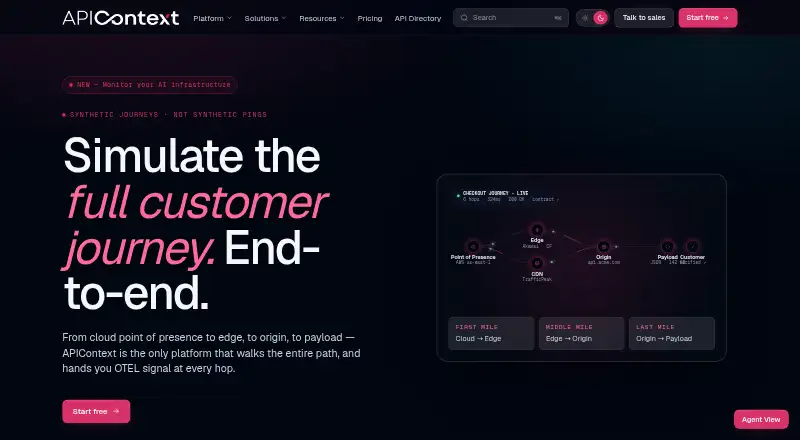
APIContext is a monitoring platform that checks reliability and whether live API behavior conforms to a contract. It makes authenticated calls on a continuous schedule and turns their results into monitoring signals. Its stated coverage includes REST and GraphQL APIs, browser-based web journeys, MCP servers, AI workflows, and third-party services, with checks from 125+ global locations. It compares API behavior with OpenAPI specifications and standards such as FAPI, and can alert when an endpoint drifts from its contract. The platform supports OpenTelemetry-compatible traces, metrics, logs, and events, which teams can route through webhooks and APIs. Listed destinations include Datadog, Dynatrace, Splunk, Grafana, PagerDuty, Slack, ServiceNow, and OpsGenie. Its security checks use real calls to validate OAuth, FAPI, JWT, mTLS, scopes, tokens, and protected-resource behavior. The free tier allows 10,000 monthly API, MCP, and HTTP tests, but excludes simulated browser journeys. Paid plans start at $29/mo (annual), and a 14-day trial is listed.
Who it suits
APIContext suits teams monitoring API reliability, contract conformance, and security behavior across services and regions. The free tier may fit API, MCP, and HTTP checks that do not require simulated browser journeys.
What it does well
- Checks APIs and other services from 125+ global locations
- Can alert on drift from OpenAPI or FAPI contracts
- Supports OpenTelemetry-compatible signals and listed destinations
- Free tier includes 10,000 monthly API, MCP, and HTTP tests
What to know first
- Free tier excludes simulated browser journeys
- Starter begins at $29 a month, billed annually
Limits
The free tier permits 10,000 monthly tests for API, MCP, and HTTP checks and excludes simulated browser journeys. Starter costs $29 a month billed annually and includes one project, five collaborators, 30,000 synthetic API calls monthly, three endpoints, five-minute uptime checks, three months of retention, and 14 regions.
Plans
| Plan | Billed and limits | Price |
|---|---|---|
| Free tier | Forever; no card required, no expiry · 10,000 tests/month · API, MCP, and HTTP tests only · no simulated browser journeys | Free |
| Starter | Billed annually · $348/yr · 1 project · 5 collaborators · 30,000 synthetic API calls/month · 3 endpoints · 5-minute uptime checks · 3 months data retention · 14 regions · email support | $29 a month |
| Pro | Billed annually · $5988/yr · Unlimited projects and collaborators · 500,000 synthetic API calls/month · 40 endpoints · 3-minute uptime checks · 12 months data retention · FAPI, FDX, and FHIR conformance · OTEL export · APM forwarding · 4-hour support response | $499 a month |
| Team | Billed annually · $1188/yr · Unlimited projects · 20 collaborators · 100,000 synthetic API calls/month · 10 endpoints · 5-minute uptime checks · 6 months data retention · OAS and Postman imports | $99 a month |
| Enterprise | Contact APIContext · 1,000,000 synthetic API calls/month · 100 endpoints · 60-second checks · 36 months data retention · SSO available as paid add-on · mTLS · FIPS 140 HSM · IP allowlisting · dedicated CSM · 99.99% SLA | On request |
As apicontext.com lists them, read 30 Sept 2026. The maker's own page has the final word.
Getting started
- Visit the APIContext website.
- Start with the free plan, which requires no card, or use the 14-day trial.
- Choose a paid plan if you need its listed project, collaborator, endpoint, or call allowances.
- Use the CLI downloads for Windows, macOS, or Linux if you want the command-line route.
Overview
APIContext is a monitoring platform for teams responsible for production APIs, authenticated services, and API contracts. It best suits organizations that need to validate both live behavior and conformance, rather than simply check whether an endpoint responds. Its combination of scheduled calls, contract checks, and security validation is compelling, but the paid tiers’ endpoint and usage ceilings matter as coverage grows.
Key features
APIContext makes real, authenticated calls on a continuous schedule and turns the results into monitoring signals. Coverage spans REST and GraphQL APIs, MCP servers, AI workflows, browser-based journeys, and third-party services across more than 125 global locations. That breadth suits teams watching dependencies and user-facing flows alongside their own APIs. The trade-off is that simulated browser journeys are absent from the free tier.
Contract checks compare API behavior with OpenAPI specifications and standards including FAPI, with alerts when an endpoint drifts from its contract. Security checks use real calls to validate production OAuth, FAPI, JWT, mTLS, scopes, tokens, and protected-resource behavior. These are meaningful strengths for teams with identity, conformance, or regulated-service concerns; they are less compelling for a buyer who needs only basic uptime alerts.
OpenTelemetry-compatible traces, metrics, logs, and events can be routed through webhooks and APIs. Destinations include Datadog, Dynatrace, Splunk, Grafana, PagerDuty, Slack, ServiceNow, and OpsGenie, which gives teams several established paths for forwarding signals and alerts. APIContext also supports encrypted key and certificate handling and produces audit traces for assessors, stakeholders, and regulators. Its compliance posture includes self-attested SOC 2 controls, GDPR, a DPA, and EU, UK, and US data residency.
Pricing
The Free tier costs nothing, billed Forever, requires no card, and does not expire. Its 10,000 monthly tests cover API, MCP, and HTTP checks only, with no simulated browser journeys. It is a useful way to start with a bounded workload, but the test cap and narrower coverage make it a limited choice for teams needing broader validation.
Starter costs $29 a month, billed annually at $348/yr. It allows 1 project, 5 collaborators, 30,000 synthetic API calls per month, and 3 endpoints, with 5-minute uptime checks, 3 months of data retention, 14 regions, and email support. This fits a small team with a tightly scoped API estate; the single project and three-endpoint cap can constrain expansion.
Team costs $99 a month, billed annually at $1188/yr. It raises capacity to unlimited projects, 20 collaborators, 100,000 synthetic API calls per month, and 10 endpoints, while retaining 5-minute checks and extending data retention to 6 months. OAS and Postman imports are included. It is the more suitable step up for teams juggling several projects, though the endpoint ceiling remains modest for broad portfolios.
Pro costs $499 a month, billed annually at $5988/yr. It includes unlimited projects and collaborators, 500,000 monthly synthetic API calls, 40 endpoints, 3-minute checks, and 12 months of retention. FAPI, FDX, and FHIR conformance, OTEL export, APM forwarding, and a 4-hour support response make it the clearest fit for teams with heavier conformance and telemetry needs. The substantial annual commitment and 40-endpoint limit are important trade-offs.
Enterprise has custom pricing and includes 1,000,000 monthly synthetic API calls, 100 endpoints, 60-second checks, and 36 months of retention. It adds mTLS, FIPS 140 HSM, IP allowlisting, a dedicated CSM, and a 99.99% SLA; SSO is a paid add-on. A 1-hour support response SLA is listed for Enterprise. This tier targets organizations needing tighter security controls and contractual service commitments, but SSO adds cost and pricing depends on contacting APIContext.
Platforms
APIContext supports Linux, macOS, web, and Windows. Its CLI has downloads for Windows, macOS, and Linux. Private locations and multi-region checks are supported, giving teams options beyond the service’s stated 125+ global locations.
Who it's for
APIContext is a strong fit for teams operating APIs where authentication, contract drift, or compliance evidence matters alongside availability. It is also relevant to teams routing telemetry into existing observability and incident destinations. Buyers who only need inexpensive basic uptime monitoring, or who need browser journeys without moving beyond the free tier, should look elsewhere.
Pros and cons
- Pros: Real authenticated checks combine availability signals with contract and production security validation, useful where an API can be reachable yet still behave incorrectly.
- Pros: OpenTelemetry-compatible signals and a range of listed alert destinations can fit into established monitoring and incident workflows.
- Pros: The free tier has no expiry or card requirement, and its 10,000 monthly tests provide a defined starting allowance.
- Cons: Free checks exclude simulated browser journeys, narrowing its value for teams that need to monitor user flows from the outset.
- Cons: Starter and Team cap endpoint counts at 3 and 10 respectively, so growing coverage may require a higher-priced tier.
- Cons: Paid plans are billed annually, making the listed monthly rates part of a yearly commitment.
Alternatives
For a broader API tooling focus, consider Postman: its free plan includes an API client and core tools, specs and mock servers, native Git, and Collection Runner. For monitoring with a clearly stated free allowance of up to 50 resources and instant downtime email alerts, Site24x7 API Monitoring is an alternative to compare. Dotcom-Monitor offers a free plan with up to 25 targets, monitoring as frequently as every 5 minutes, two locations, and email alerts. Tallwatch may suit a smaller monitoring setup: its free plan includes 10 monitors, 60-second checks from three regions, up to three team members, and email and Slack alerts.
UptimeRobot, Watchlog, HostTracker, and ObserveOne API Monitoring are also alternatives to compare.
Explore more options in API Monitoring Tools.
Verdict
Choose APIContext if your team needs scheduled, authenticated API checks together with contract conformance, security validation, and telemetry routing. Its strongest case is the breadth of validation around production APIs, not low-cost uptime monitoring. Look elsewhere if browser journeys must be included at no cost or your endpoint needs will outgrow the lower tiers quickly.
Verdict
APIContext combines scheduled checks with contract, telemetry, and security validation. Its free tier has a defined test allowance and does not include simulated browser journeys.
Questions
Is APIContext free?
Yes. The Free tier costs nothing, is billed Forever, requires no card, and has no expiry. It allows 10,000 tests per month for API, MCP, and HTTP checks.
What does APIContext cost beyond the free plan?
Starter costs $29 a month, billed annually at $348/yr. Team is $99 a month billed annually at $1188/yr, and Pro is $499 a month billed annually at $5988/yr.
Does APIContext offer a trial?
Yes. A 14-day trial is listed.
Which platforms does APIContext support?
The listed platforms are Linux, macOS, web, and Windows. CLI downloads are available for Windows, macOS, and Linux.
Which services and integrations can it monitor or notify?
Coverage includes REST and GraphQL APIs, browser-based web journeys, MCP servers, AI workflows, and third-party services. Listed destinations include Datadog, Dynatrace, Splunk, Grafana, PagerDuty, Slack, ServiceNow, and OpsGenie.
Facts from APIContext's own pages
- CLI platforms
- The APIContext CLI documentation provides downloads for Windows, macOS, and Linux. · docs.apicontext.com, 30 Sept 2026
- Compliance
- The pricing page describes SOC 2 controls as self-attested and lists GDPR plus DPA and EU, UK, and US data residency. · apicontext.com, 30 Sept 2026
- Conformance
- The platform checks API behavior against OpenAPI specifications and standards including FAPI, and can alert when an endpoint drifts from its contract. · apicontext.com, 30 Sept 2026
- Coverage
- APIContext says it monitors REST and GraphQL APIs, browser-based web journeys, MCP servers, AI workflows, and third-party services from 125+ global locations. · apicontext.com, 30 Sept 2026
- Free-tier limit
- The free tier is limited to 10,000 monthly tests for API, MCP, and HTTP checks and excludes simulated browser journeys. · apicontext.com, 30 Sept 2026
- Headquarters
- An APIContext press release announcing the company’s formation identifies Seattle, Washington as its location. · apicontext.com, 30 Sept 2026
- Integrations
- The product overview lists Datadog, Dynatrace, Splunk, Grafana, PagerDuty, Slack, ServiceNow, and OpsGenie as signal or alert destinations. · apicontext.com, 30 Sept 2026
- Product
- APIContext describes itself as a monitoring platform combining outside-in reliability testing with runtime conformance validation. · apicontext.com, 30 Sept 2026
- Security checks
- APIContext says it validates production OAuth, FAPI, JWT, mTLS, scopes, tokens, and protected-resource behavior using real calls. · apicontext.com, 30 Sept 2026
- Security handling
- The security page says APIContext supports encrypted key and certificate handling and generates audit traces for assessors, stakeholders, and regulators. · apicontext.com, 30 Sept 2026
- Support
- The pricing page lists email support for Starter, a 4-hour response for Pro, and a 1-hour response SLA for Enterprise. · apicontext.com, 30 Sept 2026
- Synthetic monitoring
- The service makes real, authenticated calls on a continuous schedule and turns results into monitoring signals. · apicontext.com, 30 Sept 2026
- Telemetry
- APIContext supports OpenTelemetry-compatible traces, metrics, logs, and events, and says teams can route signals through webhooks and APIs. · apicontext.com, 30 Sept 2026
Where APIContext stands on Freedom251
- API Monitoring Tools#1 of 27