Freedom251 › API Monitoring Tools

ObserveOne API Monitoring
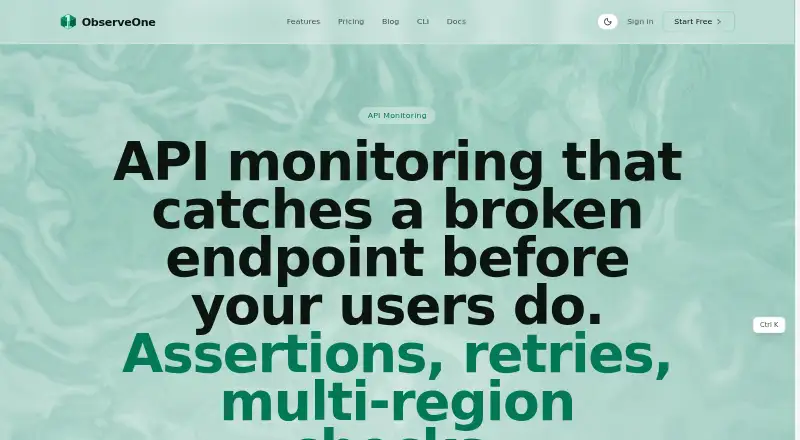
What ObserveOne API Monitoring is
ObserveOne API Monitoring runs saved HTTP requests on demand or on a schedule, then checks the responses against assertions. Those assertions can cover status codes, response times, JSON path values, headers, and response-body text. Checks support scheduled retries, configurable timeouts, and execution from selected regions. Authentication options include Bearer, Basic, API-key, and OAuth2 client-credentials methods through vault references. Each check has a write-only secrets vault; stored monitoring secrets are encrypted with authenticated AES-256-GCM, while check results remain readable. Alerts can be sent to email, Slack, Discord, Microsoft Teams, Telegram, SMS, or webhooks. Users can manage monitoring through a web dashboard, CLI, MCP server, or REST API. GitHub can trigger runs on pushes and post status checks and comments on pull requests; the Netlify extension runs selected suites after successful deployments. The open-source oo-workers engine can be self-hosted with Docker Compose. The Free plan costs nothing and allows one saved check, with URL monitors no more frequent than every two hours. Paid plans start at $6/mo billed annually.
Who it suits
It suits engineering teams that need API monitoring alongside synthetic and agentic QA workflows. Teams that want to self-host can use the open-source oo-workers engine with Docker Compose.
What it does well
- Assertions cover status, timing, JSON paths, headers, and body text.
- Checks can run from selected regions with scheduled retries.
- Write-only vault and encrypted storage protect monitoring secrets.
- Alerts include email, chat apps, SMS, and webhooks.
- GitHub and Netlify integrations support automated runs.
What to know first
- Free URL monitors have a two-hour minimum interval.
- Free plan allows one saved check.
- Cloud TCP, UDP, and database targets must be publicly reachable.
- Paid plans start at $6/mo billed annually.
Limits
The Free plan includes one saved check and 10 monitors every two hours, with a two-hour minimum interval for URL monitors. Starter costs $6 a month billed annually and includes three saved checks and 25 monitors every five minutes.
Plans
| Plan | Billed and limits | Price |
|---|---|---|
| Free | 10 AI verifications/month · 1 saved check · 1 user · 30-day history · 10 monitors every 2h · PASS/FAIL verdict + video | Free |
| Essential | annually · 80 AI verifications/month · 15 saved checks · 1 user · 90-day history · 50 monitors every 60s · PR-preview verification · Email + Slack alerts | $24 a month |
| Starter | annually · 25 AI verifications/month · 3 saved checks · 1 user · 90-day history · 25 monitors every 5m · Email + Slack alerts | $6 a month |
| Small Team | annually · 200 AI verifications/month · 100 saved checks · 10 users · 180-day history · 500 monitors every 30s · PR-preview verification · Multi-channel alerts | $85 a month |
As observeone.com lists them, read 30 Sept 2026. The maker's own page has the final word.
Getting started
- Open the API Monitoring website.
- Choose the Free plan or a paid plan.
- Save an HTTP request and configure its assertions.
- Set a schedule, retry behavior, timeout, or execution regions.
- Choose alert destinations or connect through the CLI, MCP server, REST API, GitHub, or Netlify.
Verdict
ObserveOne combines configurable API checks with multiple alert destinations, automation interfaces, and self-hosting options. Check the Free plan's interval and saved-check limits, and confirm that cloud check targets are publicly reachable where required.
Questions
Is there a free plan?
Yes. Free includes 10 AI verifications per month, one saved check, one user, 30-day history, and 10 monitors every two hours.
How much does Starter cost?
Starter costs $6 a month, billed annually.
Which platforms does it support?
The listed platforms are API, extension, self-hosted, and web.
Can ObserveOne be self-hosted?
Yes. The open-source oo-workers engine runs with Docker Compose on your own infrastructure.
Which alert destinations are available?
Alerts can go to email, Slack, Discord, Microsoft Teams, Telegram, SMS, and webhooks.
What is the public reachability requirement?
Cloud TCP, UDP, and database checks require targets to be reachable on the public internet.
Facts from ObserveOne API Monitoring's own pages
- Alert channels
- Alert destinations include email, Slack, Discord, Microsoft Teams, Telegram, SMS, and webhooks. · observeone.com, 30 Sept 2026
- API checks
- An API check is a saved HTTP request with assertions that ObserveOne runs on demand or on a schedule. · observeone.com, 30 Sept 2026
- Assertions
- API checks can assert status code, response time, JSON path values, headers, and response-body substrings. · observeone.com, 30 Sept 2026
- Audience
- ObserveOne describes itself as agentic QA and synthetic monitoring for engineering teams. · observeone.com, 30 Sept 2026
- Authentication
- API checks support Bearer, Basic, API-key, and OAuth2 client-credentials authentication using vault references. · observeone.com, 30 Sept 2026
- Automation interfaces
- The product provides a web dashboard, an obs CLI, an MCP server, and a REST API. · observeone.com, 30 Sept 2026
- CI integration
- The GitHub App can trigger Autopilot runs on pushes and post status checks and comments on pull requests, with generic webhooks also supported. · observeone.com, 30 Sept 2026
- Encryption
- ObserveOne encrypts stored monitoring secrets with authenticated AES-256-GCM while check results remain readable. · observeone.com, 30 Sept 2026
- Free frequency limit
- The Free plan has a two-hour minimum check interval for URL monitors. · observeone.com, 30 Sept 2026
- Netlify integration
- The Netlify extension runs selected Autopilot suites automatically on successful deploys and supports production, deploy-preview, and branch-deploy contexts. · observeone.com, 30 Sept 2026
- Public reachability limit
- Cloud TCP, UDP, and database checks require targets to be reachable on the public internet. · observeone.com, 30 Sept 2026
- Retries and regions
- Checks support scheduled retries and execution from multiple selected regions with configurable request timeouts. · observeone.com, 30 Sept 2026
- Secrets vault
- The per-check secrets vault is write-only, and secret values do not appear in saved checks, send-now output, or exports. · observeone.com, 30 Sept 2026
- Self-hosting
- The open-source oo-workers engine runs with Docker Compose on your own infrastructure and includes API checks, browser tests, protocol probes, databases, TLS checks, and heartbeats. · observeone.com, 30 Sept 2026
- Support
- The About page directs users to support at [email protected]. · observeone.com, 30 Sept 2026
Where ObserveOne API Monitoring stands on Freedom251
- API Monitoring Tools#6 of 27