Freedom251 › AI image generators

InvokeAI
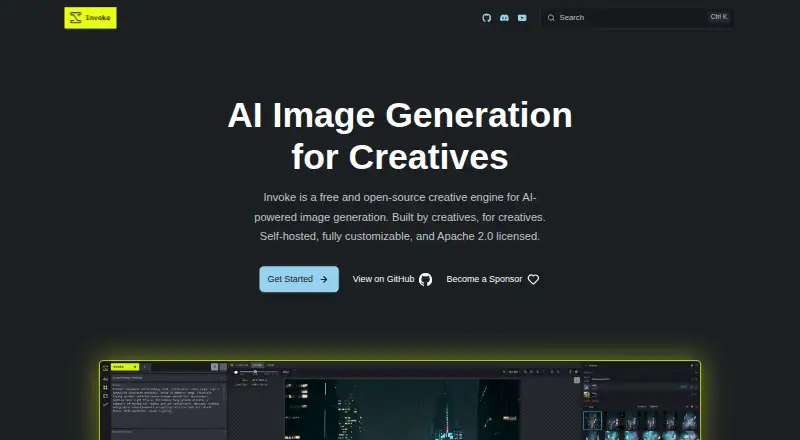
What InvokeAI is
InvokeAI is a free, open-source creative engine for AI-powered image generation. It runs locally on the user’s hardware and provides a layer-based canvas for drawing, painting, sketching and editing images. A visual node editor lets users assemble repeatable generation workflows. Listed model support includes Flux, SDXL and SD 1.5, while the Model Manager handles checkpoints, LoRAs, Textual Inversions and ControlNets. Other tools include ControlNet guidance, batch generation, prompt wildcards and high-resolution upscaling. InvokeAI offers API access and PNG output. External model integrations include Google Gemini, OpenAI, BytePlus Seedream and Alibaba Cloud DashScope, with usage billed by the provider; those external providers do not currently support inpainting. The project says local use keeps data, prompts and creations under the user’s control. Hosted GPU options are linked through AI Badgr, RunPod and Railway. The software is licensed under Apache 2.0. The former Invoke.ai hosted platform has shut down, while the open-source project continues under community stewardship.
Who it suits
InvokeAI suits people who want local image generation with canvas editing, model management and repeatable workflows. Its API and hosted GPU links may also be relevant to users seeking those access options.
What it does well
- Free and open-source under Apache 2.0.
- Canvas supports drawing, painting, sketching and image editing.
- Lists Flux, SDXL and SD 1.5 support.
- Includes batch generation and high-resolution upscaling.
What to know first
- External providers do not currently support inpainting.
- External model usage is billed by the provider.
- The former Invoke.ai hosted platform has shut down.
- The software has not undergone a rigorous security audit or intrusion testing.
Plans
| Plan | Billed and limits | Price |
|---|---|---|
| InvokeAI | Free and open-source · self-hosted · Apache 2.0 licensed | Free |
As invoke.ai lists them, read 9 Oct 2026. The maker's own page has the final word.
Getting started
- Visit the InvokeAI website and download the software.
- Choose a supported platform: Linux, macOS, Windows, or self-hosted use.
- Run it locally on your hardware, or choose a linked hosted GPU option.
- Use the Model Manager to work with checkpoints, LoRAs, Textual Inversions, or ControlNets.
- For help, use the project FAQ, documentation, Discord community, or GitHub Issues.
InvokeAI is a free, open-source engine for generating and editing images with AI, designed to run on your own hardware. It suits artists and technical users who want control over models and repeatable workflows. Its strongest case is local creative control; its trade-offs are setup responsibility and a stated security-audit gap.
Overview
InvokeAI combines text-to-image generation and reference-image input with image editing, a layer-based canvas, and a visual node editor. The canvas supports drawing, painting, sketching, and editing, while workflows can make complex generation processes repeatable. That breadth is useful for people building a creative process, not just seeking a one-click image generator.
It runs locally, and Invoke says data, prompts, and creations stay under the user’s control. That is a meaningful distinction for users who prefer keeping work on their own hardware, but it also means they are responsible for running the software and their machine. The former hosted Invoke.ai platform has shut down; the open-source project continues under community stewardship.
Key features
The Model Manager supports checkpoints, LoRAs, Textual Inversions, and ControlNets, and the site names Flux, SDXL, and SD 1.5 among supported models. ControlNet guidance, batch generation, prompt wildcards, and high-resolution upscaling add useful controls for users who need more than basic prompting. API access and PNG output support integration and a defined export format.
External integrations include Google Gemini, OpenAI, BytePlus Seedream, and Alibaba Cloud DashScope. Their usage is billed by each provider, so the free, self-hosted core does not make every generation free. Inpainting is not supported by any external provider, a practical constraint for users relying on those integrations for image repair.
Invoke is Apache 2.0-licensed and free and open-source. Its administrator guide says it has not undergone rigorous security auditing or intrusion testing. Organizations handling sensitive work should weigh local control against that stated security caveat rather than treating self-hosting as a security guarantee.
Pricing
| Plan | Price | What it includes |
|---|---|---|
| InvokeAI | free | Free and open-source, self-hosted, Apache 2.0 licensed |
The plan is a good fit for users prepared to run the software themselves and manage their own hardware. There is no paid hosted Invoke.ai plan to choose instead: the former hosted platform has shut down. Hosted GPU options are linked through AI Badgr, RunPod, and Railway, while external model use brings separate provider charges.
Platforms
InvokeAI is available for Linux, macOS, and Windows, as well as self-hosted use and API access. Users seeking a managed web or mobile app should look elsewhere; the project’s linked hosted GPU options are separate services, not the discontinued Invoke.ai hosted platform.
Who it's for
Choose InvokeAI if you want a locally run image-generation environment with model management, editing tools, and repeatable visual workflows, and you are comfortable taking responsibility for setup and hardware. It is less suitable if you need a managed service, expect every model call to be free, or require external-provider inpainting. Invoke points users to its FAQ, Discord community, documentation, and GitHub Issues for help.
Pros and cons
- Pro: Local execution keeps data, prompts, and creations under the user’s control, according to Invoke.
- Pro: A layer-based canvas and node editor serve both direct image editing and repeatable workflow building.
- Pro: Model management and tools such as ControlNet guidance, batch generation, and upscaling give users substantial creative control.
- Con: Self-hosting shifts setup and hardware responsibility to the user, and the former hosted platform is no longer available.
- Con: External model integrations incur provider billing and do not support inpainting.
- Con: The stated absence of rigorous security auditing or intrusion testing is a concern for security-sensitive deployments.
Alternatives
For a broader directory of options, browse AI Art Generators or AI image generators.
Adobe Firefly is worth considering if you want a freemium option across Android, iOS, web, and API; its free plan has limited daily generations. FLUX is another freemium choice across web and self-hosted platforms, with a listed FLUX.2 [max] price of $0.07 a month and additional charges for megapixels and reference images. starryai suits users looking for Android, iOS, macOS, or web access and a free allowance of 25 images daily.
Dream by WOMBO offers Android, iOS, web, and API access, with a free plan and a Dream Premium (Monthly) plan at $9.99 a month. SeaArt AI is a freemium mobile and web alternative whose free plan includes 130 Stamina per day and two simultaneous tasks. Vizcom is a free-plan option for macOS, web, and Windows users; its Starter plan includes 800 credits and basic AI creation tools.
Craiyon is a web-based freemium alternative. Deep Dream Generator is another web-based option, with a free image-generation plan and a Basic plan at $9 a month.
Verdict
InvokeAI is best for creators who want a free, locally controlled image-generation toolkit with editing, model management, and workflow-building tools. Its main reason to choose is the combination of local control and creative flexibility; its main reason to look elsewhere is the responsibility of self-hosting, compounded by the absence of rigorous security testing and the separate cost of external model usage.
Verdict
InvokeAI offers local image generation with editing and workflow tools, plus optional external model integrations. Users considering those integrations should note provider billing and the stated inpainting limit.
Questions
Does InvokeAI have a free plan?
Yes. InvokeAI is listed as free and is free and open-source under Apache 2.0.
Can I use InvokeAI on my own hardware?
Yes. It runs locally on the user’s hardware, and the project says data, prompts, and creations remain under the user’s control.
Which platforms are listed?
The listed platforms are API, Linux, macOS, self-hosted, and Windows.
Can I use external model providers?
Integrations include Google Gemini, OpenAI, BytePlus Seedream, and Alibaba Cloud DashScope. Usage is billed by the provider.
Is inpainting available through external providers?
No. Inpainting is not currently supported by any external provider.
Is there a hosted Invoke.ai service?
The former Invoke.ai hosted platform has shut down. The open-source project continues under community stewardship.
Facts from InvokeAI's own pages
- API access
- Yes · invoke.ai, 20 Sept 2026
- Canvas
- Its layer-based canvas supports drawing, painting, sketching, and editing images. · invoke.ai, 9 Oct 2026
- External model limit
- Inpainting is not currently supported by any external provider. · invoke.ai, 9 Oct 2026
- External providers
- External model integrations include Google Gemini, OpenAI, BytePlus Seedream, and Alibaba Cloud DashScope; usage is billed by the provider. · invoke.ai, 9 Oct 2026
- Free plan
- Yes · invoke.ai, 20 Sept 2026
- Generation tools
- Features listed include ControlNet guidance, batch generation, prompt wildcards, and high-resolution upscaling. · invoke.ai, 9 Oct 2026
- Hosted options
- The download page links to hosted GPU options on AI Badgr, RunPod, and Railway. · invoke.ai, 9 Oct 2026
- Hosted service status
- The former Invoke.ai hosted platform has shut down, while the open-source project continues under community stewardship. · invoke.ai, 9 Oct 2026
- Image editing
- Yes · invoke.ai, 20 Sept 2026
- License
- Invoke is free and open-source under the Apache 2.0 license. · invoke.ai, 9 Oct 2026
- Models
- The site lists support for Flux, SDXL, SD 1.5, and other models, with a Model Manager for checkpoints, LoRAs, Textual Inversions, and ControlNets. · invoke.ai, 9 Oct 2026
- Output formats
- PNG · invoke.ai, 20 Sept 2026
- Platforms
- Download options are listed for Windows, macOS, and Linux; the page specifies Windows 10 or later, Apple Silicon for macOS, and an NVIDIA or AMD GPU for Windows and Linux. · invoke.ai, 9 Oct 2026
- Privacy
- Invoke runs locally on the user’s hardware, and its site says data, prompts, and creations remain under the user’s control. · invoke.ai, 9 Oct 2026
- Purpose
- Invoke is a creative engine for AI-powered image generation. · invoke.ai, 9 Oct 2026
- Reference images
- Yes · invoke.ai, 20 Sept 2026
- Security
- The administrator guide says the software has not undergone a rigorous security audit or intrusion testing. · invoke.ai, 9 Oct 2026
- Support
- The project points users to its FAQ, Discord community, documentation, and GitHub Issues for help. · invoke.ai, 9 Oct 2026
- Text-to-image
- Yes · invoke.ai, 20 Sept 2026
- Workflows
- A visual node editor lets users build complex, repeatable image-generation workflows. · invoke.ai, 9 Oct 2026
Where InvokeAI stands on Freedom251
- AI image generators#13 of 124
- Image Generator#4 of 26
- Art Generator#8 of 29
- AI Art Generators#8 of 28
- AI Image-to-Image Generators#8 of 18