Freedom251 › AI image generators

starryai
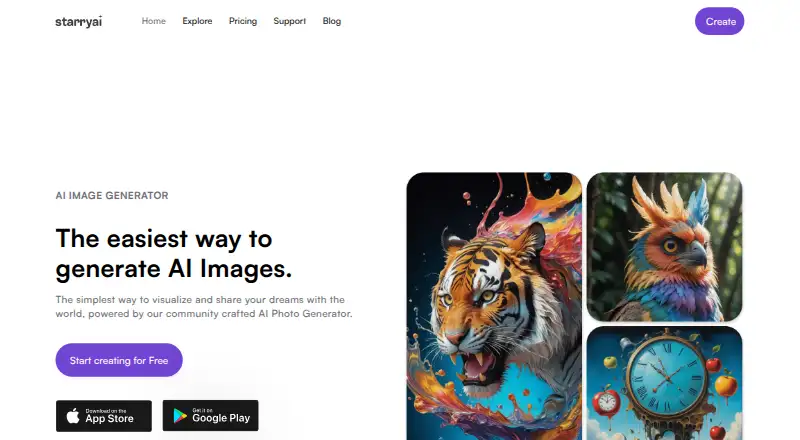
What starryai is
starryai creates AI-generated art from text prompts, emojis, and uploaded images. It supports text-to-image generation, reference images, and image editing, so a creator can begin with a prompt or image and then work with the result. Its listed tools include image reimagining, enhancement, upscaling, and background removal. The service offers more than 1,000 styles, with a library of styles and models to choose from, and its help center explains how to create, train, publish, and manage custom AI styles.
starryai is available on the web and on iOS and Android, with macOS also listed as a platform. New accounts receive 5 lumens, described as enough for 25 AI images, and the site advertises daily free images without watermarks. It also lists 200 monthly credits. Commercial use is included: starryai says creators own their images and may use their creations under its license. Users can publish images to a profile and share them with the starryai community. The service follows a freemium model, with a Free plan at no cost. Other named plans and packs include Starter Pro Weekly, Unlimited Pro, month-long Pro options, and two 40 Lumens options.
Who it suits
starryai suits people who want to make AI art from prompts, emojis, or image references across web and mobile platforms. It also fits creators who want image editing tools, custom styles, and included commercial use.
What it does well
- Creates art from text prompts, emojis, and uploaded images.
- Supports reference images and image editing.
- Offers more than 1,000 styles and custom style guidance.
- Includes commercial use of created images.
- Available on web, macOS, iOS, and Android.
What to know first
- The Free plan allowance is 25 images daily.
- Prices are not given for the named paid plans and packs.
Limits
The Free plan is listed as free and provides 25 images daily. New accounts receive 5 lumens, which the site equates to 25 AI images; 200 monthly credits are also listed.
Plans
| Plan | Billed and limits | Price |
|---|---|---|
| Free | 25 images daily | Free |
| Starter Pro Weekly | — | On request |
| Unlimited Pro | — | On request |
| starryai 1 Month Pro | — | On request |
| starryai 1 Month Unlimited Pro | — | On request |
| 40 Lumens Premium | 40 Lumens | On request |
| 40 Lumens Pack | 40 Lumens | On request |
As starryai.com lists them, read 20 Sept 2026. The maker's own page has the final word.
Getting started
- Visit https://starryai.com/.
- Choose the web service or a listed platform: macOS, iOS, or Android.
- Start with the Free plan; new accounts receive 5 lumens, described as 25 AI images.
starryai is a generative art tool for people who want to shape images with prompts, references, and editing controls. Its daily free images make it approachable for occasional creation, while the paid plan names and costs leave the upgrade decision hard to weigh.
Overview
Text prompts, emojis, and uploaded images can all start a creation. That mix gives users more direction than text alone, and the library of more than 1,000 styles and models offers room to explore different looks. The breadth will suit experimentation; creators with a narrowly defined visual workflow may find the range less useful than a focused tool.
After generation, starryai offers reimagining, enhancement, upscaling, and background removal. These tools make it more useful for refining an image than a generator that stops at the first result. Users can also publish work to a profile and share it with the community, while custom style guidance covers creating, training, publishing, and managing styles.
Key features
- Prompt and reference generation: Create from text, emojis, or uploaded images. Reference images help users guide results with existing visual material.
- Image editing: Reimagine, enhance, upscale, or remove a background. This is a useful set of follow-up tools for creators who want to refine generated images in the same product.
- Style selection and custom styles: Choose from more than 1,000 styles and a library of models, or use the help center's guidance to train and manage a custom style.
- Commercial use: The company says creators own their images and may use their creations. That makes starryai a plausible option for work intended for commercial use.
- Community sharing: Publish creations to a profile and share them with other users. This suits creators who want to show work within the service.
Pricing
The Free plan costs nothing and provides 25 images daily. New accounts receive 5 lumens, which starryai equates to 25 AI images, and the service advertises daily free images without watermarks. That is a practical starting point for occasional use, though users who create frequently may need a paid plan or lumens pack.
| Plan | What it offers | Price |
|---|---|---|
| Free | 25 images daily | free |
| Starter Pro Weekly | Pro plan | Custom pricing |
| Unlimited Pro | Unlimited Pro plan | Custom pricing |
| starryai 1 Month Pro | Pro plan | Custom pricing |
| starryai 1 Month Unlimited Pro | Unlimited Pro plan | Custom pricing |
| 40 Lumens Premium | 40 lumens | Custom pricing |
| 40 Lumens Pack | 40 lumens | Custom pricing |
The free tier is the clearest fit for light use: it sets a daily allowance but carries no stated subscription cost. Pro, Unlimited Pro, and the 40-lumen options have custom pricing, so users cannot compare their cost against the free allowance from these plan names alone. A monthly credit figure of 200 is given, but its relationship to the named plans is unclear; it is not enough to estimate how many images a paid plan supports.
Platforms
starryai is offered on the web, Android, iOS, and macOS. That range suits users who want access across mobile and desktop. The product centers on prompts and generated images, with no named integrations with other design software or platforms.
Who it's for
starryai fits people who want to make AI art without coding, especially those who want to combine prompts with reference images and refine results with built-in editing tools. The free daily allowance suits casual exploration, and commercial-use rights may appeal to creators preparing work for use beyond the service. It is less compelling for users who need a clearly priced paid quota or a workflow tied to other design software.
Pros and cons
- Pro: Text, emoji, and reference-image inputs give creators several ways to direct generation.
- Pro: Reimagining, enhancement, upscaling, and background removal support image refinement after generation.
- Pro: The free plan advertises 25 daily images without watermarks, providing a useful allowance for casual use.
- Pro: The company says creators own their images and can use them commercially.
- Con: The named Pro plans and lumens packs have custom pricing, making it difficult to judge the cost of regular use.
- Con: A monthly credit figure of 200 is provided without a clear link to the named plans or an image quota.
Alternatives
Adobe Firefly is worth considering for users who want a freemium image tool with a free plan and support across Android, iOS, web, and API; its Free plan has limited daily generations.
FLUX may suit users looking for a web, desktop, API, or self-hosted option. Its FLUX.2 [max] plan is priced at $0.07 a month, with additional charges for megapixels and reference images and a 4 MP output maximum.
Dream by WOMBO is another freemium choice for people who want Android, iOS, web, or API access; its Dream Premium (Monthly) plan costs $9.99 a month.
InvokeAI suits users who want free, open-source, self-hosted software under the Apache 2.0 license, with support for Linux, macOS, and Windows.
SeaArt AI is a freemium alternative with Android, iOS, web, and API access; its free plan includes 130 stamina per day and two simultaneous tasks.
Vizcom may be a better fit for users who want a free starter plan with 800 credits, basic AI creation tools, standard render speeds, unlimited file viewers, and community support, on macOS, web, or Windows.
Craiyon is another freemium, web-based option for users comparing image-generation tools.
Deep Dream Generator is a web-based freemium alternative whose Free plan includes image generation and energy and storage based on user level.
For broader comparisons, browse AI Art Generators and AI image generators.
Verdict
Choose starryai if you want prompt-based art generation with reference images, practical editing tools, and commercial use across web and mobile. Its daily free images make it a good place to explore, but frequent creators should compare alternatives if they need transparent paid pricing and a clear quota before committing.
Verdict
Choose starryai if you want prompt-based image generation with reference images, editing tools, and commercial use across web and mobile. Its Free plan provides a daily image allowance, while the prices for its other named plans and packs are not given.
Questions
Is starryai free?
Yes. The Free plan is listed as free, with 25 images daily.
Which platforms support starryai?
The listed platforms are web, macOS, iOS, and Android.
Can I use images commercially?
Commercial use is included. starryai says creators own their images and may use their creations under its license.
Can I use a reference image or edit an image?
Yes. starryai lists reference images and image editing, along with reimagining, enhancement, upscaling, and background removal tools.
What paid plans are available?
Named options include Starter Pro Weekly, Unlimited Pro, two month-long Pro plans, and two 40 Lumens options. Prices are not given for these options.
Facts from starryai's own pages
- Commercial rights
- The site says creators own the images they make, and its license says creations are free for the creator to use. · starryai.com, 8 Oct 2026
- Commercial use
- included · starryai.com, 20 Sept 2026
- Community features
- Users can publish creations to a starryai profile and share their art with the online community. · starryai.com, 8 Oct 2026
- Custom styles
- The help center provides guidance for creating, training, publishing, and managing custom AI styles. · faq.starryai.com, 8 Oct 2026
- Data processors
- The privacy policy names AWS, Cloudflare, Google Cloud, OpenAI, Replicate, Mixpanel, AppsFlyer, Intercom, and Stripe as service providers that may process personal information. · starryai.com, 8 Oct 2026
- Free allowance
- New accounts receive 5 lumens, which the site equates to 25 AI images, and the site advertises daily free images without watermarks. · starryai.com, 8 Oct 2026
- Free plan
- Yes · starryai.com, 20 Sept 2026
- Image editing
- Yes · starryai.com, 20 Sept 2026
- Image tools
- The site lists image reimagining, enhancement, upscaling, and background removal among its tools. · starryai.com, 8 Oct 2026
- Integrations
- The opened design page describes text prompts and generated images but does not name integrations with other design software or platforms. · starryai.com, 8 Oct 2026
- Mobile and web
- starryai is offered as a web tool and mobile apps for iOS and Android. · starryai.com, 8 Oct 2026
- Monthly credits
- 200 · starryai.com, 20 Sept 2026
- Privacy and face data
- The privacy policy says face-related features require explicit permission and that face data is not sold or used for identification or advertising profiling. · starryai.com, 8 Oct 2026
- Reference images
- Yes · starryai.com, 20 Sept 2026
- Security
- The privacy policy says personal information is protected using commercially acceptable means and notes that no electronic transmission or storage method is completely secure. · starryai.com, 8 Oct 2026
- Styles
- The site says users can create in more than 1,000 styles and choose from a library of styles and models. · starryai.com, 8 Oct 2026
- Support
- The site lists [email protected] as its contact email and links to a help center. · starryai.com, 8 Oct 2026
- Text-to-image
- Yes · starryai.com, 20 Sept 2026
- What it does
- starryai turns text prompts, emojis, and uploaded images into AI generated art. · starryai.com, 8 Oct 2026
- Who it serves
- The company says its founder aimed to make AI art accessible to non-coders through simple text prompts on web and mobile. · starryai.com, 8 Oct 2026
Where starryai stands on Freedom251
- AI image generators#26 of 124
- AI Art Generators#17 of 28
- Art Generator#22 of 29