Freedom251 › AI Sketch-to-Image Generators

Vizcom
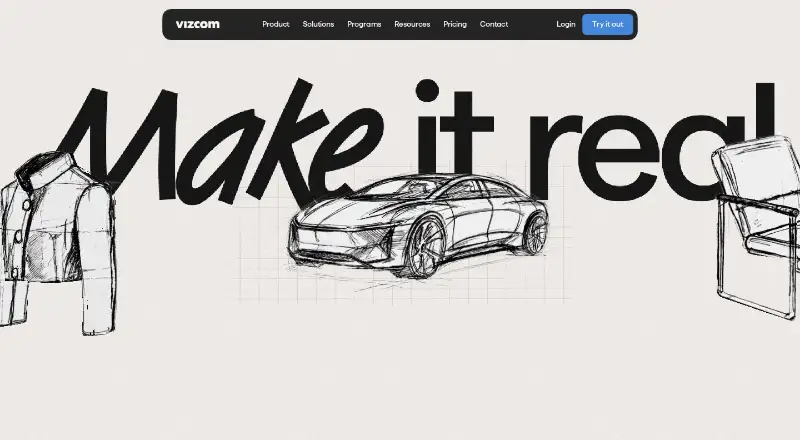
What Vizcom is
Vizcom is an AI platform that turns sketches into 3D renders users can rotate and refine. Live Render gives real-time feedback as users draw, prompt, and edit; users can also generate variations, view designs from different 3D angles, or place a drawing on a photo for context. The product presents workflows for industrial design, footwear, gaming, automotive, and apparel. An Autodesk Fusion plugin moves 3D models between Vizcom and Fusion. The platform is available on the web and through desktop apps for Mac and Windows, with projects syncing to the web version. Desktop use requires macOS 11 or later or Windows 10 or later; older systems can use Vizcom on the web. The free Starter plan includes 800 credits and 10 files. Professional costs $49 per user per month and includes 20,000 credits, Live Render, and full design privacy. Vizcom says generated images from free users may be used to improve its services, while paid-plan user data is not used to train AI models.
Who it suits
It suits designers who want to develop sketch ideas into rotatable 3D renders and explore variations. Its listed workflows include industrial design, footwear, gaming, automotive, and apparel.
What it does well
- Live Render responds as users draw, prompt, and edit.
- Drawings can be placed onto photos for context.
- Autodesk Fusion plugin moves models between both products.
- Professional includes 20,000 credits per month.
What to know first
- Starter includes 800 credits and 10 files.
- Desktop apps require macOS 11 or Windows 10 or later.
- Free-user generated images may be used to improve services.
Limits
Starter includes 800 credits and 10 files, with credits resetting monthly. Education is for qualified educators and students. Professional costs $49 per user per month; its listed features include 20,000 credits.
Plans
| Plan | Billed and limits | Price |
|---|---|---|
| Starter | $0 per user/month · 800 credits · basic AI creation tools · standard render speeds · unlimited file viewers · community support | Free |
| Education | $0 per user/month for qualified educators and students · 15,000 credits · credit add-ons · priority render queue · student ambassador opportunities · exclusive community access | Free |
| Professional | $49 per user/month · 20,000 credits · credit add-ons · priority render queue · multi-image generation · 4K exports · Live Render · full design privacy | $49 a month |
| Enterprise | Contact Sales · highest usage limits · fastest renders · unlimited seats and teams · advanced exports · onboarding · team management · SSO · audit logs · priority support | On request |
As vizcom.com lists them, read 15 Oct 2026. The maker's own page has the final word.
Getting started
- Open the Vizcom website or download the Mac or Windows desktop app.
- Use the web version if your computer is older than macOS 11 or Windows 10.
- Choose Starter, qualified-user Education, or Professional.
- Start with a sketch, then draw, prompt, or edit with Live Render.
- Generate variations or place a drawing on a photo to explore the design.
Vizcom turns a sketch into a render you can rotate and refine, making it a strong fit for designers developing visual concepts rather than seeking a general-purpose image generator. Its standout advantage is the path from iterative sketch work into Autodesk Fusion; its free tier is tightly capped, and free-user images may be used to improve the service.
Overview
Vizcom is organized around taking an idea through successive visual passes. Users can draw, prompt, and edit with Live Render feedback, generate variations, inspect designs from different 3D angles, and place a drawing on a photo for context. That combination is useful when a concept needs to be explored and communicated, not just rendered once.
The product presents workflows for industrial design, footwear, gaming, automotive, and apparel. Its Autodesk Fusion plugin sends 3D models to Fusion and brings Fusion models back into Vizcom, a practical advantage for teams already working across those tools. Without that workflow or a sketch-led process, Vizcom's particular strengths matter less.
Key features
Iteration and context
Rotatable views and generated variations give designers ways to examine a concept from different angles and compare directions. Placing a drawing onto a photo adds a contextual view for communicating how an idea might look in a setting. These features favor exploratory design work over one-off image generation.
Live Render and Fusion
Live Render gives feedback as users draw, prompt, and edit, keeping rendering close to the act of developing an idea. Professional adds Live Render and priority rendering; Starter has standard speeds, so it is a less suitable choice when responsive iteration is important. The Fusion plugin provides a two-way model path for users of Autodesk Fusion, rather than a reason to choose Vizcom if Fusion is not part of their workflow.
Privacy and security
Vizcom says files are encrypted in transit with TLS 1.3 and at rest with AES-256, and its infrastructure is monitored around the clock. Its trust center lists ISO/IEC 27001:2022 certification, SOC 2, GDPR, CPRA, ISO/IEC 27017:2015, and CSA STAR Level 1. Paid-plan user data is not used to train AI models; generated images from free users may be used to improve the service. That distinction is consequential for sensitive design work and favors a paid plan.
Pricing
Vizcom is freemium. Starter is free and includes 800 credits, 10 files, basic AI creation tools, standard render speeds, unlimited file viewers, and community support. Credits reset monthly, while add-on credits roll over each month. The limits make Starter useful for trying the workflow, but 10 files and 800 credits constrain sustained project work.
Education is free, billed per user/month, for qualified educators and students. It includes 15,000 credits, credit add-ons, a priority render queue, and exclusive community access. For eligible users, that is a substantially less constrained option than Starter, though eligibility is limited.
Professional costs $49 a month, billed per user/month; an annual option is shown with 30% savings. It includes 20,000 credits, credit add-ons, priority rendering, multi-image generation, 4k exports, Live Render, and full design privacy. The per-user price and monthly credit allowance suit individual professionals who need the stronger rendering and privacy terms, but may be harder to justify for occasional use.
Enterprise has custom pricing, billed through Contact Sales. It offers the highest usage limits, unlimited seats and teams, SSO, audit and access logs, dedicated onboarding, and priority support. Those controls and team provisions make it the relevant tier for organizations; its cost requires a sales conversation.
Platforms
Vizcom runs on the web and offers macOS and Windows desktop apps, with projects syncing between desktop and web. The desktop app requires macOS 11 or later or Windows 10 or later; older systems can use the web version.
Who it's for
Vizcom is best for designers who develop concepts from sketches, need to compare variations or view work from multiple angles, and can benefit from a Fusion workflow. It also suits qualified students and educators who want a generous credit allowance without a subscription. It is a weaker fit for occasional users who would hit the Starter file or credit caps, people seeking only general-purpose image generation, and anyone unwilling to have free-tier generated images potentially used to improve the service.
Pros and cons
- Pros: Sketch-led rendering, variations, rotatable views, and photo context support several stages of concept exploration.
- Pros: The Fusion plugin moves models in both directions, useful for workflows already built around Autodesk Fusion.
- Pros: Education is free for qualified users and includes 15,000 credits with priority rendering.
- Cons: Starter is limited to 800 credits and 10 files, with standard render speeds.
- Cons: Professional costs $49 a month per user, which can be a substantial step up for users who need only occasional rendering.
- Cons: Free-user generated images may be used to improve the service, unlike paid-plan user data.
Alternatives
For a wider set of sketch-to-image tools, browse AI Sketch-to-Image Generators; for broader image-making options, see AI Art Generators.
Choose Fermat instead if its web or API access and $30 a month Pro plan with 150 monthly credits better suit your needs. FLORA Fashion Studio is worth considering for fashion work: its free plan allows one seat, three active projects, and up to 17 free generations, while Starter costs $18 a month. Gendo offers a web-based free plan with unlimited generations, but watermarks outputs and limits users to one active canvas and one collaborator.
LookX AI may suit users who want web-based image generation, with a free Basic tier of 100 images and a $20.00 USD monthly subscription. Neolocus AI has a free plan with 30 credits and a one-time $18.00 USD Starter plan with 200 credits. Raspberry AI Prints & Patterns offers 50 one-time free credits and an Individual plan at $49 a month with 120 monthly credits. Spacely AI has a free-forever plan with 40 trial credits, high-resolution downloads, private mode, and a commercial license. Fashion Diffusion may appeal to users seeking mobile access or a developer API; its Starter plan is $12 a month and includes 100 monthly credits, 4K images, 1080p AI videos, and API access.
Verdict
Choose Vizcom if sketch-to-render iteration and a two-way Autodesk Fusion workflow are central to your design process. Professional's privacy terms and richer tools make it the stronger working tier, while the free plans can serve students, educators, and initial experiments. Look elsewhere if you need a general image generator, expect to exceed Starter's caps without paying, or cannot accept the free-tier data-use terms.
Verdict
Vizcom combines sketch-based rendering with iteration and a Fusion workflow. Starter offers limited listed credits and files; Professional costs $49 per user per month and includes full design privacy.
Questions
Is Vizcom free?
Yes. Starter is free and includes 800 credits and 10 files. A free Education plan is available to qualified educators and students, with 15,000 credits.
How much does Professional cost?
Professional is $49 per user per month. The pricing page also shows an annual option with 30% savings.
Which platforms does Vizcom support?
Vizcom is available on the web and as desktop apps for macOS and Windows. The desktop apps require macOS 11 or later or Windows 10 or later; projects sync with the web version.
Does Vizcom integrate with Autodesk Fusion?
Yes. Its Fusion plugin sends 3D models from Vizcom to Fusion and brings Fusion models back into Vizcom.
Does Vizcom use customer data to train AI?
Vizcom says paid-plan user data is not used to train AI models. Generated images from free users may be used to improve its services.
What security certifications and standards does Vizcom list?
Its trust center lists ISO/IEC 27001:2022 certification, SOC 2, GDPR, CPRA, ISO/IEC 27017:2015, and CSA STAR Level 1. It says files are encrypted in transit with TLS 1.3 and at rest with AES-256.
Facts from Vizcom's own pages
- 3D generation
- Vizcom documentation includes workflows for generating 3D models from 2D designs. · docs.vizcom.com, 15 Oct 2026
- Animation
- The documentation includes an animation workflow for bringing designs to life. · docs.vizcom.com, 15 Oct 2026
- API and SDKs
- The public documentation index lists user-feature and administration guides plus the Fusion plugin, but no public API or SDK documentation page. · docs.vizcom.com, 15 Oct 2026
- Asset library
- The asset library stores reusable visual building blocks across files, projects and teams. · docs.vizcom.com, 15 Oct 2026
- Collaboration
- Teams provide shared workspaces where invited collaborators can view and work on projects. · vizcom.com, 15 Oct 2026
- Company facts
- LinkedIn lists Vizcom as privately held, founded in 2021, headquartered in San Francisco and employing 51–200 people. · linkedin.com, 15 Oct 2026
- Company founders
- Crunchbase lists Jordan Taylor and Kaelan Richards as founders. · crunchbase.com, 15 Oct 2026
- Company legal name
- Crunchbase identifies the company as Vizcom Technologies, Inc. · crunchbase.com, 15 Oct 2026
- Compliance
- Vizcom's trust center lists ISO/IEC 27001:2022 certification, SOC 2, GDPR, CPRA, ISO/IEC 27017:2015, and CSA STAR Level 1. · trust.vizcom.com, 30 Sept 2026
- Context design
- Users can place a drawing onto a photo to see the design in context. · vizcom.com, 30 Sept 2026
- Context rendering
- Users can place a drawing over a photo to view the design in a real-world context. · vizcom.com, 15 Oct 2026
- Data use
- Paid-account content is described as private and not used to train Vizcom models; free-user generated images may be used to improve services. · vizcom.com, 15 Oct 2026
- Desktop apps
- Vizcom offers desktop downloads for Mac and Windows, and says projects sync with its web version. · vizcom.com, 30 Sept 2026
- Desktop availability
- Vizcom offers downloadable desktop applications for Apple Silicon Mac, Intel Mac and Windows. · vizcom.com, 15 Oct 2026
- Desktop requirements
- The desktop app requires macOS 11 or later or Windows 10 or later; older systems can use Vizcom on the web. · vizcom.com, 30 Sept 2026
- Documentation depth
- The documentation index covers workspaces, teams, billing, security, drawing, rendering, prompting, 3D, animation, assets, exports and enterprise administration. · docs.vizcom.com, 15 Oct 2026
- Exports
- Vizcom documentation lists image, video, vector and 3D export options, including SVG, FBX and USDZ workflows. · docs.vizcom.com, 15 Oct 2026
- Funding
- Vizcom announced a $20 million Series A fundraise on its company blog. · vizcom.com, 15 Oct 2026
- Hosting model
- Vizcom describes a web-based application and its terms grant access to Vizcom services while prohibiting hosting or commercially exploiting them. · vizcom.com, 15 Oct 2026
- Industries
- The product page presents workflows for industrial design, footwear, gaming, automotive, and apparel. · vizcom.com, 30 Sept 2026
- Integration
- The Autodesk Fusion integration moves models in both directions between Vizcom and Fusion during design and engineering. · vizcom.com, 15 Oct 2026
- Integration limitation
- The Autodesk Fusion export flow supports 3D models and converts them to OBJ before Fusion imports them. · autodesk.com, 15 Oct 2026
- Iteration
- Users can generate variations, rotate designs to view different 3D angles, and explore options. · vizcom.com, 30 Sept 2026
- License
- The terms provide a limited, non-exclusive, non-transferable application license, indicating proprietary software rather than open source. · vizcom.com, 15 Oct 2026
Where Vizcom stands on Freedom251
- AI Sketch-to-Image Generators#15 of 29
- AI Art Generators#21 of 28