Freedom251 › AI Sketch-to-Image Generators
Neolocus AI
What Neolocus AI is
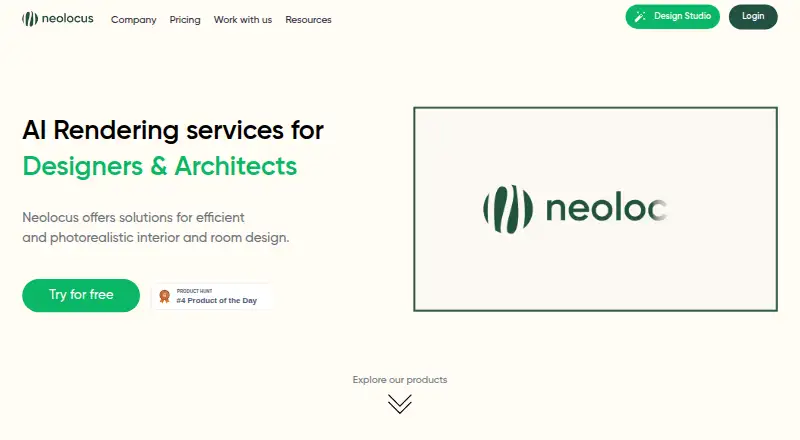
Neolocus AI is a web-based generative spatial design platform for interior designers and architects. Interior AI turns SketchUp or Revit sketches into realistic 3D interior renders, while Exterior AI creates renders of outdoor spaces from uploaded designs. Users can upload JPG, PNG, or WEBP files, choose a room type and style, and select Precise, Balanced, or Creative mode. The service says a generation produces four renders that can be saved to a gallery or downloaded, including in 4K. Other tools can change a selected part of a render, correct small issues, apply a reference render’s style, or create concepts from a text prompt. The site also offers 4K upscaling. Its pricing page equates 10 credits with one generation. The Free Plan includes 30 credits and no premium features; the Starter Plan is $18, paid once for 200 credits. The PRO Plan is listed at $24,339 a month and includes unlimited generations, premium features, priority speed, and a commercial license. The terms say user information may be stored or processed in Saudi Arabia.
Who it suits
Neolocus AI is aimed at interior designers and architects creating spatial design renders. It may suit users who work from SketchUp or Revit sketches or want to develop concepts from prompts and reference images.
What it does well
- Accepts JPG, PNG, and WEBP inputs.
- Generates four renders per generation.
- Offers render modes, style tools, and targeted edits.
- Renders can be downloaded or saved to a gallery.
- 4K upscaling is available.
What to know first
- Free Plan has no premium features.
- Starter Plan is a one-time 18.00 USD payment.
- PRO is listed at $24,339 a month.
- Terms allow information processing in Saudi Arabia.
Limits
The Free Plan includes 30 credits, has no premium features, and does not include a commercial license. The Starter Plan includes 200 credits, premium features, and no watermark, but does not include a commercial license. The pricing page says 10 credits equal one generation.
Plans
| Plan | Billed and limits | Price |
|---|---|---|
| Free Plan | 30 credits · no credit card required · no premium features · watermark not free · no priority speed · no commercial license | Free |
| Starter Plan | 200 credits · premium features · watermark-free · upgrade anytime · no priority speed · no commercial license | $18, paid once |
| PRO Plan | $24/month for 3 months, then $39/month; cancel anytime · unlimited generations · premium features · watermark-free · priority generation speed · commercial license | $39 a month |
As neolocus.ai lists them, read 21 Oct 2026. The maker's own page has the final word.
Getting started
- Open https://neolocus.ai/ in a web browser.
- Choose the Free Plan, Starter Plan, or PRO Plan.
- Upload a JPG, PNG, or WEBP file; 3D sketches from SketchUp or Revit work best.
- Choose a room type and style, then select Precise, Balanced, or Creative mode.
- Generate renders and save them to the gallery or download them, including in 4K.
Neolocus AI is a web-based generative design platform for interior designers and architects who need rapid architectural visual concepts. It converts SketchUp or Revit sketches into interior renders, handles exterior scenes, and adds targeted editing and style tools. Its strongest fit is a professional exploring many visual directions, provided the plan terms and unusually high Pro price suit the workflow.
Overview
Neolocus combines interior and exterior rendering in one workspace. Interior AI turns SketchUp or Revit sketches into realistic 3D interior images, while Exterior AI renders uploaded outdoor architectural designs. The service accepts JPG, PNG, and WEBP files, with 3D sketches from SketchUp or Revit recommended for best results.
Users choose a room type and style, then select Precise, Balanced, or Creative rendering. Each generation produces four renders in seconds; results can be saved to a gallery or downloaded, including at 4K resolution. The platform is intended for users aged 18 or the age of majority where they live, and user information may be transferred to or processed in Saudi Arabia.
Key features
Rendering and inputs
Sketch input and image-to-image workflows make Neolocus practical for turning existing design work into visual options rather than starting every concept from text. Interior and exterior modes cover both room scenes and outdoor architecture.
Editing and ideation
Modify AI targets a specific section of a render, while Magic Removal AI addresses small visual defects. Style Swap AI applies the look of a reference render, and Imagine AI creates concepts from a text prompt. These tools support iteration without requiring a complete redraw for every change.
Output and credits
Four variants per generation and optional 4K upscaling are useful when comparing directions or preparing larger presentation assets. The pricing page defines 10 credits as one generation, so the credit allowance directly determines how many four-image sets a plan supports.
Pricing
Neolocus uses a freemium model. The Free Plan costs nothing and provides 30 credits, with no credit card required. It excludes premium features and leaves a watermark, making it suitable for initial exploration rather than polished client delivery.
The Starter Plan costs $18, paid once. It includes 200 credits, premium features, watermark-free output, and upgrading anytime. At 10 credits per generation, its allowance represents 20 generations; it suits a defined project or occasional professional use, but it is not a recurring monthly allowance.
The PRO Plan costs $24,339 a month, billed monthly, and can be canceled anytime. It includes unlimited generations, premium features, watermark-free output, priority generation speed, and a commercial license. The commercial license is included only with Pro; Free and Starter do not include it. The price makes Pro a specialist choice for organizations that genuinely need unlimited production and commercial rights.
Platforms
Neolocus runs on the web, so access does not depend on a desktop operating system. JPG, PNG, and WEBP uploads support common image-based workflows.
Who it's for
Interior designers and architects with SketchUp or Revit sketches are the clearest audience. It also suits users who need exterior concepts, reference-based style changes, text-driven ideation, or quick sets of alternatives. Free is for evaluation, Starter for watermark-free project work without commercial licensing, and Pro for high-volume commercial generation where its monthly cost is justified.
Pros and cons
- Pros: Interior and exterior rendering share one platform.
- Pros: Four renders per generation and 4K download support rapid comparison and presentation output.
- Pros: Modify AI, Magic Removal AI, Style Swap AI, and Imagine AI cover localized edits, cleanup, references, and text concepts.
- Cons: The free tier has only 30 credits, no premium features, and watermarked output.
- Cons: Starter lacks a commercial license.
- Cons: Pro is priced at $24,339 a month, a major barrier for most individuals.
- Cons: Data may be processed in Saudi Arabia, which matters for organizations with location-sensitive requirements.
Alternatives
For a broader shortlist of sketch-based tools, see AI Sketch-to-Image Generators.
- Vizcom is a freemium macOS, web, and Windows option with 800 free credits on its Starter plan and basic creation tools.
- Fermat suits users wanting an API or web workflow, with a free one-credit starter and a 30.00 USD monthly plan offering 150 credits.
- FLORA Fashion Studio is aimed at fashion work, with a free solo seat, three active projects, and up to 17 free generations.
- Gendo offers web-based canvas work, including unlimited generations on its free plan but watermarked output.
- LookX AI provides a free 100-image basic plan and a 20.00 USD monthly subscription.
- Raspberry AI Prints & Patterns offers 50 one-time free credits and a 49.00 USD monthly individual plan.
- Spacely AI offers extension and web access, 40 free trial credits, high-resolution downloads, and a commercial license on its free plan.
- SparkStation offers pay-as-you-grow token pricing for individual creators and custom pricing for studios and enterprises.
Verdict
Choose Neolocus AI if you need fast interior and exterior architectural concepts from existing sketches, with built-in editing, style transfer, text ideation, and 4K output. Look elsewhere if you need commercial rights below Pro, a lower-cost unlimited plan, or tighter control over data location.
Verdict
Neolocus AI brings interior and exterior rendering together with tools for edits, style changes, and text-based concepts. Check the listed plan terms and the stated data location before choosing a plan.
Questions
Is Neolocus AI free?
Yes. The Free Plan costs nothing and includes 30 credits, with no credit card required. It does not include premium features or a commercial license.
How much do the paid plans cost?
Starter costs 18.00 USD once. PRO is listed at $24,339 a month.
What platforms does Neolocus AI support?
Neolocus AI is available on the web.
What files can I upload?
The getting-started guide says JPG, PNG, and WEBP files are accepted. It says the service works best with 3D sketches from SketchUp or Revit.
Does a plan include commercial use?
The PRO Plan includes a commercial license. The Free and Starter plans do not.
Where may user information be processed?
The terms say user information may be transferred to, stored, and processed in Saudi Arabia, where servers may be located.
Facts from Neolocus AI's own pages
- 4K Upscale AI
- 4K Upscale AI enlarges renders to 4K and accepts renders from SketchUp, Revit, Enscape or Lumion. · neolocus.ai, 21 Oct 2026
- Commercial use
- The pricing page marks a commercial license as included with the Pro plan and not included with Free or Starter. · neolocus.ai, 4 Oct 2026
- Company positioning
- LinkedIn describes Neolocus as an AI interior-design engine that places real purchasable furniture and decor products into images. · linkedin.com, 21 Oct 2026
- Company profile
- LinkedIn lists Neolocus as a 2–10 employee partnership headquartered in Riyadh and founded in 2023. · linkedin.com, 21 Oct 2026
- Credit rate
- The pricing page states that 10 credits equal one generation. · neolocus.ai, 4 Oct 2026
- Documentation
- The official resources area contains onboarding tutorials covering features, first renders, editing, saving, prompting, creativity, render modes and area selection. · neolocus.ai, 21 Oct 2026
- Editing tools
- Modify AI adjusts specific sections of a render, and Magic Removal AI fixes small render issues. · neolocus.ai, 4 Oct 2026
- Eligibility
- The terms say users must be at least 18 or the age of majority where they live. · app.neolocus.ai, 4 Oct 2026
- Exterior AI
- Exterior AI creates visualizations of outdoor architectural spaces from uploaded designs. · neolocus.ai, 21 Oct 2026
- Founders
- LinkedIn names Mohd Nomaan as CEO, Jan-Felix De Man as CTO and Francesco Mattera as CPO. · linkedin.com, 21 Oct 2026
- Funding record
- Dealroom shows no funding rounds found for Neolocus. · app.dealroom.co, 21 Oct 2026
- Generation cost
- The official homepage lists each showcased AI tool at 10 credits per generation. · neolocus.ai, 21 Oct 2026
- Generation output
- The guide says generation produces four renders in seconds, which users can save to a gallery or download, including in 4K. · neolocus.ai, 4 Oct 2026
- Google Play app
- The Google Play listing describes an Android demo that furnishes rooms with real products and was updated March 2, 2024. · play.google.com, 21 Oct 2026
- Google Play data declaration
- The Google Play listing declares no data shared with third parties and no data collected. · play.google.com, 21 Oct 2026
- Imagine AI
- Imagine AI generates a new render concept from a text prompt. · neolocus.ai, 21 Oct 2026
- Input formats
- The getting-started guide says uploads can be JPG, PNG or WEBP and work best when based on 3D SketchUp or Revit sketches. · neolocus.ai, 21 Oct 2026
- Integrations
- Official product material names SketchUp, Revit, Enscape and Lumion as supported source applications or render inputs. · neolocus.ai, 21 Oct 2026
- Interior AI
- Interior AI turns SketchUp or Revit sketches into realistic 3D interior renders. · neolocus.ai, 21 Oct 2026
- Launch date
- Dealroom lists a December 2022 launch date and Riyadh headquarters. · app.dealroom.co, 21 Oct 2026
- Limit: pricing clarity
- Complete AI Training says pricing beyond the free options was not clearly communicated in its review. · completeaitraining.com, 21 Oct 2026
- Limit: room scope
- Complete AI Training says the product was limited to individual-room designs rather than whole-home designs at the time of its review. · completeaitraining.com, 21 Oct 2026
- Limit: unfinished features
- Complete AI Training reports that some advanced features were still in development and unavailable. · completeaitraining.com, 21 Oct 2026
- Magic Removal AI
- Magic Removal AI is intended to fix small defects in renders without separate post-processing software. · neolocus.ai, 21 Oct 2026
Where Neolocus AI stands on Freedom251
- AI Sketch-to-Image Generators#9 of 29