Freedom251 › AI image generators

Adobe Firefly
What Adobe Firefly is
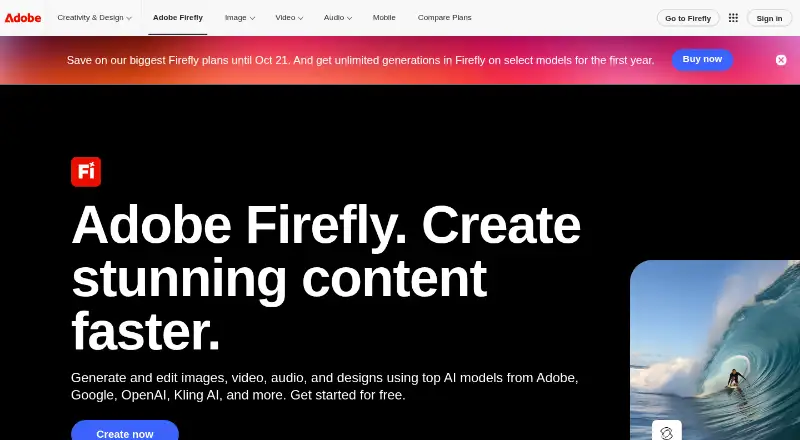
Adobe Firefly is a generative tool for creating and editing images, with text-to-image generation, reference images, and text-based editing. The web app works on desktop and mobile, and mobile apps are available for iOS and Android. Image exports are PNG or JPG, and video exports are MP4. Prompts can be written in over 100 languages, up to 750 characters long. Firefly works with Adobe products including Photoshop, Illustrator, Premiere, Lightroom, and Adobe Express; partner models include Google, OpenAI, ElevenLabs, Luma AI, and Runway. Adobe says its models are commercially safe and trained on licensed or public-domain content, and that subscriber personal content is not used for model training. Outputs include Content Credentials describing creation or editing and contributors. The free plan includes limited daily generations. Paid subscriptions add generation access, generative credits, and other perks; credits reset each billing cycle, and paid-plan prices are not listed. Firefly Boards gives teammates an infinite canvas for brainstorming, organizing, and iterating.
Who it suits
Firefly suits people who want to generate or edit images using text prompts and reference images, including those working across desktop, mobile, or Adobe products. Teams can use Firefly Boards to organize and iterate on ideas together.
What it does well
- Text-to-image generation and image editing are available.
- Prompts support over 100 languages.
- Images export as PNG or JPG.
- Outputs include Content Credentials.
- Commercial use is included.
What to know first
- Free-plan generations are limited daily.
- Prompts are limited to 750 characters.
- Paid-plan prices are not listed.
- Additional generation access requires a paid subscription.
Limits
Firefly Free includes limited daily generations. The listed paid plans provide different monthly credit and video or translation allowances; Firefly Premium includes unlimited Firefly Video Model access.
Plans
| Plan | Billed and limits | Price |
|---|---|---|
| Firefly Free | Limited daily generations | Free |
| Firefly Standard | 2,000 credits per month · Up to 20 five-second videos · Up to 6 minutes of audio or video translation | On request |
| Firefly Standard | Monthly · 2,000 credits per month · Up to 20 five-second videos · Up to 6 minutes of audio or video translation | On request |
| Firefly Pro | 4,000 credits per month · Up to 40 five-second videos · Up to 13 minutes of audio or video translation | On request |
| Firefly Pro | Monthly · 4,000 credits per month · Up to 40 five-second videos · Up to 13 minutes of audio or video translation | On request |
| Firefly Pro Plus | 10,000 credits per month · Up to 100 five-second videos · Up to 33 minutes of audio or video translation | On request |
| Firefly Pro Plus | Monthly · 10,000 credits per month · Up to 100 five-second videos · Up to 33 minutes of audio or video translation | On request |
| Firefly Premium | 50,000 credits per month · Unlimited Firefly Video Model access · Up to 166 minutes of audio or video translation | On request |
The first 8 of 16 plans, as adobe.com lists them, read 20 Sept 2026. The maker's own page has the final word. Every plan
Getting started
- Open the Adobe Firefly website.
- Choose the Firefly Free plan or a listed paid plan.
- Use the web app on desktop or mobile, or install the iOS or Android app.
- Create or edit images with text prompts, reference images or text-based editing.
- Export images as PNG or JPG, or videos as MP4.
Overview
Adobe Firefly is a generative creative app for making and editing images, with video and audio-translation allowances on paid plans. It is best suited to people already working in Adobe’s creative tools or who want generation and editing across web and mobile. Its integrations, commercial-use inclusion, and content provenance are strong advantages; the free plan’s limited daily generations make it a starting point, not a dependable high-volume option.
Firefly supports text prompts and reference images, with text-based image editing and prompt support in more than 100 languages. Images export as PNG or JPG, while video exports as MP4. Prompts can be up to 750 characters. Adobe also makes partner models available, including models from Google, OpenAI, ElevenLabs, Luma AI, and Runway, giving users options beyond Adobe’s own models.
Adobe says its Firefly models are trained on licensed or public-domain content and are commercially safe. It does not train models on subscribers’ personal content. Outputs include Content Credentials describing creation or editing and contributors. Adobe internally tests models to mitigate harmful biases and stereotypes. These are useful safeguards for creative workflows, though they do not replace a user’s own review of generated work.
Key features
- Image generation and editing: Text-to-image, reference-image generation, and text-based editing bring creation and revision into one workflow. This is a good fit for users who want to iterate without switching tools; the 750-character prompt ceiling may constrain unusually detailed instructions.
- Adobe integrations: Firefly works with Photoshop, Illustrator, Premiere, Lightroom, Adobe Express, and more. That makes it a natural option for Adobe users who want generative tools alongside their existing creative applications.
- Mobile access: The web app works on desktop and mobile, and dedicated Firefly apps are available for iOS and Android. This broadens access beyond a desktop-only workflow.
- Team ideation: Firefly Boards gives teammates an infinite canvas to brainstorm, organize, and iterate. It is relevant to collaborative concept work, rather than just individual image generation.
- Commercial use and provenance: Commercial use is included, and generated outputs carry Content Credentials. Adobe’s stated training approach and subscriber-content policy may matter to users assessing commercial workflows.
- API and formats: API access is available; images export as JPG or PNG and videos as MP4. This supports both application-based work and workflows built around programmatic access.
Pricing
Firefly uses a freemium model. The free plan includes limited daily generations, while paid subscriptions provide additional generation access, generative credits, and perks. Paid-plan credits reset each billing cycle. The free plan is useful for occasional exploration, but its daily-generation limit is a poor fit for sustained production.
| Plan | Price | Allowance |
|---|---|---|
| Firefly Free | free | Limited daily generations |
| Firefly Standard | Custom pricing | 2,000 credits per month; up to 20 five-second videos; up to 6 minutes of audio or video translation |
| Firefly Pro | Custom pricing | 4,000 credits per month; up to 40 five-second videos; up to 13 minutes of audio or video translation |
| Firefly Pro Plus | Custom pricing | 10,000 credits per month; up to 100 five-second videos; up to 33 minutes of audio or video translation |
| Firefly Premium | Custom pricing | 50,000 credits per month; unlimited Firefly Video Model access; up to 166 minutes of audio or video translation |
| Firefly Pro for teams | Custom pricing | 4,000 credits per month; up to 40 five-second videos; up to 13 minutes of audio or video translation |
| Firefly Pro Plus for teams | Custom pricing | 10,000 credits per month; up to 100 five-second videos; up to 33 minutes of audio or video translation |
| Firefly Premium for teams | Custom pricing | 50,000 credits per month; unlimited Firefly Video Model access; up to 166 minutes of audio or video translation |
Standard is the paid entry point for users who need a monthly credit pool and modest video or translation capacity. Pro and Pro Plus raise those allowances for heavier use. Premium is aimed at high-volume video work, with unlimited Firefly Video Model access and the largest listed credit and translation quotas. Team versions of Pro, Pro Plus, and Premium have the same stated allowances as their individual counterparts. The plans do not publish prices, so buyers should compare their required quotas with a custom quote before committing.
Platforms
Firefly is available on the web, iOS, Android, and through an API. Its web app works on desktop and mobile, while dedicated mobile apps support iOS and Android. Adobe integrations include Photoshop, Illustrator, Premiere, Lightroom, and Adobe Express. That range suits users who move between devices or already use Adobe applications; readers seeking a Linux or self-hosted option should consider alternatives.
Who it's for
Firefly is a strong fit for Adobe users who want image generation and editing within a connected creative workflow, and for creators who value commercial-use inclusion and Content Credentials. Its mobile apps and web access also suit people who want to work beyond a desktop. Free users can explore with limited daily generations, while paid tiers are more appropriate when recurring credits, video generation, or translation capacity matter. It is less compelling for someone who needs predictable published subscription pricing or a free plan without daily limits.
Pros and cons
- Pro: Integrations with Photoshop, Illustrator, Premiere, Lightroom, and Adobe Express can reduce friction for existing Adobe workflows.
- Pro: Commercial use is included, and Content Credentials give generated outputs provenance information.
- Pro: Web, iOS, Android, and API access accommodate different devices and workflows.
- Pro: Paid tiers state monthly credits plus video and translation allowances, making their relative capacity clear.
- Con: Free access is limited to daily generations, which restricts repeated use.
- Con: Paid-plan prices are custom, so users cannot compare subscription costs from the stated plan figures alone.
- Con: The 750-character prompt limit may be restrictive for prompts that need extensive detail.
Alternatives
Browse AI image generators to compare more options. Choose FLUX instead if Linux, Windows, macOS, or self-hosted availability matters; its listed FLUX.2 [max] plan charges $0.07 a month, with additional-megapixel and reference-image charges. Leonardo.Ai offers a free plan with 150 fast tokens per day, a 150-token bank, and one personal collection, making it worth considering if that daily allowance suits your needs.
Recraft has a free plan with 30 daily credits and paid plans with stated credit amounts, so compare it if daily credits are a better fit. Ideogram offers a free plan with 10 weekly credits for eligible accounts and a Plus plan at $20 a month billed monthly, with 1,000 credits per month; consider it if that published paid price and quota better match your budget.
Shedevrum, AUTOMATIC1111 Stable Diffusion WebUI, ComfyUI, and NightCafe are also alternatives to compare.
Verdict
Choose Adobe Firefly if you want generative image tools connected to Adobe’s creative apps, with mobile access, commercial use included, and Content Credentials on outputs. The clearest reason to look elsewhere is the combination of limited free generations and custom-priced paid subscriptions: users who need a predictable price or more generous free access should compare alternatives before settling on Firefly.
Verdict
Firefly combines image generation and editing with mobile access, Adobe integrations, and Content Credentials. The free plan is limited, and paid-plan prices are not provided.
Questions
Is Adobe Firefly free?
Yes. Firefly Free is listed as free and includes limited daily generations.
Which platforms support Firefly?
Firefly is available on web, iOS and Android, and offers API access. The web application works on desktop and mobile.
What does Firefly do?
It supports text-to-image generation, reference images and image editing, including text-based editing. Images export as PNG or JPG, and videos as MP4.
Can Firefly content be used commercially?
Commercial use is included. Adobe says Firefly models are commercially safe and trained on licensed or public-domain content.
What are the paid plans?
Listed plans are Firefly Standard, Pro, Pro Plus, Premium and Pro for teams. Their stated monthly credits range from 2,000 to 50,000, with video and translation allowances varying by plan.
Does Adobe train on subscribers' personal content?
Adobe says it does not train models on subscribers' personal content.
Facts from Adobe Firefly's own pages
- Adobe integrations
- Firefly works with Photoshop, Illustrator, Premiere, Lightroom, Adobe Express, and more. · adobe.com, 27 Sept 2026
- API access
- Yes · adobe.com, 20 Sept 2026
- Commercial safety
- Adobe Firefly models are commercially safe and trained on licensed or public-domain content. · adobe.com, 27 Sept 2026
- Commercial use
- included · adobe.com, 20 Sept 2026
- CAI membership
- Adobe co-founded the Content Authenticity Initiative in 2019. · adobe.com, 27 Sept 2026
- Content Credentials
- Outputs include Content Credentials describing creation or editing and contributors. · adobe.com, 27 Sept 2026
- Credit reset
- Paid-plan generative credits reset each billing cycle. · adobe.com, 27 Sept 2026
- Desktop and mobile
- The web application is available on desktop and mobile. · adobe.com, 27 Sept 2026
- Export formats
- Images export as PNG and JPG; videos export as MP4. · adobe.com, 27 Sept 2026
- Founded
- 1982 · adobe.com, 23 Sept 2026
- Free daily generations
- The free plan includes free daily generations. · adobe.com, 27 Sept 2026
- Free plan
- Yes · adobe.com, 20 Sept 2026
- Assets generated
- Firefly has generated over 18 billion assets globally. · adobe.com, 27 Sept 2026
- Headquarters
- San Jose, California, USA · adobe.com, 23 Sept 2026
- Image editing
- Yes · adobe.com, 20 Sept 2026
- Prompt limit
- Prompts can be up to 750 characters. · adobe.com, 27 Sept 2026
- Mobile apps
- The Firefly mobile app is available on iOS and Android. · adobe.com, 27 Sept 2026
- Monthly credits
- 2000 · adobe.com, 20 Sept 2026
- Output formats
- JPG,PNG · adobe.com, 20 Sept 2026
- Paid access
- Paid subscriptions provide additional generation access, generative credits, and perks. · adobe.com, 27 Sept 2026
- Partner models
- Partner models include Google, OpenAI, ElevenLabs, Luma AI, Runway, and others. · adobe.com, 27 Sept 2026
- Personal content training
- Adobe does not train models on subscribers’ personal content. · adobe.com, 27 Sept 2026
- Prompt languages
- Firefly accepts prompts in over 100 languages. · adobe.com, 27 Sept 2026
- Reference images
- Yes · adobe.com, 20 Sept 2026
Where Adobe Firefly stands on Freedom251
- AI image generators#3 of 124
- AI Video Editors#2 of 81
- AI Game Music Generators#1 of 31
- AI Video Generation & Editing Software#1 of 30
- AI Content Creation Platforms#1 of 29
- Text-to-Speech Software#8 of 223
- Image Generator#1 of 26
- AI Cinematic Video Generators (camera control)#1 of 26
- Mood Board Software#1 of 24
- AI Video-to-Video Tools#1 of 23
- AI Filmmaking Tools#1 of 21
- All-in-One AI Video Platforms (multiple models)#1 of 20
- AI Camera Motion Video Tools#1 of 19
- AI Image-to-Image Generators#1 of 18
- Game Voice Generators#3 of 45
- AI Art Generators#2 of 28
- AI Cinematic Music Generators#2 of 25
- Content Creation tools#3 of 31
- Art Generator#3 of 29
- Text-to-speech tools#111 of 232
- Video editors#43 of 71