Freedom251 › AI image generators
Easy Diffusion
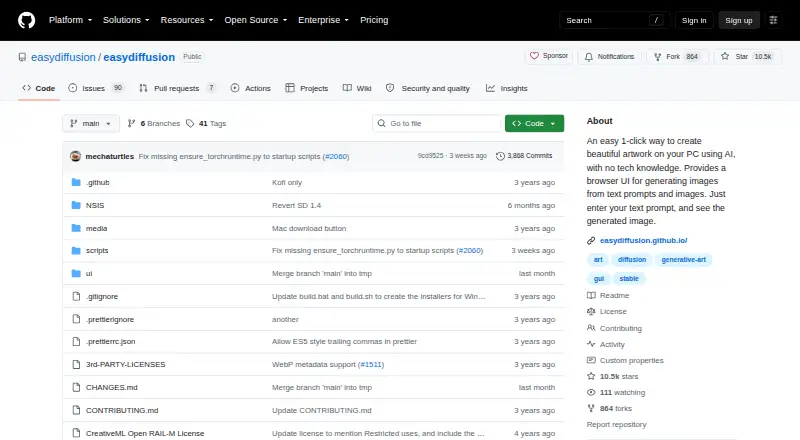
What Easy Diffusion is
Easy Diffusion is a free distribution of Stable Diffusion with a web interface for creating images from text prompts or other images. Its one-click installer is described as requiring no pre-installed software or technical knowledge. The interface offers text-to-image, image-to-image, and inpainting, alongside controls for ControlNet, custom models, model merging, custom VAE models, and textual inversion embeddings. Users can queue multiple tasks, preview images during generation, or submit several prompts from a text file. Other tools include upscaling, face correction, loopback, and a simple drawing tool; images can be saved as JPEG, PNG, or WEBP. The project supports community-made interface plugins and plugins users write themselves. Its latest release says the v4 engine supports Flux 2 Klein, Z-Image, Qwen, other models, and quantized GGUF models. The project says it does not track users or send prompts, usage, or analytics. It does contact GitHub for updates and may fetch models or Python packages from external services. The repository lists minimum requirements of 8 GB of system RAM and 25 GB of disk space. The project points users to its Discord community and GitHub issues for help and bug reports.
Who it suits
Easy Diffusion suits people who want to run image generation through a web interface, with prompt, image, and inpainting workflows. Its listed minimum hardware requirements are 8 GB RAM and 25 GB of disk space.
What it does well
- Free software distribution with a web interface
- Supports text-to-image, image-to-image, and inpainting
- Can queue tasks and preview images during generation
- Outputs JPEG, PNG, and WEBP
- Supports community and user-written plugins
What to know first
- Requires at least 8 GB of system RAM
- Requires at least 25 GB of disk space
- May fetch models and packages from external services
Plans
| Plan | Billed and limits | Price |
|---|---|---|
| Easy Diffusion | Free software distribution of Stable Diffusion with a web interface | Free |
| Free | Local installation · Windows, macOS and Linux · Unlimited generation subject to hardware | Free |
As github.com lists them, read 12 Oct 2026. The maker's own page has the final word.
Getting started
- Open the Easy Diffusion project website on GitHub.
- Use the project's one-click installation route; it says no pre-installed software or technical knowledge is required.
- Run the app and use its web interface to enter text prompts or provide reference images.
- Choose text-to-image, image-to-image, or inpainting, then queue tasks or submit prompts from a text file.
- Save generated images as JPEG, PNG, or WEBP.
Verdict
Easy Diffusion combines image generation, editing tools, and model controls in a free distribution with a web interface. Check the listed memory and disk requirements against your system before installing.
Questions
How much does Easy Diffusion cost?
The listed Easy Diffusion plan is free. The pricing model is free.
Which platforms does it support?
The listed platforms are Linux, macOS, self-hosted, web, and Windows.
What image generation modes does it support?
It supports text-to-image, image-to-image, and inpainting generation.
Which image formats can it export?
The listed output formats are JPEG, PNG, and WEBP.
Does it track users or send prompts?
The project says it does not track users or send prompts, usage, or analytics. It contacts GitHub for code updates and may fetch models from Hugging Face or GitHub and Python packages from PyPI.
Where can users get help?
The project directs users to its Discord community for assistance and development discussions, and welcomes bug reports through GitHub issues.
Facts from Easy Diffusion's own pages
- Advanced controls
- Features include ControlNet, custom models, model merging, custom VAE models, and textual inversion embeddings. · github.com, 12 Oct 2026
- Community extensions
- Easy Diffusion supports community-generated UI plugins and allows users to write their own plugins. · github.com, 12 Oct 2026
- ControlNet
- ControlNet can guide composition from poses, outlines and other control images. · github.com, 15 Oct 2026
- CPU mode
- Generation can run on the CPU when no compatible graphics card is available, with substantially slower performance. · github.com, 15 Oct 2026
- Custom models
- Users can add checkpoint and safetensors models in the models directory and use custom VAEs and textual-inversion embeddings. · github.com, 15 Oct 2026
- Developer tooling
- The application includes a developer console for modifying Stable Diffusion code, packages and its Conda environment. · github.com, 15 Oct 2026
- Documentation
- The repository supplies a GitHub wiki covering installation, usage, models, ControlNet, SDXL, plugins, troubleshooting and advanced settings. · github.com, 15 Oct 2026
- Face correction
- GFPGAN and CodeFormer options provide automated face repair. · github.com, 15 Oct 2026
- Free plan
- Yes · github.com, 19 Sept 2026
- Generation modes
- The interface supports text-to-image, image-to-image, and inpainting generation. · github.com, 12 Oct 2026
- GPU support
- Windows and Linux support NVIDIA or AMD GPUs, while Mac supports Apple M1 through M4, AMD graphics or CPU mode. · github.com, 15 Oct 2026
- Image editing
- Yes · github.com, 19 Sept 2026
- Image modifiers
- A built-in modifier library supplies style tags such as realistic and pencil-sketch treatments. · github.com, 15 Oct 2026
- Image to image
- Users can provide an existing image to guide generation. · github.com, 15 Oct 2026
- Inpainting
- The interface supports repainting selected areas using inpainting workflows. · github.com, 15 Oct 2026
- Installation
- The project provides one-click downloads and bundles required software, so users do not need pre-installed dependencies. · github.com, 15 Oct 2026
- Integration
- A community plugin can open generated images in the Photopea web editor, but the project says it is not partnered with the service. · github.com, 15 Oct 2026
- Internal API
- Release notes mention an internal API that lets plugins add multiple buttons and labels to image rows. · github.com, 15 Oct 2026
- License
- The repository uses a custom license granting copying, modification, distribution and sale rights while imposing use-based restrictions and model-license obligations. · raw.githubusercontent.com, 15 Oct 2026
- Limit: setup time
- Softpedia reported that initial setup can take a while because the program downloads and applies required models. · softpedia.com, 15 Oct 2026
- Limit: workflow gotchas
- A Reddit user cautioned that users still need to understand Stable Diffusion constraints such as matching image resolution to the model’s training size. · reddit.com, 15 Oct 2026
- Live preview
- The UI displays a preview while an image is being rendered. · github.com, 15 Oct 2026
- Maker
- The repository credits cmdr2 and contributors; no incorporated legal entity, headquarters or employee count is stated on the reviewed official pages. · raw.githubusercontent.com, 15 Oct 2026
- Model support
- The latest release says the v4 engine supports Flux 2 Klein, Z-Image, Qwen, and other models, including quantized GGUF models. · github.com, 12 Oct 2026
Where Easy Diffusion stands on Freedom251
- AI image generators#2 of 124
- Art Generator#1 of 29