Freedom251 › Invoicing software
InvoiceOcean
by InvoiceOcean
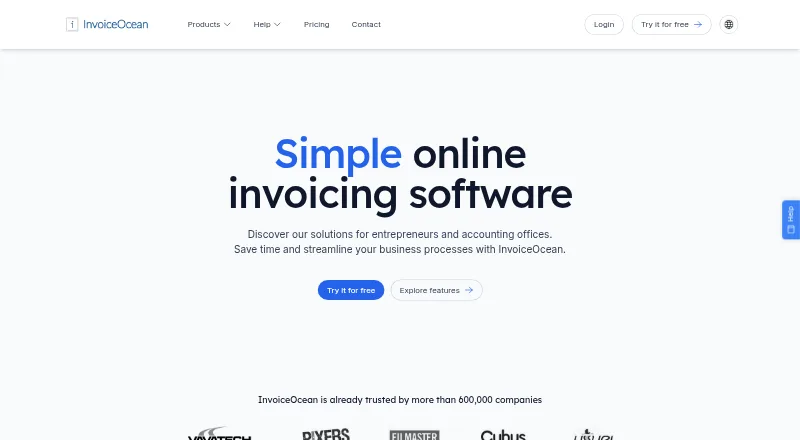
What InvoiceOcean is
InvoiceOcean is invoicing software with tools for recurring invoices, online payments, payment reminders, multi-currency invoicing and a client portal. Its free plan allows three invoices per month for one user. Paid plans start at $9 per month, with unlimited invoices for one user in Basic; higher plans add users and features such as warehouse management, payment imports, custom domains and IP access controls. Users can change invoice templates and personalize them with CSS, and account owners can assign user permissions. The service supports inventory tracking through warehouse documents and provides financial reports with charts. Mobile apps are available for Android and iOS, and InvoiceOcean can connect with other applications. Larger companies can integrate through an API. Security controls include automatic logout and IP address restrictions. Support resources include a knowledge base, blog and feedback forum. InvoiceOcean was founded in 2010 and is headquartered in Warsaw, Poland. The listed plans are billed monthly, and the service states that it has no installation fees or long-term commitments.
Who it suits
InvoiceOcean suits businesses that need invoicing, online payments, reminders or recurring billing. Its higher plans may suit teams that need warehouse management, more users or IP access controls.
What it does well
- Free plan supports up to three monthly invoices
- Supports recurring invoices and payment reminders
- Includes Android and iOS mobile apps
- Reports include charts
- Offers API integration for larger companies
What to know first
- Free plan is limited to three invoices per month
- Free plan includes one user
- Basic plan starts at $9 a month
Limits
The free plan allows three invoices per month for one user. Basic costs $9 a month and includes unlimited invoices for one user; warehouse management is included in Professional and Enterprise.
Plans
| Plan | Billed and limits | Price |
|---|---|---|
| Free | monthly · 3 invoices · 1 user | Free |
| Basic | monthly · Unlimited invoices · 1 user | $9 a month |
| Professional | monthly · Unlimited invoices · 3 users · 3 managed warehouses | $18 a month |
| Enterprise | monthly · Unlimited invoices · Unlimited users · Unlimited warehouse management | $30 a month |
As invoiceocean.com lists them, read 28 Sept 2026. The maker's own page has the final word.
Getting started
- Visit invoiceocean.com.
- Choose the Free, Basic, Professional or Enterprise plan.
- Use the Android or iOS app if you want to work from a phone.
- Set up invoice templates and user permissions for your account.
InvoiceOcean is invoicing software with payment, reporting and inventory-related tools for businesses billing clients regularly. It is best suited to small teams that want more than invoice creation, especially if they need recurring billing or warehouse tracking. Its free plan is a narrow trial-sized option; paid plans remove the invoice cap and add capacity in clear steps.
Overview
InvoiceOcean brings recurring invoices, online payments, payment reminders, multi-currency invoicing and a client portal into one billing workflow. That combination can help businesses manage routine client billing and follow-up, while the portal gives clients a place to engage with the process. The value depends on team size and operational needs: the free plan permits just three invoices a month, and the more substantial team and warehouse features begin at higher prices.
The service supports 12 language versions and can connect with everyday applications. Larger companies can integrate through an API. Automatic logout and IP address restrictions add access controls, though these are included only with Enterprise. InvoiceOcean says more than 600,000 companies use it and that it processes more than 5 million invoices monthly. Founded in 2010, the company is based in Warsaw, Poland.
Key features
Billing and client workflows
Recurring invoices, reminders, online payments and multi-currency support make InvoiceOcean a plausible fit for businesses with repeat or cross-currency billing. A client portal complements those functions. The free plan, however, allows only three invoices per month, so it is unlikely to support even modest ongoing billing for long.
Reports, teams and inventory
Financial reports with charts are included in Basic, so a solo user can gain visibility into finances without paying for a larger team tier. Basic also permits multiple departments, but only one user. Professional raises the allowance to three users and adds warehouse management, payment imports and recurring invoices. It supports three managed warehouses. Enterprise removes the user and warehouse limits and adds a custom domain and IP access controls. This is a meaningful progression for growing operations, but it makes the lower plans a poor fit for businesses that need shared access or inventory tracking.
Invoice templates can be switched and personalized with CSS, and account owners can assign different permissions to users. These controls are useful for tailoring the customer-facing document and managing access as a team expands. Android and iOS apps extend access to phones. Support is provided through a knowledge base, blog and feedback forum.
Pricing
All listed plans are billed monthly, and InvoiceOcean says there are no installation fees or long-term commitments. A 30-day trial is offered. The free plan costs nothing and includes one user with up to three invoices per month: suitable for a very low-volume start, but not a practical ongoing choice for most businesses.
- Basic — $9 a month: Unlimited invoices, one user, reports and multiple departments. It is the most economical paid option for a solo operator, but offers no additional seats or warehouse management.
- Professional — $18 a month: Unlimited invoices, three users, warehouse management, payment imports and recurring invoices, with three managed warehouses. This is the best fit for a small team that needs shared work or inventory workflows.
- Enterprise — $30 a month: Unlimited invoices, users and warehouse management, plus a custom domain and IP access controls. Choose it when the three-user or three-warehouse ceiling on Professional is restrictive, or when those access controls matter.
Every paid plan removes the invoice quota, but the cheaper tiers trade away seats and operational features. Basic keeps billing unlimited but team capacity at one; Professional adds a small team and warehouse tools, while Enterprise is the only plan with unlimited users, unlimited warehouse management and IP restrictions.
Platforms
InvoiceOcean has mobile apps for Android and iOS phones. The service also supports integrations with everyday applications and API integration for larger companies.
Who it's for
InvoiceOcean suits solo businesses that need unlimited invoicing and reports, and small teams that want recurring billing, payment imports or warehouse tracking as they grow. The Professional plan is the clearest fit for a team of up to three users managing up to three warehouses. Businesses needing IP-based access restrictions, a custom domain or more capacity should consider Enterprise. It is less compelling for businesses that need several users or inventory management but want to stay at the lowest paid tier.
Pros and cons
- Pros: Every paid plan includes unlimited invoices, avoiding a transaction-volume ceiling as billing grows.
- Pros: Professional combines three users with warehouse management, payment imports and recurring invoices, covering several small-team needs in one step up.
- Pros: Templates can be personalized with CSS, and user permissions can be assigned by account owners.
- Cons: The free plan's three-invoice monthly cap makes it unsuitable for sustained billing beyond very low volumes.
- Cons: Basic includes just one user, and warehouse management is reserved for Professional and Enterprise.
- Cons: IP access controls and unlimited warehouse capacity require Enterprise.
Alternatives
For more invoicing software, compare tools with different billing and platform trade-offs. Zoho Invoice is worth considering for Indian businesses seeking a free forever plan that covers up to two users, three projects and 500 invoices per year; it also supports Android, iOS, macOS and Windows. PayPal Invoicing may suit businesses that want to create and send invoices without setup or subscription fees, provided they can accept transaction fees when customers pay.
SumUp Invoices is an option for those seeking unlimited invoices and quotes on its free plan, along with recurring invoices and customer-management tools. Hiveage offers a free plan with five clients alongside unlimited invoices, estimates and time tracking, which may be a better match for businesses whose client count fits that cap. Inkvoice provides a free cloud plan for one user and five customers with unlimited invoices, and may appeal to those who also want Linux or self-hosted options.
SolidInvoice may suit a solo user comfortable with a limit of ten active clients in exchange for online payments, recurring invoices and multi-currency support at $9 a month. Online Invoices is another option for readers comparing freemium invoicing services. Fakturka.bg is also an alternative to consider.
Verdict
Choose InvoiceOcean if you want unlimited invoicing on paid plans and may need payment follow-up, reporting or warehouse workflows as your business grows. Professional is the strongest fit for a small team that needs up to three users and warehouse management. Look elsewhere if a useful free invoice allowance is essential, or if you need more than one user without paying beyond Basic.
Verdict
InvoiceOcean covers invoicing, payments, reports and inventory-related workflows, with a free option for low invoice volumes. The free plan is limited to three invoices monthly, while paid plans start at $9 per month.
Questions
Is InvoiceOcean free?
Yes. Its Free plan costs nothing and allows up to three invoices per month for one user.
How much do paid plans cost?
Basic is $9 a month, Professional is $18 a month, and Enterprise is $30 a month. The listed plans are billed monthly.
Which phones can run InvoiceOcean?
Mobile apps are available for Android and iOS.
Does InvoiceOcean support recurring invoices and online payments?
Yes. Both recurring invoices and online payments are supported.
Who makes InvoiceOcean?
InvoiceOcean is the maker. The company was founded in 2010 and is headquartered in Warsaw, Poland.
Can larger companies connect their own systems?
Large companies can integrate through InvoiceOcean's API.
Facts from InvoiceOcean's own pages
- API integration
- Large companies can integrate through a reliable API · invoiceocean.com, 28 Sept 2026
- Payment reminders
- Yes · invoiceocean.com, 20 Sept 2026
- Billing commitment
- There are no installation fees or long-term commitments · invoiceocean.com, 28 Sept 2026
- Client portal
- Yes · invoiceocean.com, 20 Sept 2026
- Customer base
- InvoiceOcean says it is trusted by more than 600,000 companies · invoiceocean.com, 28 Sept 2026
- Years on market
- The company reports more than 10 years on the market · invoiceocean.com, 28 Sept 2026
- Founded
- 2010 · invoiceocean.com, 28 Sept 2026
- Free plan
- Yes · invoiceocean.com, 20 Sept 2026
- Free plan limit
- The free plan allows 3 invoices per month · invoiceocean.com, 28 Sept 2026
- Free trial
- A 30-day free trial is available · invoiceocean.com, 28 Sept 2026
- Headquarters
- Warsaw, Poland · invoiceocean.com, 28 Sept 2026
- App integrations
- InvoiceOcean can connect with applications used every day · invoiceocean.com, 28 Sept 2026
- Invoice templates
- Users can switch templates and personalize them with CSS codes · invoiceocean.com, 28 Sept 2026
- Language versions
- The service offers 12 language versions · invoiceocean.com, 28 Sept 2026
- Mobile apps
- Mobile apps are available for Android and iOS phones · invoiceocean.com, 28 Sept 2026
- Monthly invoices
- The service reports more than 5 million invoices per month · invoiceocean.com, 28 Sept 2026
- Multi-currency invoicing
- Yes · invoiceocean.com, 20 Sept 2026
- Online payments
- Customers can make quick payments through services including PayU and PayPal · invoiceocean.com, 28 Sept 2026
- Recurring invoices
- Documents can be issued automatically at set intervals · invoiceocean.com, 28 Sept 2026
- Reports and charts
- The system provides financial reports enriched with charts · invoiceocean.com, 28 Sept 2026
- Security controls
- The service supports automatic logout and access restrictions by IP address · invoiceocean.com, 28 Sept 2026
- Starting price
- Paid plans start at $9 per month · invoiceocean.com, 28 Sept 2026
- Support channels
- Support is provided through a knowledge base, blog, and feedback forum · invoiceocean.com, 28 Sept 2026
- Team permissions
- Account owners can assign different permissions to users · invoiceocean.com, 28 Sept 2026
Where InvoiceOcean stands on Freedom251
- Invoicing software#16 of 84