Freedom251 › Billing And Invoicing Software

Hiveage
by Hiveage
What Hiveage is
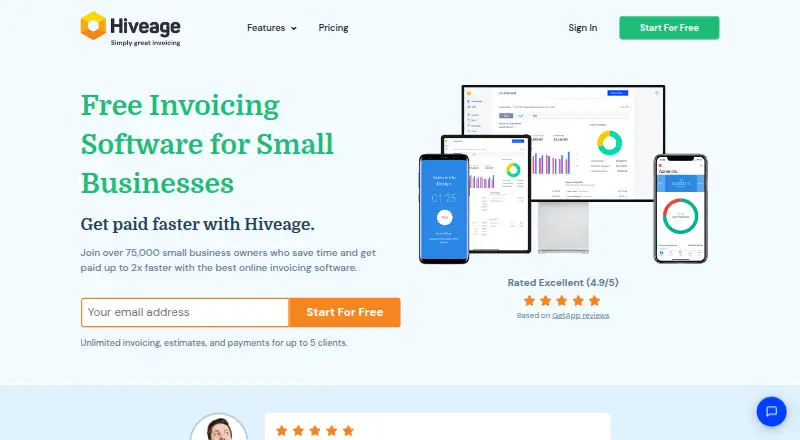
Hiveage is online invoicing and billing software for small businesses and freelancers. It handles invoices, online payments, recurring subscriptions, time and expense tracking, estimates, quotes, and financial reports. The platform supports multiple currencies and can format invoices for clients’ preferred currencies and locales. More than a dozen payment gateways are supported, including PayPal, Stripe, Square, and Braintree. One account can manage multiple business entities and teams with delegated permissions. Data and reports can be imported or exported as CSV files, through the API, or with connected tools; a Zapier integration can trigger workflows from Hiveage events. Its JSON REST API is enabled by default, with per-hour request limits. Hiveage lists a free plan for up to five clients and paid plans from $16/mo (annual), along with a 14-day trial. The maker says accounts use 256-bit SSL-encrypted connections and reports 99.9% average uptime, daily backups, and 180-day backup retention.
Who it suits
Hiveage suits freelancers and small businesses that need invoicing alongside payments, recurring billing, and time or expense tracking. Its multi-entity permissions and currency support may also suit teams handling multiple businesses or international clients.
What it does well
- Free plan includes unlimited invoices and estimates.
- Supports more than a dozen payment gateways.
- One account can manage multiple business entities.
- Exports and imports data through CSV, API, or tools.
What to know first
- Free plan is limited to five clients.
- API requests have per-hour limits.
- Only one team user is included.
Limits
The Free plan allows five clients and includes one team user. Basic lists capacity for 50 clients; Pro includes 250 clients and five team members, while Plus includes 1000 clients and 10 team members.
Plans
| Plan | Billed and limits | Price |
|---|---|---|
| Basic | $19 per month with monthly billing · 50 clients · unlimited invoices · unlimited estimates · unlimited time tracking · unlimited expense tracking · unlimited recurring billing · financial reports · payment gateways | $19 a month |
| Pro | $29 per month with monthly billing · 250 clients · 5 team members · unlimited invoices · unlimited estimates · unlimited time tracking · unlimited expense tracking · unlimited recurring billing · financial reports · payment gateways · custom domain · domain email · custom email notifications · automatic payment reminders | $29 a month |
| Plus | $49 per month with monthly billing · 1000 clients · 10 team members · unlimited invoices · unlimited estimates · unlimited time tracking · unlimited expense tracking · unlimited recurring billing · financial reports · payment gateways · custom domain · domain email · custom email notifications · automatic payment reminders · migration support · API access | $49 a month |
| Free | $0 per month · 5 clients · unlimited invoices · unlimited estimates · unlimited time tracking · unlimited expense tracking · payment gateways | Free |
| Free | $0 per month with yearly billing · 5 clients · unlimited invoices · unlimited estimates · unlimited time tracking · unlimited expense tracking · unlimited recurring billing · payment gateways | Free |
As hiveage.com lists them, read 28 Sept 2026. The maker's own page has the final word.
Getting started
- Visit the Hiveage website.
- Choose the Free plan or review the paid plans.
- Start with the 14-day trial if you want to try the paid service.
- Use Hiveage on the web or its listed Android, iOS, macOS, or Windows platforms.
- Connect a payment gateway or use the API and Zapier integration as needed.
Overview
Hiveage is an online billing platform for freelancers and small businesses that need invoicing, payment collection, subscriptions, estimates, and expense tracking in one account. It is particularly suitable for firms serving clients in different countries or operating several business entities. The main trade-off is scale: the free tier stops at five clients, while useful collaboration features begin on higher paid plans.
Hiveage traces its invoicing service to 2006, when it operated as CurdBee, and is headquartered in Boston, Massachusetts. The company says more than 75,000 small businesses in over 150 countries have used it since 2014.
Key features
- Complete billing workflow: Invoices, estimates and quotes sit alongside recurring subscriptions, time tracking, expense tracking and financial reports. That makes Hiveage a plausible central billing record for a service business rather than merely an invoice sender.
- Online collection: Customers can pay through more than a dozen gateways, including PayPal, Stripe, Square and Braintree. Payment reminders help chase overdue balances without leaving the billing system.
- International invoicing: Multi-currency support formats invoices for a client's preferred currency and locale, a practical advantage for cross-border freelancers and agencies.
- Multiple entities and access: One account can cover several teams and business entities, with delegated permissions. This is more useful to an owner managing related operations than to a solo user with one business.
- Portability and automation: CSV import and export, API access and connected software tools support migration and reporting. The JSON REST API is enabled for every account, although hourly request limits apply. Zapier can trigger workflows from events such as a new invoice.
- Infrastructure: Accounts use 256-bit SSL connections and Rackspace hosting. Hiveage states 99.9% average uptime, redundant servers and storage, daily backups in multiple locations, and 180-day backup retention. Support is offered by in-app chat and email, with a Help Center covering gateways, customization, reports and data transfer.
Pricing
Hiveage has a free plan, paid plans from $16/mo when billed annually, and a 14-day trial. The published monthly plan prices below are the clearest fit for month-to-month budgeting.
| Plan | Price | What you get | Best for |
|---|---|---|---|
| Free | free | 5 clients, unlimited invoices, estimates, time and expense tracking, and payment gateways | A solo operator validating a basic workflow |
| Basic | $19 a month | 50 clients, unlimited billing and tracking, recurring billing, financial reports and gateways | A small practice that needs recurring invoices and reporting |
| Pro | $29 a month | 250 clients, 5 team members, plus Basic features, custom domain and domain email | A growing team needing branded client communications |
| Plus | $49 a month | 1,000 clients, 10 team members, plus Pro features | A larger agency or multi-business operation |
The free tier's five-client ceiling is restrictive for an established consultancy, despite unlimited documents and tracking. Basic adds capacity and recurring billing but still does not include team seats or the Pro branding features. Pro and Plus are the practical choices when several people need access; Plus is justified mainly by its 1,000-client and 10-member limits. Check annual billing terms against your cash-flow preference before choosing the advertised $16/mo entry price.
Platforms
Hiveage supports Android, iOS, macOS, Windows and web access. An API is also available, so it can fit a business that needs to connect billing data to other software.
Who it's for
Choose Hiveage if you are a freelancer, small business or agency combining project time and expenses with invoices, recurring charges and online payment collection. It is especially well matched to international client work, multiple currencies, multiple entities or permissioned teams. It is less compelling for a very small client list that only needs occasional invoices, where the five-client free cap may suffice but the paid tiers add unnecessary cost.
Pros and cons
Pros
- Broad billing coverage: Recurring invoices, reminders, estimates, payments, time and expenses reduce the need to stitch together separate tools.
- International and multi-entity support: Localized currencies and delegated access address common complications for cross-border businesses.
- Strong connectivity: CSV transfer, an account-wide REST API and Zapier triggers make data export and automation practical.
- Clear capacity steps: Client and team limits show when moving from Free to Basic, Pro or Plus is necessary.
Cons
- Free plan is narrow on clients: Five clients can be exhausted quickly, even though invoices and tracking are unlimited.
- Team access costs more: Included seats appear only on Pro and Plus, so collaborative users must move beyond Basic.
- Annual entry pricing needs scrutiny: The $16/mo figure is tied to annual billing, while monthly prices start at $19.
Alternatives
For a broader shortlist, see Invoicing software.
- Zoho Invoice is a free option with Android, iOS, macOS and Windows apps; pick it when its free limits of two users, three projects and 500 invoices per year fit your operation.
- PayPal Invoicing suits users who want free invoice creation without a subscription and are comfortable with transaction fees on paid invoices.
- SumUp Invoices is worth considering for unlimited invoices and quotes on its free plan across web, iOS and Android.
- InvoiceOcean fits a very small operation willing to stay within three invoices per month and one user on its free tier.
- Express Invoice offers a non-expiring free version for home users or one-user businesses across desktop, web and mobile platforms.
- Invoice Home is an alternative for users whose free usage stays within $1,000 invoiced over the past 30 days.
- Inkvoice offers a free cloud tier with one user, five customers and unlimited invoices, plus API and self-hosted options.
- SolidInvoice is a web, Linux and macOS choice with a $9 monthly Solo plan covering 10 active clients, one seat, online payments, recurring invoices and multi-currency support.
Verdict
Hiveage is a strong fit for freelancers and small, internationally oriented businesses that want invoicing, recurring billing, payment gateways, tracking and reporting under one roof. Its main reason to choose it is the combination of multi-currency, multi-entity access and integration options. Look elsewhere if five free clients is too restrictive or if you need team seats without moving to a higher paid tier.
Verdict
Hiveage brings invoicing, payment collection, and related tracking into one online billing platform. Check the free plan’s client cap and paid-plan billing terms against your needs.
Questions
Is Hiveage free?
Yes. Its Free plan costs nothing and includes five clients, unlimited invoices and estimates, unlimited time and expense tracking, and payment gateways.
How much do the paid plans cost?
The listed monthly plans are Basic at $19 a month, Pro at $29 a month, and Plus at $49 a month. Hiveage’s pricing note also says paid service starts at $16/mo with annual billing.
Is there a free trial?
Yes, a 14-day trial is listed.
Which platforms does Hiveage support?
Hiveage lists Android, API, iOS, macOS, web, and Windows.
Can I connect payment services or other tools?
Hiveage supports more than a dozen payment gateways, including PayPal, Stripe, Square, and Braintree. It also has a Zapier integration and a JSON REST API.
Who makes Hiveage?
The maker is Hiveage, headquartered in Boston, Massachusetts, USA. The company says its online invoicing journey began in 2006 with CurdBee.
Facts from Hiveage's own pages
- API
- Hiveage provides a JSON RESTful API, enabled by default for all user accounts, with per-hour request limits. · hiveage.com, 28 Sept 2026
- Audience
- Hiveage says it has helped more than 75,000 small businesses in 150+ countries since 2014. · hiveage.com, 28 Sept 2026
- Payment reminders
- Yes · hiveage.com, 19 Sept 2026
- Billing cycle
- It covers invoicing, online payments, recurring subscriptions, time and expense tracking, estimates and quotes, and financial reports. · hiveage.com, 28 Sept 2026
- Company history
- The company says its online invoicing journey began in 2006 with the predecessor product CurdBee. · hiveage.com, 28 Sept 2026
- Currencies
- The platform supports multiple currencies and formats invoices for clients' preferred currencies and locales. · hiveage.com, 28 Sept 2026
- Data portability
- Users can import and export data and reports as CSV files, through the API, or with connected software tools. · hiveage.com, 28 Sept 2026
- Free plan
- Yes · hiveage.com, 19 Sept 2026
- Headquarters
- Boston, Massachusetts, USA · hiveage.com, 28 Sept 2026
- Integrations
- Hiveage has a Zapier integration that can trigger workflows from Hiveage events such as a new invoice. · support.hiveage.com, 28 Sept 2026
- Multi-currency invoicing
- Yes · hiveage.com, 19 Sept 2026
- Multiple businesses
- One account can manage multiple teams and business entities with delegated access levels and permissions. · hiveage.com, 28 Sept 2026
- Online payments
- Yes · hiveage.com, 19 Sept 2026
- Payment gateways
- Hiveage supports more than a dozen payment gateways, including PayPal, Stripe, Square and Braintree. · hiveage.com, 28 Sept 2026
- Platforms
- Hiveage is web-based with nothing to install and also offers native iOS and Android apps. · hiveage.com, 28 Sept 2026
- Product
- Hiveage is online invoicing and billing software built for small businesses and freelancers. · hiveage.com, 28 Sept 2026
- Recurring invoices
- Yes · hiveage.com, 19 Sept 2026
- Reliability
- Hiveage states 99.9% average uptime, redundant storage and servers, daily backups in multiple geographic locations, and 180-day backup retention. · hiveage.com, 28 Sept 2026
- Security
- Hiveage accounts use 256-bit SSL-encrypted connections and are hosted on Rackspace servers. · hiveage.com, 28 Sept 2026
- Paid from
- 16 · hiveage.com, 19 Sept 2026
- Support
- Support is available through in-app chat and email, and the Help Center includes payment gateways, customization, reports, and data import/export sections. · hiveage.com, 28 Sept 2026
- Included team users
- 1 · hiveage.com, 19 Sept 2026
Where Hiveage stands on Freedom251
- Billing And Invoicing Software#4 of 29
- Invoicing software#14 of 84