Freedom251 › Password Managers

Intuitive Password
What Intuitive Password is
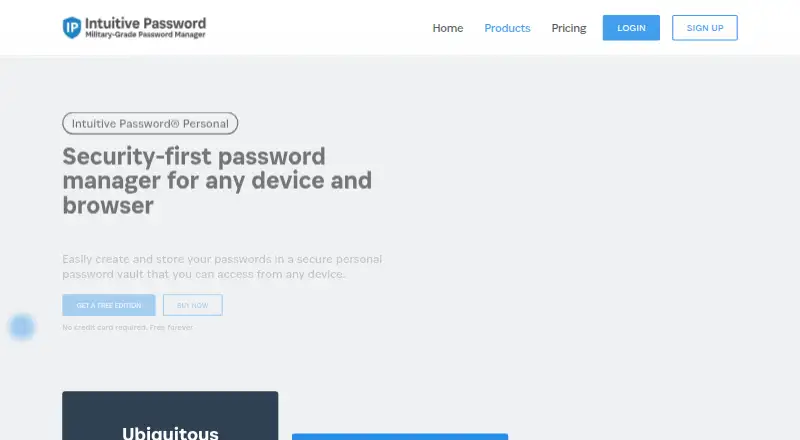
Intuitive Password is a password manager for individuals and families. It generates, stores, and autofills passwords, and can also hold confidential items such as documents, medical records, software licenses, credit cards, passports, driver licenses, and notes. The personal service synchronizes across Windows, macOS, Linux, iOS, Android, and web browsers. Extensions offer one-click login and autofill, while the generator follows customized guidelines. Users can share passwords with individuals or groups and grant viewing or editing access. Passwordless vault access supports FIDO2-certified authenticators, Touch ID, Windows Hello, YubiKey, and Feitian hardware keys. The company describes its approach as AES-256 encryption with PBKDF2-SHA256 and a zero-knowledge architecture, with the master password not stored on its servers. Dark web scan reports are listed for eligible plans. The Basic Edition includes 20 password items and secure sharing; a free plan is listed. Paid options include Express Edition at A$2 a month billed annually, Advanced Edition at A$5 a month billed annually, and Pro Edition at A$7 a month billed annually. The company says it cannot recover forgotten login credentials.
Who it suits
Intuitive Password suits individuals and families who want to manage passwords and other confidential records across devices. Its family plans and sharing permissions may also suit people who need to share vault items with others.
What it does well
- Synchronizes across desktop, mobile, and web
- Supports passwordless vault access
- Allows sharing with viewing or editing permissions
- Stores documents and other confidential records
- Offers a free plan
What to know first
- Forgotten login credentials cannot be recovered
- No free trial is listed
- Paid personal plans are billed annually
Limits
The Basic Edition lists a 20-password-item limit. Express costs A$2 a month billed annually and allows 2,000 password items; dark web scan reports are listed for Advanced Edition at A$5 a month billed annually. The company says it cannot recover an account when login credentials are forgotten.
Plans
| Plan | Billed and limits | Price |
|---|---|---|
| Express Edition | Billed annually · 2,000 password items · offline mode · import/export · security notifications · IP whitelisting | A$2 a month |
| Advanced Edition | Billed annually · 999,999 password items · dark web scan reports · password history · account inheritance · 2FA | A$5 a month |
| Pro Edition | Billed annually · 999,999 password items · larger inputs · more tags · more single-use codes · priority technical support | A$7 a month |
| Family Starter | Billed annually · 5 members · Express Edition for all members | A$8 a month |
| Family Plus | Billed annually · 5 members · Advanced Edition for all members · dark web scans · priority support · 2FA | A$15 a month |
| Business Starter | Billed annually · 10 team members · Advanced Edition for all members · cloud-based | A$30 a month |
| Basic Edition | Free forever · 20 password items · secure sharing · auto-fill · security dashboard · password generator · emergency access | Free |
| Business Plus | Billed annually · 20–1,000 users · Pro Edition for all members · volume discount · cloud-based | On request |
The first 8 of 10 plans, as intuitivepassword.com lists them, read 28 Sept 2026. The maker's own page has the final word. Every plan
Getting started
- Visit the Intuitive Password personal product website.
- Choose a personal or family plan.
- Use the web service or a supported Windows, macOS, Linux, iOS, or Android platform.
- Add passwords and confidential records to the vault.
- Install a supported browser extension for one-click login and autofill.
Intuitive Password is a cross-platform vault for passwords, confidential records, documents, and notes. It suits individuals, families, and organizations that need sharing across mixed devices, with optional private deployment. The decisive caveat is account recovery: losing the login credentials also means losing access to the vault.
Overview
Alongside generated passwords and autofill data, the vault can hold medical records, software licenses, credit cards, passports, driver licenses, documents, and notes. Personal and Family service synchronizes across Windows, macOS, Linux, iOS, Android, and the web, while extensions cover Chrome, Firefox, Edge, Safari, Opera, and Chromium-based browsers. That makes it a practical choice for households and users who move between operating systems.
Intuitive Password states that it uses AES-256 encryption, PBKDF2-SHA256, and a zero-knowledge architecture in which the master password is not stored on its servers. Its web properties run on Microsoft Azure with ISO/IEC 27001/27002, ISO/IEC 27018, PCI DSS Level 1, SOC 1 Type 2, and SOC 2 Type 2 attestations. Those measures support a security-conscious purchase, but the no-backdoor design makes careful credential preservation essential.
Key features
Vault, autofill, and passkeys
The password generator follows rules you define, and browser extensions provide one-click login and form filling. Passwordless vault access supports FIDO2 authenticators, Touch ID, Windows Hello, YubiKey, and Feitian keys, so users who prefer hardware or biometric sign-in have alternatives to a master-password-only workflow. Passkey support is included.
Monitoring and sharing
Dark web scan reports identify weak, compromised, or duplicated passwords, with the Advanced and Family Plus tiers adding this capability. Sharing works with individuals or groups and allows viewing or editing permissions, with changes synchronized to recipients. Premium subscriptions can import from major managers and browsers including LastPass, 1Password, Bitwarden, Keeper, and Chrome. Human support is offered by email and live chat; higher plans receive priority technical support.
Deployment and administration
Business offerings add administration and cloud or private hosting choices. Business Private supports on-premises hosting, monthly patches and updates, and fast deployment, while Enterprise adds custom users and limits, development, integrations, white-labeling, and unlimited licenses.
Pricing
The service is freemium. Basic Edition has no published price and allows 20 password items, secure sharing, autofill, a security dashboard, password generation, and emergency access. It is suitable for a small personal vault, but the item cap is restrictive for users storing documents and identity records.
Express Edition costs A$2 a month when billed annually and raises the allowance to 2,000 items, adding offline mode, import/export, security notifications, and IP whitelisting. Advanced Edition is A$5 a month, billed annually, with 999,999 items, dark web reports, password history, account inheritance, and 2FA. Pro Edition costs A$7 a month annually and keeps the 999,999-item ceiling while adding larger inputs, more tags, more single-use codes, and priority technical support.
Family Starter is A$8 a month billed annually for five members with Express features for everyone. Family Plus is A$15 a month annually for five members, with Advanced features, dark web scans, priority support, and 2FA. Business Starter costs A$30 a month annually for 10 team members on the Advanced edition in a cloud deployment. Business Plus, Business Private, and Enterprise Edition use custom pricing; Enterprise is quote-based with custom users, limits, development, integrations, white-labeling, and unlimited licenses. There is no free trial, and annual billing matters for every priced plan.
Platforms
Supported access spans web, Windows, macOS, Linux, iOS, Android, Chrome extension, and self-hosted deployments. The personal service synchronizes across unlimited devices, while business buyers can choose cloud-based or on-premises arrangements.
Who it's for
Choose it if one vault for passwords and broader confidential records is more useful than a password-only product, or if your household needs five shared memberships and broad device coverage. Teams benefit from permissioned sharing, business administration, identity-provider integration on Business Plus, and private hosting on Business Private. It is a poor fit for anyone who cannot reliably preserve account credentials, because Intuitive Password cannot recover a forgotten login.
Pros and cons
- Pro: Stores passwords, documents, identity records, and notes in one synchronized vault.
- Pro: Covers major desktop, mobile, browser, and self-hosted environments, with passkeys and hardware-key support.
- Pro: Sharing permissions, family tiers, and business deployment options scale beyond a solo vault.
- Con: The 20-item Basic cap limits the free edition for users storing substantial records.
- Con: Priced subscriptions are billed annually and there is no free trial.
- Con: Forgotten credentials are unrecoverable under its zero-knowledge design.
Alternatives
Consider Proton Pass if you want a freemium manager across web, desktop, and mobile platforms. NordPass is another freemium, multi-platform option with a lifetime free tier for one account. Choose LastPass if a free trial and a one-device-type free plan are priorities. Zoho Vault offers unlimited storage and device access on its free plan. RoboForm has a single-device free tier and a paid plan listed at $2.49 a month billed annually. Psono, Passbolt, or Padloc may suit readers seeking open-source or self-hosted-oriented alternatives.
Browse more options in Password Managers.
Verdict
Intuitive Password is a strong choice for people, families, and teams that want broad device support, confidential-record storage, and granular sharing in one product. Its main reasons to look elsewhere are the annual commitment, the limited free tier, and the absolute need to protect the account credentials yourself.
Verdict
Intuitive Password combines password management, confidential-item storage, and sharing across supported devices. Users should weigh its account recovery limitation and annual billing terms before choosing a plan.
Questions
Is there a free plan?
Yes. Intuitive Password lists a free plan. Its Basic Edition lists a limit of 20 password items.
How much do the paid personal plans cost?
Express Edition costs A$2 a month billed annually, Advanced Edition costs A$5 a month billed annually, and Pro Edition costs A$7 a month billed annually.
Which platforms does it support?
Supported platforms include web, Windows, macOS, Linux, iOS, Android, and browser extensions. The personal service synchronizes passwords across those devices and web browsers.
Can I use it with my family?
Yes. Family Starter costs A$8 a month billed annually for five members with Express Edition for all members. Family Plus costs A$15 a month billed annually for five members with Advanced Edition for all members.
Does it support passwordless access and sharing?
Yes. Passwordless vault access supports FIDO2-certified authenticators, Touch ID, Windows Hello, YubiKey, and Feitian hardware keys. Users can share passwords with individuals or groups and grant viewing or editing permissions.
Can the company recover my account if I forget my login credentials?
No. Intuitive Password says it cannot recover the account because the password is not stored on its servers and there is no backdoor.
Facts from Intuitive Password's own pages
- Account recovery limitation
- If a user forgets the login credentials, Intuitive Password says it cannot recover the account because the password is not stored and there is no backdoor. · intuitivepassword.com, 28 Sept 2026
- Browser autofill
- Browser extensions provide one-click login and autofill for Chrome, Firefox, Edge, Safari, Opera, and Chromium-based browsers. · intuitivepassword.com, 28 Sept 2026
- Business admin controls
- Yes · intuitivepassword.com, 16 Sept 2026
- Dark web monitoring
- Dark web scan reports alert users to weak, compromised, or duplicated passwords. · intuitivepassword.com, 28 Sept 2026
- Data import integrations
- Premium subscriptions can import passwords from LastPass, NordPass, 1Password, Chrome, Firefox, Edge, Safari, Dashlane, Bitwarden, Enpass, PasswordBoss, Keeper, KeePass, RoboForm, McAfee True Key, Zoho Vault, and SafeInCloud. · intuitivepassword.com, 28 Sept 2026
- Encryption
- The product states that it uses AES-256 encryption with PBKDF2-SHA256 and a zero-knowledge architecture in which the master password is not stored on its servers. · intuitivepassword.com, 28 Sept 2026
- Family plan
- Yes · intuitivepassword.com, 16 Sept 2026
- Founded
- 2013 · intuitivepassword.com, 28 Sept 2026
- Free plan
- Yes · intuitivepassword.com, 16 Sept 2026
- Headquarters
- Box Hill, Victoria, Australia · intuitivepassword.com, 28 Sept 2026
- Hosting and compliance
- Its websites and web applications run on Microsoft Azure infrastructure with listed attestations including ISO/IEC 27001/27002, ISO/IEC 27018, PCI DSS Level 1, SOC 1 Type 2, and SOC 2 Type 2. · intuitivepassword.com, 28 Sept 2026
- Maker
- Intuitive Security Systems is an Australian proprietary limited company formed in 2013 by experienced engineers. · intuitivepassword.com, 28 Sept 2026
- Passkey support
- Yes · intuitivepassword.com, 16 Sept 2026
- Password generation
- The password generator creates passwords according to customized guidelines. · intuitivepassword.com, 28 Sept 2026
- Passwordless login
- Passwordless vault access supports FIDO2-certified authenticators, Touch ID, Windows Hello, YubiKey, and Feitian hardware keys. · intuitivepassword.com, 28 Sept 2026
- Personal and family use
- The Personal and Family product is built for individuals securing online assets and accessing secrets across devices. · intuitivepassword.com, 28 Sept 2026
- Secure sharing
- Yes · intuitivepassword.com, 16 Sept 2026
- Support
- The company says human support is available through email and live chat, with priority technical support on higher plans. · intuitivepassword.com, 28 Sept 2026
- Supported platforms
- web,windows,macos,linux,ios,android,chrome_extension · intuitivepassword.com, 16 Sept 2026
- Team sharing
- Users can share passwords with individuals or groups and grant viewing or editing permissions, with changes synchronized to recipients. · intuitivepassword.com, 28 Sept 2026
- Unlimited devices
- The personal service synchronizes passwords across Windows, macOS, Linux, iOS, Android, and web browsers. · intuitivepassword.com, 28 Sept 2026
- What it does
- Intuitive Password generates, stores, and autofills passwords and also stores confidential data such as documents, medical records, software licenses, credit cards, passports, driver licenses, and notes. · intuitivepassword.com, 28 Sept 2026
Where Intuitive Password stands on Freedom251
- Password Managers#11 of 104