Freedom251 › Password Managers

Psono
by Psono
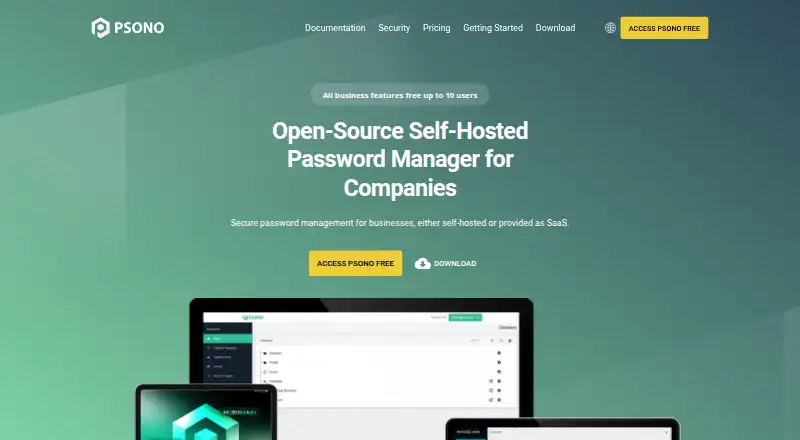
What Psono is
Psono is an open-source password manager for storing credentials and sharing them with a team in encrypted form. It can be self-hosted, and its browser client encrypts vault data before the information is stored on a server. Psono describes using Curve25519 and Salsa20 through NaCl, with scrypt to derive passwords. Its transport security includes HTTPS with TLS 1.2 and support for perfect forward secrecy.
The vault includes password capture and autofill, password generation, secure notes, bookmarks, offline access, import and export, and secret history. Teams can organize users and shared items into groups, apply role-based access, and set permissions on shared items. Multifactor options include YubiKey, Duo, TOTP apps such as Google Authenticator, and FIDO WebAuthn passkeys.
Enterprise Edition lists LDAP, SAML, and OIDC single sign-on integrations, REST-call audit logging, and policies to require two-factor authentication or disable exports and recovery. Psono also lists local, GCP, AWS, and Azure storage backends for client-side-encrypted files, plus API keys for build pipelines or startup scripts. Its server and clients are available free for on-premises hosting, with Docker images for the server and web client. The maker is esaqa GmbH, based in Vorra, Germany. Psono has a free plan and paid service from €2.50/user/mo (annual).
Who it suits
Psono suits individuals or teams that want an open-source password manager and the option to host it on their own infrastructure. Its group permissions, passkey support, and Enterprise controls also suit organizations managing shared credentials and access policies.
What it does well
- Browser-side encryption protects vault data before server storage.
- Self-hosted server and clients are available free for on-premises use.
- Vault includes autofill, password generation, notes, bookmarks, and offline access.
- Teams can use groups, role-based access, and item permissions.
- MFA options include YubiKey, Duo, TOTP, and WebAuthn passkeys.
What to know first
- Business has a minimum of 25 users.
- Professional support and SLAs require a quote.
- LDAP, SAML, and OIDC integrations are listed for Enterprise Edition.
Limits
The free Community Edition is self-hosted. The Business plan has a minimum of 25 users; Enterprise Edition professional support and SLAs are quoted separately.
Plans
| Plan | Billed and limits | Price |
|---|---|---|
| Open Source | Unlimited users | On request |
| Open Source | Unlimited users | On request |
| Basic | 10 users | On request |
| Basic | 10 users | On request |
| Business | billed annually · Minimum 25 users | €2.50 a month |
| Community Edition | Open-source · self-hosted · server and clients available free for on-premises hosting | Free |
| Enterprise Edition | Enterprise features · professional support or SLAs by quote | On request |
As psono.com lists them, read 21 Sept 2026. The maker's own page has the final word.
Getting started
- Visit the Psono website to review its plans and product options.
- Choose the Community Edition for free on-premises hosting, or select a listed plan.
- For self-hosting, use Psono's server and client offerings or its Docker images for the server and web client.
- Use the web, Windows, macOS, Linux, iOS, or Android client, or a Chrome, Firefox, or Edge extension.
- Set up a vault and use the available sharing, access, and multifactor options.
Psono is an open-source password manager built for encrypted credential sharing and controlled hosting. It fits organizations that need self-hosting, role-based permissions, and administrative policy controls more than a simple personal vault. Its strongest case is a security-conscious team willing to compare plan thresholds and, for support, request a quote.
Overview
Psono encrypts vault data in the browser before it is stored on the server, so the server receives client-side-encrypted content. The server and clients are available for on-premises hosting at no charge through the Community Edition, with Docker images for the server and web client. That makes Psono a practical option for organizations that must keep infrastructure under their own control.
The product is team-oriented rather than a narrowly personal password locker. Secure sharing, group-based roles, item-level permissions, and business administration are central to its design. Plan boundaries matter: Open Source is shown for unlimited users, Basic for 10 users, and the priced Business plan requires at least 25 users.
Key features
Encrypted vault and sharing
Psono describes Curve25519 and Salsa20 through NaCl, with scrypt for password derivation. An intermediate transport-encryption layer and HTTPS with TLS 1.2, including perfect forward secrecy support, protect data in transit. This combination suits teams that want credentials encrypted before server storage, including teams operating their own server.
Users can share passwords securely, organize users and shares into groups for role-based access control, and restrict permissions on shared items. Those controls are more useful for departments and service accounts than for a lone user who only needs autofill.
Everyday vault tools
Password capture and autofill, password generation, secure notes, bookmarks, offline access, import and export, and secret history cover the routine work of replacing scattered credentials. Offline access helps when a connection is unavailable, while history provides a record of changes to secrets.
Authentication and administration
MFA options include YubiKey, Duo, TOTP applications such as Google Authenticator, and FIDO WebAuthn passkeys. Enterprise Edition adds LDAP, SAML, and OIDC single sign-on. Enterprise policies can require two-factor authentication or disable exports and recovery features, and audit logging records REST calls. These are meaningful controls for organizations with formal access procedures, although the enterprise package is a quote-based purchase.
Psono also lists local, GCP, AWS, and Azure storage backends for client-side-encrypted files, plus API keys for build pipelines and startup scripts. Those integrations extend the vault into infrastructure workflows instead of limiting it to human logins.
Pricing
Psono uses a freemium model, with paid pricing from €2.50 per user per month when billed annually.
- Community Edition: free. Open-source, self-hosted, and includes the server and clients for on-premises hosting. It is the clearest choice for organizations able to run and maintain their own deployment.
- Open Source: custom pricing, with unlimited users. The user allowance is attractive for larger deployments, but the absent published price means budgeting requires a quote.
- Basic: custom pricing for 10 users. It targets a small team, but without a price there is no published cost advantage to weigh against other plans.
- Business: €2.50 per user per month, billed annually, with a minimum of 25 users. This is the straightforward paid tier for a substantial team; the minimum makes it unsuitable for a department with fewer than 25 seats.
- Enterprise Edition: custom pricing. It adds enterprise features, while professional support and SLAs are provided by quote. Choose it when identity integrations, audit requirements, policy enforcement, or contracted support justify the higher-tier discussion.
The free self-hosted route removes subscription cost but leaves hosting responsibility with the customer. Paid plans provide a clearer service relationship only at their stated seat thresholds, so small teams should confirm the custom-priced options before committing.
Platforms
Psono supports web, Windows, macOS, Linux, iOS, Android, Chrome, Firefox, and Edge, with browser extensions, an API, and self-hosted deployment. That breadth suits mixed-device teams and organizations that need automation alongside desktop and mobile access.
Who it's for
Psono is a strong fit for security-conscious companies, technical teams, and administrators who want encrypted sharing, self-hosted infrastructure, passkeys or hardware-backed MFA, and granular permissions. It is also appropriate when LDAP, SAML, OIDC, REST-call auditing, or controls over export and recovery are requirements.
It is less suitable for a small team seeking a plainly priced subscription: Business starts at 25 users, while Open Source and Basic use custom pricing. Organizations that do not want to operate a server should compare the operational burden of Community Edition with a hosted alternative.
Pros and cons
- Pro: Browser-side encryption keeps vault data encrypted before server storage.
- Pro: Self-hosted server and clients are free through the Community Edition, with Docker images supplied.
- Pro: Group roles, item permissions, MFA choices, and enterprise policies support controlled team access.
- Pro: Broad desktop, mobile, browser, API, and cloud-storage options support varied environments.
- Con: The paid Business tier requires 25 users, excluding many small teams.
- Con: Open Source, Basic, and Enterprise pricing is custom, making direct cost comparison difficult.
- Con: Professional support and SLAs require a quote, so support costs are not predictable from the published plans.
Alternatives
Proton Pass is a better fit when you want a freemium password manager across web, desktop, mobile, and browser-extension clients without choosing a self-hosted deployment.
NordPass suits individuals who want a lifetime free option limited to one user account and mainstream desktop and mobile platforms.
LastPass is worth considering if a free tier limited to one device type and an annual-billed premium plan match your usage.
Zoho Vault is an alternative for users who want a free plan with unlimited storage and device access, plus paid sharing and provisioning features.
RoboForm offers a free single-device tier and a $2.49-per-month annual-billed Premium plan that renews at $29.88 per year.
Intuitive Password is another freemium option with a 20-item Basic Edition and self-hosted support.
Passbolt is a self-hosted alternative whose free Community Edition supports unlimited users and unlimited instances.
Padloc may suit readers wanting a free plan with unlimited vault items and devices, while its free tier omits MFA and shared vaults.
For a broader comparison, browse the Password Managers list.
Verdict
Choose Psono when encrypted team sharing, self-hosting, and detailed access policies matter more than a simple subscription checkout. Its free on-premises edition and enterprise-grade controls are compelling for technical organizations, but the 25-user Business minimum, custom pricing on several plans, and quote-based support make it a harder recommendation for small teams or buyers who need predictable pricing.
Verdict
Choose Psono if you want encrypted team credential sharing, self-hosting, or flexible access controls. Look elsewhere if you need a paid team plan for fewer than 25 users or require professional support pricing without requesting a quote.
Questions
Is Psono free?
Yes. Its Community Edition is free for on-premises hosting, and the pricing model also includes a free plan.
What does paid Psono service cost?
Paid service starts at €2.50/user/mo (annual). The Business plan lists a minimum of 25 users.
Can Psono be self-hosted?
Yes. Psono says its server and clients are available free for on-premises hosting and provides Docker images for its server and web client.
Which platforms does Psono support?
It supports web, Windows, macOS, Linux, iOS, and Android, plus Chrome, Firefox, and Edge.
Does Psono support passkeys?
Yes. FIDO WebAuthn passkeys are among its listed multifactor options.
Who makes Psono?
Psono is made by esaqa GmbH, based in Vorra, Germany.
Facts from Psono's own pages
- Business admin controls
- Yes · psono.com, 21 Sept 2026
- Client-side encryption
- Psono encrypts vault data in the browser before it is stored on the server. · psono.com, 5 Oct 2026
- Company
- The maker is esaqa GmbH, whose company page gives an address in Vorra, Germany; no founding year was stated on the opened page. · esaqa.com, 5 Oct 2026
- Encryption
- Psono describes using Curve25519 and Salsa20 via NaCl, with scrypt for password derivation. · psono.com, 5 Oct 2026
- Enterprise controls
- Enterprise features include audit logging of REST calls and policies that can require two-factor authentication or disable exports and recovery features. · psono.com, 5 Oct 2026
- Free plan
- Yes · psono.com, 21 Sept 2026
- Headquarters
- Vorra, Germany · psono.com, 28 Sept 2026
- Infrastructure integrations
- Psono lists local, GCP, AWS, and Azure storage backends for client-side-encrypted files, plus API keys for build pipelines or startup scripts. · psono.com, 5 Oct 2026
- Integrations
- The Enterprise Edition lists LDAP, SAML, and OIDC single sign-on integrations. · psono.com, 5 Oct 2026
- Multifactor authentication
- Listed MFA options include YubiKey, Duo, TOTP apps such as Google Authenticator, and FIDO WebAuthn/passkeys. · psono.com, 5 Oct 2026
- Passkey support
- Yes · psono.com, 21 Sept 2026
- Platforms
- Psono offers browser access, Windows and macOS desktop apps, Linux builds, Android and iOS apps, browser extensions, and self-hosted deployment guides. · psono.com, 5 Oct 2026
- Product
- Psono is an open-source, self-hosted password manager for storing credentials and sharing them with a team in encrypted form. · psono.com, 5 Oct 2026
- Secure sharing
- Yes · psono.com, 21 Sept 2026
- Self-hosting
- Psono says its server and clients are available free for on-premises hosting, and it provides Docker images for its server and web client. · psono.com, 5 Oct 2026
- Sharing and access
- Users can share passwords securely, organize users and shares in groups for role-based access control, and restrict permissions on shared items. · psono.com, 5 Oct 2026
- Support
- Psono directs customers who need professional support or SLAs to contact the company for a quote. · psono.com, 5 Oct 2026
- Supported platforms
- web,Windows,macOS,Linux,iOS,Android,Chrome,Firefox,Edge · psono.com, 21 Sept 2026
- Transport security
- Psono says it uses client-side encryption, an intermediate transport-encryption layer, and HTTPS with TLS 1.2, with perfect forward secrecy support. · psono.com, 5 Oct 2026
- Vault features
- The feature list includes password autofill and capture, password generation, secure notes, bookmarks, offline access, password import and export, and secret history. · psono.com, 5 Oct 2026
Where Psono stands on Freedom251
- Password Managers#8 of 104
- Password Management Software#12 of 38