Freedom251 › Password Managers

Proton Pass
by Proton AG
What Proton Pass is
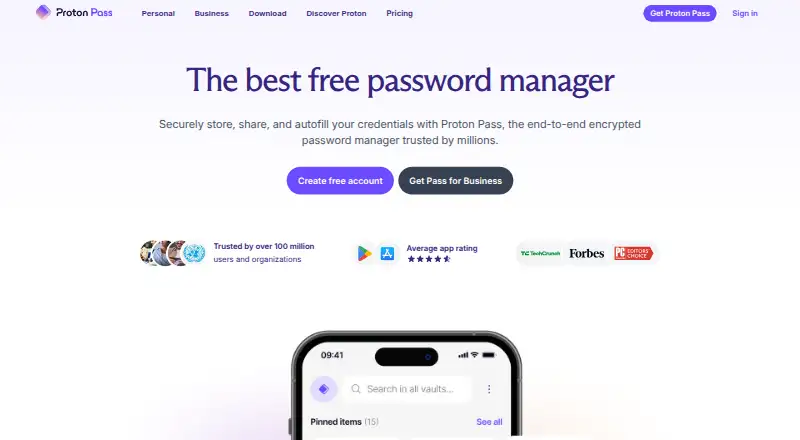
Proton Pass is a password manager from Proton AG, founded in 2014 and headquartered in Geneva, Switzerland. It supports passkeys, secure sharing, passwordless account login, and business admin controls. You can use it on the web, Windows, macOS, Linux, iOS, Android, and through browser extensions. It has a free plan that requires no credit card, though no price is listed for that plan. Pass Plus adds unlimited hide-my-email aliases, a built-in two-factor authenticator, secure vault and link sharing, Dark Web Monitoring, and file attachments. Pass Family supports up to six users, while Proton Unlimited bundles Pass with Mail, Calendar, VPN, and Drive. The paid plans have no listed prices; Proton directs readers to its live pricing widget. A family plan is available alongside individual plans.
Who it suits
It suits people who want a password manager across desktop, mobile, web, and browser extensions, with passkey support and secure sharing. Families can consider the plan for up to six users, and businesses can use its admin controls.
What it does well
- Supports passkeys and passwordless account login
- Secure sharing is available
- Works across web, desktop, mobile, and extensions
- Free plan requires no credit card
- Family plan supports up to six users
What to know first
- No plan prices are listed
- Paid-tier prices appear only in Proton's live widget
Limits
Proton Free requires no credit card. The listed facts do not give a feature quota for that plan; Pass Family supports up to six users, and plan prices are shown in Proton’s live widget.
Plans
| Plan | Billed and limits | Price |
|---|---|---|
| Proton Free | Unlimited logins, notes and credit cards · Unlimited devices · 10 hide-my-email aliases · 2 vaults | Free |
| Proton Unlimited | $119.88 every 12 months · Proton Pass · Proton Mail · Proton Calendar · Proton VPN · Proton Drive · Proton Meet | $119.88 a year |
| Pass Plus | $35.88 every 12 months · Unlimited aliases · Built-in 2FA · Vault and link sharing · Dark Web Monitoring · File attachments · CLI | $35.88 a year |
| Pass Family | $59.88 every 12 months · Up to 6 users · 6 Pass Plus accounts · Family admin panel | $59.88 a year |
As proton.me lists them, read 14 Oct 2026. The maker's own page has the final word.
Getting started
- Visit https://proton.me/pass.
- Choose a plan: Proton Free, Pass Plus, Pass Family or Proton Unlimited.
- Use the web version or select an app for Windows, macOS, Linux, iOS or Android.
- Browser extensions are also available.
- Proton Free requires no credit card.
Proton Pass is a password manager with free and paid options for individuals, households and organizations. It is a strong fit for people who want passkey support, passwordless account login or secure sharing, but the paid plans are difficult to compare until you check their current prices.
Overview
Proton Pass pairs password management with passkeys, passwordless account login and secure sharing. That makes it worth considering if you want alternatives to password-based sign-in or need to share vault contents and links securely. Business admin controls extend its appeal to organizations, while a dedicated family tier serves households.
Made by Proton AG, founded in 2014 and headquartered in Geneva, Switzerland, Proton Pass follows a freemium model. You can start with a free plan, but should check the live widget before deciding whether a paid tier's extra features justify its cost.
Key features
- Passkey support and passwordless login: These give users sign-in options beyond relying on passwords alone.
- Sharing tools: Pass Plus includes secure vault sharing and secure link sharing. That is a clear reason to consider it if sharing is central to your use; the free plan's sharing capabilities are not established.
- More in Pass Plus: Unlimited hide-my-email aliases, a built-in 2FA authenticator, Dark Web Monitoring and file attachments round out the paid tier. The breadth is useful, though readers who need only password management may not need these additions.
- Business admin controls: These make Proton Pass relevant to organizations, not just personal users.
Pricing
Proton Pass offers four named plans, and the paid tiers use custom pricing shown in Proton's live widget. Check the current price and terms there before choosing; without that comparison, it is hard to judge which paid tier fits your budget.
- Proton Free: The free plan requires no credit card. It is the sensible starting point if you want to try Proton Pass without committing, but the plan's feature limits are not established.
- Pass Plus: This adds unlimited hide-my-email aliases, a built-in 2FA authenticator, secure vault and link sharing, Dark Web Monitoring and file attachments. It suits individuals who expect to use those tools, but compare its live price against your actual needs.
- Pass Family: Covers up to six users. It is the clearest fit for a household that wants one plan for several people; check the live widget for its price.
- Proton Unlimited: Bundles Pass with Mail, Calendar, VPN and Drive. It is worth considering if you want those Proton services together, but less compelling if you only need a password manager.
Platforms
Proton Pass supports web, Windows, macOS, Linux, iOS, Android and browser extensions. That breadth makes it a practical option for people who switch between desktop and mobile devices or use different operating systems.
Who it's for
Choose Proton Pass if you want passkeys or passwordless account login, need secure sharing, or want password management across a mix of platforms. The family plan is designed for up to six users, while business admin controls give organizations a reason to consider it. If you only need a basic password manager, compare the free plan's limits and the paid tiers' live prices first.
Pros and cons
- Pros: Support for seven platform types; passkeys and passwordless account login; a family plan for up to six users; and Pass Plus combines sharing with aliases, an authenticator, monitoring and attachments.
- Cons: Paid prices require checking the live widget, making direct plan comparisons less immediate; the free plan's feature limits are not established; and Pass Plus may be more than a password-only user needs.
Alternatives
Compare password managers if you want to weigh a wider set of options.
- NordPass is another freemium option with a free plan for one account and broad desktop, mobile and web platform support.
- LastPass may suit someone who wants a free trial; its free plan is limited to one device type.
- Zoho Vault offers a free plan priced at $0 with unlimited storage and device access.
- RoboForm has a free plan for a single device; its Premium plan is $2.49 a month, billed annually, and renews at $29.88/yr.
- Enpass is another freemium password manager for desktop and mobile platforms.
- Psono may suit teams comparing user limits, with named Open Source and Basic plans for unlimited users and 10 users respectively.
- LogMeOnce is another freemium option with a free trial.
- Intuitive Password is another option if you want to compare services that offer secure sharing.
Verdict
Proton Pass is a good choice for people who value passkeys, secure sharing and broad platform support, with useful options for families and organizations. Its main drawback is the need to check live pricing before weighing paid plans; look elsewhere if you want to compare published costs at a glance or only need a basic password store.
Verdict
Proton Pass covers a wide range of platforms and includes features for personal, family, and business use. Check Proton's live widget for paid-plan prices before choosing a tier.
Questions
Is Proton Pass free?
Yes. Proton Free is available and requires no credit card.
Which platforms does Proton Pass support?
It is listed for web, Windows, macOS, Linux, iOS, Android and browser extensions.
Does Proton Pass support passkeys?
Yes. Passkey support and passwordless account login are listed capabilities.
What does Pass Plus include?
It includes unlimited hide-my-email aliases, a built-in two-factor authenticator, secure vault and link sharing, Dark Web Monitoring and file attachments.
Is there a family plan?
Yes. Pass Family supports up to six users.
What does Proton Unlimited bundle?
It bundles Pass, Mail, Calendar, VPN and Drive. Its price is shown in Proton’s live widget.
Facts from Proton AG's own pages
- Access tokens
- Personal and AI-agent tokens can be scoped to vaults or items, given expiration times and reviewed through access logs. · proton.me, 14 Oct 2026
- Autofill
- It recognizes websites and apps and fills login forms across supported browsers and devices. · proton.me, 14 Oct 2026
- Built-in 2FA
- Paid plans include an authenticator that stores and autofills two-factor codes beside logins. · proton.me, 14 Oct 2026
- Business admin controls
- Yes · proton.me, 20 Sept 2026
- CLI
- The command-line interface manages encrypted vaults and items for terminal, server and automation workflows. · proton.me, 14 Oct 2026
- CLI system requirements
- CLI binaries support macOS Intel and Apple Silicon, Linux x86_64 and aarch64, and Windows x86_64. · protonpass.github.io, 14 Oct 2026
- Company facts
- LinkedIn lists Proton as a privately held company founded in 2014, headquartered in Geneva, with 501–1,000 employees. · linkedin.com, 14 Oct 2026
- Dark Web Monitoring
- Paid plans monitor the dark web for credential leaks and notify users when exposed credentials are found. · proton.me, 14 Oct 2026
- Developer documentation
- The CLI documentation covers servers, containers and CI/CD, including filesystem key storage when an OS keyring is unavailable. · proton.me, 14 Oct 2026
- End-to-end encryption
- Passwords, passkeys, credit cards and related metadata use zero-knowledge end-to-end encryption that Proton says it cannot read. · proton.me, 14 Oct 2026
- Family plan
- Yes · proton.me, 20 Sept 2026
- Founded
- 2014 · proton.me, 23 Sept 2026
- Free plan
- Yes · proton.me, 20 Sept 2026
- Headquarters
- Geneva, Switzerland · proton.me, 23 Sept 2026
- Hide-my-email aliases
- Aliases forward mail while concealing the user's real address and can be used to detect leaks. · proton.me, 14 Oct 2026
- Integrations and import
- Proton Pass imports from Bitwarden, 1Password, Dashlane, LastPass, NordPass, Keeper, Google Password Manager and other managers. · play.google.com, 14 Oct 2026
- Legal ownership and funding
- Proton AG operates from Switzerland under the Proton Foundation, which is the primary shareholder; Proton says it has no venture-capital investors and began with a 2014 crowdfunding campaign exceeding $500,000. · proton.me, 14 Oct 2026
- License
- The Proton Pass common repository identifies the software as GNU General Public License version 3 or later. · github.com, 14 Oct 2026
- Limit: business controls
- TechRadar reports no administrator-enforced password rotation, failed-login lockout, device or IP restrictions, and no live-chat or phone support. · techradar.com, 14 Oct 2026
- Limit: G2 autofill
- G2 reviewers repeatedly report that autofill and browser-extension behavior is inconsistent on some sites. · g2.com, 14 Oct 2026
- Limit: Google Play autofill
- Google Play reviewers report that some apps and websites fail to trigger autofill or save both email and password fields. · play.google.com, 14 Oct 2026
- Limit: Review Bench
- The same review says family and team sharing trails 1Password, the desktop wrapper can feel sluggish and third-party integrations are fewer. · thereviewbench.com, 14 Oct 2026
- Limit: Trustpilot reliability and support
- Trustpilot reviewers describe sync delays, outages, missed autofill fields and difficulty obtaining help, including an alias-account lock complaint. · trustpilot.com, 14 Oct 2026
- News: AI-agent tokens
- On May 21, 2026 Proton announced Pass access tokens for AI agents with granular permissions, time limits and audit logs. · proton.me, 14 Oct 2026
Where Proton Pass stands on Freedom251
- Password Managers#1 of 104
- Password Management Software#2 of 38
- Edge Extensions#2 of 23
- Extensions#2 of 23
- Browser Extensions#2 of 19