Freedom251 › Password Managers

LastPass
by LastPass
What LastPass is
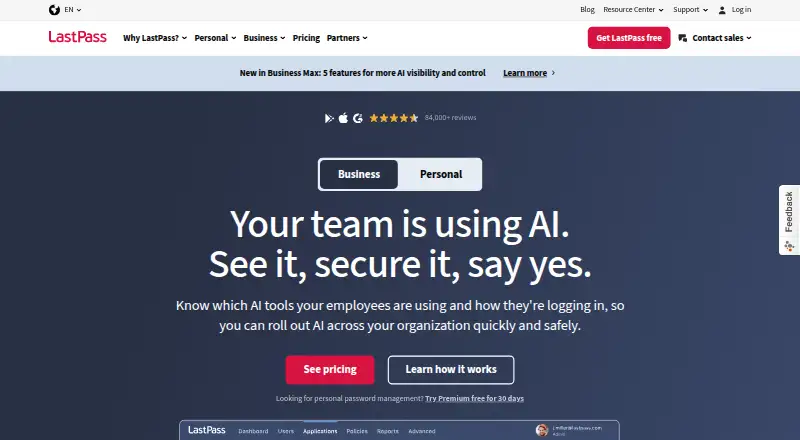
LastPass is a password manager and access security platform for individuals and businesses. It stores login credentials in an encrypted vault that users unlock with a Master Password, then can fill saved credentials at sign-in. A built-in generator creates random, unique passwords. Users can also share passwords, files, and sensitive documents while controlling access. LastPass describes its device-side AES-256 encryption as a zero-knowledge model. It offers breach monitoring and a dashboard for weak or reused passwords. For businesses, an admin console manages directories, policies, reporting, groups, and shared credentials. Directory connections include Microsoft Active Directory, Microsoft Entra ID, Google Workspace, Okta, PingOne/PingFederate, OneLogin, and a custom API; its SSO offering covers more than 1,200 pre-integrated applications. LastPass lists passkey support, family plans, and business administration controls. It is available on web, Windows, macOS, Linux, iOS, Android, and as a Chrome extension. A free plan and 30-day trial are listed. Business costs $7 a month, billed annually.
Who it suits
It suits individuals seeking a credential vault and autofill, as well as organizations needing shared credentials and administrative controls. Families can use the listed family plan.
What it does well
- Autofills credentials saved in an encrypted vault
- Generates random, unique passwords
- Includes breach monitoring and a password security dashboard
- Business console manages policies, groups, and shared credentials
- Available across web, desktop, mobile, and Chrome extension
What to know first
- Free plan limited to 1 device type
- Business costs $7 a month, billed annually
Limits
The Free plan covers one device type. Premium is listed for one user with 1 GB encrypted file storage; Families includes six Premium accounts with independent encrypted vaults; Teams covers up to 50 users with 25 security policies and 1 GB encrypted file storage.
Plans
| Plan | Billed and limits | Price |
|---|---|---|
| Families | annually · 6 Premium accounts · independent encrypted vaults | On request |
| Free | 1 device type · unlimited password storage · autofill · dark web monitoring · basic sharing | Free |
| Premium | annually · Unlimited passwords · all devices · 1 GB secure-note file storage | $3 a month |
| Teams | annually · Up to 50 users · 25 security policies · shared folders · admin console | $4.25 a month |
| Business | annually · Unlimited users · 100+ security policies · Families for employees · group management | $7 a month |
| Business Max | annually · Everything in Business · SaaS Monitoring · SaaS Protect · unlimited SSO apps · advanced MFA | $9 a month |
As lastpass.com lists them, read 28 Sept 2026. The maker's own page has the final word.
Getting started
- Visit https://www.lastpass.com/
- Choose a plan; a free plan and 30-day trial are listed
- Use LastPass on web, Windows, macOS, Linux, iOS, Android, or the Chrome extension
- Create an encrypted vault and unlock it with a Master Password
- Save credentials to the vault to use autofill at sign-in
Overview
LastPass is built for people and organizations that want to keep credentials, sharing, and access oversight in one service. It suits households and teams that need controlled sharing or administration better than users seeking a free, unrestricted multi-device vault.
Founded in 2008 and headquartered in Boston, Massachusetts, LastPass serves both individuals and businesses. Its combination of personal password tools and business administration gives it broad scope, but the free plan’s one-device-type limit is a meaningful constraint.
Key features
Credential management
LastPass stores logins in an encrypted vault that is decrypted by the user's Master Password, then autofills them at later sign-ins. A generator creates random, unique passwords, useful for replacing reused credentials without needing to memorize each one. Passkey support and passwordless account login add options beyond a Master Password.
Sharing and security visibility
Users can share passwords, files, and sensitive documents while controlling access. That makes LastPass more useful for households and collaborators than a vault intended only for one person, though the best fit depends on whether shared access is a regular need. Breach monitoring and a dashboard surface weak and reused passwords, giving users a basis for deciding which credentials to update.
Security and administration
LastPass says it uses zero-knowledge encryption, with AES-256 encryption performed on the user's device. It lists ISO 27001, SOC 2 Type II, SOC 3, BSI C5, and TRUSTe certifications, and says independent security organizations routinely audit and test its service and infrastructure.
Business administrators can manage directories, policies, reporting, groups, and shared credentials from an admin console. Directory integrations include Microsoft Active Directory, Microsoft Entra ID, Google Workspace, Okta, PingOne/PingFederate, OneLogin, and a custom API. LastPass SSO provides access to over 1,200 pre-integrated applications, making the business offering more relevant to organizations coordinating access across a broad app set.
Pricing
LastPass uses a freemium model, with a free plan and a 30-day trial. The Free plan is limited to one device type, so it is a poor fit for anyone who regularly switches between a computer and phone. Premium, Families, Teams, and Business Max have custom pricing.
- Free: The no-cost entry point, with use limited to one device type. Choose it only if that restriction matches how you access your vault.
- Premium: For one user, with 1 GB encrypted file storage and annual billing. It is the individual option for someone who wants file storage with their password tools.
- Families: Six Premium accounts with independent encrypted vaults, billed annually. It suits a household that wants separate vaults under one plan.
- Teams: Up to 50 users, 25 security policies, and 1 GB encrypted file storage, billed annually. It provides a defined team size and policy allowance for smaller organizations.
- Business: $7 a month billed annually, for unlimited users, 100+ security policies, and 1 GB encrypted file storage. It is the clearest fit for organizations that need broad user capacity and more policy controls.
- Business Max: Unlimited users, unlimited SSO apps, and 1 GB encrypted file storage, billed annually. It fits organizations for which unrestricted SSO app access is a priority.
The published annual billing terms matter when comparing plans: the listed Business rate is not a month-to-month price. LastPass provides a Support Center, community forum, system status page, and support for subscribed customers.
Platforms
LastPass supports web, Windows, macOS, Linux, iOS, Android, and a Chrome extension. That range covers major desktop and mobile platforms, though the free plan’s device-type cap limits how much of that breadth a free user can take advantage of.
Who it's for
LastPass is a strong candidate for individuals, families, and businesses that value password sharing, security monitoring, or centralized administration alongside credential storage. Families has six independent vaults, while Teams and Business add policies and administration suited to organizations. It is less compelling for someone who needs free access across multiple device types or does not need its sharing and administrative tools.
Pros and cons
- Pros: Encrypted vault, autofill, and unique password generation cover core credential management needs.
- Pros: Controlled sharing of passwords, files, and sensitive documents supports household and team use.
- Pros: Business administration, directory integrations, and SSO for over 1,200 pre-integrated applications extend its usefulness for organizations.
- Cons: The free plan is restricted to one device type, which rules it out for many users who move between phone and computer.
- Cons: Most plan prices are custom, making direct cost comparisons difficult; the Business plan is the only one with a stated price.
Alternatives
Compare other options in Password Managers or browse Authenticator apps.
- Proton Pass is another freemium password manager with a free plan and support across Android, browser extension, iOS, Linux, macOS, web, and Windows.
- NordPass is a freemium option with a lifetime free plan for one user account and support across Android, iOS, Linux, macOS, web, and Windows.
- Zoho Vault is worth considering if unlimited storage and device access on a free plan are the priority.
- RoboForm offers a free single-device plan and a Premium plan at $2.49 a month billed annually, renewing at $29.88/yr after its first year.
- Psono is an alternative with an Open Source plan for unlimited users and support for self-hosting.
- Intuitive Password is another freemium option with a Basic Edition that includes 20 password items and secure sharing.
- Passbolt offers a free Community Edition with unlimited users and unlimited instances.
- Padloc has a free plan with unlimited vault items and devices, but without MFA, shared vaults, or encrypted file storage.
Verdict
Choose LastPass if you want one service for password storage, controlled sharing, security visibility, and—especially for businesses—centralized access administration. Its broad platform support and distinct family and business plans make it adaptable, but the free plan’s device-type restriction and custom pricing across most tiers are real drawbacks. Look elsewhere if unrestricted free multi-device use or clear prices across plans matter more than LastPass’s sharing and administrative depth.
Verdict
LastPass combines password storage and autofill with sharing, monitoring, and administration tools. The free plan is limited to one device type, while the listed Business price is $7 a month billed annually.
Questions
Is there a free plan?
Yes. LastPass lists a Free plan, with a limit of one device type.
Is there a free trial?
A 30-day trial is listed.
What platforms does LastPass support?
It is available on web, Windows, macOS, Linux, iOS, Android, and as a Chrome extension.
How much does Business cost?
Business is listed at $7 a month, billed annually.
What directory integrations are listed?
They include Microsoft Active Directory, Microsoft Entra ID, Google Workspace, Okta, PingOne/PingFederate, OneLogin, and a custom API.
Who makes LastPass?
The maker is LastPass, founded in 2008 and headquartered in Boston, Massachusetts, USA.
Facts from LastPass's own pages
- Autofill
- LastPass saves credentials to an encrypted vault and autofills them the next time the user logs in. · lastpass.com, 28 Sept 2026
- Business admin controls
- Yes · lastpass.com, 20 Sept 2026
- Business administration
- Business administrators can manage directories, policies, reporting, groups, and shared credentials from an admin console. · lastpass.com, 28 Sept 2026
- Compliance
- LastPass lists ISO 27001, SOC 2 Type II, SOC 3, BSI C5, and TRUSTe among its third-party security certifications. · lastpass.com, 28 Sept 2026
- Encrypted vault
- LastPass creates an encrypted vault for login credentials that is decrypted by the user's Master Password. · lastpass.com, 28 Sept 2026
- Family plan
- Yes · lastpass.com, 20 Sept 2026
- Founded
- 2008 · lastpass.com, 28 Sept 2026
- Free plan
- Yes · lastpass.com, 20 Sept 2026
- Headquarters
- Boston, Massachusetts, USA · lastpass.com, 28 Sept 2026
- Integrations
- Directory integrations include Microsoft Active Directory, Microsoft Entra ID, Google Workspace, Okta, PingOne/PingFederate, OneLogin, and a custom API. · lastpass.com, 28 Sept 2026
- Monitoring
- LastPass provides data-breach monitoring and a security dashboard for weak and reused passwords. · lastpass.com, 28 Sept 2026
- Passkey support
- Yes · lastpass.com, 20 Sept 2026
- Password generation
- The built-in password generator creates random, unique passwords. · lastpass.com, 28 Sept 2026
- Passwordless account login
- Yes · lastpass.com, 20 Sept 2026
- Password sharing
- LastPass lets users securely share passwords, files, and sensitive documents while controlling access. · lastpass.com, 28 Sept 2026
- Secure sharing
- Yes · lastpass.com, 20 Sept 2026
- Security model
- LastPass uses a zero-knowledge encryption model with AES-256 encryption performed on the user's device. · lastpass.com, 28 Sept 2026
- Security testing
- LastPass says independent security organizations conduct routine audits and testing of its service and infrastructure. · lastpass.com, 28 Sept 2026
- SSO
- LastPass SSO provides access to over 1,200 pre-integrated applications. · lastpass.com, 28 Sept 2026
- Support
- LastPass provides a Support Center, community forum, system status page, and support for subscribed customers. · lastpass.com, 28 Sept 2026
- Supported platforms
- web,windows,macos,linux,ios,android,chrome_extension · lastpass.com, 20 Sept 2026
- What it does
- LastPass is a password manager and access security platform for businesses and individuals. · lastpass.com, 28 Sept 2026
- Who it serves
- LastPass says more than 100,000 organizations and millions of people use it. · lastpass.com, 28 Sept 2026
Where LastPass stands on Freedom251
- Password Managers#5 of 104
- Password Management Software#5 of 38
- Authenticator apps#19 of 111
- Extensions#9 of 23