Freedom251 › Password Managers

Zoho Vault
by Zoho Vault
What Zoho Vault is
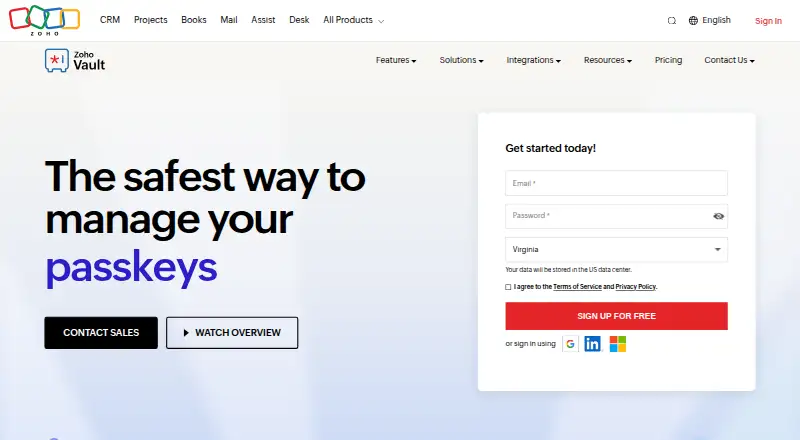
Zoho Vault is a password management service with options for individual access, sharing, and organizational administration. It supports passkeys, passwordless account login, and secure sharing. Zoho Vault also lists a family plan and business admin controls. Its supported platforms include web, Windows, macOS, iOS, Android, browser extensions, and API, giving users several ways to access the service.
The Free plan costs nothing and includes unlimited storage and device access. Zoho Vault also lists a 15-day trial. Paid plan names are Standard, Professional, Enterprise, and Flex. Standard includes password sharing, user provisioning and roles, and passkey management. Professional adds user groups, shared folders, emergency access, and webhook integration. Enterprise includes single sign-on, advanced directory authentication, and enterprise controls. Flex is described as customized, volume-based pricing. Zoho Vault is made by Zoho Vault, which was founded in 1996. Its freemium pricing model provides a no-cost starting option, while the listed plans show capabilities for family use and organizational administration.
Who it suits
Zoho Vault suits individuals or families looking for password management with passkey support, passwordless login, and secure sharing. Its organization-focused plans list user provisioning, roles, shared folders, emergency access, and enterprise controls.
What it does well
- Free plan includes unlimited storage and device access.
- Supports passkeys and passwordless account login.
- Secure sharing is listed.
- Family plan availability is listed.
- Supports web, desktop, mobile, browser extensions, and API.
- Higher plans list user roles, shared folders, and enterprise controls.
What to know first
- Prices for Standard, Professional, and Enterprise are not provided in the plan details.
- Flex uses customized, volume-based pricing.
Plans
| Plan | Billed and limits | Price |
|---|---|---|
| Free | Unlimited storage and device access | Free |
| Flex | Customized, volume-based pricing · Customized, volume-based pricing | On request |
| Flex | Customized, volume-based pricing | On request |
| Free Forever | Unlimited passwords, passkeys, storage, devices · mobile apps · browser extensions · offline access · audit trails · Mac and Windows desktop apps | Free |
| Standard | monthly; $0.90/user/month billed annually · Password sharing · passkey management · user provisioning · IP restrictions · Google Workspace and Microsoft 365 integration · priority support | $1 a month |
| Professional | monthly; $4.50/user/month billed annually · Minimum 5 users · user groups · shared folders · SecureForms · break-glass access · 10 free webhooks · CLI · breached-password alerts · geolocation restriction | $5 a month |
| Enterprise | monthly; $7.20/user/month billed annually · Minimum 5 users · Active Directory provisioning · SSO · request-release workflow · Okta and OneLogin · help-desk and SIEM integrations · unlimited webhooks · rebranding | $8 a month |
| Flex Plan | Custom plan configuration · volume pricing · tailored onboarding and training · extended trials | On request |
As zoho.com lists them, read 21 Sept 2026. The maker's own page has the final word.
Getting started
- Visit the Zoho Vault website.
- Start with the Free plan, which costs nothing, or use the 15-day trial.
- Access the service on web, Windows, macOS, iOS, Android, a browser extension, or API.
- Choose among Standard, Professional, Enterprise, and Flex if the listed plan features suit your needs.
Zoho Vault is a password manager for personal, family and organizational use. It is best for people who want unlimited storage and device access on a free plan, and for teams that need administrative controls. Passkeys and secure sharing broaden its appeal, though paid-plan prices are custom.
Overview
Vault combines password management with passkey support, passwordless account login and secure sharing. Its free plan removes storage and device limits, making it a practical starting point for an individual or family that does not need the paid tiers’ team-management tools. Organizations can move up to plans that add progressively more control over users, shared credentials and authentication.
Key features
Passkey support and passwordless account login give users alternatives to signing in with conventional passwords. Secure sharing is relevant to households and teams that need to share credentials, while business admin controls make Vault more suited to managed use than a basic personal-only vault.
The paid features are divided by organizational need. Standard adds password sharing, user provisioning and roles, plus passkey management. Professional adds user groups, shared folders, emergency access and webhook integration, which make it the more relevant tier for teams coordinating access. Enterprise adds single sign-on, advanced directory authentication and enterprise controls for organizations with broader identity-management requirements. Those features are difficult to justify for someone who only needs personal password storage.
Pricing
| Plan | Price | What it includes |
|---|---|---|
| Free | free | Unlimited storage and device access |
| Standard | Custom pricing | Password sharing, user provisioning and roles, passkey management |
| Professional | Custom pricing | User groups, shared folders, emergency access, webhook integration |
| Enterprise | Custom pricing | Single sign-on, advanced directory authentication, enterprise controls |
| Flex | Custom pricing | Customized, volume-based pricing |
The free plan is the clearest option for users who want unlimited storage and device access without moving to a paid tier. Standard, Professional and Enterprise add distinct team and administration capabilities, but all have custom pricing; compare the cost with your needs before committing. Flex is aimed at buyers who need volume-based customization. A 15-day trial is also available. No seat or renewal terms are stated for these plans.
Platforms
Zoho Vault supports web, Windows, macOS, iOS, Android, browser extensions and API access. This range suits users who need access across desktop and mobile devices, as well as organizations integrating through an API.
Who it's for
Vault is a strong fit for individuals or families looking for a free password manager without storage or device caps, and for organizations that value user provisioning, roles, shared folders or advanced authentication. It is less suitable for buyers who need to compare paid tiers by price before deciding, or for someone seeking only a simple individual plan with a clearly stated paid cost.
Pros and cons
- Pro: The free plan includes unlimited storage and device access, avoiding two common constraints for personal use.
- Pro: Passkey support, passwordless login and secure sharing cover access and collaboration needs beyond storing passwords.
- Pro: Higher tiers offer a progression from provisioning and roles to shared folders, emergency access and enterprise authentication.
- Con: Paid plans use custom pricing, making it harder to compare tiers on cost before contacting the provider.
- Con: The free plan’s stated benefits center on storage and devices; the team-management capabilities sit in paid tiers.
Alternatives
Browse other options in Password Managers. Consider Proton Pass if Linux support or hide-my-email aliases matter to you; its free plan does not require a credit card. NordPass is another freemium option, with a free plan described as lasting for a lifetime for one user account and requiring no credit card.
LastPass may suit users who want a free tier limited to one device type and a choice of paid plan; it supports Linux as well. RoboForm is worth comparing if a single-device free plan is sufficient and you want a paid option with a stated monthly price. Psono is an alternative to consider if self-hosting or Linux support is important.
Intuitive Password, Passbolt and Padloc are also password-manager alternatives.
Verdict
Choose Zoho Vault if you want a free plan with unlimited storage and device access, or if your organization needs its progression of sharing and administration features. Its passkey support and broad platform coverage add useful flexibility. Look elsewhere if transparent paid pricing is essential to your decision, since the listed paid tiers use custom pricing.
Verdict
Zoho Vault is a reasonable fit for people who want a free plan with unlimited storage and device access, or organizations that need the listed administration features. Buyers who need to compare paid plans by price should look elsewhere for pricing details before choosing a tier.
Questions
Is Zoho Vault free?
Yes. The Free plan costs nothing and includes unlimited storage and device access. A 15-day trial is also listed.
Which platforms does Zoho Vault support?
It supports web, Windows, macOS, iOS, Android, browser extensions, and API.
Does Zoho Vault support passkeys and passwordless login?
Yes. Passkey support and passwordless account login are listed.
What do the paid plans include?
Standard lists password sharing, user provisioning and roles, and passkey management. Professional lists user groups, shared folders, emergency access, and webhook integration; Enterprise lists single sign-on, advanced directory authentication, and enterprise controls.
Does Zoho Vault have a family plan?
Yes, family plan availability is listed.
Who makes Zoho Vault?
The listed maker is Zoho Vault, founded in 1996.
Facts from Zoho Vault's own pages
- Access control
- Enterprise workflows can require approvals, enforce time-limited access, and apply custom auto-approval rules to critical passwords. · zoho.com, 21 Oct 2026
- Android requirements
- The Android help page lists Android 4.4 or later, a 9.2 MB app size, and support for six named languages. · help.zoho.com, 21 Oct 2026
- API
- The public API is REST-based, uses JSON requests and responses, and documents OAuth 2.0 authentication plus data-center-specific endpoints. · zoho.com, 21 Oct 2026
- API scope
- Documented API operations include user management, password creation and retrieval, sharing, access control, folder management, and attachment retrieval. · zoho.com, 21 Oct 2026
- Audit and alerts
- Real-time audits record sensitive actions and administrators can receive notifications for critical activities. · zoho.com, 21 Oct 2026
- Browser autofill
- Browser extensions provide one-click autofill and login, password generation, and saving new sign-ups across Chrome, Firefox, Safari, Edge, and other browsers. · zoho.com, 21 Oct 2026
- Business admin controls
- Yes · zoho.com, 21 Sept 2026
- Changelog: August 2026
- The August 2026 update added mandatory folder selection when saving passwords and language support for offline access and backups. · zoho.com, 21 Oct 2026
- Company size and headquarters
- LinkedIn lists Zoho as privately held, headquartered in Chennai, Tamil Nadu, with 10,001+ employees. · linkedin.com, 21 Oct 2026
- Compliance
- Zoho's compliance page lists Zoho Vault as covered by its SOC 2 plus HIPAA Type 2 audit scope. · zoho.com, 21 Oct 2026
- Data residency
- Zoho assigns accounts to regional data centers and lets customers select a preferred data-center location. · zoho.com, 21 Oct 2026
- Encryption architecture
- Zoho states that Vault uses client-side AES-256 encryption and zero-knowledge hosting, so the master password is not stored or transmitted to Zoho. · zoho.com, 21 Oct 2026
- Extensibility
- Professional and Enterprise plans include CLI access and webhooks, with ten free webhooks in Professional and unlimited webhooks in Enterprise. · zoho.com, 21 Oct 2026
- Family plan
- Yes · zoho.com, 21 Sept 2026
- Founded
- 1996 · zoho.com, 28 Sept 2026
- Free plan
- Yes · zoho.com, 21 Sept 2026
- Integrations
- Zoho Vault integrates with Zoho Mail, Desk, Projects and Flow, Google Workspace, Microsoft 365, Active Directory, Azure, Okta, OneLogin, help desks, SIEM systems, and cloud backup services. · zoho.com, 21 Oct 2026
- Legal name and founding
- Crunchbase lists the legal name as Zoho Corporation Pvt. Ltd. and says Zoho was founded in 1996. · crunchbase.com, 21 Oct 2026
- Limit: Capterra offline use
- A Capterra review says using emailed offline vault copies is not straightforward and the mobile app may need an online connection to retrieve passwords. · capterra.com, 21 Oct 2026
- Limit: G2 interface and automation
- G2 reviewers mention a less-polished interface, occasional slow browser extensions, limited advanced SSO or API automation, and extra setup for offline access. · g2.com, 21 Oct 2026
- Limit: Gartner migration and synchronization
- Gartner reviewers report that website password synchronization needs improvement and bulk importing from Bitwarden can be difficult. · gartner.com, 21 Oct 2026
- Limit: GetApp reliability
- GetApp summaries report that some users find the interface clunky or buggy, with occasional synchronization problems, inconvenient offline access, and less-responsive auto-login. · getapp.com, 21 Oct 2026
- Limit: Google Play mobile autofill
- Google Play reviewers report mobile autofill failures, an older-feeling interface, missing features, and frustration that master-password pasting is disabled by default. · play.google.com, 21 Oct 2026
- Limit: TrustRadius mobile and browser experience
- TrustRadius reviews cite inconsistent smart autofill, buggy browser plugins, a dated or confusing interface, limited external sharing, and a need for better mobile autofill. · trustradius.com, 21 Oct 2026
Where Zoho Vault stands on Freedom251
- Password Managers#4 of 104
- Password Management Software#16 of 38