Freedom251 › Password Managers

Devolutions Password Manager
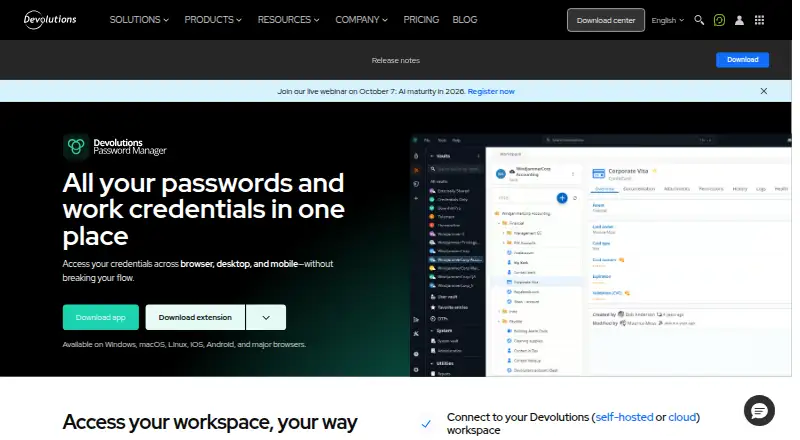
What Devolutions Password Manager is
Devolutions Password Manager stores credentials and provides browser autofill, desktop and mobile apps, and a built-in OTP authenticator on its Free plan. Workspaces can be cloud-hosted or self-hosted. It supports passkeys, passwordless account login, secure sharing and business administration controls. Listed platforms include Windows, macOS, Linux, iOS, Android and browsers such as Chrome, Firefox, Edge, Opera and Safari. The Workforce password management plan adds unlimited credential storage, role-based access control, MFA enforcement, secure data sharing, and user activity logging and reporting. Higher tiers add remote access capabilities, including just-in-time access, session recording, remote file transfer and web-based sessions. The Remote desktop management & IT operations plan includes more than 150 remote connection protocols, granular access control and network discovery. Privileged access management adds privileged session management, automated password rotation, credential checkout approvals and just-in-time privilege elevation. A Free plan is available; Workforce password management costs $3.00 per month, billed annually. A 14-day trial is listed.
Who it suits
The Free plan suits individuals seeking credential storage, autofill and an OTP authenticator. Its higher tiers are aimed at organizations needing access controls, remote access or privileged access management.
What it does well
- Free plan includes a built-in OTP authenticator
- Cloud or self-hosted workspace options
- Supports passkeys and passwordless account login
- Paid plans include role-based access control
What to know first
- Paid plans are billed annually
- Remote desktop management features are in higher tiers
Limits
The free plan lists browser autofill, desktop and mobile apps, a built-in OTP authenticator, and cloud or self-hosted workspaces. It does not list the Workforce plan’s unlimited credential storage, role-based access control, MFA enforcement, sharing, or activity reporting.
Plans
| Plan | Billed and limits | Price |
|---|---|---|
| Free | Browser autofill · Desktop and mobile apps · Built-in OTP authenticator · Cloud or self-hosted workspace options | Free |
| Workforce password management | billed annually · Unlimited credential storage · Role-based access control · MFA enforcement · Secure data sharing · User activity logging and reporting | $3 a month |
| Remote access management | billed annually · Everything in Workforce password management · Just-in-time access · Session recording · Remote file transfer · Web-based sessions | $20 a month |
| Remote desktop management & IT operations | billed annually · Everything in Remote access management · 150+ remote connection protocols · Granular access control · Network discovery · Windows, macOS, and Linux clients | $30 a month |
| Privileged access management | billed annually · Everything in Remote desktop management & IT operations · Privileged session management · Automated password rotation · Credential checkout approvals · Just-in-time privilege elevation | $50 a month |
As devolutions.net lists them, read 16 Sept 2026. The maker's own page has the final word.
Getting started
- Visit the Devolutions Password Manager website.
- Choose the free plan or review the paid plans.
- Use the 14-day trial if you want to try a paid plan.
- Select a cloud or self-hosted workspace.
- Use a listed desktop, mobile, or browser platform.
Verdict
Devolutions Password Manager offers a free credential-management option and paid plans that add administration and remote access functions. The listed platforms include desktop and mobile systems as well as several browsers.
Questions
Is there a free plan?
Yes. The Free plan costs nothing and includes browser autofill, desktop and mobile apps, a built-in OTP authenticator, and cloud or self-hosted workspace options.
How much do paid plans cost?
Workforce password management starts at $3 per user per month billed annually. Remote access management is $20 per month, Remote desktop management & IT operations is $30 per month, and Privileged access management is $50 per month; each is billed annually.
What platforms does it support?
Listed platforms include Windows, macOS, Linux, iOS, Android, Chrome, Firefox, Edge, Opera, and Safari.
Does it support passkeys and passwordless login?
Yes. Passkey support and passwordless account login are listed.
Can workspaces be self-hosted?
Yes. The Free plan lists both cloud and self-hosted workspace options.
Is a trial available?
A 14-day trial is listed.
Facts from Devolutions Password Manager's own pages
- Business admin controls
- Yes · devolutions.net, 16 Sept 2026
- Founded
- 2004 · devolutions.net, 28 Sept 2026
- Free plan
- Yes · devolutions.net, 16 Sept 2026
- Headquarters
- Lavaltrie, Quebec, Canada · devolutions.net, 28 Sept 2026
- Passkey support
- Yes · devolutions.net, 16 Sept 2026
- Passwordless account login
- Yes · devolutions.net, 16 Sept 2026
- Secure sharing
- Yes · devolutions.net, 16 Sept 2026
- Paid from
- 3 · devolutions.net, 16 Sept 2026
- Supported platforms
- Windows,macOS,Linux,iOS,Android,Chrome,Firefox,Edge,Opera,Safari · devolutions.net, 16 Sept 2026
Where Devolutions Password Manager stands on Freedom251
- Password Managers#12 of 104